Campaign Setups in Affiliate Marketing: What They Are and How to Find a Winning Setup 💲
The ability to test and scale campaign setups is one of the most critical skills in media buying. 💪 Finding profitable setups is an ongoing priority for both teams and solo media buyers, as winning combinations burn out quickly, get ripped by competitors, or get wiped out during traffic source banwaves.
Regular antifraud updates across ad networks and the constant need to adapt to new angles only add to the pressure.
In this guide, we break down what an affiliate campaign setup actually consists of, how media buyers research and split-test them, and briefly cover how to scale them.
What a Campaign Setup Is and What It Consists Of
🔗 An affiliate campaign setup is a combination of several core elements that make up any advertising campaign. Broadly speaking, it includes:
- Traffic source;
- Offer;
- GEO;
- Creative;
- Targeting settings;
- Landing page setup (lander, pre-lander, or mobile app).
However, media buyers do not always mean this entire list when referring to a setup, as the required components depend on the traffic source and vertical. In popunder traffic, for instance, there is no creative asset because a user click immediately triggers a redirect to the lander. In adult affiliate marketing, buyers running classic offers rarely use pre-landers because an extra warm-up step often hurts conversion rates.
Keep in mind that changing a single element, such as swapping out a creative or testing a new landing page, effectively means launching a new setup because it directly impacts your overall 💰 ROI.
How to Find Winning Setups
🔍 Finding a profitable setup is a flexible process, and the order in which you test different elements depends on the situation. There is no rigid blueprint dictating that you must always find a creative first, followed by a GEO, an offer, and so on.
You can test variables in any order until your setup gains traction and starts running in the green.
That said, your baseline will always be the traffic source. Every ad platform has its own creative formats, distinct audience demographics, and campaign delivery algorithms. Consequently, a winning setup from one traffic network almost never works if copied directly into another.
Your traffic source also dictates your choice of vertical. For example, affiliates running OnlyFans or dating offers rely heavily on Reddit or Instagram, whereas gambling performs best on Facebook, in-app traffic, or Google UAC.
🌎 The next step is selecting your target GEO. In affiliate marketing, countries are traditionally divided into three tiers based on consumer purchasing power: Tier-1, Tier-2, and Tier-3.
The higher a country’s tier, the higher the average offer payouts, but traffic costs also escalate rapidly due to intense competition. Testing Canada 🇨🇦, where average lead costs can reach $40, is far more expensive than testing Brazil 🇧🇷, where a lead might cost around $15.
Choose your target GEO based primarily on whether your testing budget can handle the traffic costs, and only then evaluate secondary factors.
If a specific GEO and vertical pairing was hyped and heavily saturated by affiliate teams for an extended period, that audience can easily burn out. Conversely, some countries currently deliver far stronger conversion rates than others.
Uncovering these trends independently can take significant time and budget, but you can always ask your affiliate manager. Managers at established affiliate networks track data across hundreds of media buyers and know exactly which GEO and vertical pairings are converting right now.
Once you lock in your traffic source and target country, you can move on to assembling the remaining assets. The most efficient way to do this is by analyzing competitors using ad spy tools ⚡️.
These tools provide access to databases of ads running across different traffic sources, including campaigns that are no longer active. They let you monitor live creatives as well as historical campaigns.
🙌🏻 To illustrate how this works, let’s walk through the process of researching Facebook setups using Tyver, an ad spy tool.
Step 1: Setting Up Basic Filters
Start by configuring your core parameters: GEO, vertical, and keywords. If you are unsure which search terms to target for your vertical, prompt an AI model to generate them.
📍 Prompt example: “Find keywords for searching gambling affiliate campaign setups in an ad spy tool. GEO: Brazil. Looking for UGC formats and gambling videos for Facebook and TikTok.”
The screenshot below displays sample keywords generated by Gemini for this query.
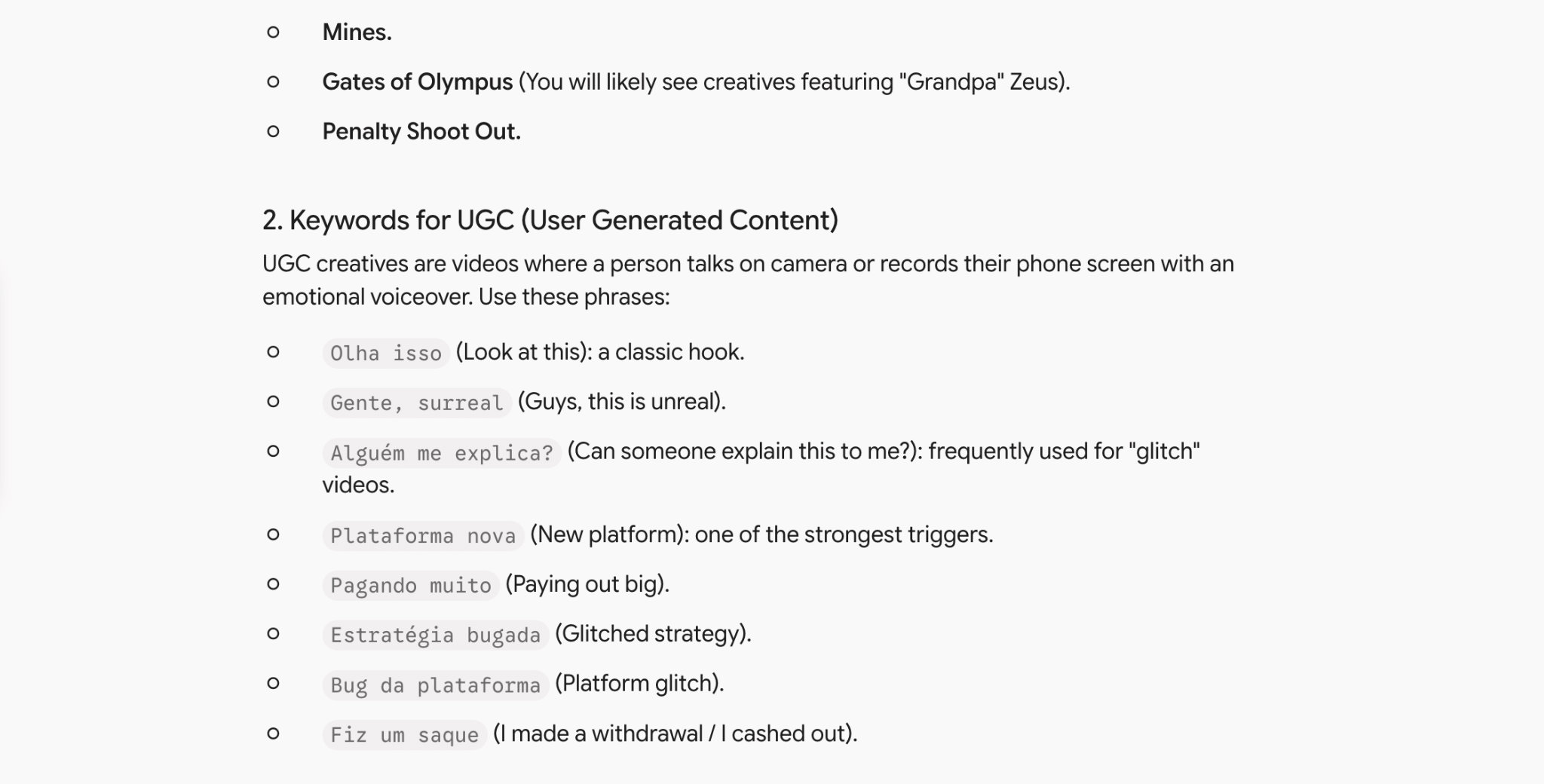
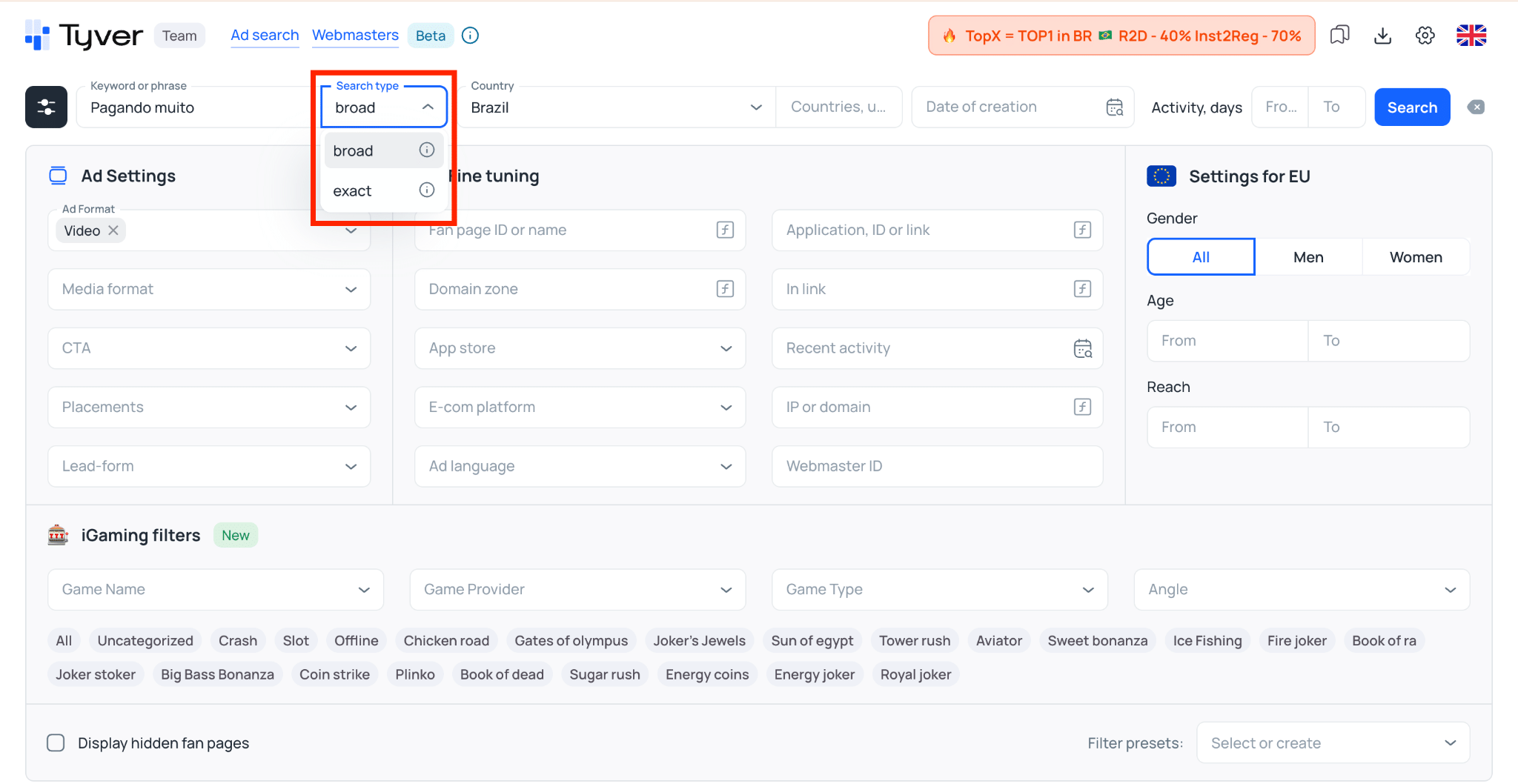
⌨️ Enter a few target keywords into Tyver’s search bar and review the results. Searching for “Pagando muito” returns over 3,000 ads, the vast majority of which are clearly affiliate campaigns.

If you are looking for angles targeting specific games, use exact keyword queries. The Broad Search feature helps surface creatives with similar headlines, expanding your pool of testable hypotheses.
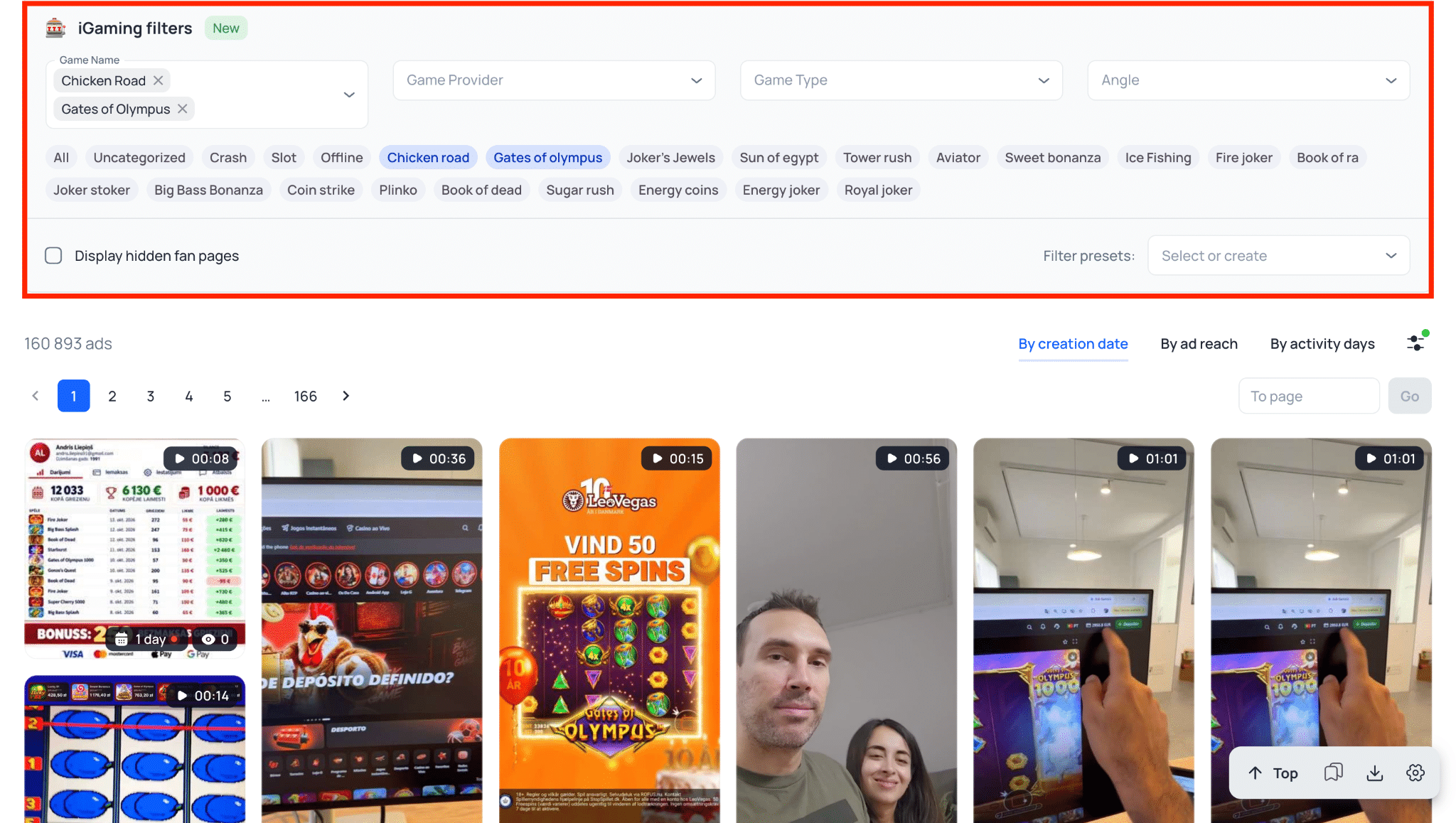
To avoid wasting time sorting through standard brand advertising, Tyver includes a dedicated Gambling category. This filter immediately narrows your results to niche-relevant campaigns.
❗️ Important note: This section curates gambling creatives based on specific algorithmic criteria. While convenient, relying exclusively on this filter might exclude relevant ads. Experienced media buyers often intentionally disguise their campaigns to evade category tags. If you know how to search using URL parameters or specific keywords, leaving this category filter open can broaden your search results.
📖 If you focus heavily on gambling, check out our latest guide covering creative research workflows specifically tailored to this vertical.
The fastest way to isolate affiliate campaigns from mainstream advertising is searching by URL parameters. Most media buyers include tracker tokens to monitor performance in platforms like Keitaro or Binom. In Tyver’s “In URL” filter, enter common tracking parameters:
- pixel_id= or pix=;
- sub1=;
- utm_medium=;
- fb=.
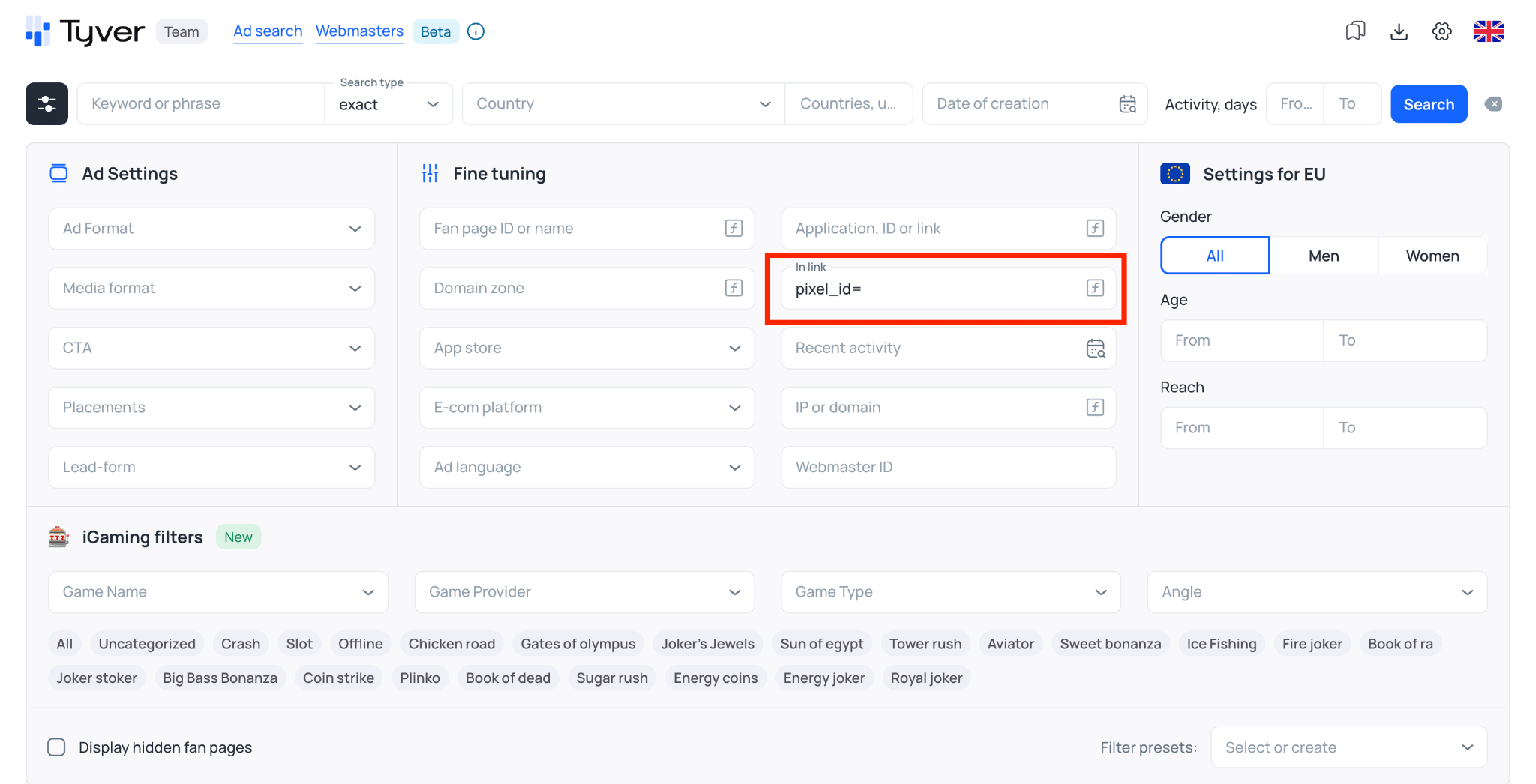
This immediately filters out white-hat e-commerce ads, leaving only active campaigns run by competing media buying teams.

Step 2: Analyzing Search Results to Identify Profitable Creatives
A large portion of search results will inevitably consist of outdated or failed creatives that underperformed during initial tests. Your objective is finding ads that are being scaled across multiple ad accounts, have remained active over an extended period, and were launched relatively recently.
🔸 Ad Lifespan: Set your active days filter between 3 and 14 days. If an ad ran for less than three days, it was likely an abandoned test. If it has been running significantly longer, there is a risk that the audience is already saturated.
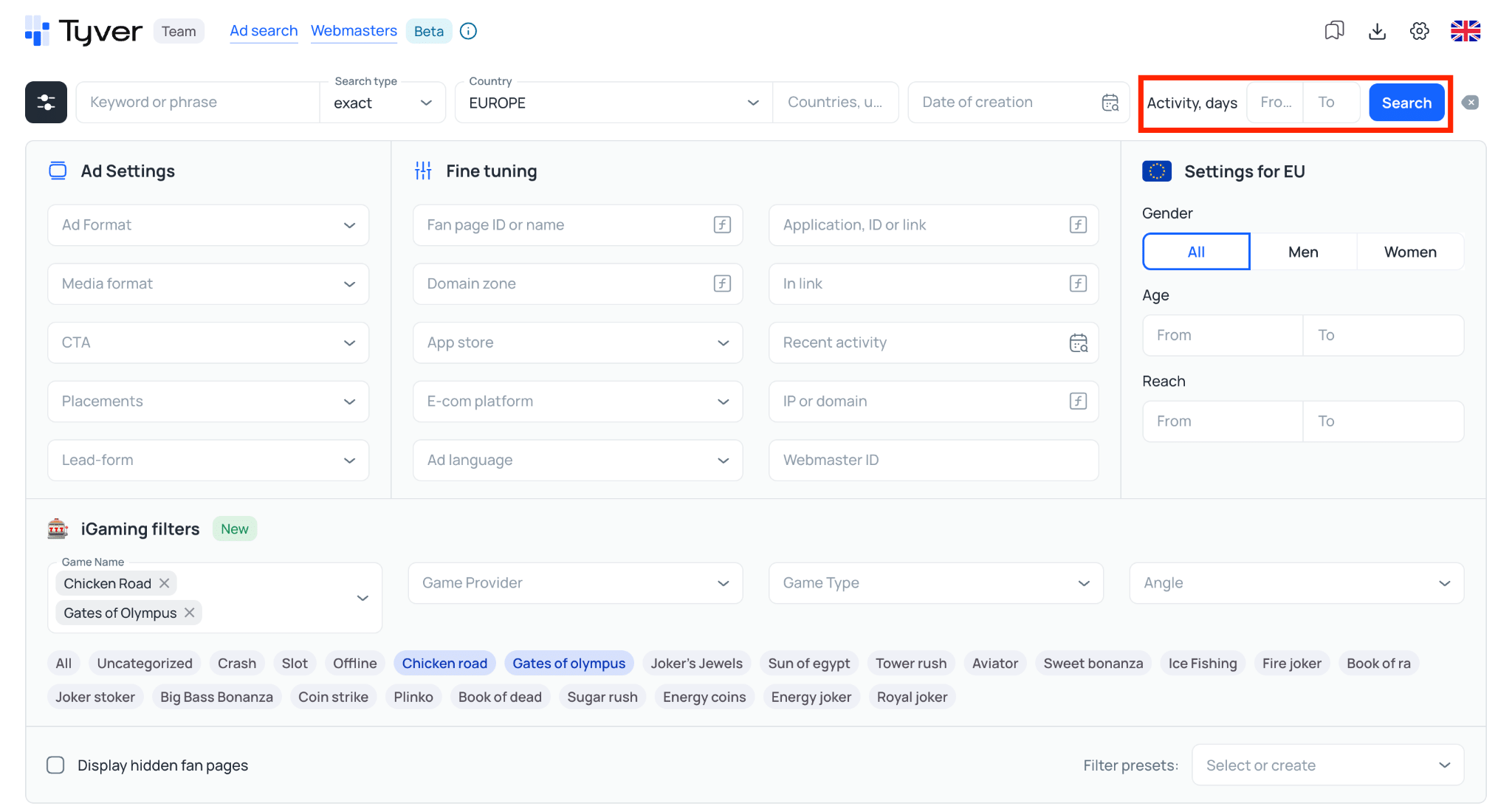
🔸 Duplicate Creatives: Pay close attention to creatives running across multiple advertisers with different domain names. When several media buyers run the exact same creative simultaneously, it can be an indirect sign that the setup is profitable.
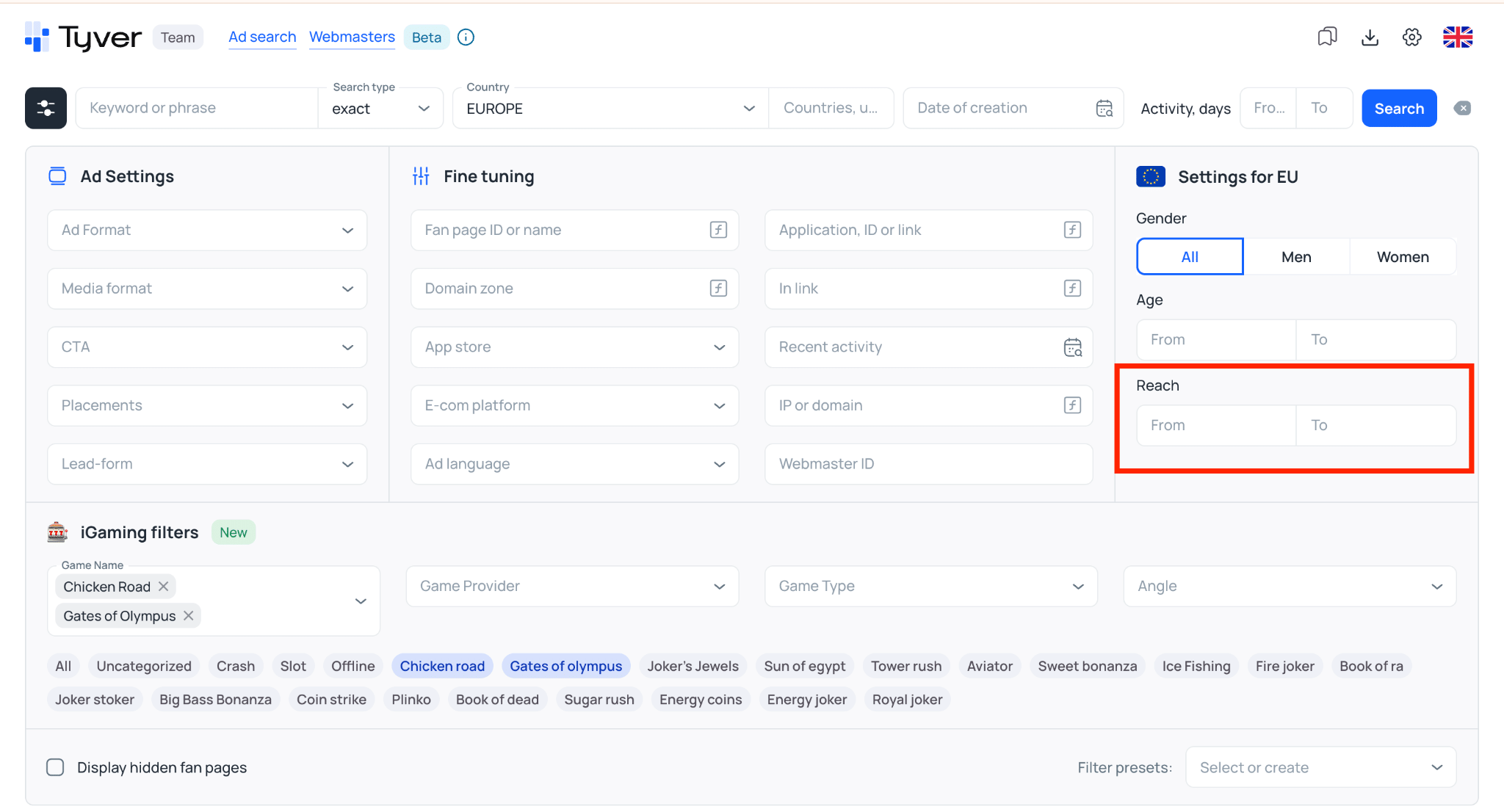
🔸 Ad Reach: Not every spy platform displays reach estimates, but when available, you should always leverage them. In Tyver, setting your minimum reach filter to 1,000 highlights campaigns with several thousand views.
Once you identify a promising ad, click on “Similar Ads” and select “By FB Page“. The platform will display all campaigns launched from that specific Fan Page, letting you inspect the entire funnel: from multiple video iterations to destination landing page URLs.
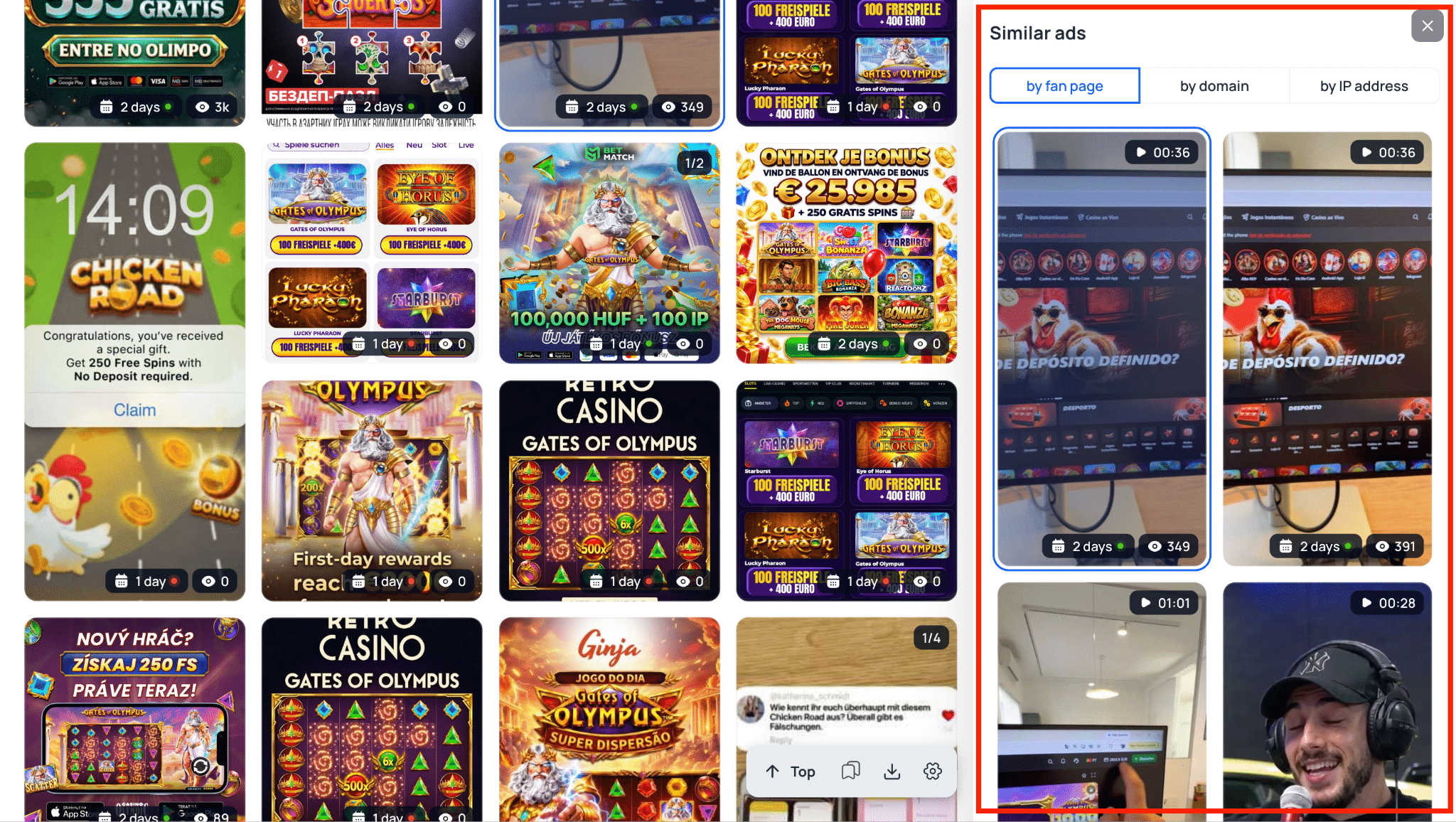
If a creative has been relaunched repeatedly while sustaining steady reach, it is almost certainly generating profit, as the media buyer would not continue spending budget on it otherwise.
Step 3: Analyzing Landing Pages and Slots
Next, work backwards from the ad creative. Once you have identified a solid base of promising creatives to use as a starting point, analyze the remaining components of the setup: which landing pages and slot titles competitors are promoting in your target GEO.
If search results for a specific country frequently feature titles like “Gates of Olympus“, that slot clearly resonates with the local demographic and makes an obvious candidate for your initial tests.

Apply the same analytical framework to landing pages. Keep in mind that directly copying a competitor’s setup from a spy tool will rarely make your campaign profitable right out of the gate, even if every metric looks promising on paper. Variations in ad spend, launch timing, and targeting parameters will all influence performance.
Researching Nutra Setups
Applying these same research principles, let’s look for converting nutra creatives 💊 targeting Europe. First, prompt an AI model to generate relevant keywords.
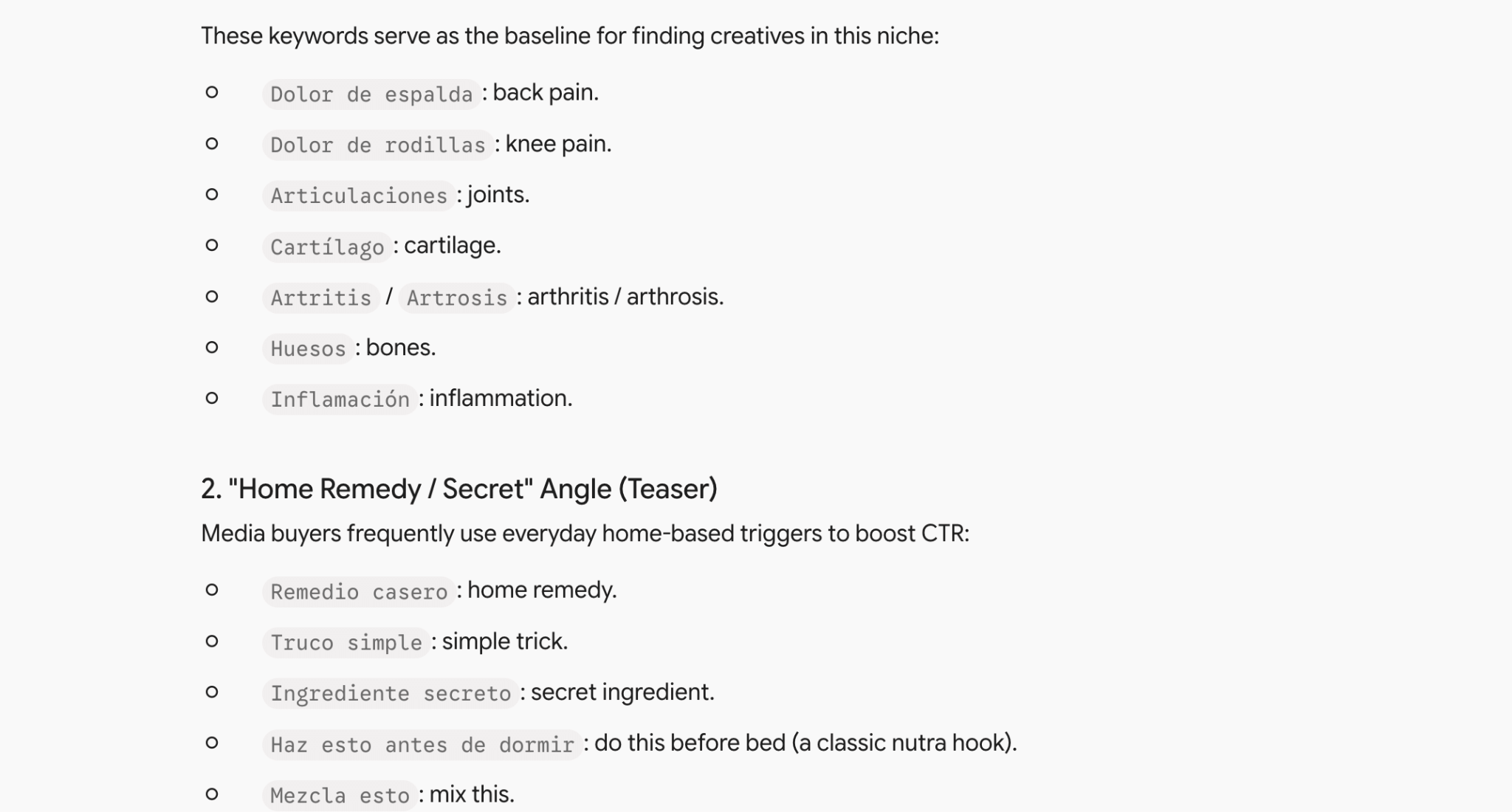
Select a broad search term like “Cartílago” and apply the following filters:
- Ad reach: 1,000+;
- Active days: 3+;
- Search type: Broad Search;
- GEO: Europe 🇪🇺.
Sort the results by “Creation Date” to surface the freshest active campaigns.
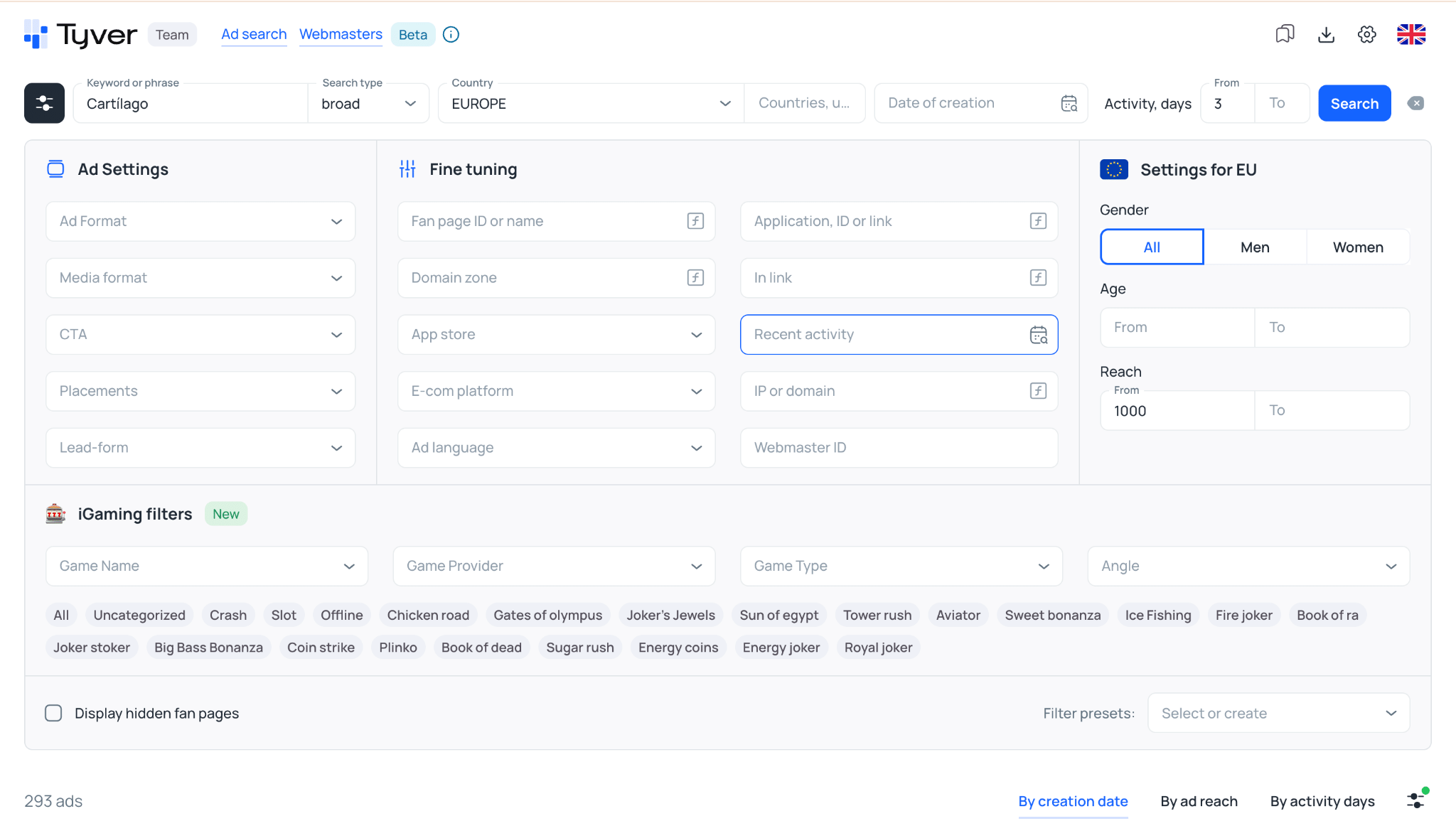
➡️ With these parameters applied, Tyver returns nearly 400 ad creatives, most of which are clearly run by affiliate media buyers.
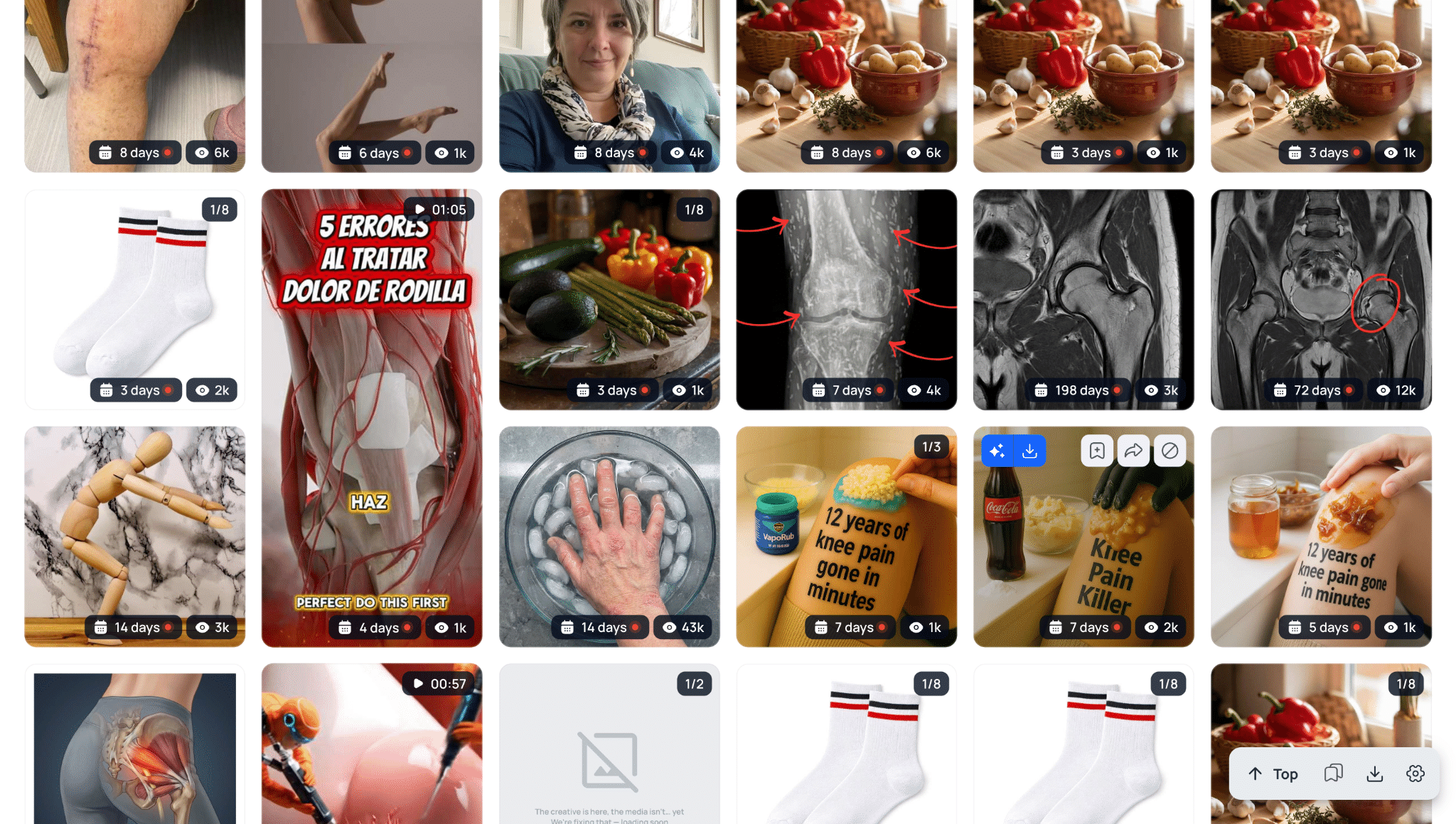
Creatives featuring joint X-rays immediately stand out. The screenshots below show several ads with lifespans between 4 and 6 days, each accumulating thousands of impressions.
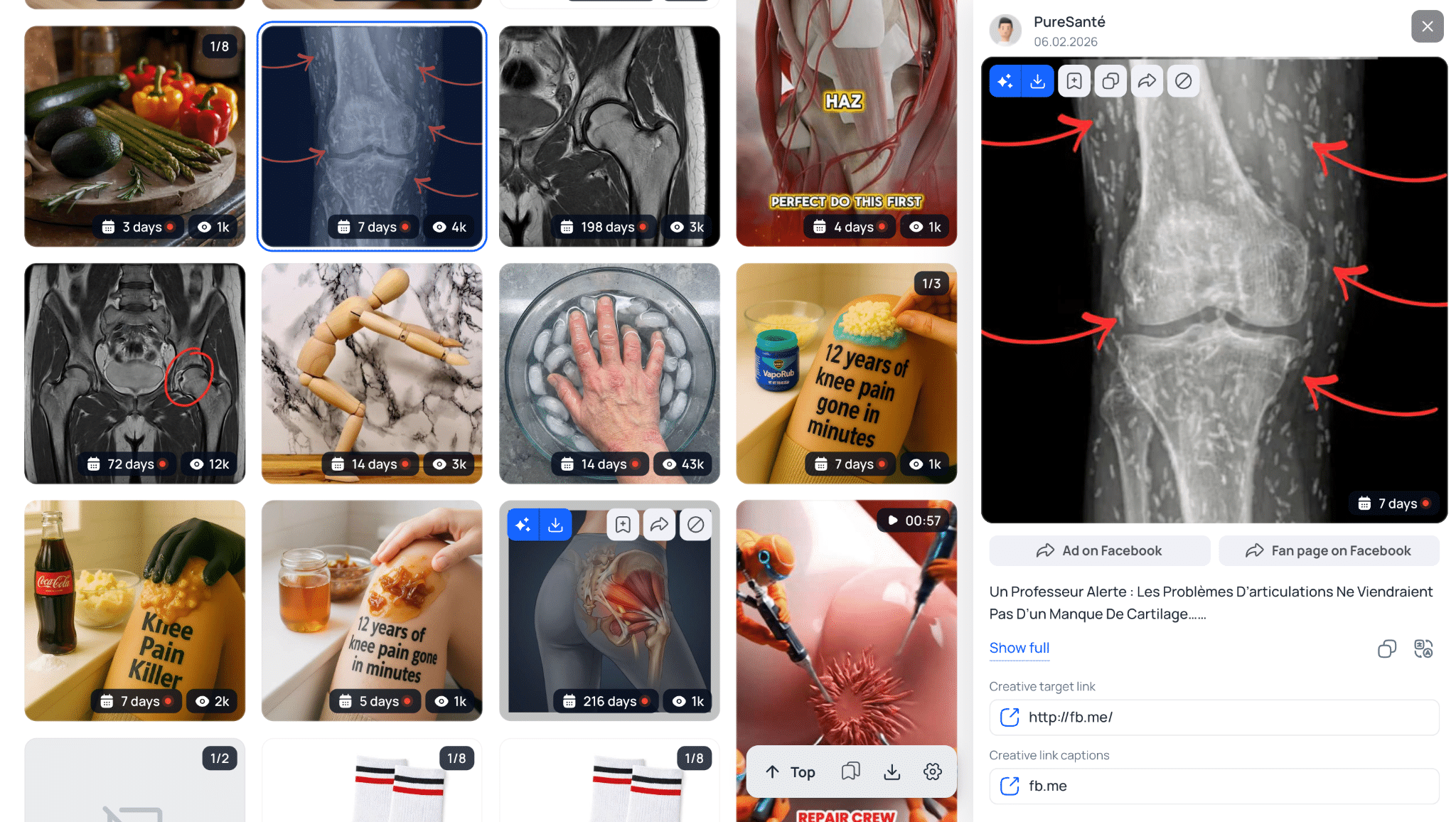
Navigating to this advertiser’s Fan Page reveals that the page is packed with similar creatives.

No team scales a campaign across dozens of identical ad sets and maintains them active for nearly a week unless they are profitable. This visual approach can confidently serve as a baseline for your own joint health campaigns in this GEO. 🩻
Campaign Performance Analysis and Optimization
Your success when running Facebook traffic depends heavily on how effectively you analyze campaign data. Reviewing high-level revenue and ad spend figures is not enough; you must know exactly which element of your funnel generates deposits and which one drains your budget.
Media buyers use trackers with sub-ID breakdowns to monitor the performance of each creative and ad set individually. Without granular tracking, you cannot cut losing setups in time or scale what actually converts.
In practice, data analysis focuses on diagnosing specific bottlenecks in your campaign:
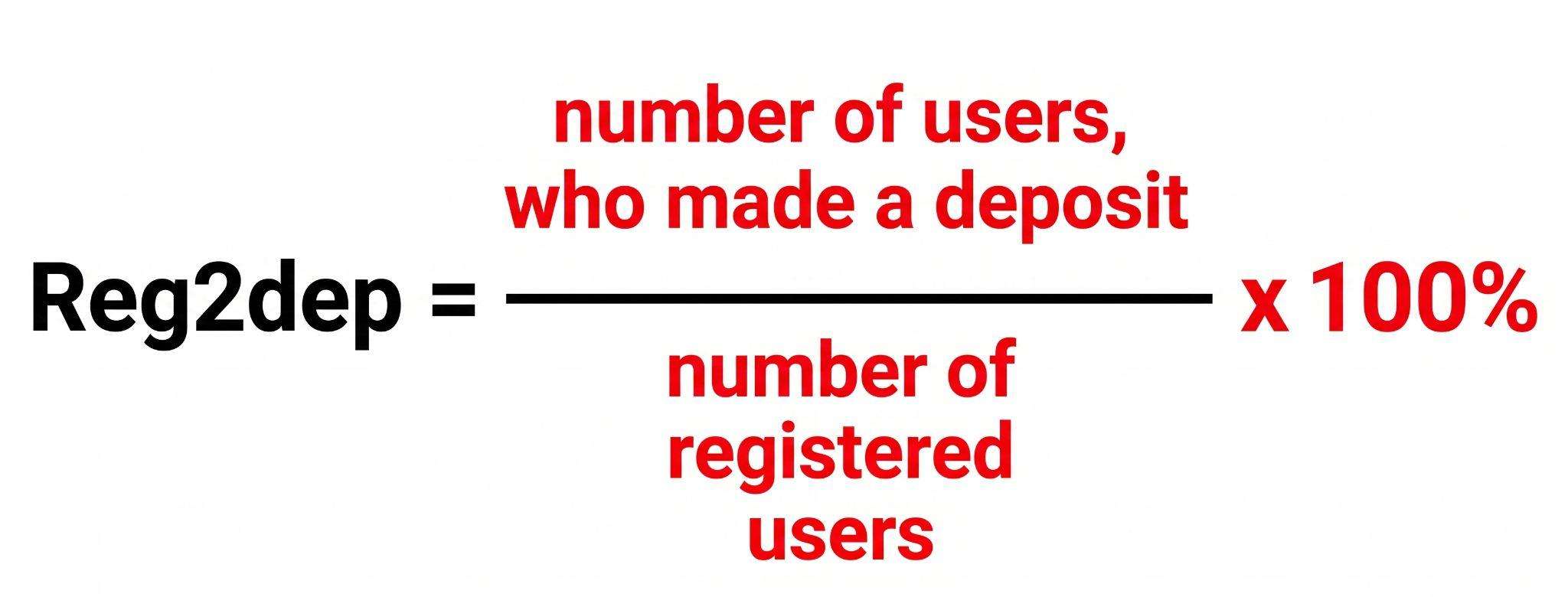
- Reg2Dep Ratios (Registration-to-Deposit Rate): When running traffic to LATAM, creatives often generate cheap registrations at $0.50 each. If 100 registrations yield zero deposits, the creative is not converting into paying players. The ad likely relies on misleads or promises a bonus that does not exist on the offer page. A healthy baseline to aim for is one deposit for every 10 to 15 registrations.
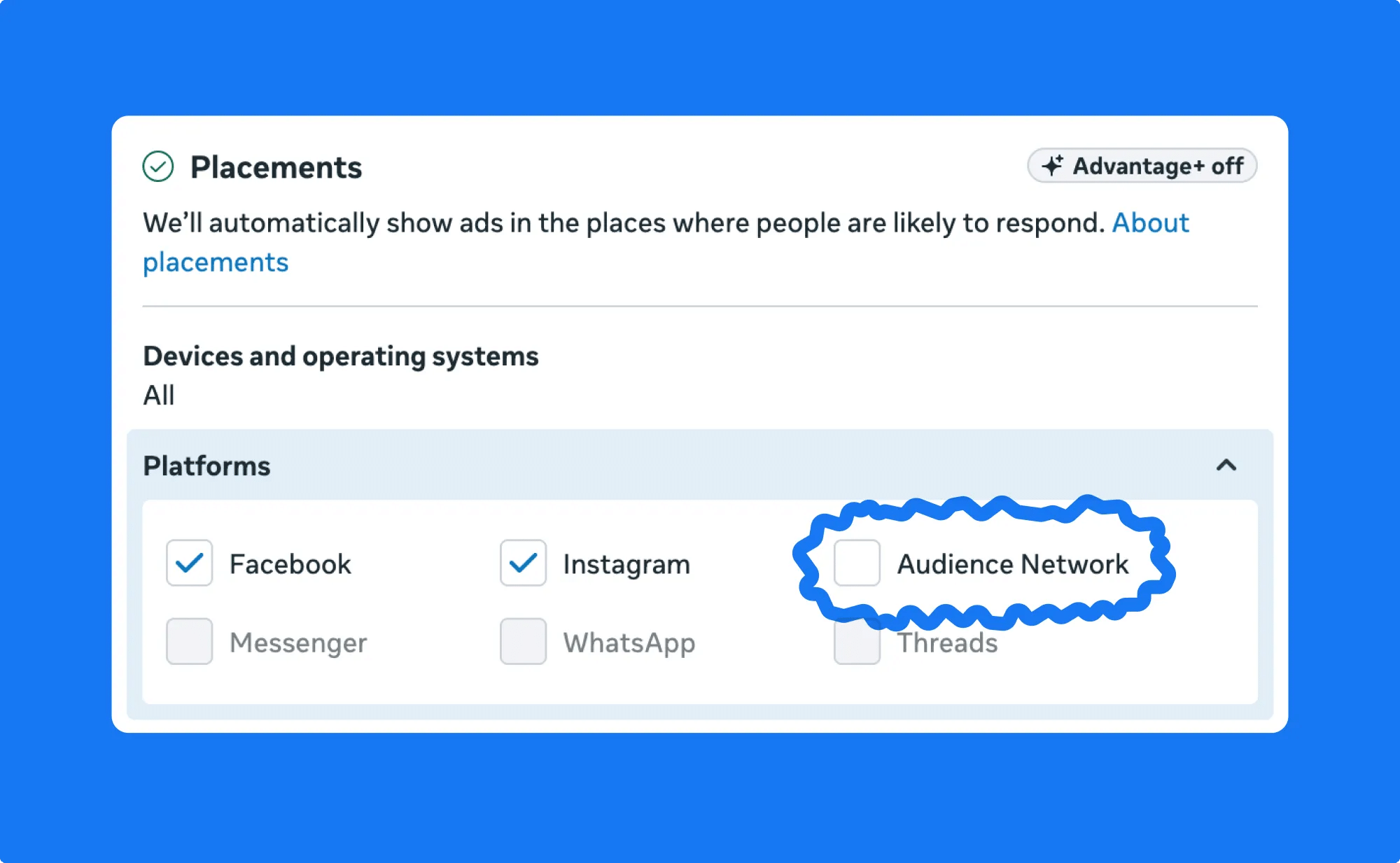
- Placement Optimization: Facebook pushes Advantage+ placements by default, routing ad spend into Audience Network, which generates large volumes of low-intent clicks. If your tracker shows that spend is bleeding into non-converting placements with negative ROI, manually disable them and restrict delivery to Facebook Feed, Instagram Feed, and Reels.
- Technical Funnel Audits: If your ads receive steady clicks but generate virtually no installs or registrations in your tracker, audit your technical setup immediately. Access your destination URL using a mobile proxy matching your target GEO. If your white page or landing page takes longer than three seconds to load, visitors will drop off. Additionally, check that naming information and deep links are passed correctly to the app.
- Age Demographic Adjustments: Audiences aged 21 to 25 often generate low-cost leads that deliver weak player LTV. Advertisers actively monitor retention metrics and will cut payouts if traffic fails quality KPIs. If data indicates that younger users do not make repeat deposits, narrow your ad set targeting to ages 25 and up. Your cost per lead may increase slightly, but your campaign will remain viable longer due to higher traffic quality.
A profitable setup is the result of cutting away everything that does not perform. If a campaign fails to turn a profit after disabling unprofitable ad sets and placements, the angle is either exhausted or fundamentally broken.
The Lifecycle of a Setup: Why Campaigns Die and What to Do
☝️ Every paid social setup has a finite lifespan, whether it lasts several days or a couple of months. Understanding why campaigns fail helps you pivot to fresh angles before your ROI collapses.
Key drivers of campaign fatigue:
- Creative Fatigue 🔥: As the same video or image is repeatedly served to an audience, CTR declines while CPC and CPA rise. This occurs rapidly on Facebook because the delivery algorithm frequently rotates ads among identical audience segments. To help you detect this early, check out our detailed guide on identifying creative burnout before it damages performance;
- Auction Saturation: When multiple large teams enter the same GEO promoting identical offers, competition within the ad auction intensifies. Traffic costs spike, turning a setup that was profitable yesterday into a money-losing campaign today;
- Public Exposure: Once your winning angle is discovered in ad spy tools by hundreds of competing media buyers, performance degrades quickly under the weight of duplicate campaigns;
- Technical Banwaves 🌪️: Facebook algorithm updates and sweeping account bans can suddenly halt even your most consistent campaigns.
When a setup begins to fade, do not immediately kill the campaign. Try refreshing the angle first: produce fresh creative variations using generative AI tools like Seedance 2.0, switch to a more aggressive pre-lander, or test the exact same angle in an adjacent GEO.
How to Test Campaign Setups
Finding a winning setup after launching only a few ad variations takes a lot of luck. Media buyers typically run structured split tests, testing each variable individually: creatives, landing pages, and GEOs.
Begin by defining your testing budget per setup. This threshold varies based on several factors. If you are relatively new and still learning how to cut unprofitable setups with limited statistical data, allocate between 0.5 and 2 times the target offer payout per test. 💸
Maintain a strict testing rule: change only one variable at a time. If you alter multiple components simultaneously, you cannot pinpoint which adjustment improved or damaged conversion rates.
For example, imagine you are testing five creative variations against two landing pages for a single GEO and offer pairing. Once the test concludes, suppose only one creative delivered an acceptable CTR; use that asset as your new control.
👀 From there, test variations of that winning concept by modifying the headline, visual hooks, and color palette. This lets you optimize click-through rates while preserving the underlying angle.
Simultaneously monitor conversion rates on your landing page. If a lander generates zero leads, swap it out; if it shows initial traction, test it further with larger traffic volume.
Once your split-test sequence wraps up, identify the top-performing asset and build your next iteration around it. This way, you gradually eliminate what does not work and keep improving the variations that deliver results.
Keep in mind that this framework represents the baseline. The exact variables and performance metrics you track will expand depending on your traffic source and vertical.
How to Scale a Winning Setup
Finding a working setup is only half the battle. To extract maximum revenue, you must scale volume systematically before your returns hit a plateau.
Beginners often assume scaling simply means raising the campaign budget. In native ad networks, that approach can work well because optimization algorithms are less complex, making direct budget increases or campaign duplications effective. 📈
Platforms like Facebook operate entirely differently. Aggressive budget increases almost always destabilize campaign optimization by overheating ad sets. The faster you scale an ad set’s daily budget while running it continuously, the quicker it burns out, driving up traffic costs.
Keep in mind that after midnight, you are effectively competing for a different audience in the ad auction. Running high-budget ad sets 24/7 can cause your traffic costs to rise simply due to delivery algorithm dynamics and lower late-night user activity.
🫡 Before scaling, study how your traffic source works so you can choose the right scaling strategy.
Common Mistakes That Cost You Money
🚽 Wasting budget on Facebook typically stems from technical errors or improper testing sequences. Below are the most common pitfalls that drain media buying budgets before clear statistical data can be gathered.
Direct Ripping From Spy Tools: Meta maintains an extensive fingerprint database of previously banned creatives. If you download a video from an ad spy tool and run it without substantial editing, computer vision algorithms will detect the match immediately. Your ad will either get rejected during pre-moderation or your ad account will be banned shortly after launch.
For actionable techniques, check out our recent blog post on clearing Facebook moderation under current conditions.
Insufficient Testing Budgets: Pausing a campaign after spending $10 in an expensive Tier-1 GEO is pointless because you will not collect enough statistical data for meaningful analysis. Allocate at least 1 to 2 times the target CPA payout per angle to evaluate realistic conversion rates for installs and registrations.
Changing Multiple Variables Simultaneously: Restrict each split test to a single variable: the creative, the landing page, or the targeting configuration. If you launch a new lander alongside a new creative, you cannot determine which change produced the result.

The same principle applies when refining creatives: once a winning angle is identified, test localized currency symbols, on-screen facial expressions, or background elements individually. Systematic split-testing uncovers winning combinations without wasting capital on unverified hypotheses.
Running Campaigns Without Conversions API (CAPI): Standard browser pixels lose conversion signals due to ad blockers and mobile privacy controls, particularly on iOS devices. As a result, Facebook can miss up to 30% of your deposit events. Conversions API passes event data server-to-server directly from your tracker or affiliate network to Ads Manager.
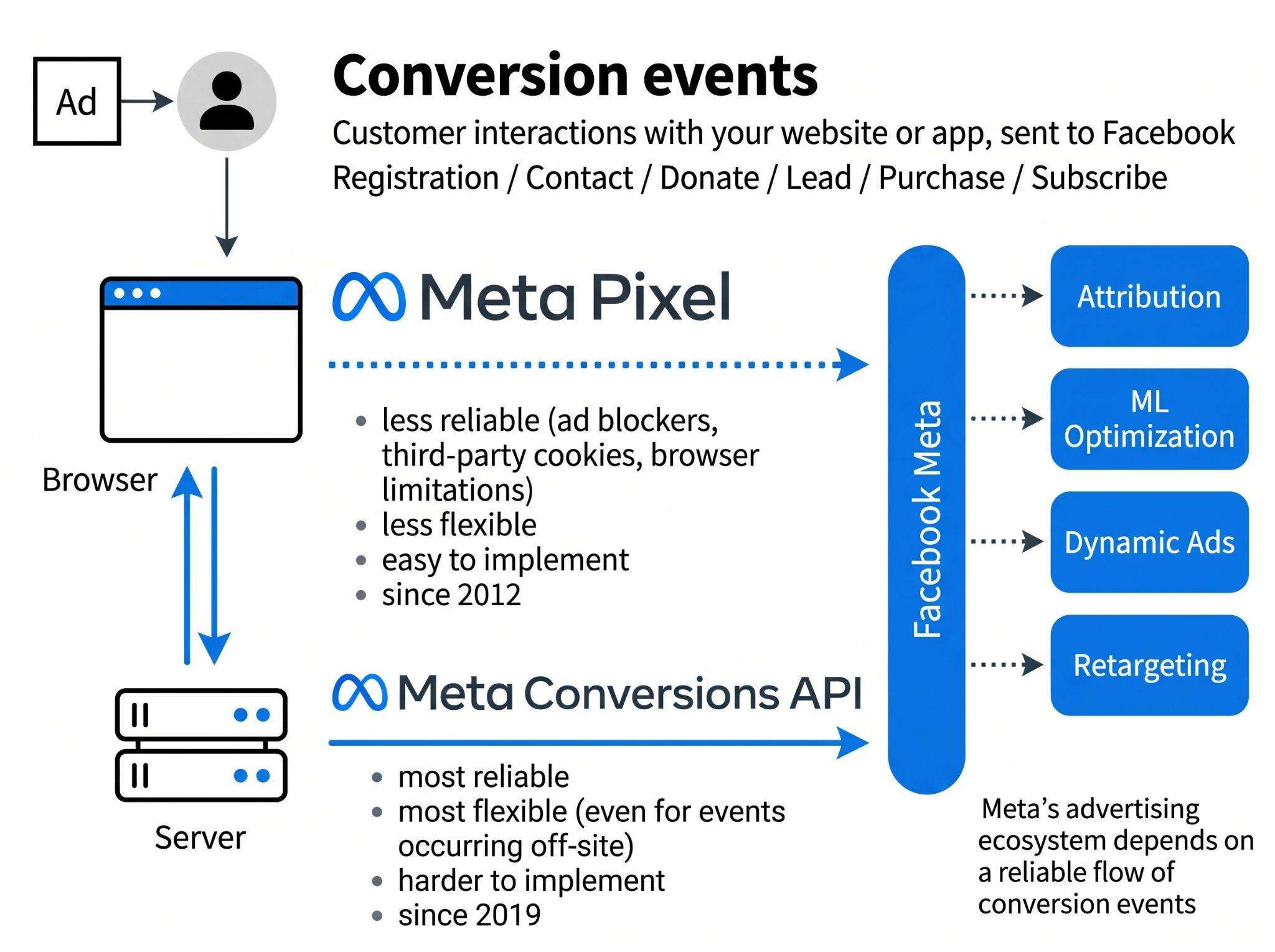
This server-side data is essential for algorithmic optimization: the more verified deposit signals the system receives, the faster it identifies paying users. Running without CAPI inflates traffic costs because campaigns optimize against incomplete data.
Neglecting Tracker Logs: Tracker logs provide an audit trail for every incoming click, capturing user IP addresses, countries, devices, and internet service providers. If you fail to inspect this data, you will miss instances where Facebook moderators bypass your cloaking setup. Within your tracker (such as Keitaro), monitor the ISP and Organization columns.
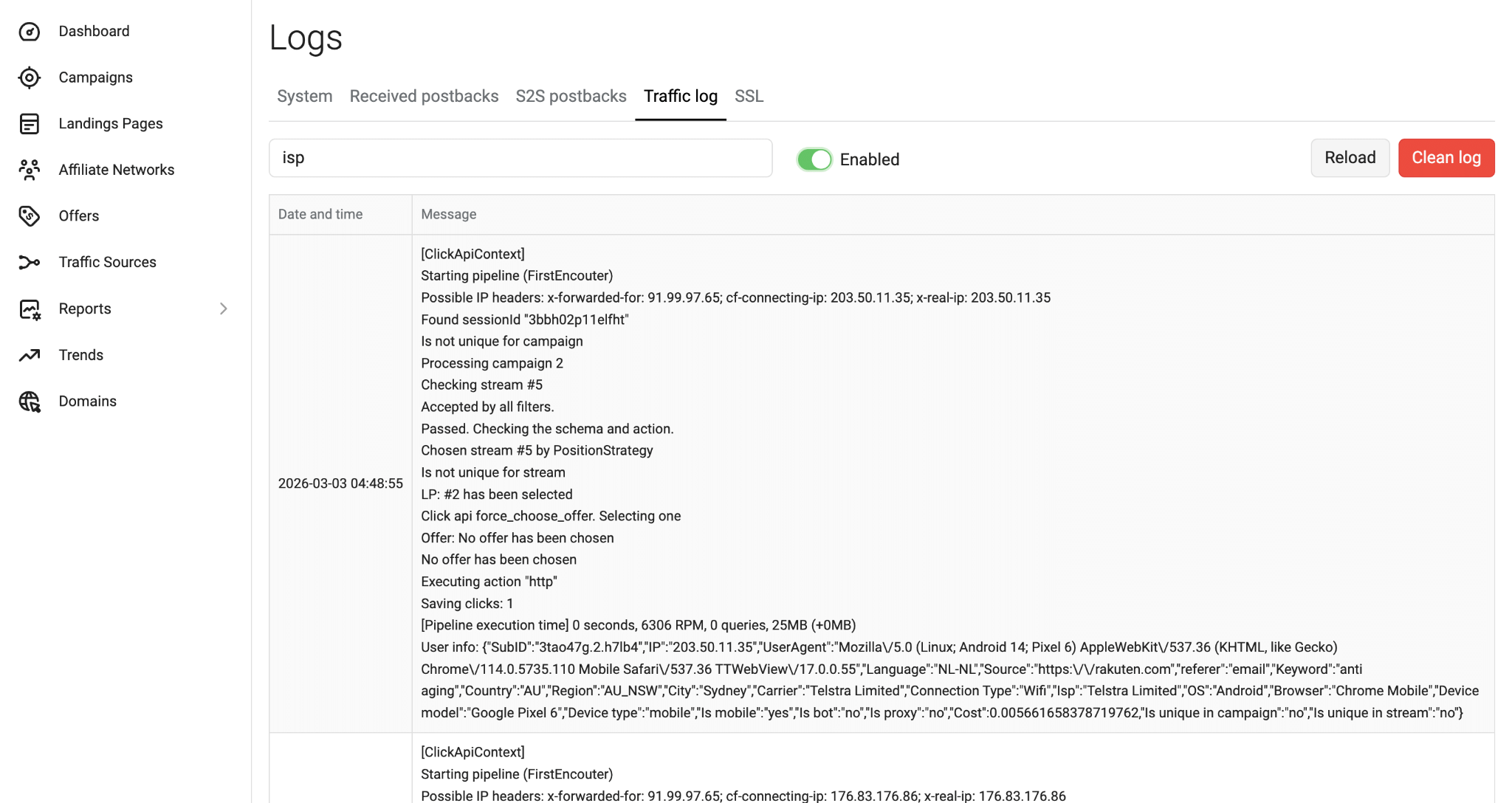
If you detect hits originating from data centers like Amazon, DigitalOcean, or Facebook itself being routed to your offer page, your cloaking filters are failing. A human reviewer will spot your restricted content, resulting in an immediate account ban. Regular log reviews allow you to tighten filtering rules before a campaign gets flagged.
Skipping Payment Gateway Audits: Launching traffic to an offer with unstable local payment gateways guarantees burned ad spend. In performance marketing, everything hinges on payment processing success rates, particularly in Tier-3 GEOs.
If an advertiser’s primary deposit method fails, such as Pix in Brazil or Bkash in Bangladesh, even the highest-quality traffic will not generate revenue because users will encounter payment errors and abandon the site. Before launching, confirm current payment gateway health and approval rates with your affiliate manager.
Alternatively, audit the funnel directly: access the offer’s cashier page using a mobile proxy from your target country. If payment methods fail to load, freeze, or reject minimum deposit entries, hold your campaign until the advertiser resolves the issue.
Conclusion
Working with affiliate marketing setups is an ongoing cycle of research, testing, and scaling. Every winning setup eventually burns out or becomes saturated, requiring media buyers to continuously develop and test fresh angles.
Long-term success depends on your ability to interpret performance metrics and replace fading campaigns before they pull your balance into the red.
Using dedicated research platforms like Tyver.io removes guesswork and prevents expensive trial-and-error testing. You gain immediate clarity on active creative angles, verified ad reach, and campaign lifespans across any GEO. Stop burning ad spend on blind tests: sign up for Tyver, analyze active setups in your vertical, and launch campaigns backed by approaches that are already performing at scale. 😉