Facebook Ad Parsers: What Are They and How Can You Use Them in Marketing and Affiliate Marketing? 🦾
Every day, advertisers launch hundreds of thousands of ads across Meta platforms. You can use these ads as inspiration for your own campaigns and as a way to spot emerging trends in your niche. But if you want to see the advertising landscape as a whole rather than just the ads that appear in your Facebook feed, you need an ad parser. ☝️
What is a Facebook ad parser?
A Facebook ad parser is a tool for targeted ad search and monitoring across Facebook. Your Facebook feed and other Meta platforms only show you the ads selected by the platform’s algorithms. An ad parser, on the other hand, brings Meta Ads creatives together in a searchable database.
Using keywords and filters, you can narrow down the results to the creatives relevant to your goals and filter out everything else.
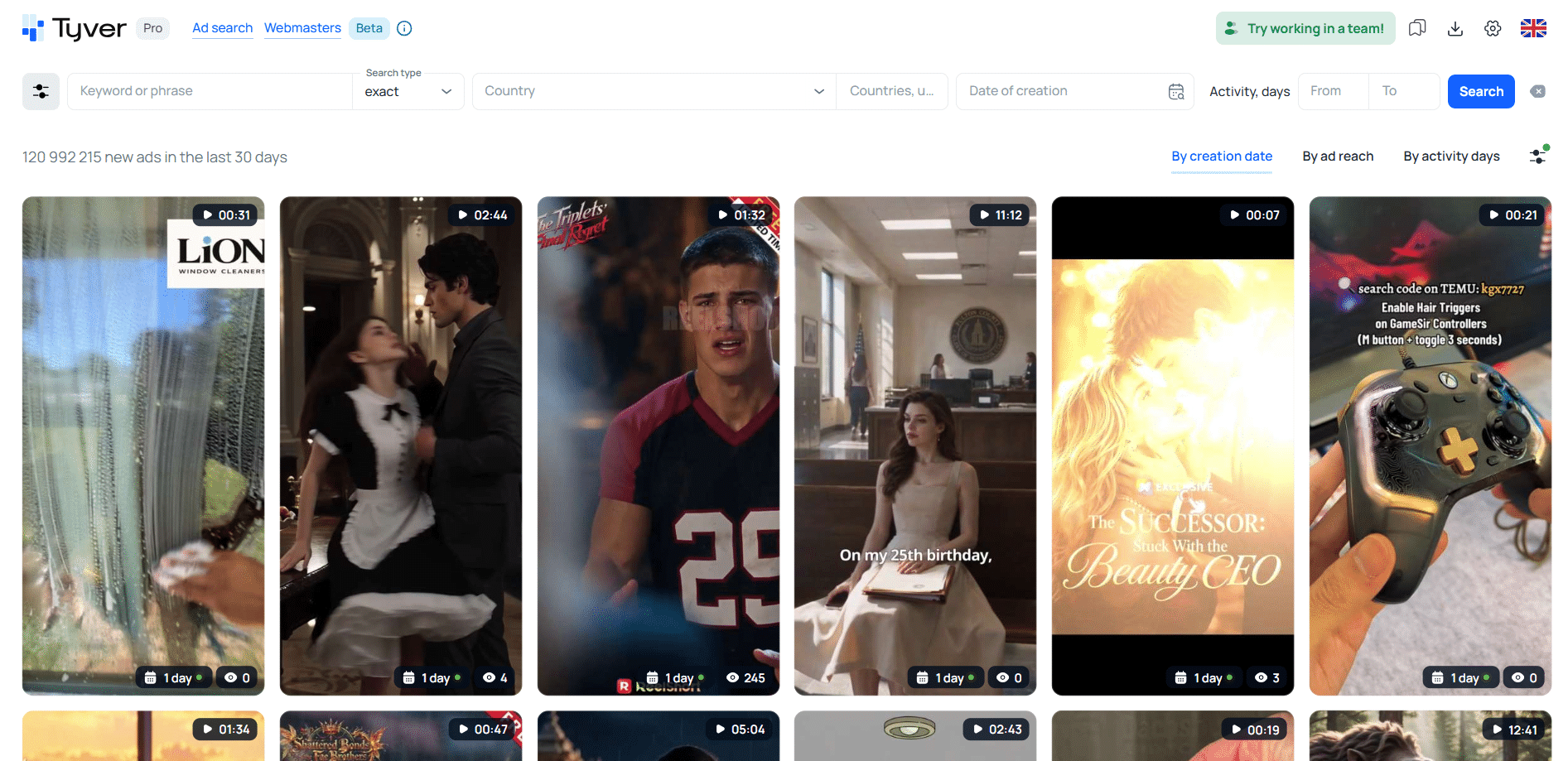
👇🏻 An ad parser also shows the key details for each ad:
- The platforms where the creative is running;
- The destination URL;
- The launch date;
- The Facebook Fan Page and other ads from the same advertiser.
Why do marketers and affiliates need ad parsing?
Looking at competitors’ Facebook ads 🔍 is a form of competitive intelligence. You can see what campaigns they are running, which creatives stay active the longest, and get a rough idea of how well they may be performing. Over time, you also develop a better sense of what effective ad images, videos, and copy should look like.
At first glance, it may seem like you are simply browsing other people’s ads. In reality, you are conducting extensive Facebook competitor ad analysis. You gradually pick up on which colors and visual elements tend to work best, as well as which messaging, angles, and selling points are commonly used in top-performing creatives.
Ad parsers can also help you find complete Facebook campaign funnels. Facebook ad collection tools provide links to landing pages and apps, allowing you to see which products, services, and offers are currently gaining traction. 🚀
In other words, parsing active Facebook ads saves time: instead of starting from scratch, you can build on approaches that are already working and select the strongest ideas. Modern ad intelligence tools make it possible to find relevant creatives and campaign funnels in as little as 20–30 minutes.
What can modern ad parsing tools do?
Ad creative search tools allow you to find ads not only by keyword but also by a wide range of other parameters, including:
- Country (GEO) and language 🌎;
- Platform (Facebook, Instagram, Threads, etc.);
- Ad format (video, carousel, static image);
- CTA buttons (Play Game, Buy, etc.);
- Tracking parameters and URL fragments (utm_, subid=, pix=, etc.).
Tyver, for example, offers more than 20 search and filtering parameters for ad results. You can even search by niche — for instance, the Gambling filter 🎰 lets you narrow the results down to ads promoting casino offers and slots.
How to find competitors’ Facebook ads without getting banned
Before spy tools and the Facebook Ad Library appeared, advertisers had to rely on anti-detect browsers, proxies, and prepared Facebook accounts to collect competitor ads. They would interact with competitors’ creatives from these profiles, prompting Facebook’s algorithms to show them more and more similar ads.
For example, suppose you wanted to find as many casino ads targeting Ukraine as possible. You would log into a Facebook account through a Ukrainian proxy and use the same browser to search for casino-related content. After a while, casino ads would begin appearing in the account’s feed. The more you interacted with them, the more similar ads Facebook would serve you.
But farming Facebook profiles just to collect more competitor ads was time-consuming and inefficient — especially since the accounts could easily get banned. This created demand for a better solution. The first Facebook ad spy tools soon began to emerge, followed shortly afterward by the Facebook Ad Library.
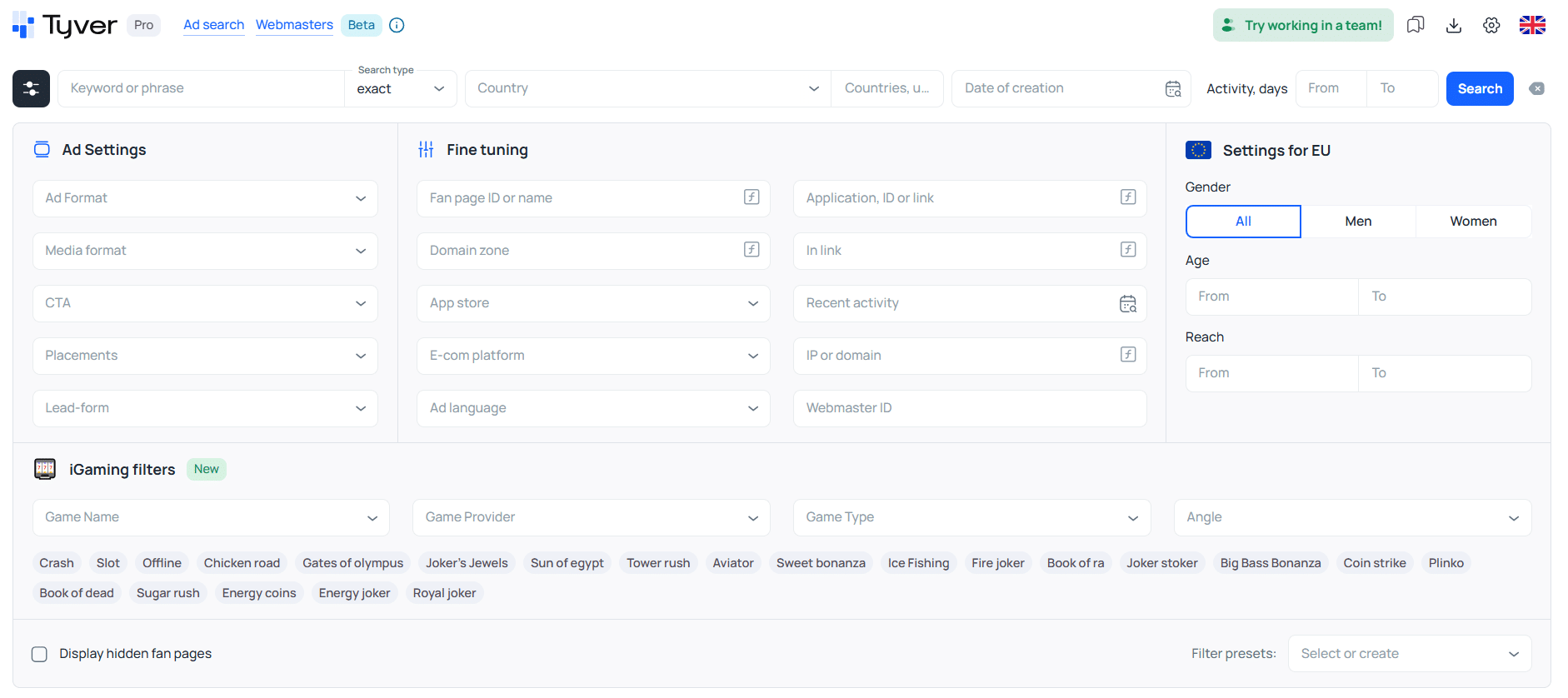
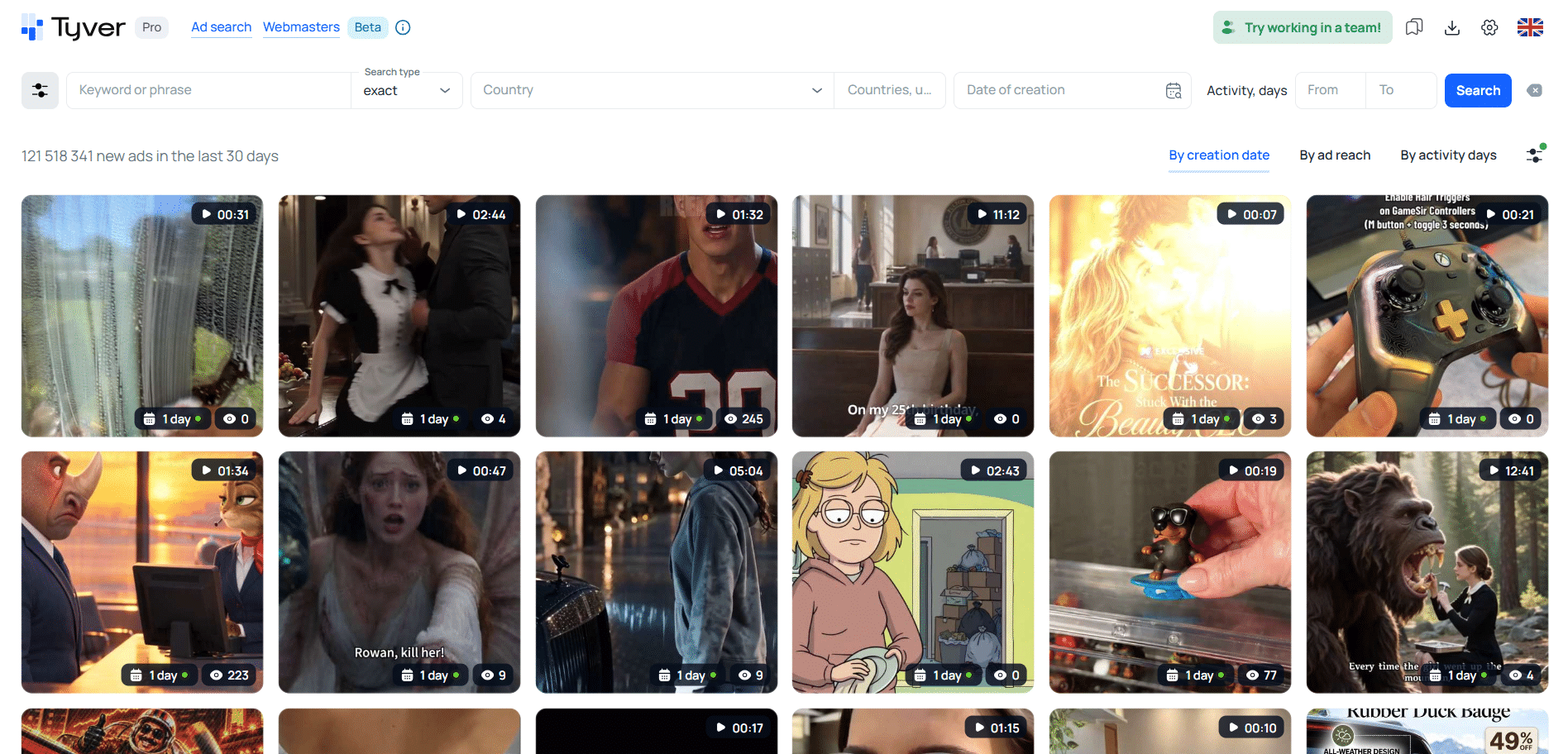 Ad search results in the Tyver spy tool.
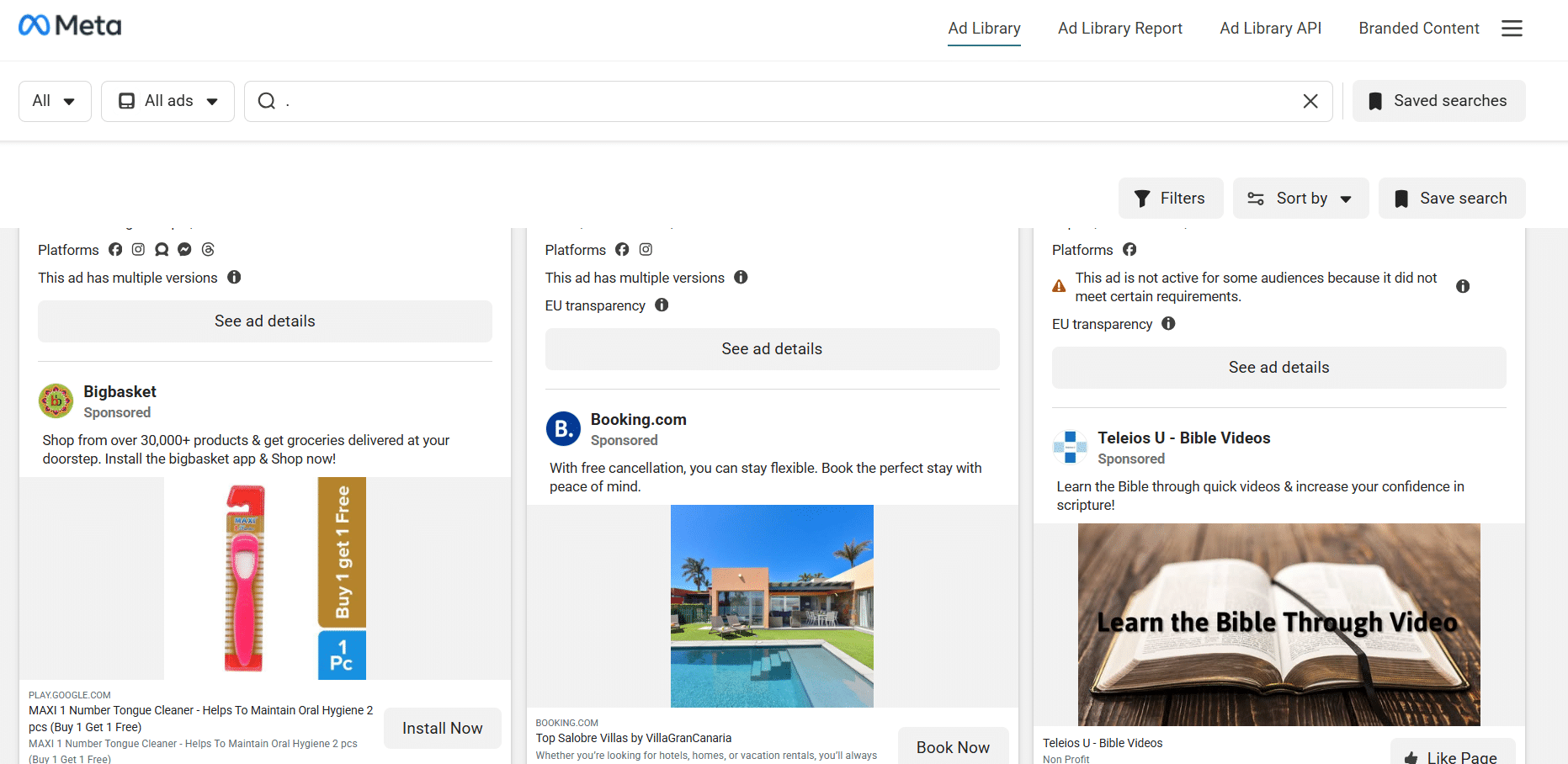 Ad search results in the Facebook Ad Library.
Ad parsing tools: a quick overview of Facebook ad spy tools
Today, there are two main types of tools for researching competitors’ ads: the Meta Ads Library and third-party Facebook ad spy tools. Some of the most popular spy tools include ⭐️ Tyver, AdSpy, and BigSpy.
Facebook Ad Library
This is Meta’s own built-in ad research tool. The Ad Library is completely free to use and does not limit the number of searches you can make.
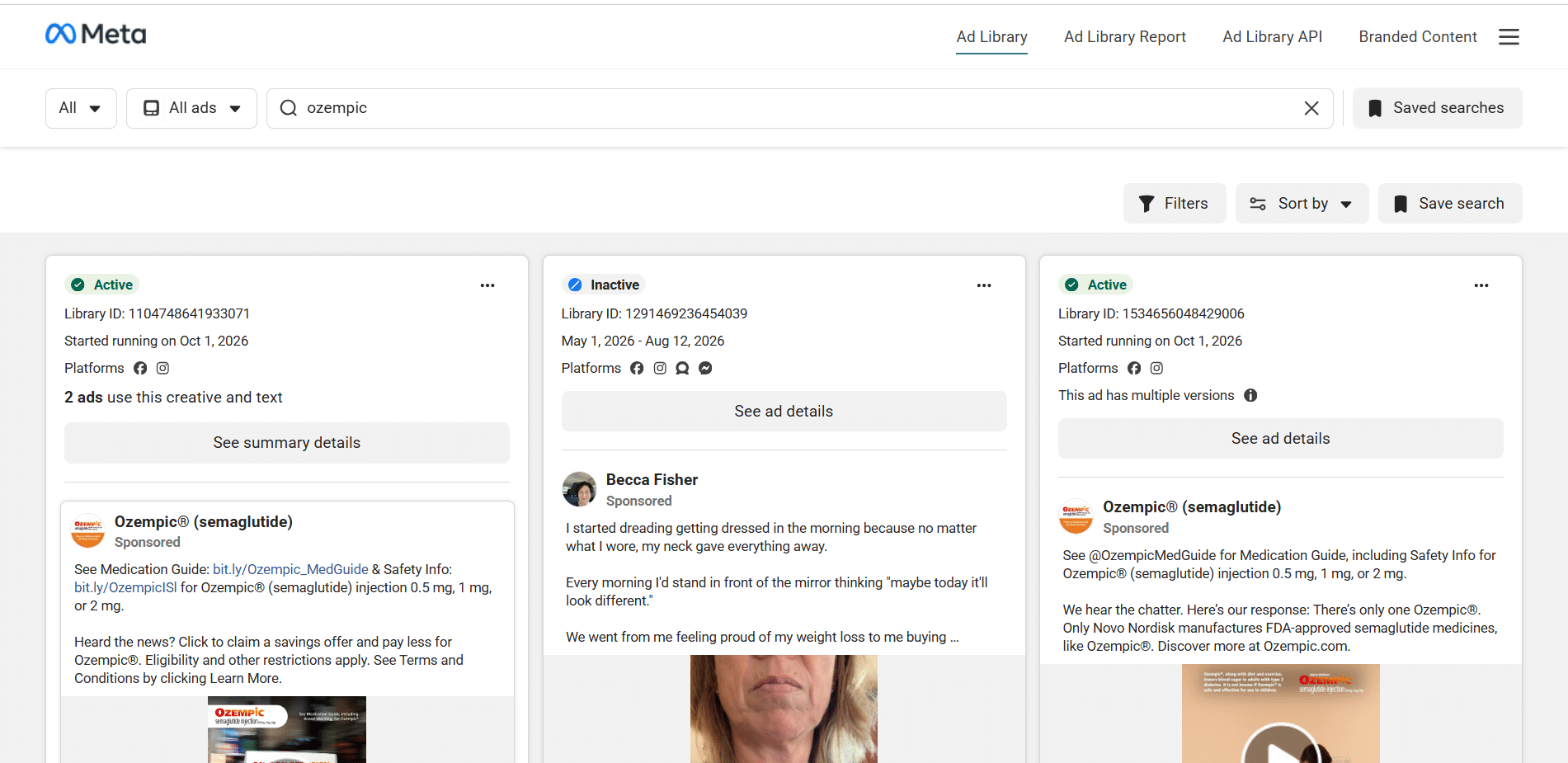
📌 Facebook Ad Library offers the following features:
- Viewing active ads. Access to inactive ads is more limited, as they generally disappear from search results after 2–3 months;
- Keyword search;
- Basic filtering by country, language, Meta platform, and ad format;
- Sorting by launch date and number of impressions;
- Access to the advertiser’s Facebook Page.
Main advantages: it is free and provides essential sorting and filtering tools.
Main disadvantages: search accuracy is limited, so finding the exact competitor ads you need can take a lot of time. There is also no built-in option to download videos directly from ads.
⬇️ Here’s how to download a creative from Facebook Ad Library:
- Play the video;
- Open the page source or developer tools;
- Find the direct link to the video file. The URL begins with https://video.;
- Open the file in a new tab or window, then save the video to your device.
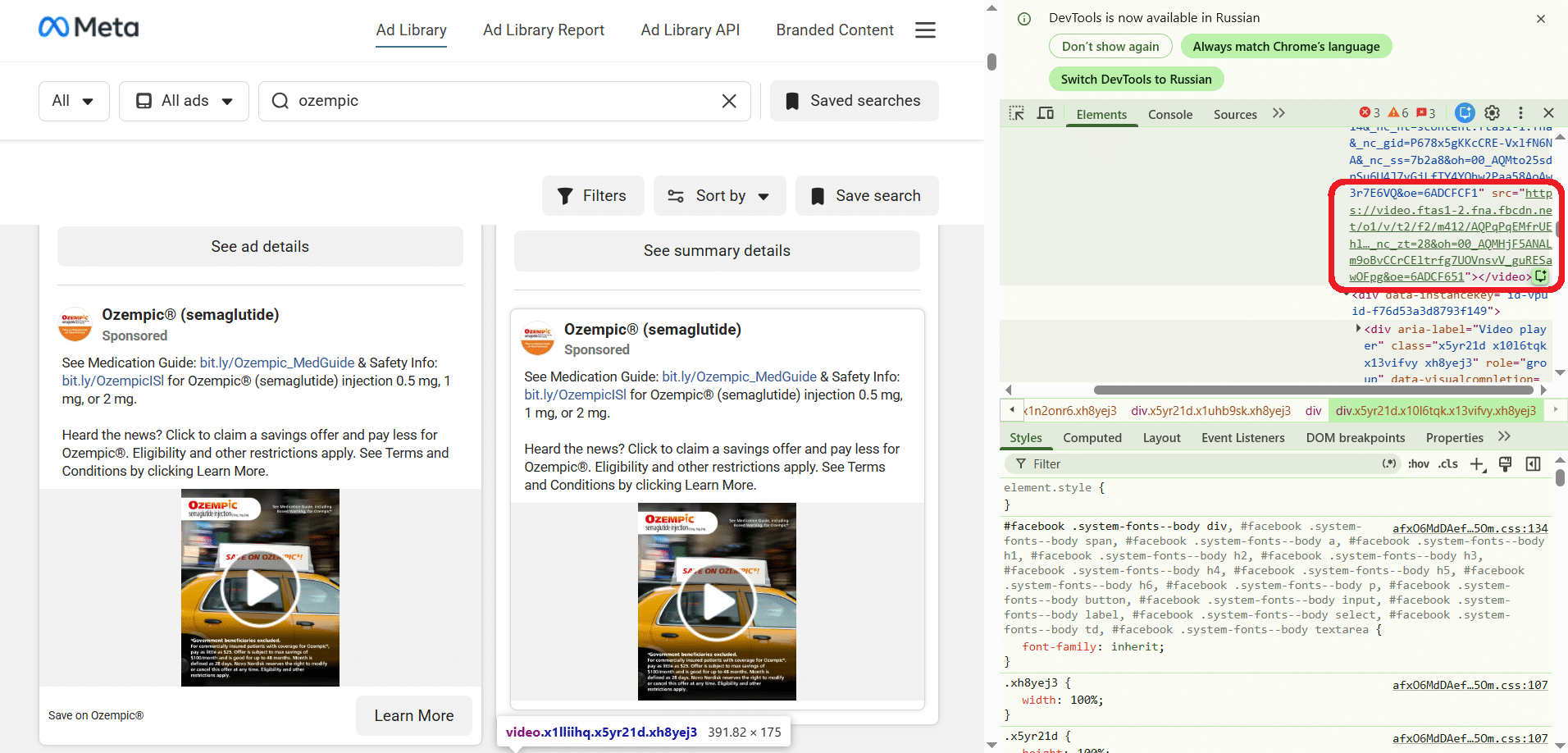 Link to the video.
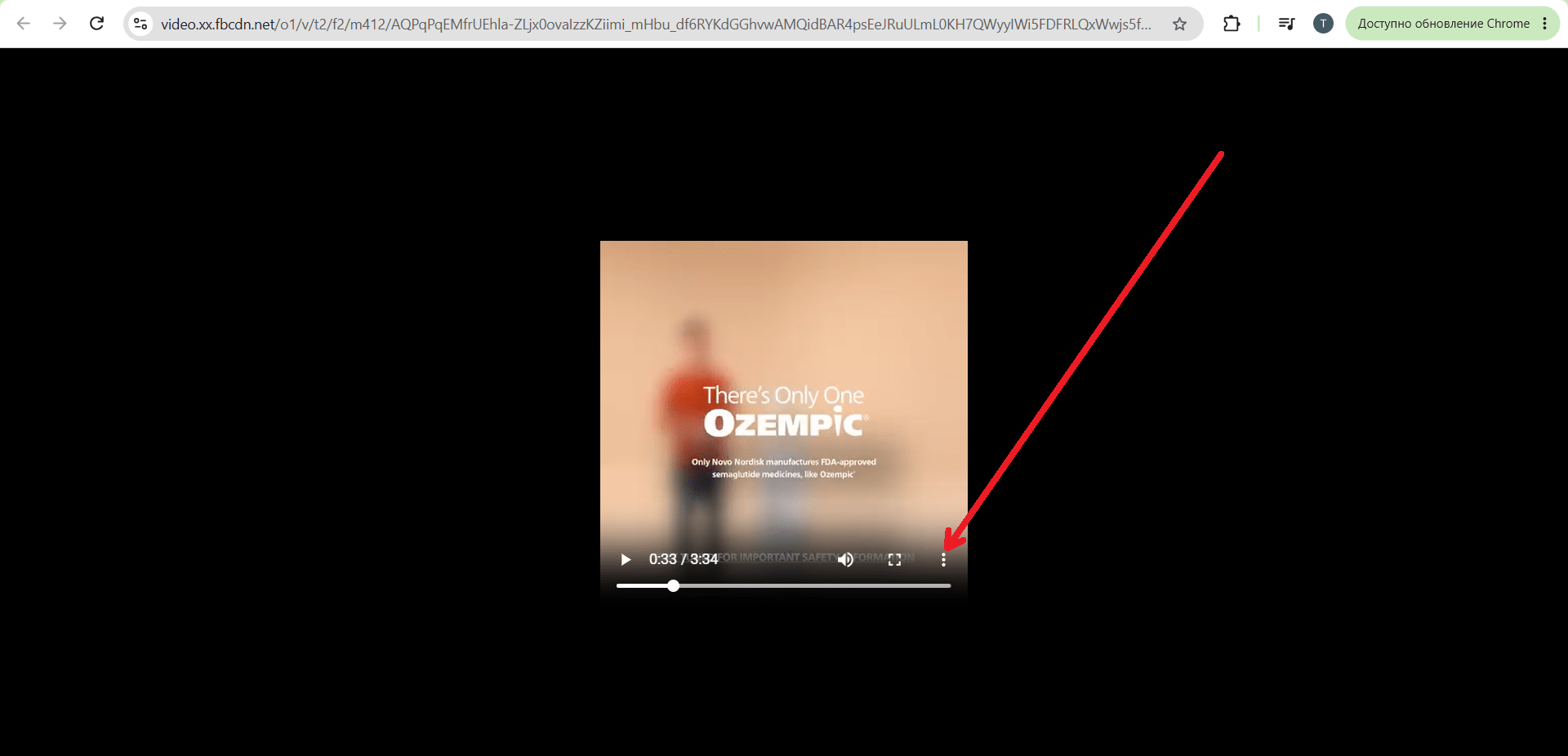 The “Download” option appears after clicking the three-dot menu.
AdSpy
One of the leading spy tools for Facebook and Instagram. In addition to keyword search and standard filters such as GEO and language, AdSpy lets you search by comments and domains. It also offers a wide range of advanced filters, including gender, age, likes, media type, and more.
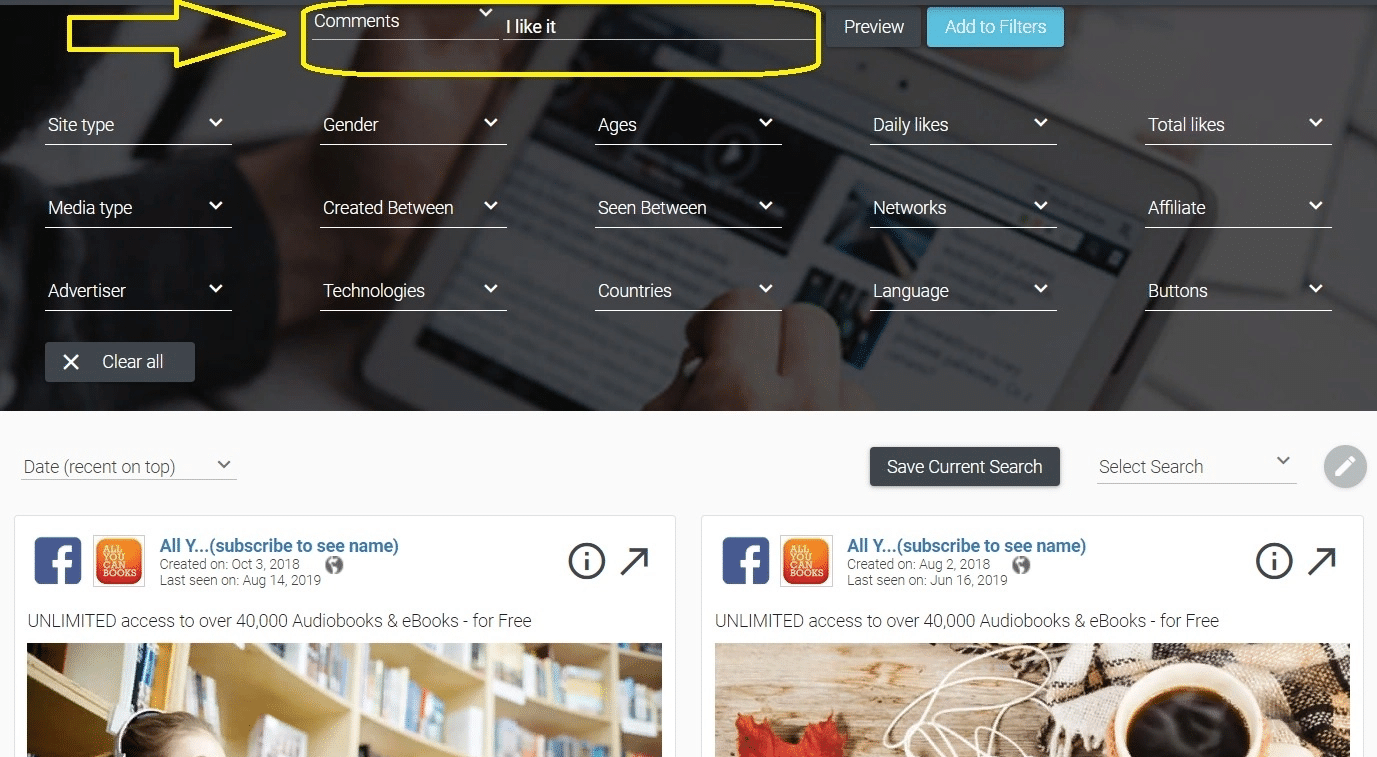
This makes AdSpy much more convenient and precise than the Facebook Ad Library.
👎🏽 Downsides: the price is above the market average at $149 per month, and the service only supports Facebook and Instagram. Other Meta platforms are currently unavailable, although the developers may add them in the future.
BigSpy
BigSpy is something of an all-rounder. In addition to Meta platforms, it collects and analyzes ads from Google, YouTube, TikTok, Twitter, Yahoo, and Unity Ads.
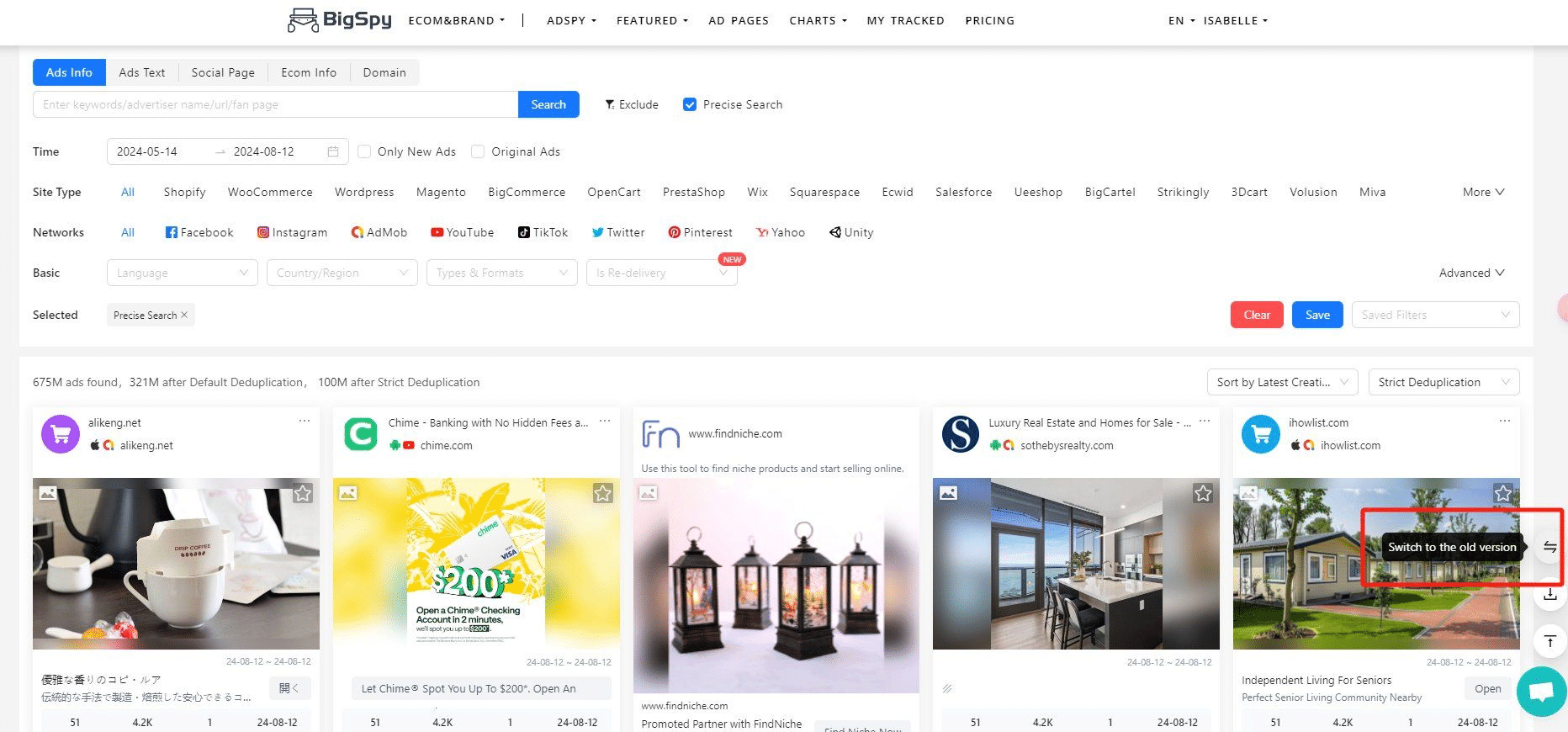
In addition to the filters available in the Facebook Ad Library, BigSpy offers the standard filtering options found in other spy tools: by operating system, creative format, gender and age of the target audience in the EU, and more.
BigSpy’s large number of supported ad platforms is both an advantage and a drawback. On the one hand, it makes BigSpy a versatile ad intelligence tool. On the other, this comes at the expense of search and filtering depth. Building highly precise search and filtering functionality for a wide range of very different advertising platforms is difficult.
💰 Pricing:
- Limited plan with up to 50 searches per day for Facebook and Instagram only (other Meta platforms are not included): $19;
- All supported platforms with unlimited searches: from $75.
AdPlexity Social
AdPlexity offers both an all-in-one ad intelligence platform and a specialized product for Meta platforms called AdPlexity Social. It lets you search ads by domain and niche and apply a wide range of filters, including creative format, advertiser, CTA type, and more.
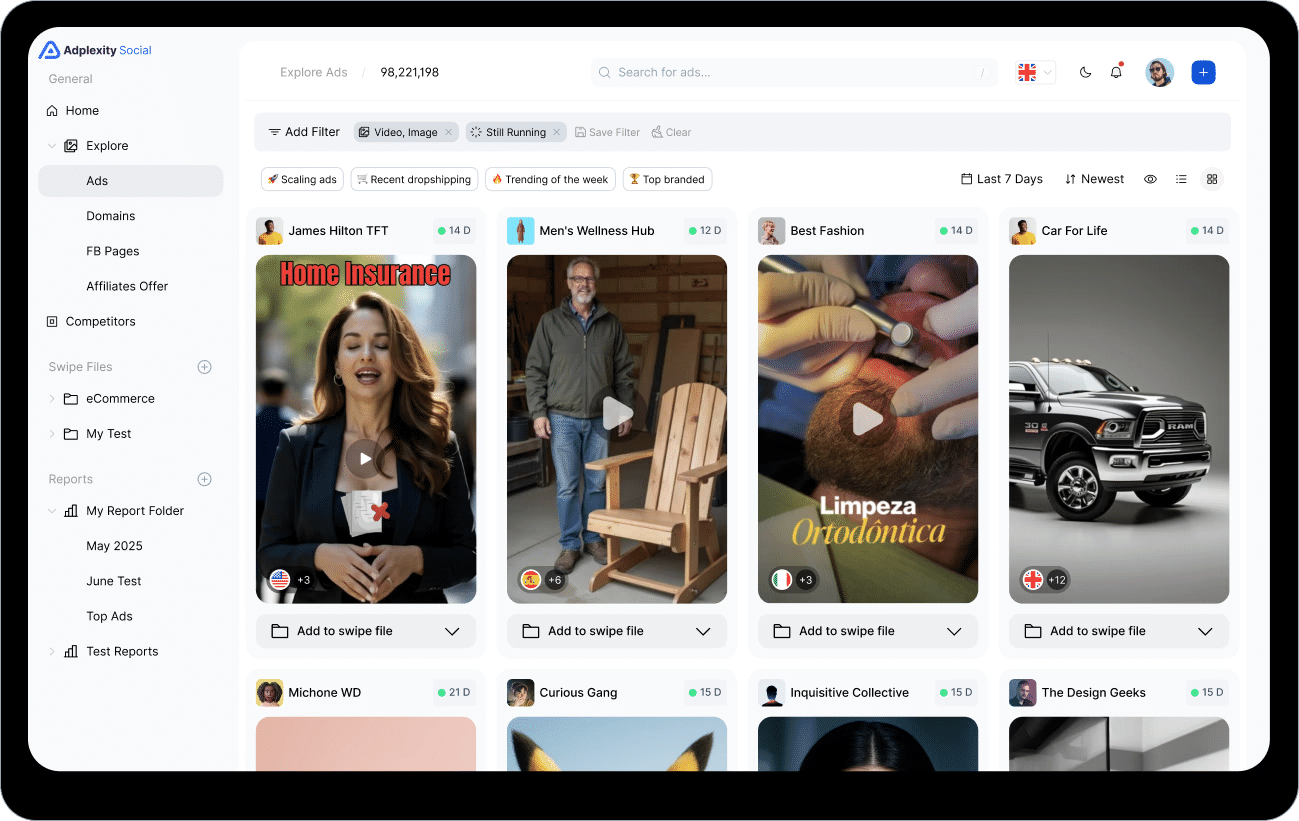
AdPlexity Social is a powerful tool for affiliate marketing and offers much more precise search capabilities than the Facebook Ad Library. Its price is slightly above the market average at $99 per month.
Tyver spy tool for parsing Facebook ads
👍🏻 Tyver lets you parse ads across Meta platforms using many of the same filters offered by the services above. However, its main focus is on simplicity and practicality:
- Essential tools for Facebook affiliate marketing: search by Fan Page, domains, URL fragments, and other parameters, plus sorting by views and days active. Search by vertical is also being gradually introduced. At the moment, the gambling creative search is fully operational;
- Minimal interface clutter: there are fewer unnecessary buttons, fields, numbers, and other elements that can distract you from the main task. The filters section is collapsed by default and can be expanded whenever needed.
Key Tyver features
Tyver offers several features that are particularly useful for analyzing competitors’ Facebook ads.
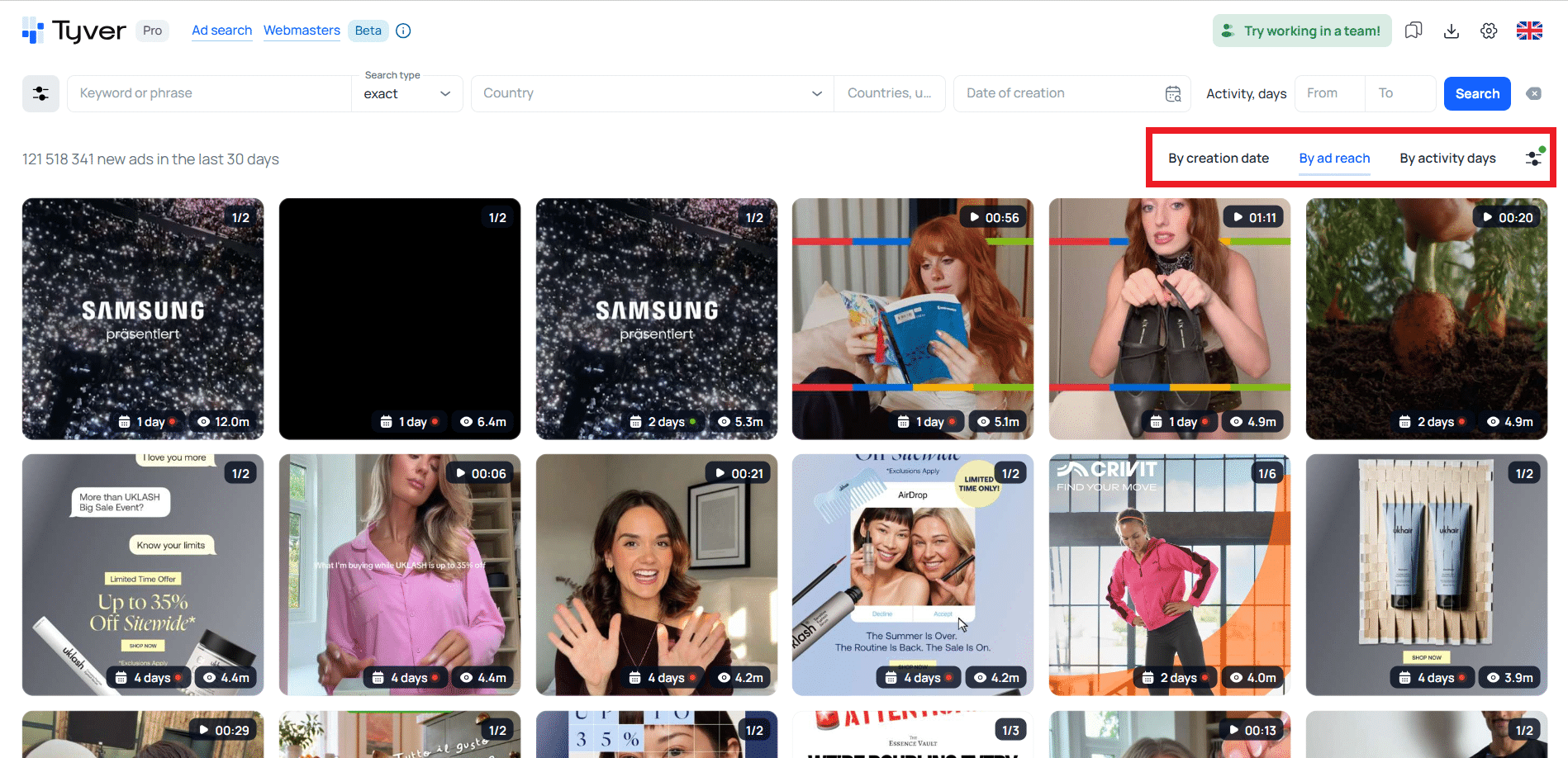
Sorting. Search results can be sorted by recency, reach, and days active. Sorting by days active helps you find campaign funnels and creatives that have been running for the longest time, which can be a useful indicator that they have proven effective.
🔗 Search by URL fragments. Media buyers and affiliate marketers use traffic-tracking macros and pixel IDs in their URLs. By searching for these identifiers within URL fragments, you can filter the results to find ads run by affiliate marketers.
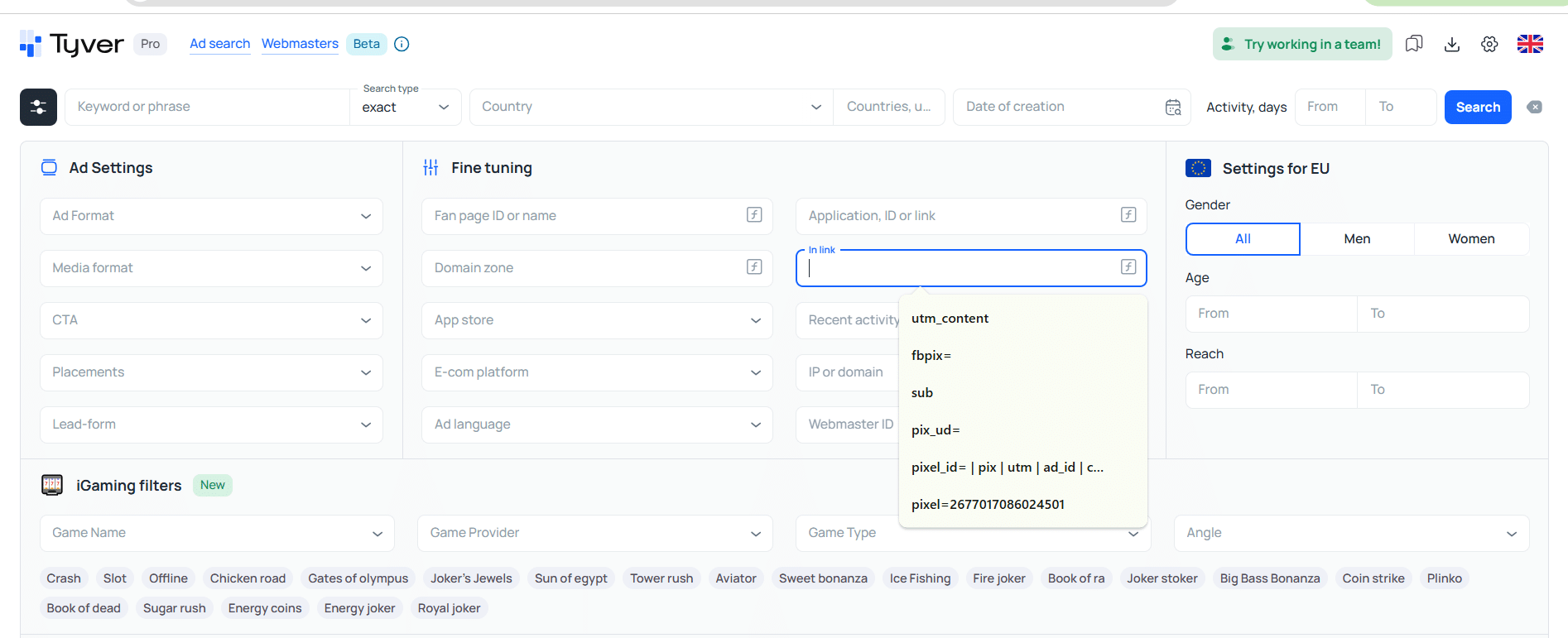
Searching by URL fragments also helps you find all ads from the same campaign. To do this, first copy the pixel ID (an example is highlighted in the screenshot), then paste it into the URL search field.
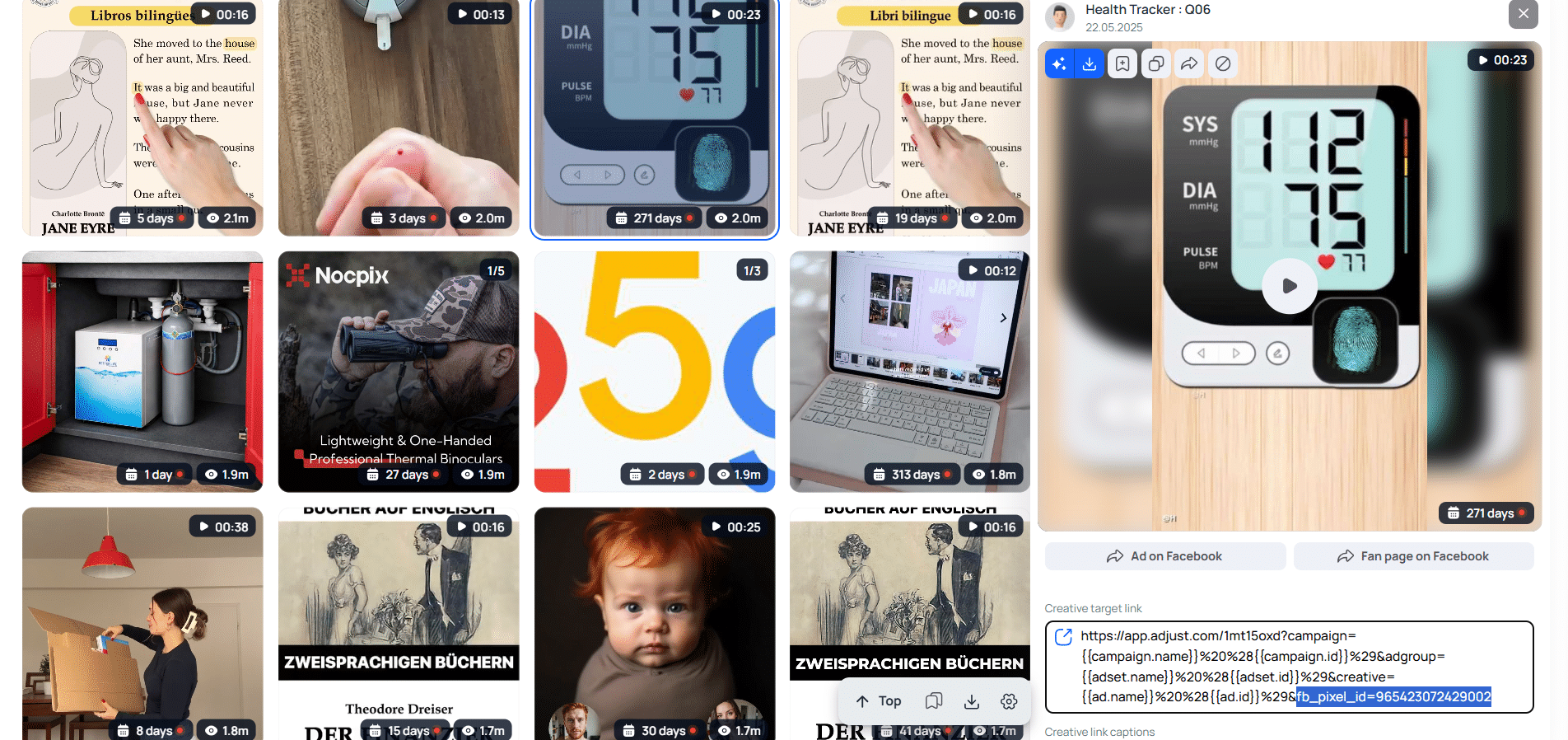
Search ads by Fan Page and domain. If you are interested in a particular advertiser, you can open one of their creatives in Tyver and then view similar ads, which will open in a new tab.
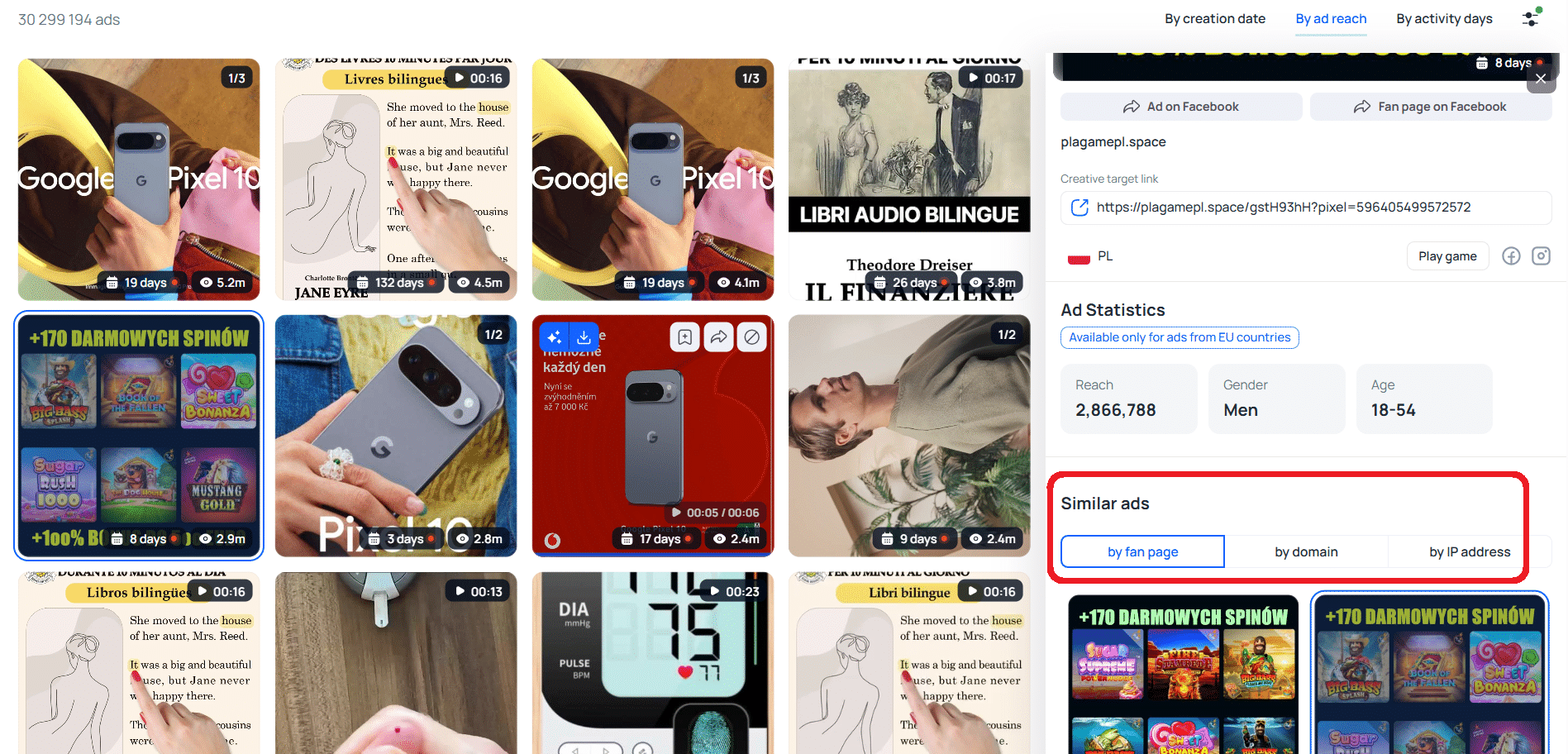
🛍️ Search by e-commerce platforms and app stores. Filters for e-commerce platforms such as Bitrix, Shopify, and others make it possible to find ads from online stores.
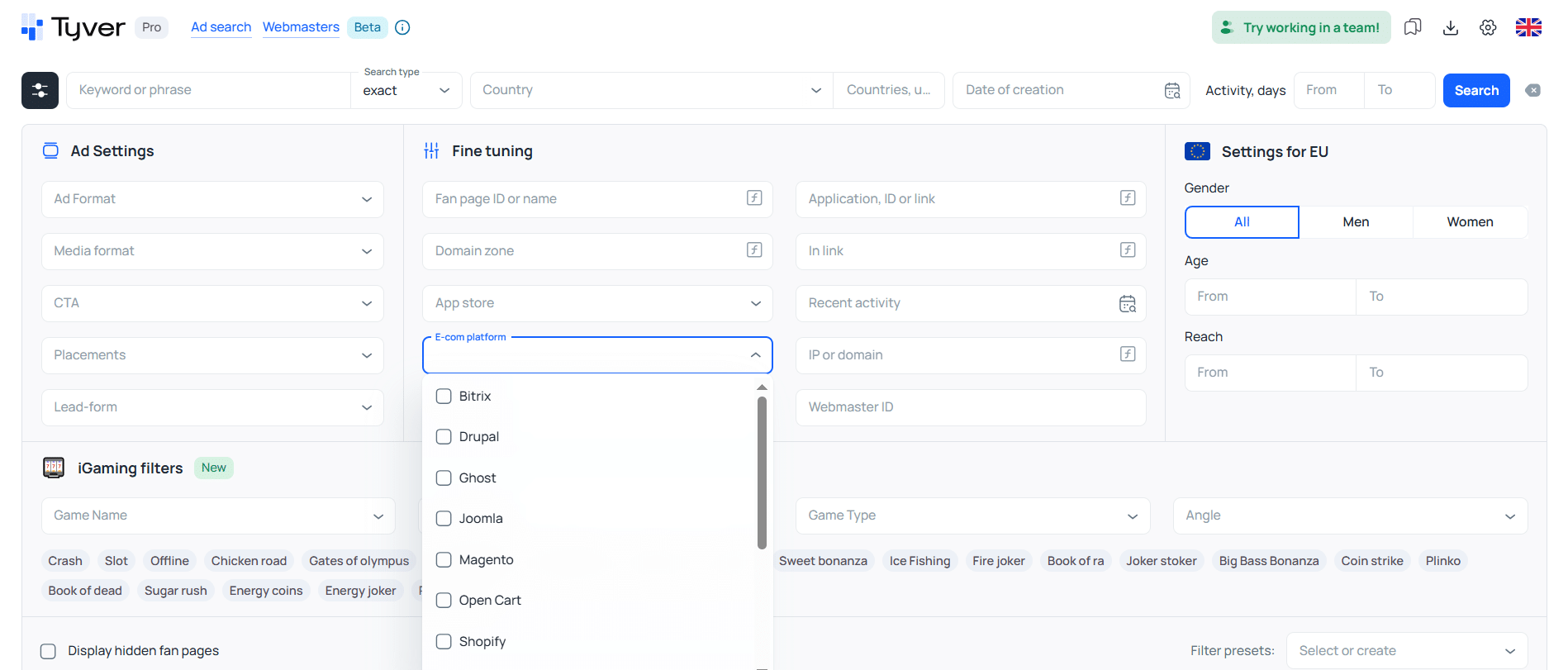
The app filter narrows the results down to ads that lead to mobile apps. You can also choose to show only ads leading to the App Store or Google Play. This makes it easier to find ads for online casinos, dating apps, and mobile games.
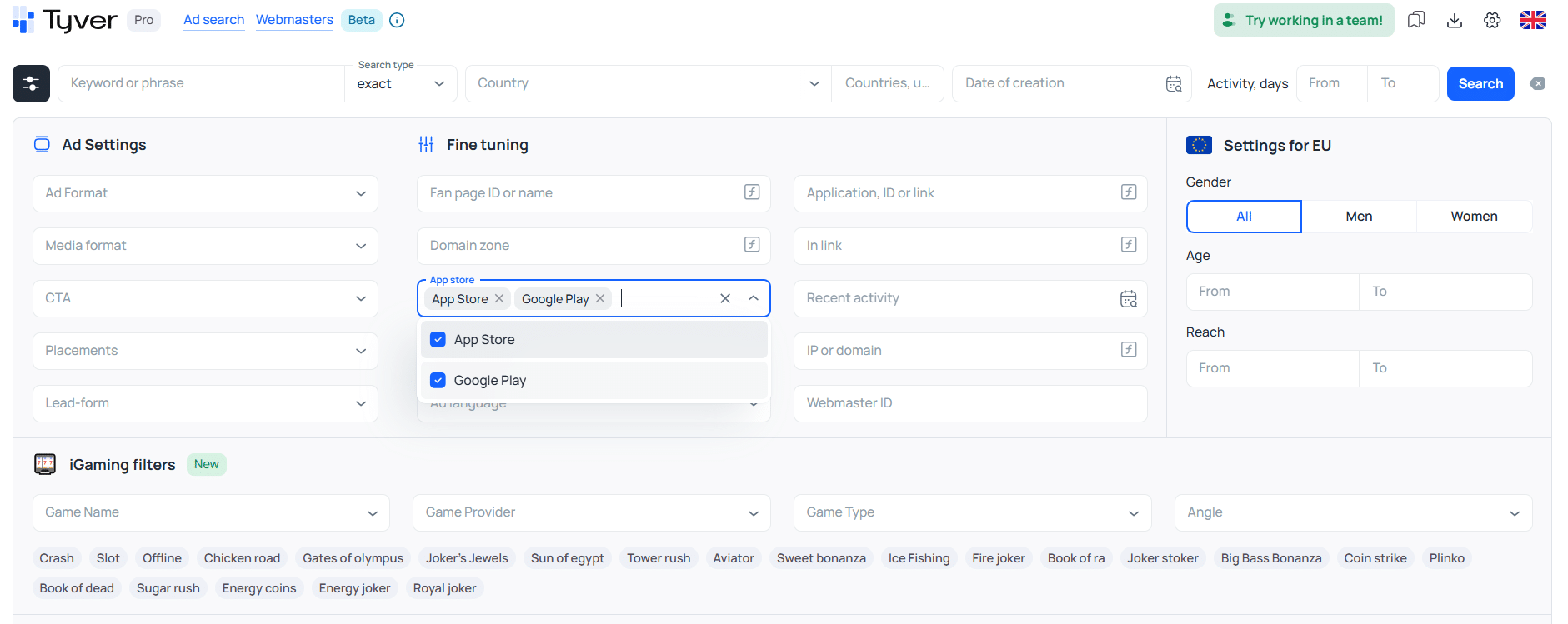
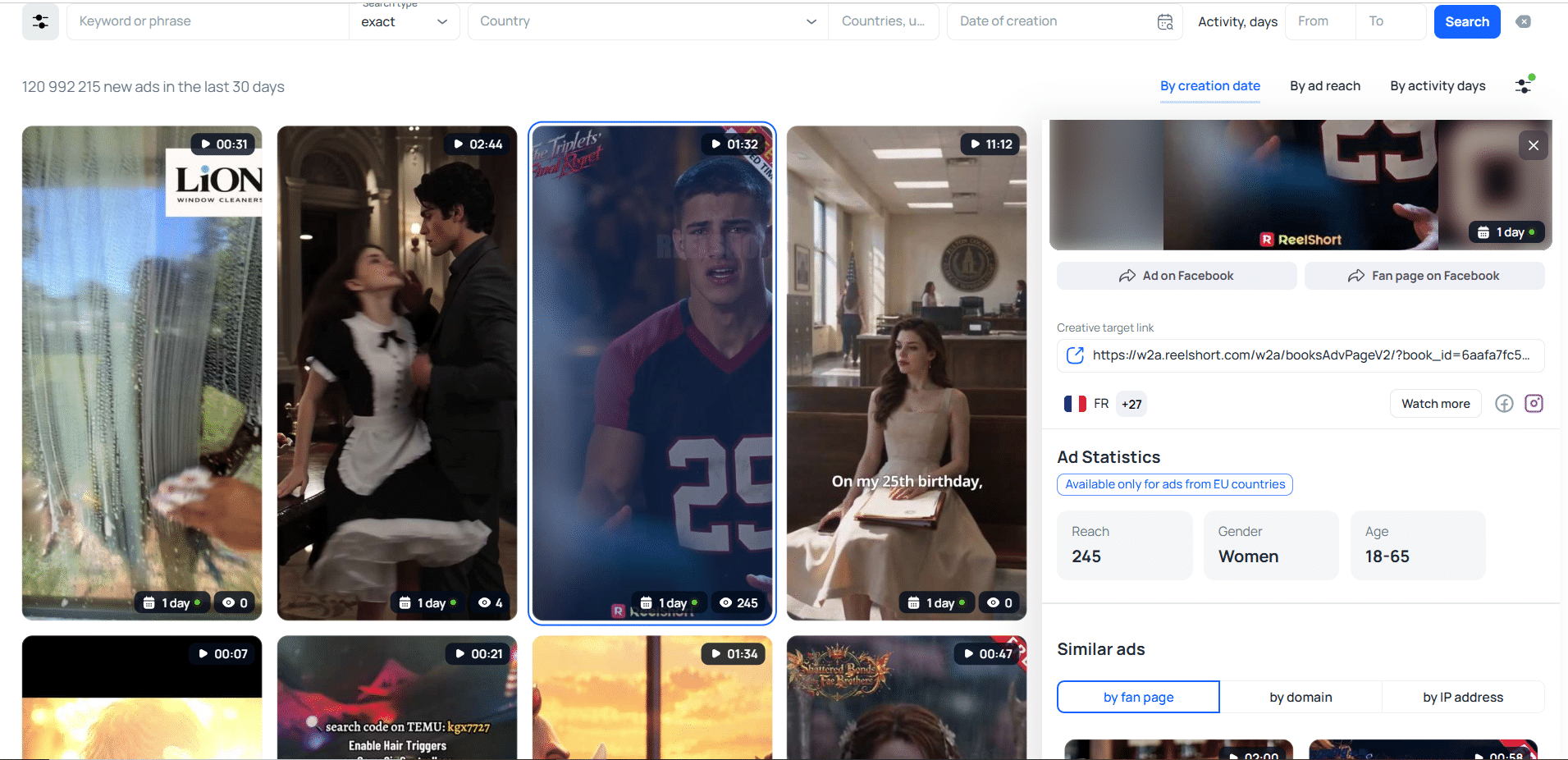
🎰 Gambling filters. Here you can select a game, provider, game type, or advertising angle used in the creatives. To narrow the results down to casino ads only, click the Game type field and select all game types.
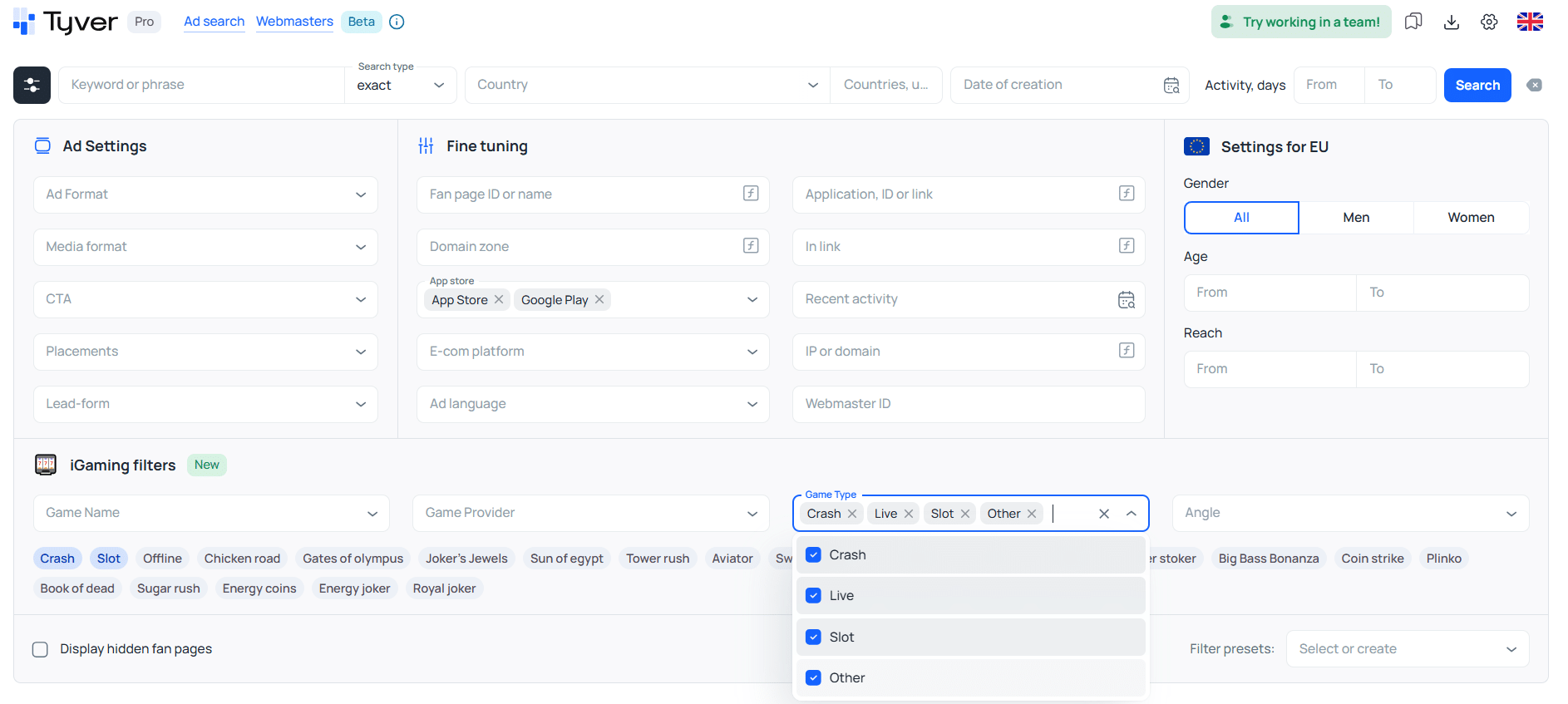
If needed, you can narrow the search down to specific casino subcategories using the options in the drop-down menu. You can also filter the results by country, language, target audience age, and other parameters.
‼️ Important! Target audience filters are only available for the EU. If you apply them, the results will only include creatives targeting European Union countries.
Conclusion
Today, all you need to research competitors’ ads is a set of relevant keywords and a spy tool. Modern spy tools provide enough filters to find relevant creatives within 20–40 minutes. You can then adapt and differentiate these creatives for your own campaigns or use them to understand which advertising angles are currently working.
In other words, spy tools save time when researching campaign funnels and creatives and help you quickly understand what is happening in the market. Tyver, for example, is cheaper than many tools with comparable functionality, with access available for $79 per month.