Linken Sphere Review: An Antidetect Browser for Multi-Account Management and Teams 🤝
Linken Sphere is an antidetect browser for multi-account management, media buying teams and automation. There’s a free plan with 5 profiles, and paid plans start at $30/month. Promo code TYVER gives you 20% off your first payment.
Managing multiple accounts has become everyday work for media buyers, affiliate marketing teams and anyone scaling operations across accounts. Platforms compare browser, device and network parameters. When several accounts run from the same environment, they easily get linked to each other and blocked. Even if you’ve found a winning campaign setup on Tyver, scaling it requires following the basics of account hygiene.
An antidetect browser solves this problem: each account gets its own isolated workspace. Combined with quality proxies, it’s the essential infrastructure for working safely with many accounts. 🔒
Linken Sphere is a versatile antidetect browser for multi-account management and tasks of any complexity. The team has been developing the product since 2017 and has earned a reputation as a reliable service. The company keeps shipping new technology to adapt to evolving anti-bot systems and to make the browser even easier to use.
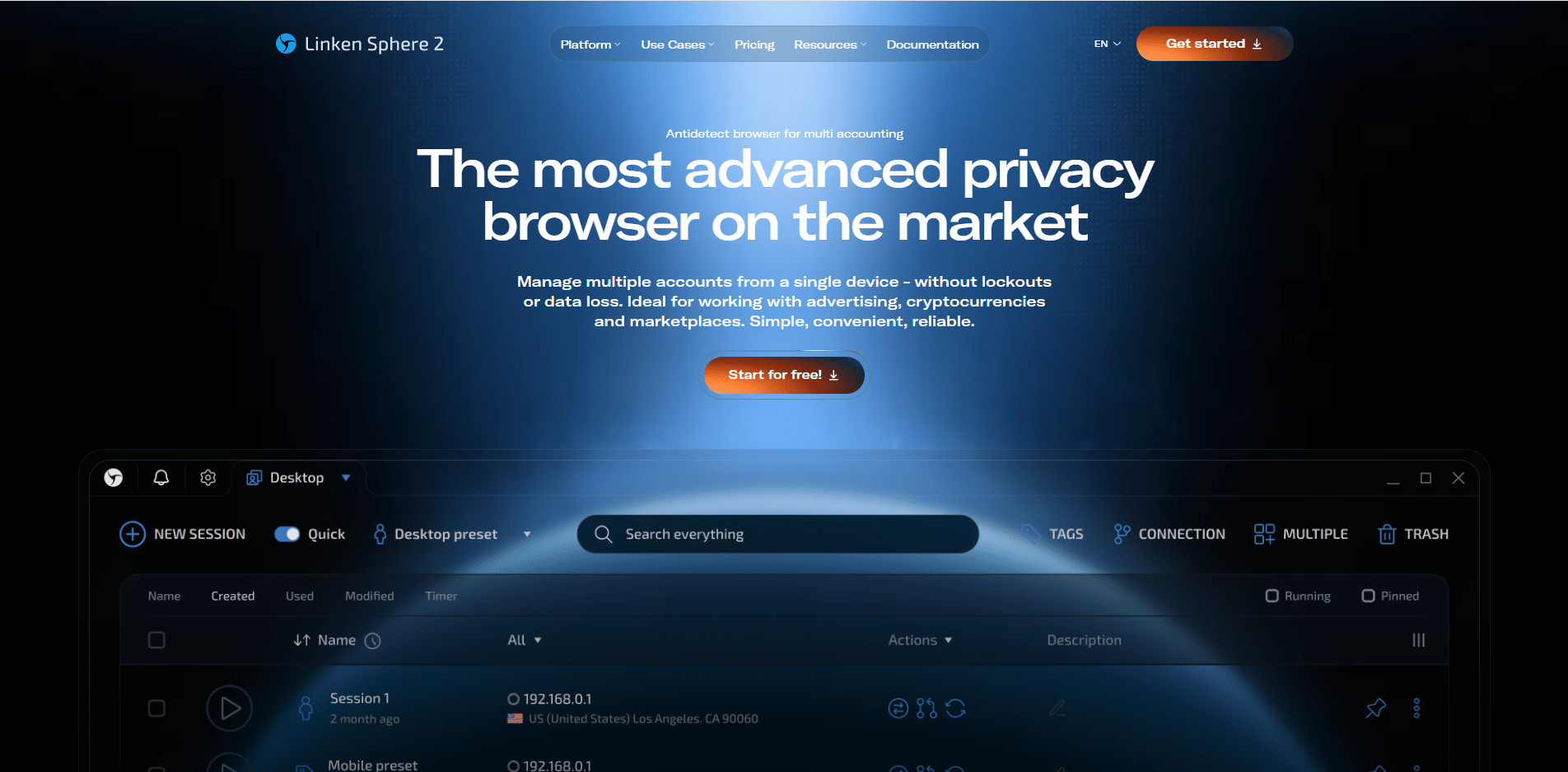
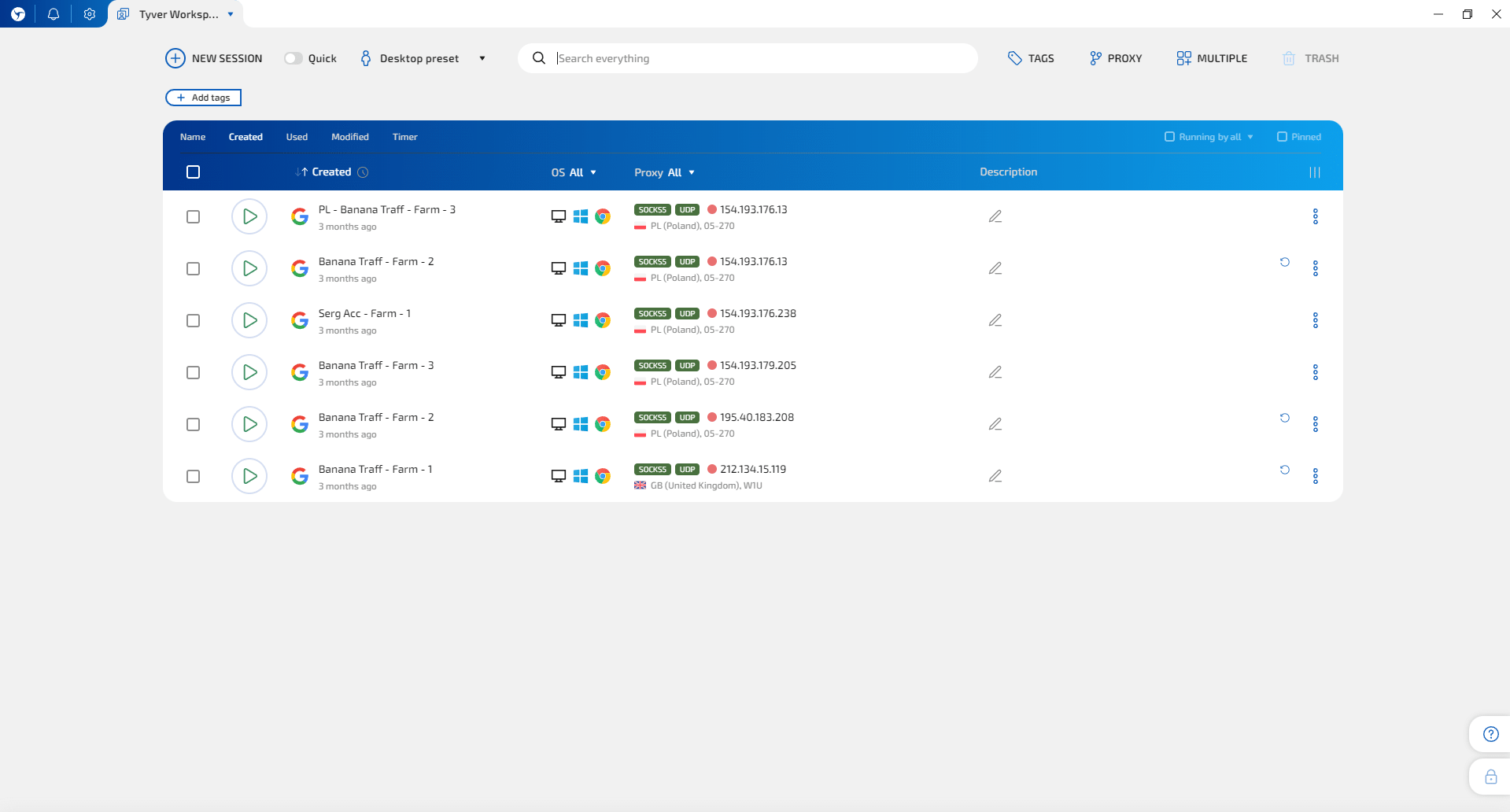
Every session in Linken Sphere is isolated: its own digital fingerprint, cookies, cache, storage and IP. Sessions are created in one click with optimal settings, and a step-by-step guide walks new users through their first launch.
You can start for free: the Free plan includes 5 sessions with no time limit. Promo code TYVER gives you 20% off your first payment. 🎁
Fingerprint Spoofing Quality
Linken Sphere’s main strength is high-quality digital fingerprint spoofing: the browser reliably works with the anti-bot systems of all popular platforms. Fingerprints are built to look consistent and natural, not just unique.
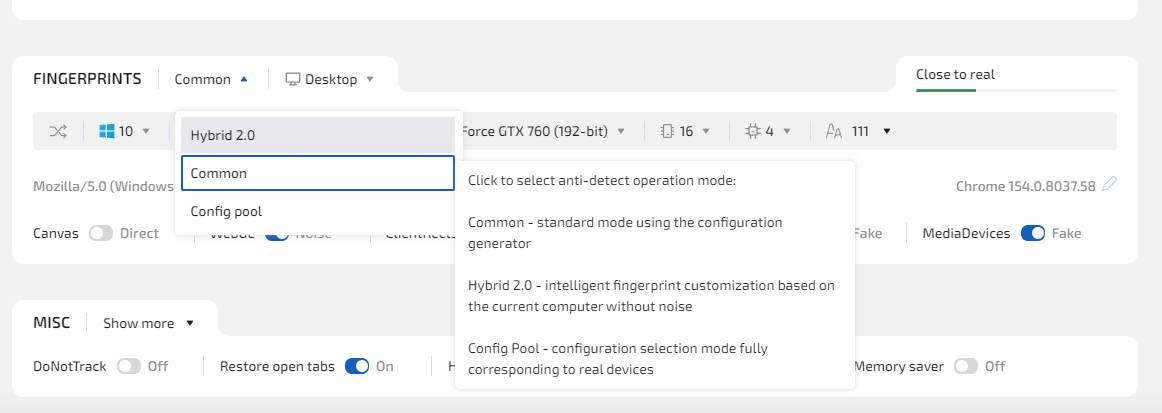
The browser offers 3 fingerprint modes:
- ⚙️ Common: the standard mode with manual control over fingerprint parameters.
- 🤖 Hybrid 2.0: an automatic mode that generates a fingerprint based on real device parameters, ensuring natural, optimal profile settings.
- 📦 Configuration pool: ready-made fingerprints based on data from real devices (Light plan and up).
You can also create profiles with mobile configurations — an Android, iPhoneOS or iPadOS browser environment right in the desktop app (Light plan and up).
Linken Sphere lets you configure Canvas, WebGL, WebGPU, ClientRects, Audio, MediaDevices, screen parameters, GPU, CPU cores, RAM and fonts. When you sign in to Google, the browser sends correct X-Browser headers. The engine is pure Chromium and is updated within a couple of days of each official Chrome release.
‼️ IMPORTANT! Keep in mind that the fingerprint is only one of the signals anti-bot systems look at. Account linking also depends on IP address, cookies, mismatched geolocation and behavior patterns. Proxy quality and careful account handling matter just as much as the browser itself.Setting Up Proxies in Linken Sphere
Linken Sphere supports SOCKS5, HTTP, SSH, Direct, Tor and Localhost connections. You can add proxies as a list and check IP and geolocation right away, so you never launch a session with the wrong address.
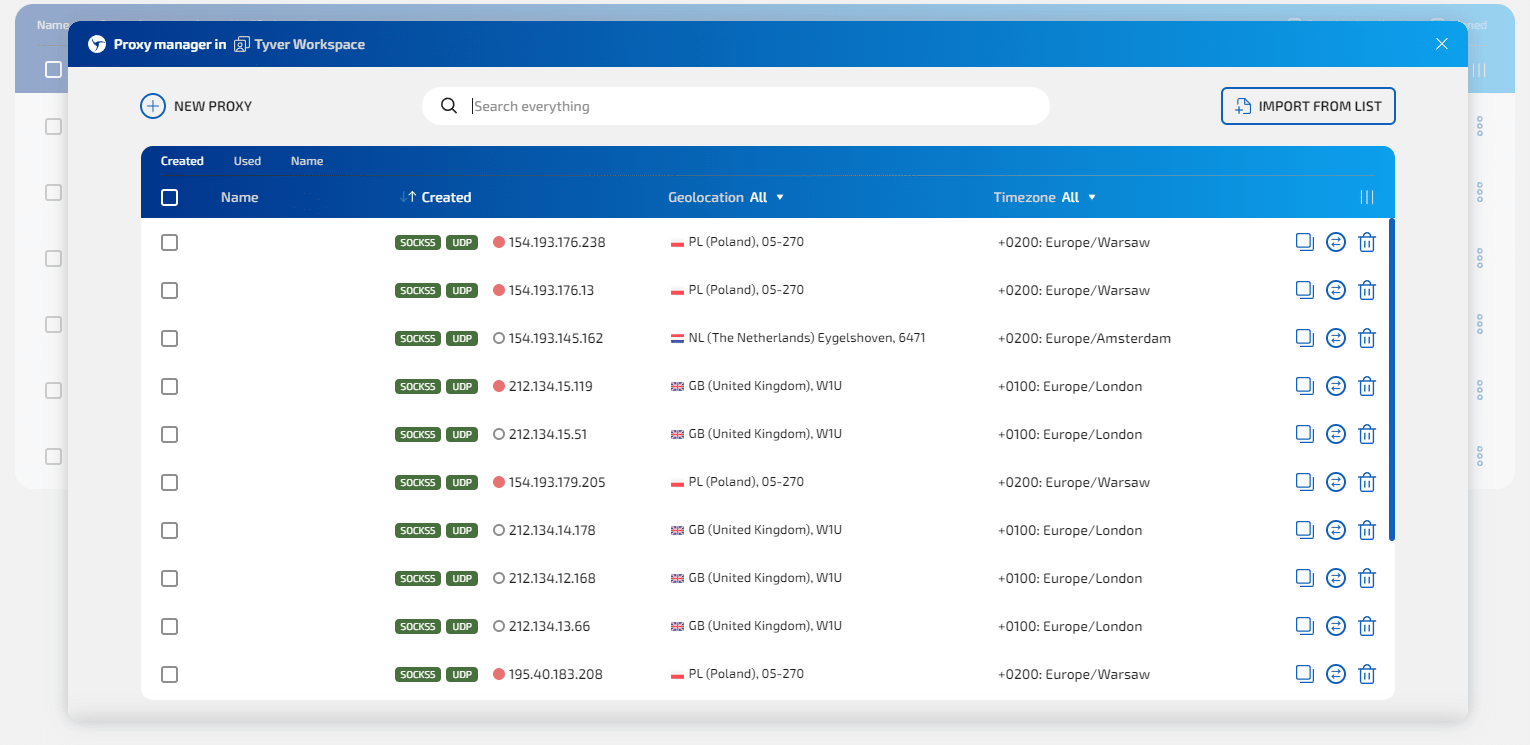
Full UDP support on every plan, including the free one, deserves a special mention. QUIC, HTTP/3, WebRTC and WebTransport all run through a UDP-enabled SOCKS5 proxy, and you can set custom DNS for UDP proxies. This matters for websites that rely heavily on these protocols: the session’s network profile looks more natural. 🌐
By default, WebRTC runs in adaptive mode: the browser picks the spoofing mode based on the connection type.
Built-in proxies are available too:
- 🆓 Free Proxy: datacenter proxies for testing, included in the Light plan and up.
- 🏠 Sphere Proxy: residential proxies billed by traffic. Available on all plans and to the whole team.
The Light, Pro and Premium plans include 100, 300 and 1,000 free proxies respectively. From the Light plan up, you also get proxy analytics, an IPQualityScore integration and the MaxMind geolocation database.
Getting Started with Linken Sphere: Step-by-Step Guide
Launching your first session takes just a few minutes:
- 1️⃣ Download the client from the official website, install it and sign up.
- 2️⃣ Create a session: in one click from a preset, or through the wizard if you want to configure parameters yourself.
- 3️⃣ Add a proxy and check the IP and geolocation.
- 4️⃣ If needed, import cookies in JSON or Netscape format — they’ll be renewed automatically.
- 5️⃣ Launch the session and get to work.
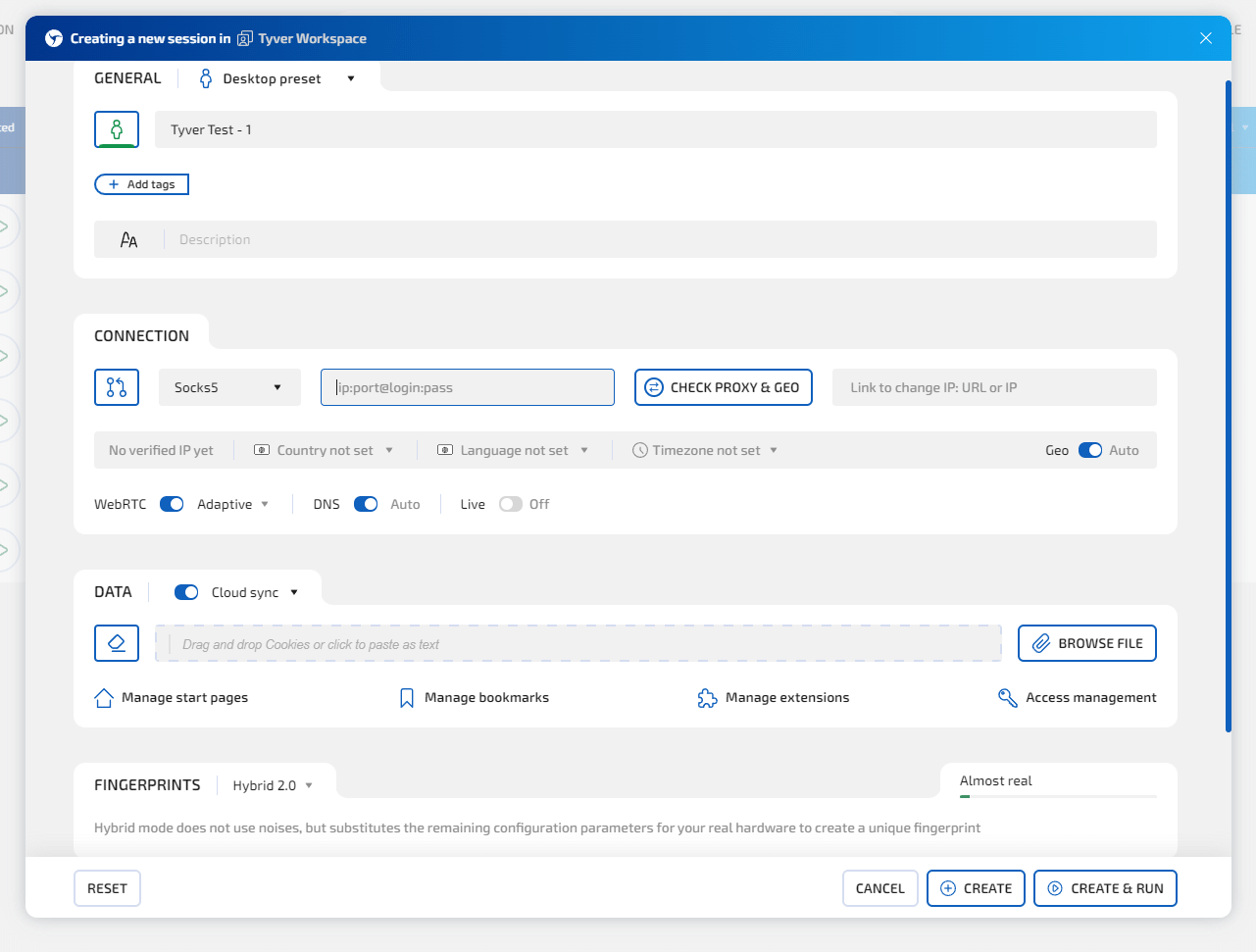
For large-scale work, you get bulk creation, import and editing of sessions from templates.
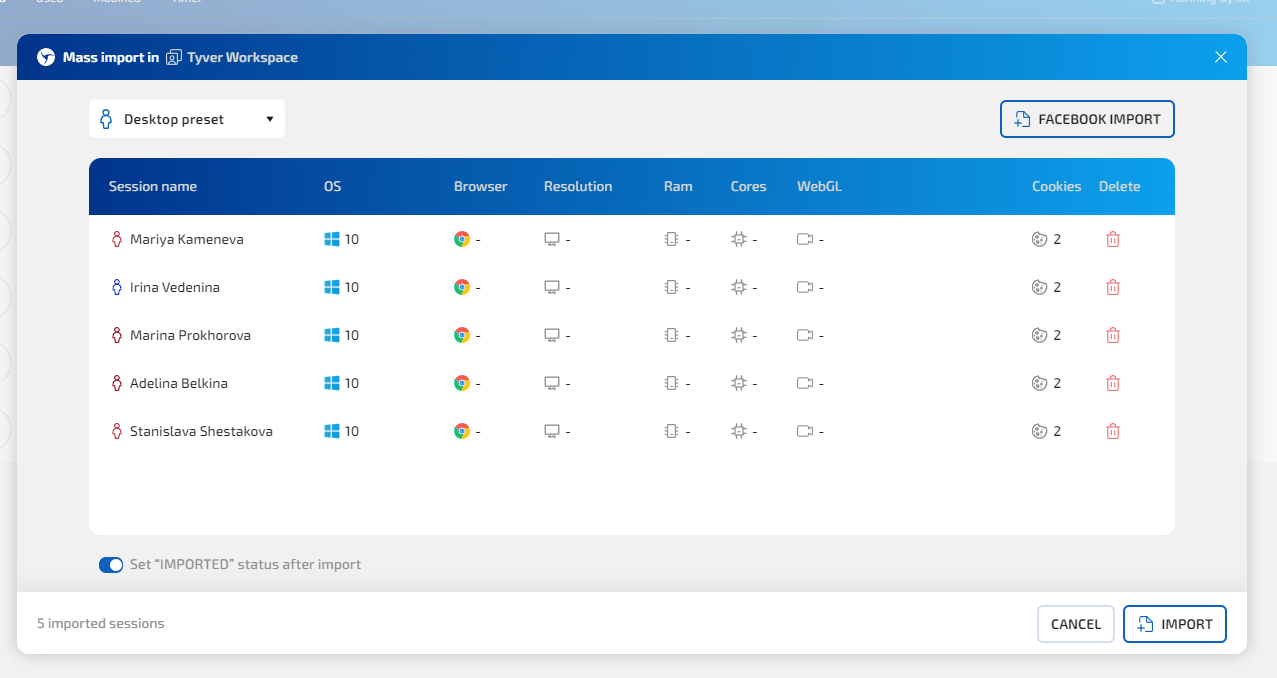
There’s also session warm-up and human-like typing. The Snap feature automatically arranges windows without overlap during bulk launches. The browser core includes the built-in AdsCrusher ad blocker, which saves proxy traffic while keeping web pages intact. 🧰
Session Management and Teamwork in Linken Sphere
As your session count grows, you can organize sessions into workspaces by project, traffic source, geo or team member. Inside each workspace you have tags, statuses and up to six quick-action buttons. The interface is available in 10 languages.
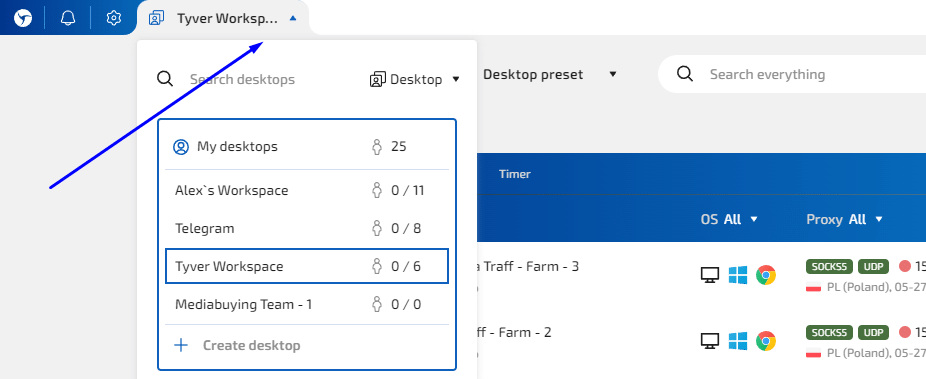
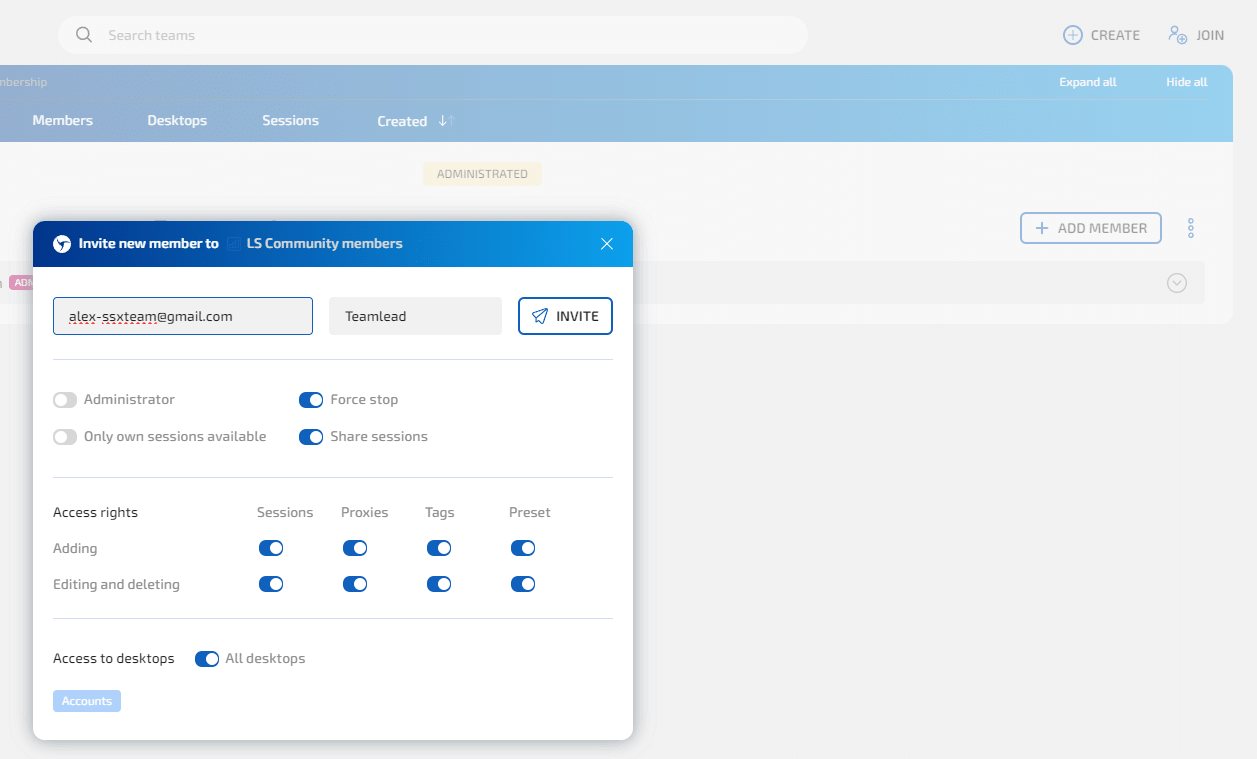
For teams, Linken Sphere offers a multi-level access management system:
- 🏢 Unlimited seats (devices) on all paid plans.
- 👥 Team members: up to 10 on Pro, unlimited on Premium.
- 🔑 Access permissions and invite links: roles can be set up to match your team structure.
- 🔗 Session sharing between team members (Light plan and up).
- 📋 Session log and Facebook manager (Pro plan and up).
Not paying extra for seats makes a real difference as your team grows: there’s no need to count separate slots for every device. 💰
Automation and API in Linken Sphere
Linken Sphere offers full API support for automating routine tasks. The browser works with Playwright, Puppeteer and Selenium, and also integrates with Nooklz.
- ⚡ Local API with no request limits: no RPM/RPH or thread caps (Pro plan and up).
- ♻️ One-time sessions: created with a single API request, don’t count toward your session limit and are deleted once stopped (Premium plan).
This is convenient for teams that run hundreds of scheduled sessions or automate their work with AI agents: no need to watch request limits or clean up used profiles by hand. 🤖
Data Security
On top of data encryption, the browser offers several options for storing profiles:
- 💻 Locally on your device, without cloud sync.
- ☁️ With cloud sync: handy when working from multiple devices.
- 🔐 Cloud only (Only Cloud Storage): no data stays on your computer.
You can also sign in with TOTP two-factor authentication via Google Authenticator, Authy, Microsoft Authenticator or KeePassXC. For convenience, the browser also has Local Passcode — it locks your workspace in one click while sessions keep running in the background. 🔒
Linken Sphere Pricing and Plans
Linken Sphere has a free plan with 5 profiles, and paid plans start at $30/month. Paying for 6 months gets you 10% off, and 12 months gets you 20% off.
| Plan | Price, $/month | Sessions | Team members | What’s added |
| Free | 0 | 5 | — | — |
| Pure | 30 | 30 | — | cloud sync, session warm-up |
| Light | 90 | 150 | — | configuration pool, mobile configurations, proxy analytics, session sharing, 100 free proxies |
| Pro | 160 | 500 | up to 10 | unlimited API, backups, session log, Facebook manager, 300 free proxies |
| Premium | 300 | 1,000 | unlimited | one-time sessions, dedicated account manager, 1,000 free proxies |
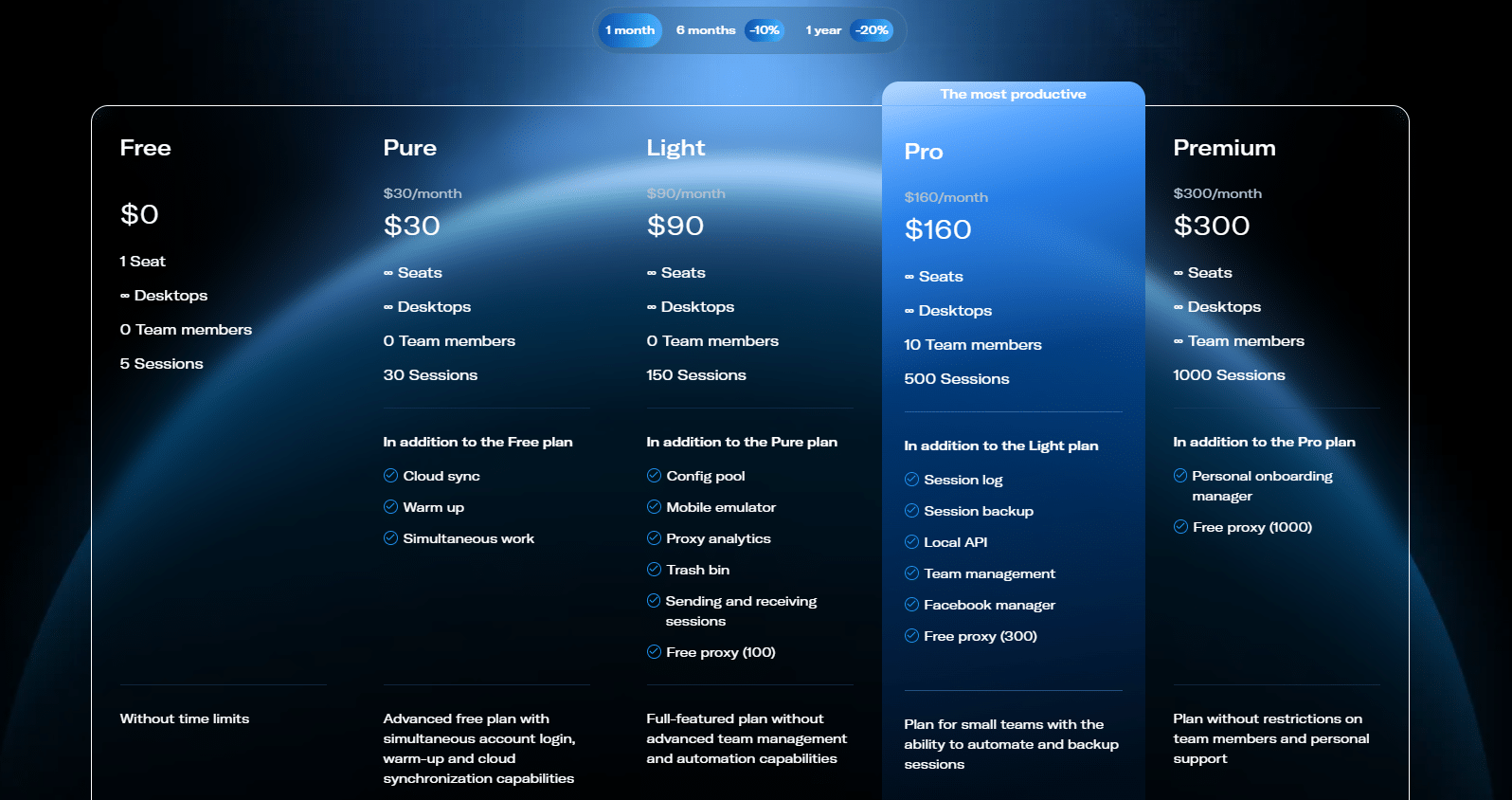
A “session” here means a profile stored at the same time. You can create and delete sessions freely within your plan’s limit.
💡 Free or Pure is usually enough for beginners. Light suits those who need mobile configurations and more sessions. Teams and automation-heavy projects should look at Pro and Premium.
You can pay in the app by bank card, cryptocurrency (including via QR code) or bank transfer for EU customers.
Linken Sphere Promo Code
🎁 Promo code TYVER gives you 20% off your first payment on any paid Linken Sphere plan. Enter it when you sign up, and the discount will apply to your first purchase.
Is Linken Sphere Worth It?
Today’s antidetect browser market offers solutions for every task and budget. Some browsers compete on price, putting fingerprint quality and technology second, while others aim to deliver the best user experience.
With Linken Sphere, you get one of the best value-for-money options. The browser handles tasks of any complexity. Teams get unlimited seats, roles and an API with no limits. Solo marketers and beginners get a free start, all the essential features, flexible pricing and an intuitive interface backed by responsive support.
🚀 The best way to decide is to test Linken Sphere yourself. Start with the free plan with 5 sessions, and use promo code TYVER at sign-up to get 20% off your first payment.
Linken Sphere FAQ
❓ Does Linken Sphere have a free plan?
Yes. The Free plan includes 5 sessions with no time limit.
❓ How much does Linken Sphere cost?
Paid plans range from $30 to $300 per month with monthly billing. You get 10% off for 6 months and 20% off for 12 months.
❓ Is there a Linken Sphere promo code?
Yes, promo code TYVER gives you 20% off your first payment.
❓ What operating systems does Linken Sphere support?
Windows 10+ and macOS. You can emulate mobile devices right in the desktop app with an Android, iPhoneOS or iPadOS browser environment (Light plan and up).
❓ Does Linken Sphere support Playwright, Puppeteer and Selenium?
Yes. The Pro plan and up include a local API with no request limits.