Temp Mail API for Media Buying: Automating Signups and Verifications Without Getting Blocked 📩
Count the steps the next time you stand an account up by hand. Open a temp mail tab, copy the address, paste it into the signup form, submit, switch tabs, refresh, refresh again, copy the code, paste it back, and save the login somewhere a teammate can find it later. Eleven steps, about four minutes per account when the mail lands on the first refresh. Forty accounts later, most of the afternoon is gone, and all of it went to the part of the job that produces nothing.
The uglier failure arrives months afterwards. A platform wants a fresh code sent to the address you signed up with, and that inbox expired the day after you used it. The account is not banned. It is locked, which is worse, because now the argument is with support, and the mailbox they are writing to no longer exists.
Quick answer: A temp mail API lets your own tooling create an inbox, read the verification message and manage the address, with no browser and no tab switching. Boomlify puts an API key on every account, including the free plan, and charges credits only when a mailbox is created; reading, listing and deleting stay free on every tier. The free plan runs at 60 requests a minute and refills 50 credits every day, which is enough to build a working pipeline before you spend anything.
At a glance
- 🛠️ Tool: Boomlify
- 📂 Category: Temporary email service with a public REST API
- 🎯 Best for: Media buyers and affiliate teams that create and verify accounts in batches, and anyone signing up for tools they intend to keep
- 🚫 Not ideal for: Accounts you could not afford to lose, and one-off signups that a browser tab already handles
- 👤 Account required: No for the web app. The free account is what issues an API key
- 🆓 Free plan: 150 mailboxes, 50 new per day, 2 custom domains, 60-day inbox validity, 14-day message storage, 60 requests per minute, 50 credits every day
- 💳 Paid plans: $4.99 to $89.99 per month
- 🪙 API credits: $1 per 1,000 credits, never expire. Creating a mailbox costs 1 to 15 credits, and reads are always free
The bottleneck was never the signup form
⏱️ The form itself takes nine seconds. What eats the day is everything around it: the address, the code, and the bookkeeping. The bookkeeping is the expensive part. A spreadsheet that maps forty profiles to forty inboxes is one dropped row away from an account nobody can recover six months later.
The manual loop also refuses to run in parallel. Two people working the same batch collide on the same inbox, refresh the same page, and take each other’s codes. The fix most teams reach for is one account at a time, which turns a tedious afternoon into a tedious week.
Then there is the blocklist lottery. Somewhere around the twentieth signup a form rejects the disposable domain you have been leaning on, and the mental overhead spikes: which domains still work, where the check runs, whether it fires at signup or at first payout. None of that is hard on its own. It is friction, and it shows up exactly when you are trying to run something else in parallel.
🤖 A script never gets tired of friction. That is the argument for moving this job onto an API.
What a temp mail API actually does
Strip away the branding and a temp mail API is five operations:
- ➕ Create a mailbox, choosing the name, the domain, and how long the address should live
- 📥 Check the mailbox and get back whatever has arrived since the last look
- 📩 Read a message and pull the code or the link out of it
- 🗑️ Delete the mailbox once it has done its job
- 📋 List and manage everything you created, which matters a lot more at a hundred mailboxes than at three
Underneath, it is the same infrastructure as any temp mail inbox with the clicking removed. Boomlify exposes it as a REST API behind a single key, and the create call accepts a custom username between three and thirty characters, so addresses can follow whatever naming scheme your tracker already uses.
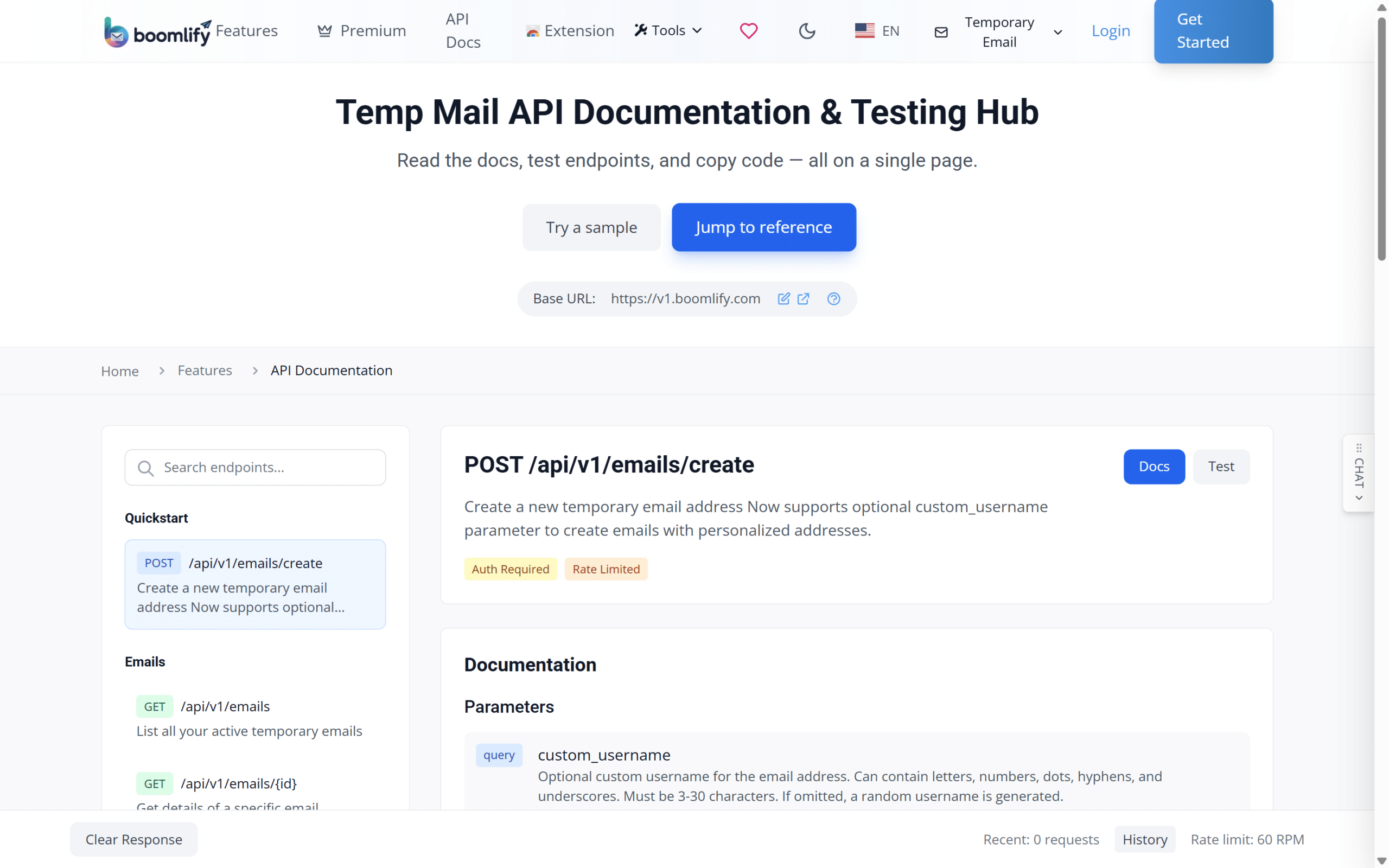
The API hub: base URL, the create endpoint and the free plan’s rate limit on one page
The documentation sits on the same page as a request tester, which turns the first call into a five-minute job instead of a first-day project. That sounds minor until you have spent an afternoon debugging authentication against a PDF.
The credit math, run for a real batch
Credits are bought at a flat $1 per 1,000 and never expire. The only thing that spends them is creating a mailbox, and the cost depends entirely on lifespan:
| Mailbox lifetime | Credit cost |
| 10 minutes | 1 |
| 1 hour | 2 |
| 1 day | 3 |
| Permanent | 15 |
💰 Every account, free ones included, gets 50 credits at midnight UTC. A hundred permanent inboxes costs 1,500 credits, so about $1.50, and the daily refill covers three of them for free every day after that. Polling costs nothing, which is the detail that changes how the integration gets written: check a mailbox every minute for a week and the meter does not move. If a batch outgrows the free allowance, the rate limit scales from 60 requests a minute to 3,500, and the pricing table shows what each tier adds.
The pipeline that holds up in production
Five decisions separate a pipeline that runs for a year from one that breaks in a week.
1️⃣ Pick the lifetime the account deserves. A 15-credit permanent address is the right default for anything you plan to keep. The one-credit ten-minute box is fine for a form you will never see again. The tempting middle, the one-day inbox, is where most batches quietly go wrong, because nobody remembers which accounts were built on one.
2️⃣ Name the address the way your tracker names things. With a custom username, the mailbox can read fb-014-acme instead of a random string, and the profile ID in your antidetect browser is enough to find the inbox months later.
3️⃣ Poll with a ceiling, not a loop. Mail moves in seconds most days and a minute or two on the bad ones. A two-second interval with a sixty-second timeout catches both without turning the logs into noise.
4️⃣ Match on sender and subject, not on the first URL in the body. Templates change without warning, and the first link in a message is a tracking pixel more often than people expect.
5️⃣ Write the address into the same row as the profile. Browser profile, proxy, payment card, inbox. When a platform asks for a code next quarter, that row is the difference between a five-minute fix and a dead account.
One more lever worth knowing: when a form has already rejected one shared domain, a Gmail-shaped address tends to pass where an unknown one stalls. Boomlify issues Gmail-based temporary addresses alongside the shared domains, which is where the extra deliverability comes from.
Two views keep the human side of a batch honest. Every inbox carries its expiry date, so nothing lapses while you are looking the other way, and forwarding can push new mail straight to Telegram for the signups you want to watch without opening a dashboard.
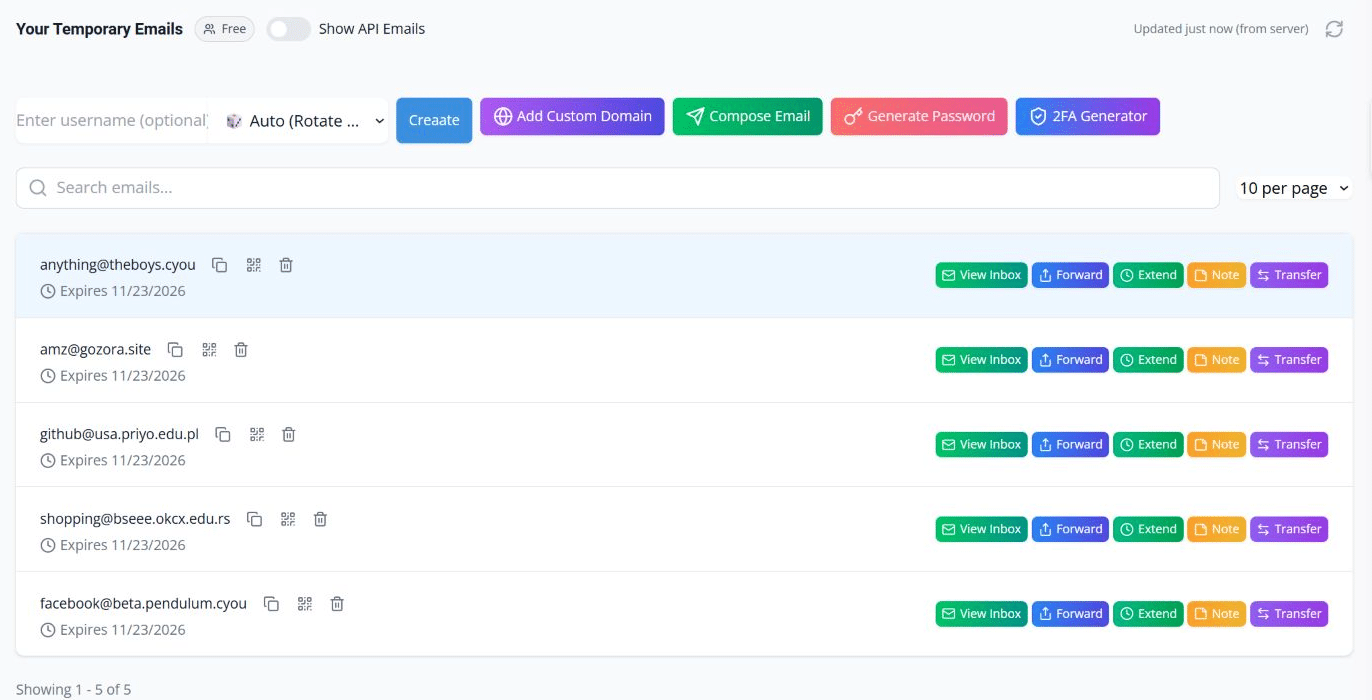
Every inbox in one list, with its expiry date and quick actions
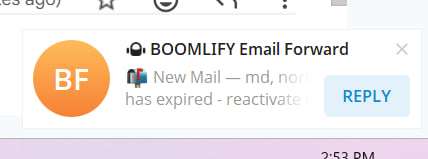
A new message forwarded to Telegram seconds after it arrived
Custom domains, or why the second batch stopped getting rejected
Shared temp mail domains are public by definition, and the platforms know it. When one gets rejected, the usual response is to rotate to the next service, which buys a week and teaches you nothing. A domain you own changes the equation: attach it once, point the MX records where the app tells you, and every address on it carries your branding instead of a domain that has been on blocklists since 2019.
🌐 Setup is smaller than it sounds. Enter the domain, copy the records into your DNS panel, wait for the check to pass, and the domain appears in the same picker as the shared ones, with its mailboxes counted separately in the same dashboard. The free plan already carries two custom domains, the ladder runs 3, 5, 10, 20 and 60 as plans climb, and the top tier is unlimited, which is the difference between testing with branded addresses and running client work on them. The custom domain temp mail page walks through the record setup before you commit.
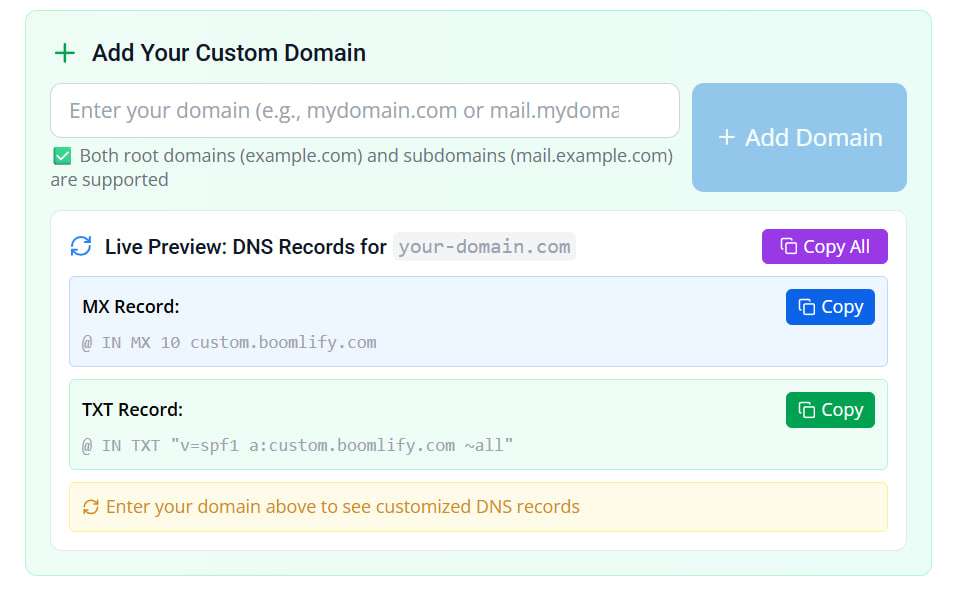
Enter the domain once, and the app hands back the exact DNS records to add
The rest of the toolkit
The inbox and the API carry the weight, but the extras stop a batch from turning into a second job. Email translation is unlimited on every plan and runs inside the inbox, so a verification mail in a language nobody on the team reads stops being a problem. The password generator and vault create and store credentials locally with no cap, free tier included.
Paid tiers add curated premium domains for when you would rather not attach one of your own, replies sent from inside the dashboard, and Pre-Receive Capture, which whitelists trusted sender domains and holds their mail before an inbox exists — claim windows run 24 hours, and bulk claims go up to 200 addresses.
Keeping addresses alive is what saves accounts
🔑 A locked account comes down to one question, and it is never about proxies. Can you still receive mail at the address on the account? Most temp mail services answer no: ten minutes, an hour, a day, and the trail is gone. Boomlify measures inbox validity in months, 60 days on the free tier and up to 365 on the top plan, and the expiry can be stretched when a campaign runs longer than planned.
Two habits make that durability usable at scale. The first is expiry hygiene: sort by what lapses this week, extend the addresses that matter, and do it across a whole selection instead of one at a time. The second is consolidation. Inboxes, notes and security codes live in one place, so the TOTP seed for an account sits next to the inbox it was created with rather than in a spreadsheet three drives away. Codes come from the built-in 2FA generator and sync across devices, with cloud limits that rise by plan.
There is a quieter benefit too. When a teammate takes over a client’s accounts, whole inboxes can be transferred to their Boomlify account in bulk, with a history of the move. It beats emailing somebody a list of addresses and hoping nothing gets lost in the handover.
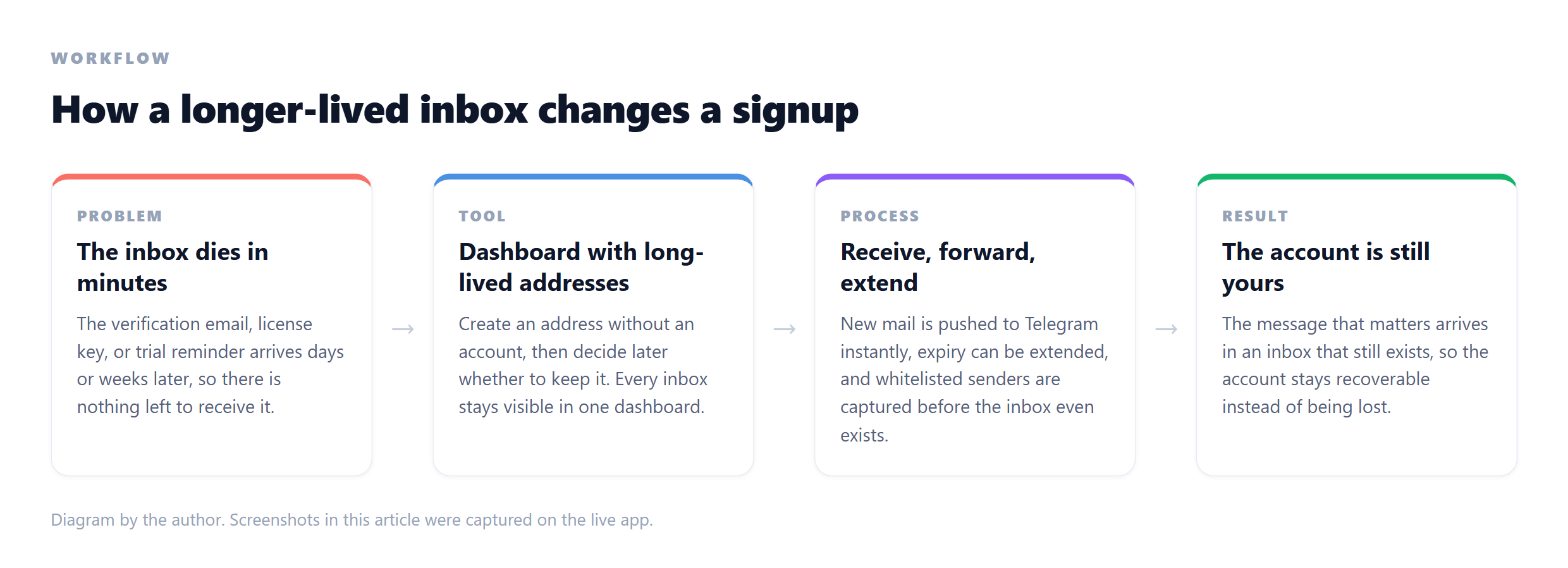
How a longer-lived inbox changes the outcome of a signup
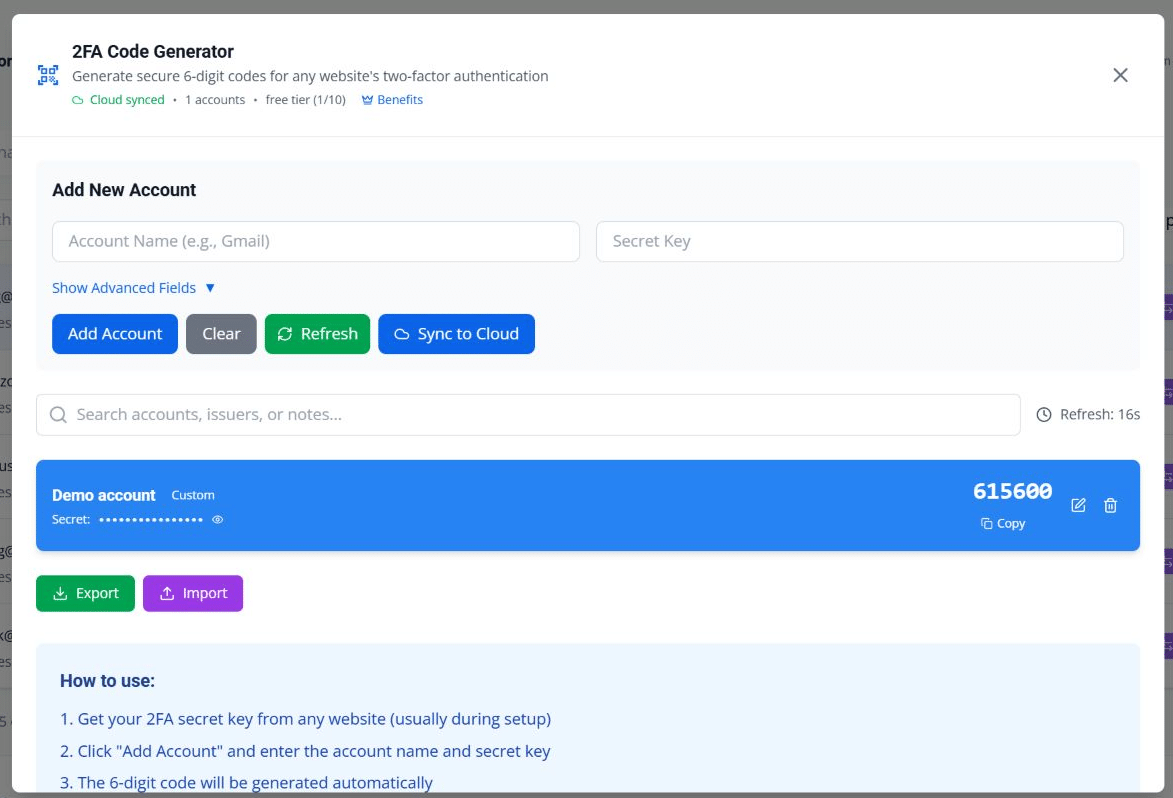
2FA codes generated in the same dashboard as the inboxes they belong to
How the options compare
| By hand, one at a time | Automated, no lifecycle plan | Automated with Boomlify | |
| Parallel-safe | No | Yes | Yes |
| Time per account | Minutes | Seconds | Seconds |
| Where codes land | A tab you keep refreshing | Script output | Script, dashboard or Telegram |
| Address lifespan | Whatever the free site gives | Whatever the default is | 60 to 365 days, extendable |
| Reads and polling | Manual refreshes | Often metered per call | Free on every plan |
| Custom domains | No | Rarely | Yes, two included on the free plan |
| A code request six months later | Almost always a dead end | Depends on the default lifetime | Reliable when the lifetime was chosen well |
Where this falls apart
⏳ Latency is real. Every verification mail crosses relays you do not control: seconds most days, a minute or two on the bad ones. Build the timeout in, and make a failure look like a failure instead of a silent hang.
🧩 Parsing is brittle by nature. You are reading templates other teams edit on their own schedule. Match tightly, keep the raw message in your logs when extraction fails, and revisit the patterns when a provider redesigns its emails.
🚧 Blocklists still exist. A custom domain improves the odds and guarantees nothing. Platforms can decline a signup for a hundred reasons that have nothing to do with email, and an API is not a licence to ignore the terms you agreed to when the account was created.
💸 Credits become a line item at scale. Fifteen credits per permanent inbox is rounding error at a hundred mailboxes and a real number at ten thousand. Run the math before the batch, not after it.
‼️ IMPORTANT! Never move anything you could not afford to lose, banking and government services included, onto a temporary address. Those belong on a mailbox you own for good.
If what you actually need is one inbox for one form you will never revisit, a plain temp mail tab is the honest answer and the API is overkill. It earns its place the moment the job repeats.
Pros and cons in one place
Pros
- ✅ Parallel-safe by design: every account gets its own address, so two operators never collide
- ✅ The free plan includes the API key, 60 requests a minute and 50 credits a day, which is enough to evaluate the whole thing before paying
- ✅ Reads, listings and deletions are free, so a polling loop costs nothing to run
- ✅ Custom domains on every tier, two even on the free plan, so branded addresses stop reading as disposable
- ✅ Lifespans measured in months and extendable, with bulk actions for when a campaign runs long
- ✅ The human side lives in the same dashboard: expiry dates, 2FA codes, Telegram forwarding
Cons
- ❌ Adds a third-party dependency between your process and an email provider
- ❌ Delivery latency still bites occasionally
- ❌ Parsing message templates is brittle by nature
- ❌ Credits are a second balance to watch once batches grow
- ❌ It fixes the email layer only; phone checks and platform rules stay outside its reach
Frequently asked questions
❓ Is the temp mail API free?
Yes. Every account gets an API key, including the free plan, with 60 requests a minute and 50 credits every day. Only mailbox creation spends credits; reads, listings and deletions are free on every tier.
❓ What does a batch of a hundred accounts cost?
A hundred permanent inboxes is 1,500 credits, about $1.50 at the $1-per-1,000 rate. Shorter lifetimes cost less, one credit for ten minutes and three for a day, and the 50 daily credits already cover three permanent inboxes a day for free.
❓ Can I choose the address name, or use my own domain?
The create call takes a custom username of three to thirty characters, and your own domain works on every tier: two on the free plan, then 3, 5, 10, 20 and 60 as plans climb, unlimited at the top.
❓ Do reads or polling cost credits?
No. Only creation is metered, so a mailbox can be checked as often as your rate limit allows without spending anything. That is what makes tight polling loops affordable.
❓ What happens if an inbox expires while the account is still active?
That is the scenario worth engineering against. Any password reset or lock challenge depends on that address, so accounts you plan to keep deserve long lifetimes and an extension before the expiry date. The dashboard shows every expiry, which makes the job a habit rather than a surprise.
❓ Can this plug into an antidetect browser and automation stack?
Yes. It is a plain REST API behind one key, so anything that can make an HTTP request can use it. The inbox is one layer of the stack; browser profiles, proxies and payment methods stay separate, and a custom domain is what makes the email layer match your branding.
❓ Should I run everything through a temp address?
No. Banking, government services and anything carrying your legal identity belong on a mailbox you own forever. A temporary address is for accounts you manage and control, and even then the lifetime should be chosen deliberately.
The short version
The email step is the cheapest part of the stack to automate and the most expensive one to leave manual, not in money but in hours and in the accounts that quietly die when an inbox does. Wire the first call this week: the key ships with every account, 50 credits land daily, and polling never costs a thing. Boomlify keeps the API and the dashboard in one account, so a batch can run itself while the codes for the signups that matter still arrive where a human can see them.
The next time a platform asks for a code from an address you still own, that is the whole payoff.