Tyver vs. AdHeart: Which Ad Spt Tool is Better in 2026? 🤔
Following Meta’s full rollout of the Andromeda ad-delivery algorithm, most media buyers ran into the same issue: even fresh creatives quickly reached a frequency of 1.5 to 2. In practice, this meant Facebook was repeatedly serving the same ad to the same user while the media buyer footed the bill.
Creatives now need to be refreshed much more frequently; otherwise, burning through your budget under the new system is inevitable. In this environment, ad spy tools have become essential: they let you quickly see which angles are converting across your vertical and target GEO.
In this review, we compare two industry heavyweights: Tyver and AdHeart. We examine the core capabilities and key features of each platform to determine which ad spy tool media buyers should choose in 2026. 👌🏻
Feature Overview and Core Differences
To evaluate which platform performs better in day-to-day media buying, you need to consider several specific factors: database size, update frequency, ease of use, search efficiency, available features, analytics, and subscription pricing. These factors determine how quickly you can find fresh angles and save your testing budget by having valuable upfront data.
In this section, we break down the key differences between Tyver and AdHeart, ranging from ad volume and ingestion speed to unique toolsets, filters, and subscription costs.
User Interface Comparison 👨💻
Interface design directly affects research efficiency. A cluttered layout slows down ad discovery and makes it easy to overlook winning angles. Let’s compare the layout and workflow of Tyver and AdHeart.
⭕️ AdHeart recently updated its interface, stripping out several visual elements that cluttered the workspace. However, it still feels bulky: ad cards contain too many buttons and secondary data points that distract from analyzing creatives.
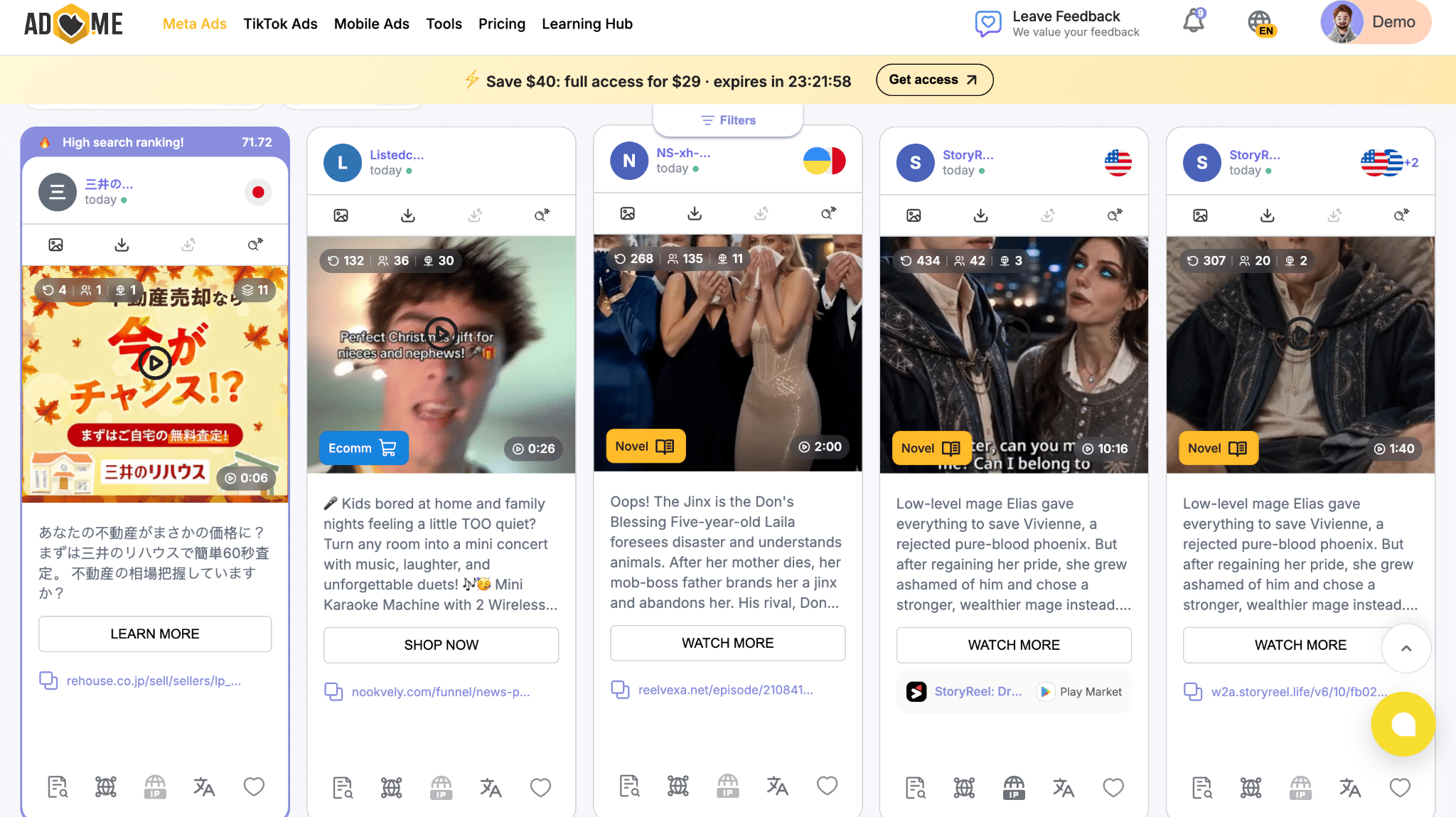
✅ Tyver offers a much cleaner, streamlined interface that is intuitive even for media buyers using an ad spy tool for the first time. The top section houses the filtering controls, while the main feed displays ad cards showing how many days each ad has been running and its impression count.
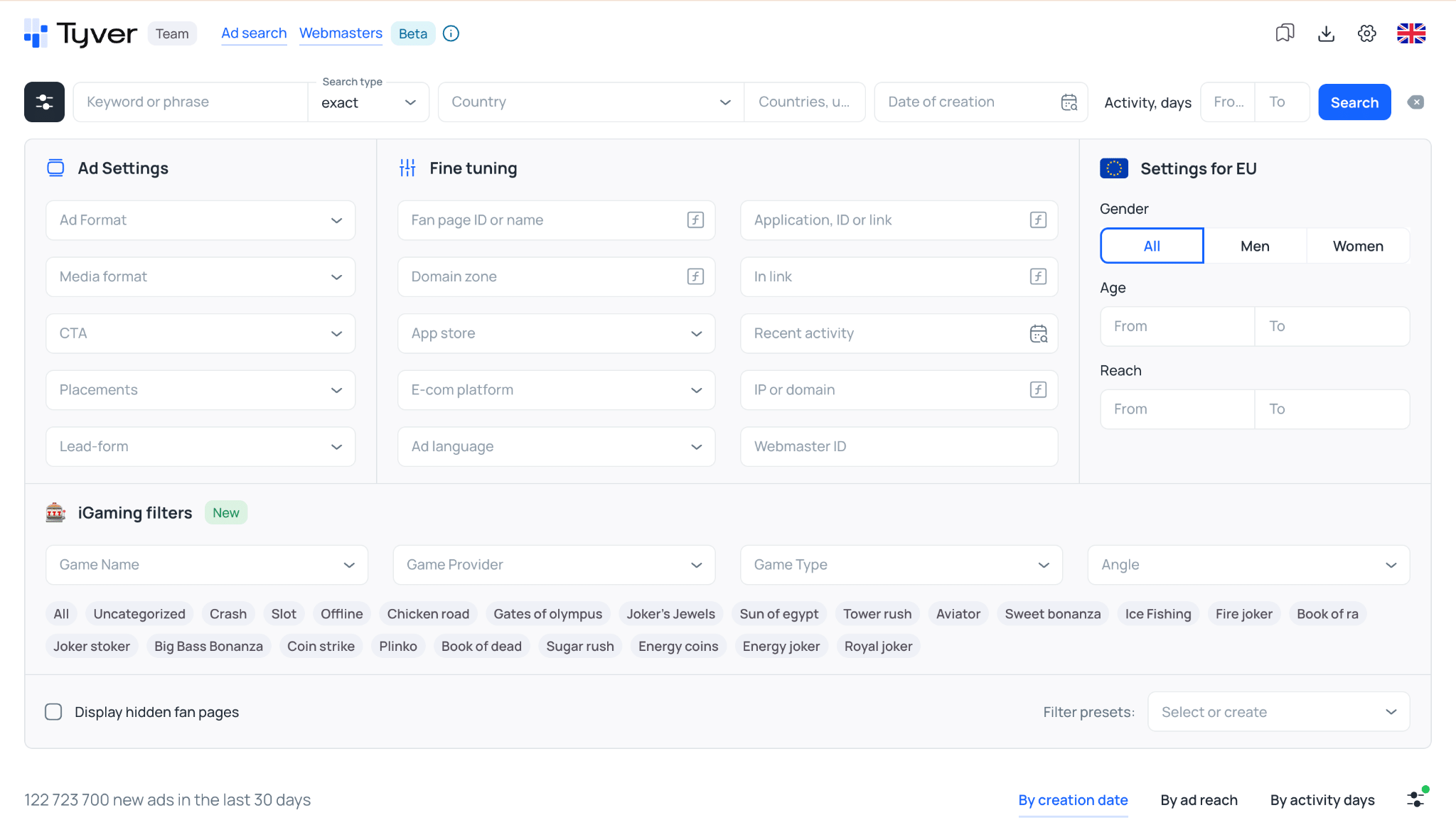
Hovering over an ad card reveals quick-action controls:
- Download;
- Add to favorites;
- Open in a new tab;
- Hide ads from this Fan Page.
Clicking on an ad opens a detailed side panel on the right, displaying:
- Ad copy;
- Destination landing page URL;
- Target GEO;
- Ad performance metrics.

👍🏼 Thanks to its minimalist layout, Tyver is fast and responsive: search queries execute without page freezes, the feed scrolls smoothly, and switching between filters and creatives happens with zero lag.
Database: Creative Volume and Quality 📊
Every ad spy tool operates on an ingestion cycle that refreshes its creative database. In essence, this is the primary benchmark of an ad spy tool’s effectiveness: the larger the database, the faster you can uncover new angles.
Let’s compare ad coverage across the most popular regions for media buyers: Europe and Latin America.
Across 🇪🇺 Europe, Tyver holds a clear lead over AdHeart, showing a massive advantage in ad volume across key countries.
| Europe | Tyver | AdHeart |
| Spain 🇪🇸 | 22M | 3M |
| Norway 🇳🇴 | 3.3M | 594K |
| Italy 🇮🇹 | 24.2M | 4M |
| Germany 🇩🇪 | 27.3M | 4M |
The pattern is similar across Latin America, with Tyver leading AdHeart across all tracked markets in the region.
| LatAm | Tyver | AdHeart |
| Colombia 🇨🇴 | 10.2M | 1M |
| Chile 🇨🇱 | 10M | 748K |
| Peru 🇵🇪 | 9.3M | 784K |
| Mexico 🇲🇽 | 15.2M | 6M |
Regarding update speed, AdHeart claims to ingest ads every minute, whereas Tyver updates every 15 to 20 minutes. In practice, this difference is negligible for media buyers.
Filters and Search Capabilities 🔎
Filtering options are critical in any ad spy tool, as they let you narrow your search and pinpoint ads running for your target audience. Here is how Tyver and AdHeart compare:
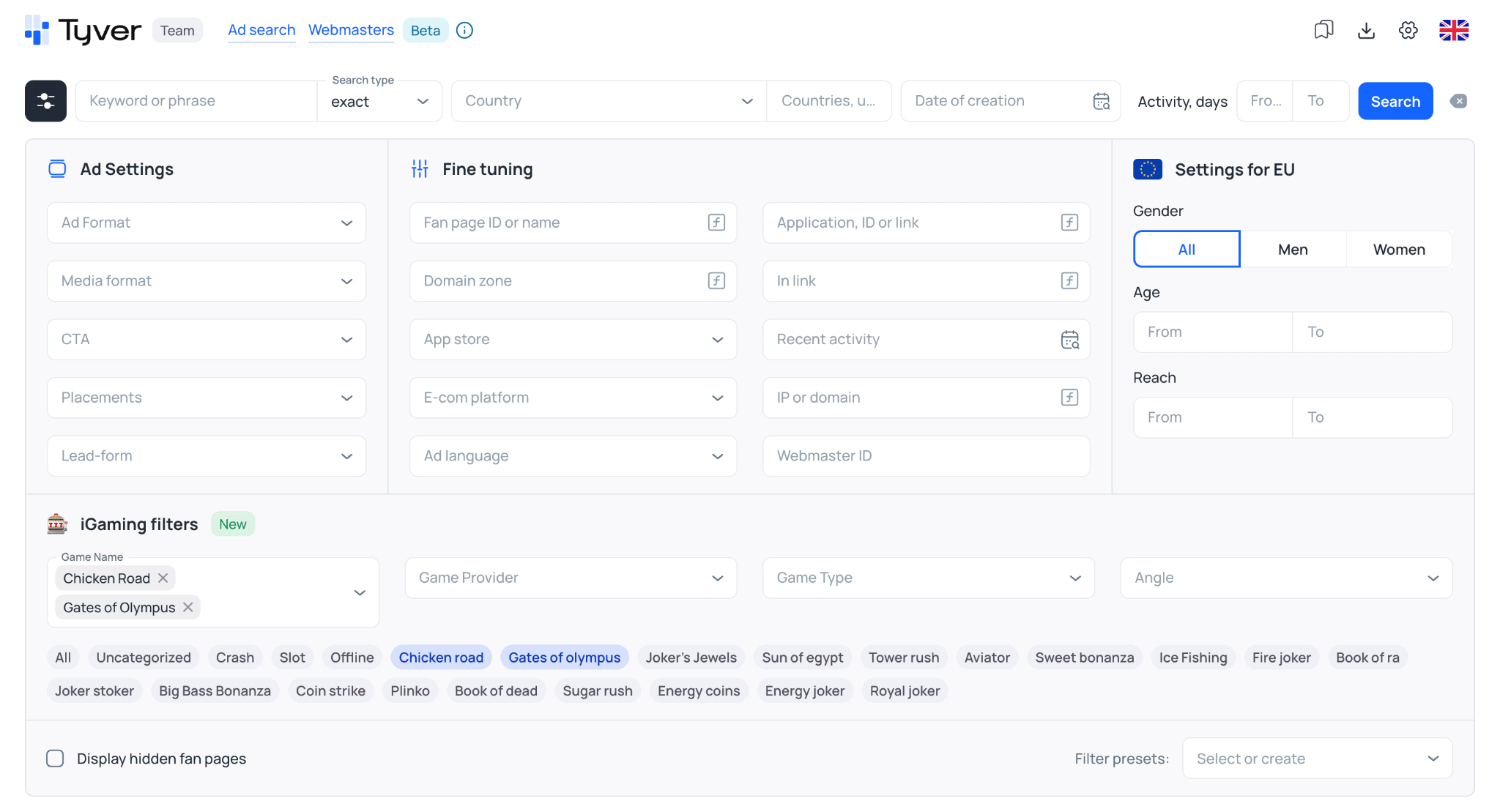
⚡️ Tyver provides 21 filters covering essential parameters: ad format, CTA button, domain extension, ad language, and more.
AdHeart features 25 filters, though several of them are rarely needed in day-to-day media buying.
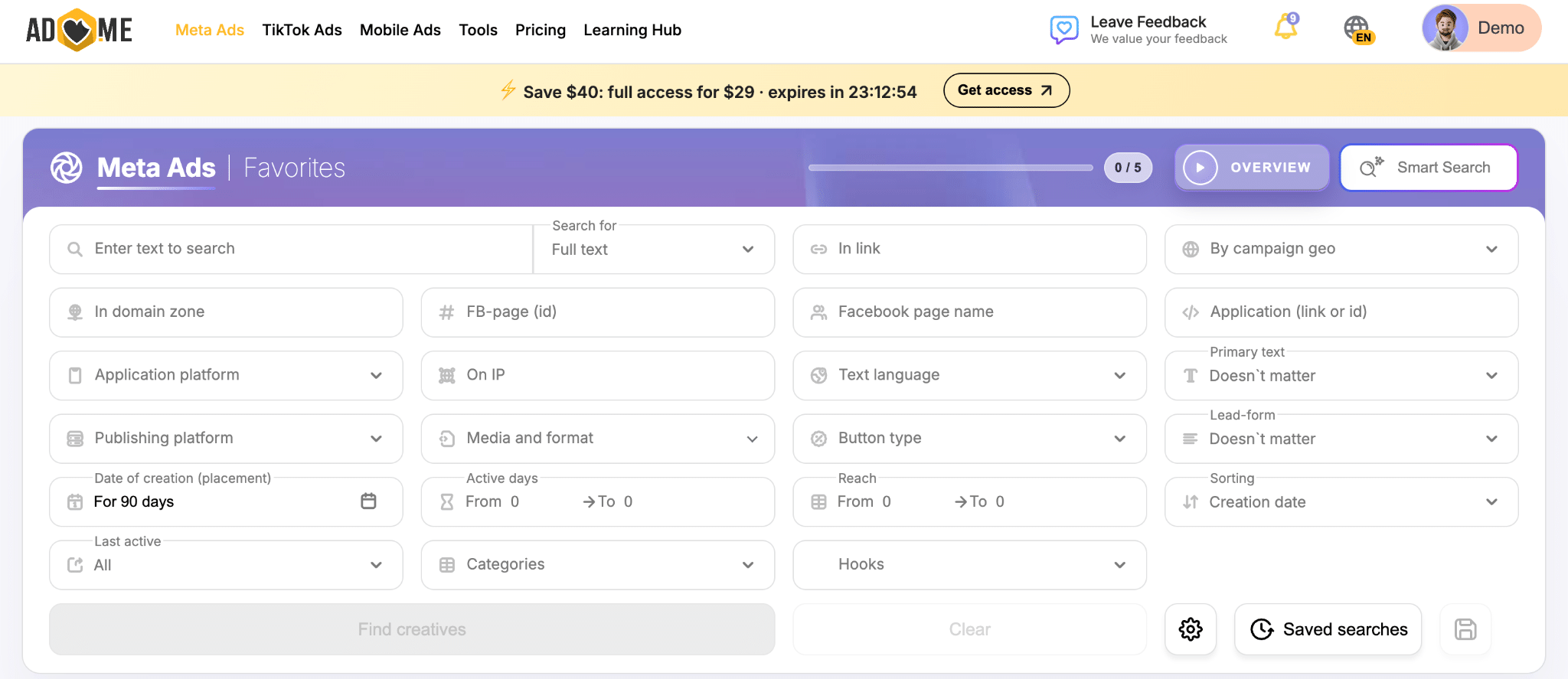
Let’s look more closely at the specific filters available across both platforms. Beyond standard options, Tyver includes specialized tools, such as demographic audience filtering available for EU countries. This feature lets you filter ads by gender and age bracket, excluding irrelevant ads from the outset.
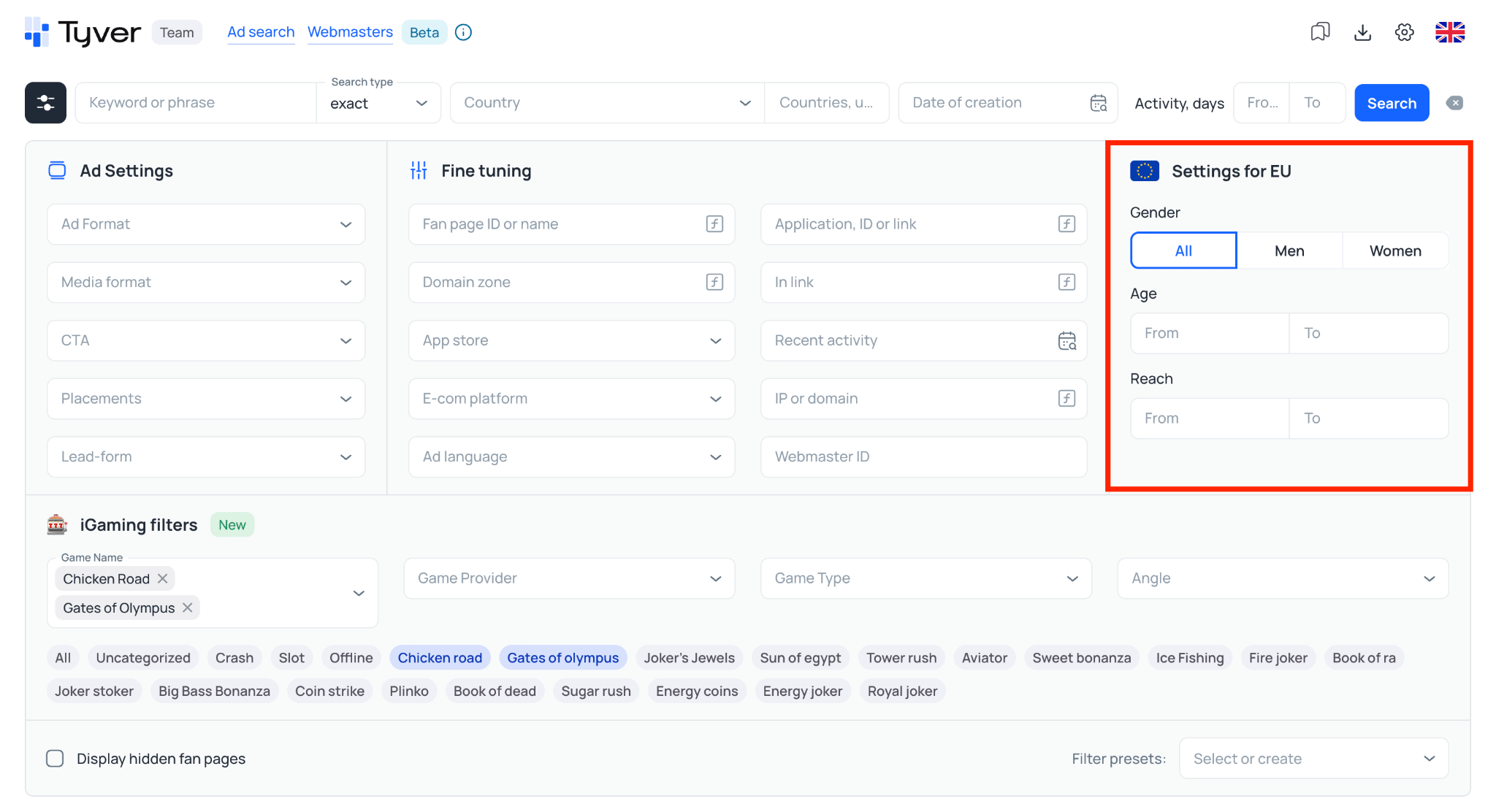
Regardless of your vertical, demographic filtering helps you find creatives that appeal to your target audience and identify which hooks resonate with specific demographic groups.
AdHeart also features a unique capability designed to simplify discovery: AI-powered search. You describe the creatives you want to find in plain text, and the system configures a set of filters to return relevant ads.
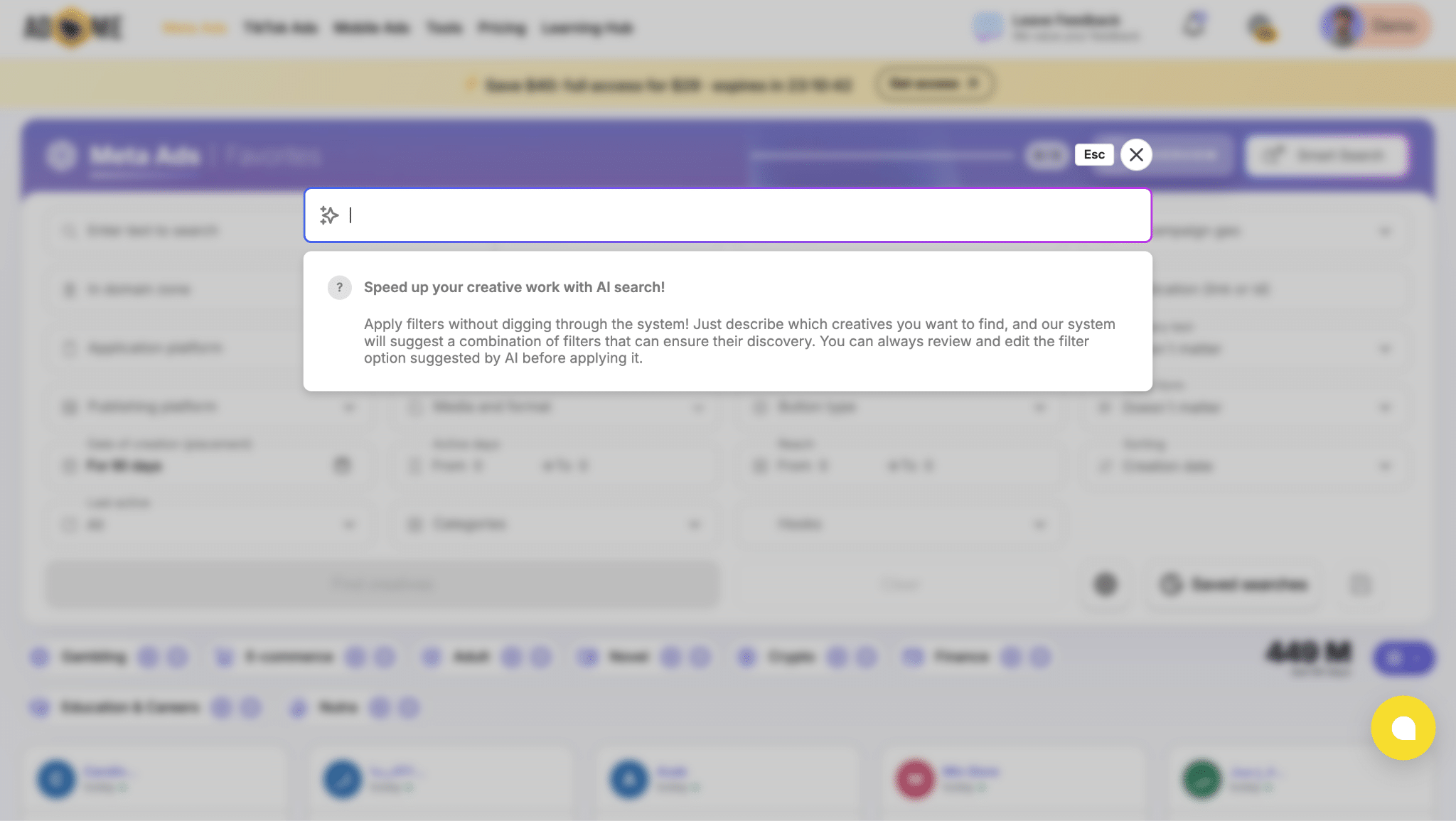
Testing this feature in practice reveals mixed results. When searching for nutra creatives targeting Brazil with a before-and-after angle, the AI search returned over 10 million ads, the vast majority of which had no connection to the vertical. 😬
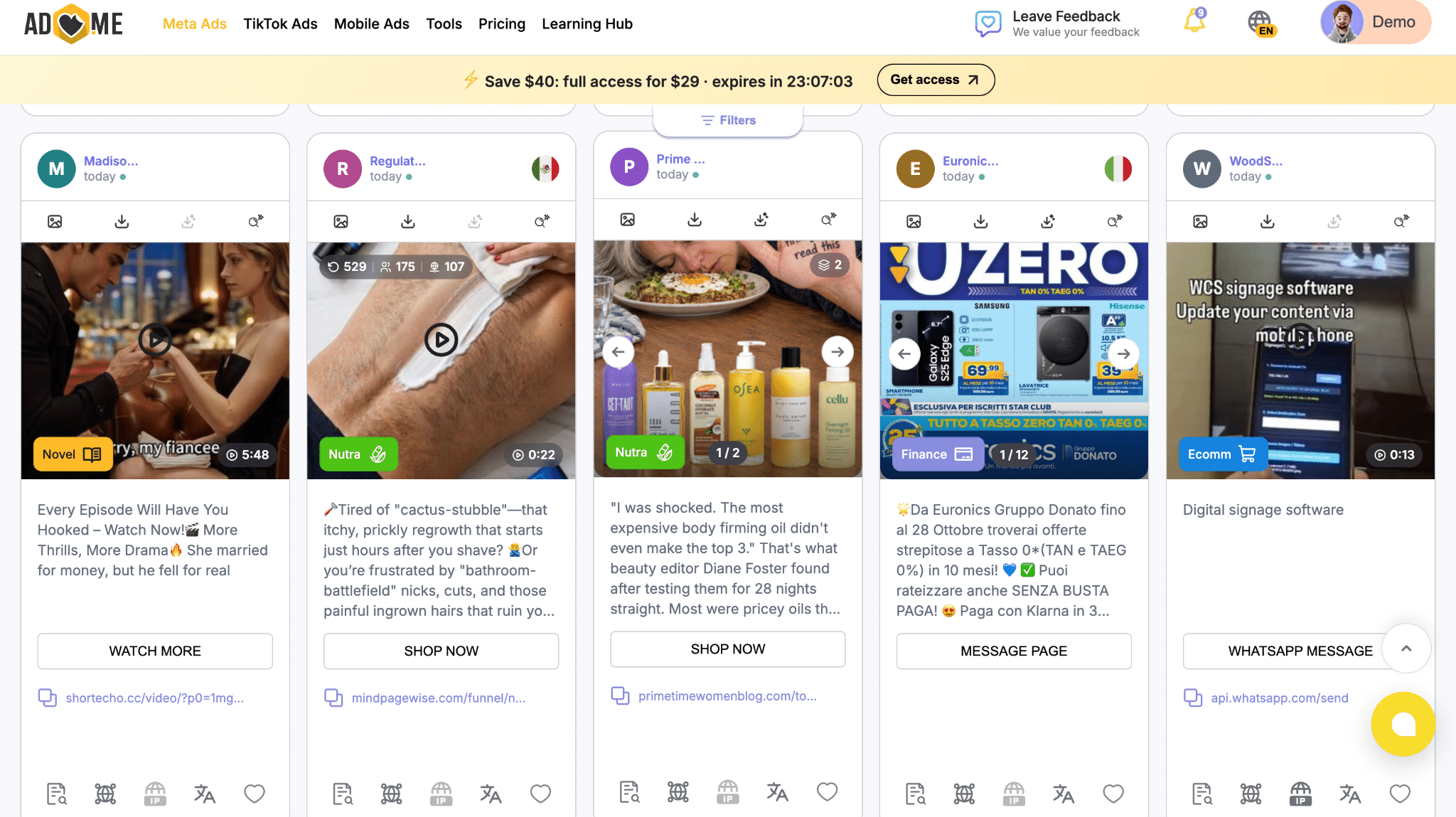
We ran a similar test for gambling campaigns, entering the prompt: “I need gambling creatives for Brazil using a scheme angle where a blogger or actor demonstrates guaranteed winning strategies.”
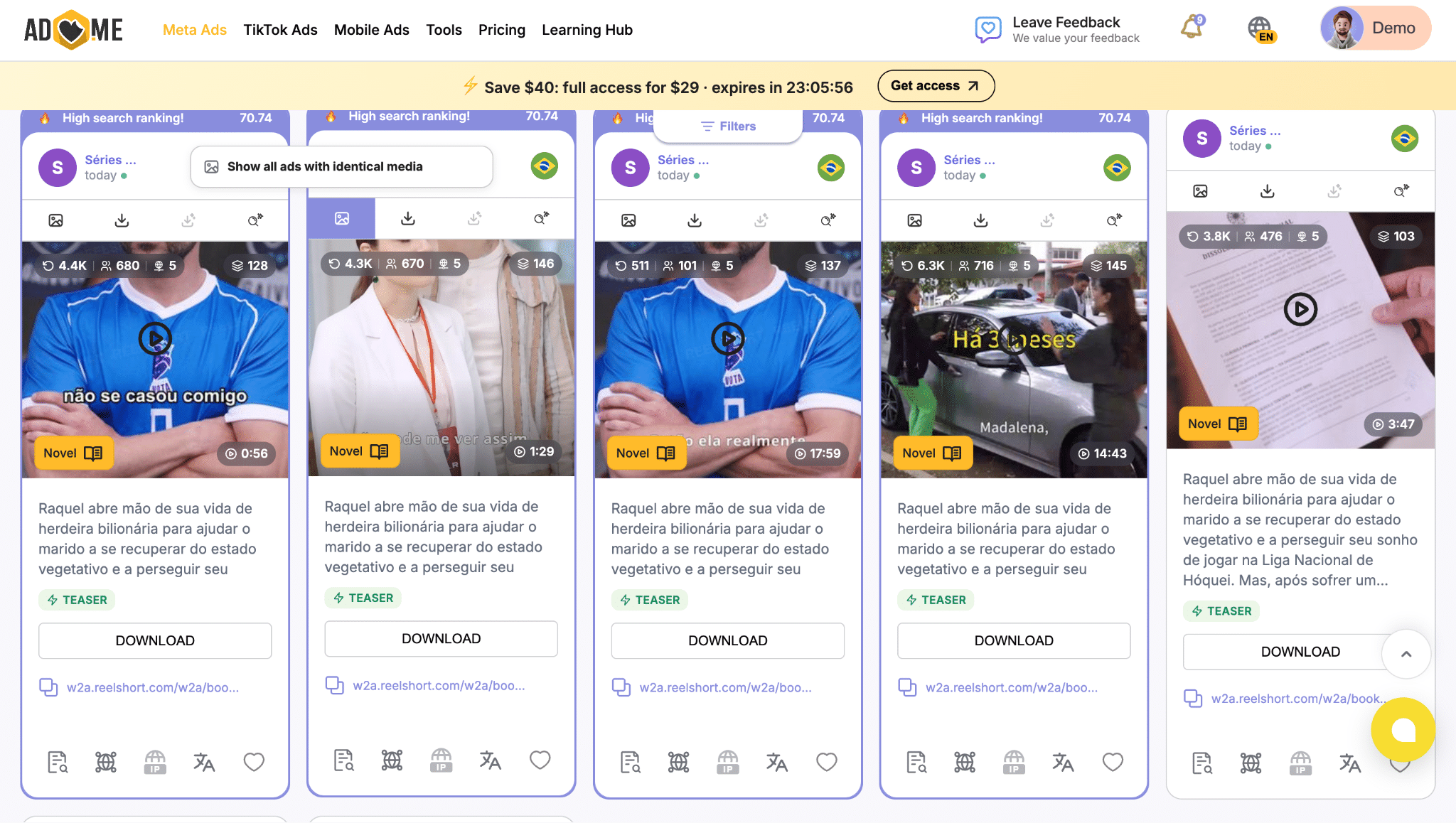
As the results show, the AI search struggles with complex prompts, primarily returning broad, generic ads.
Both tools also offer single-click vertical filtering. In Tyver, this feature is currently available for gambling 🎰, with other verticals in development.
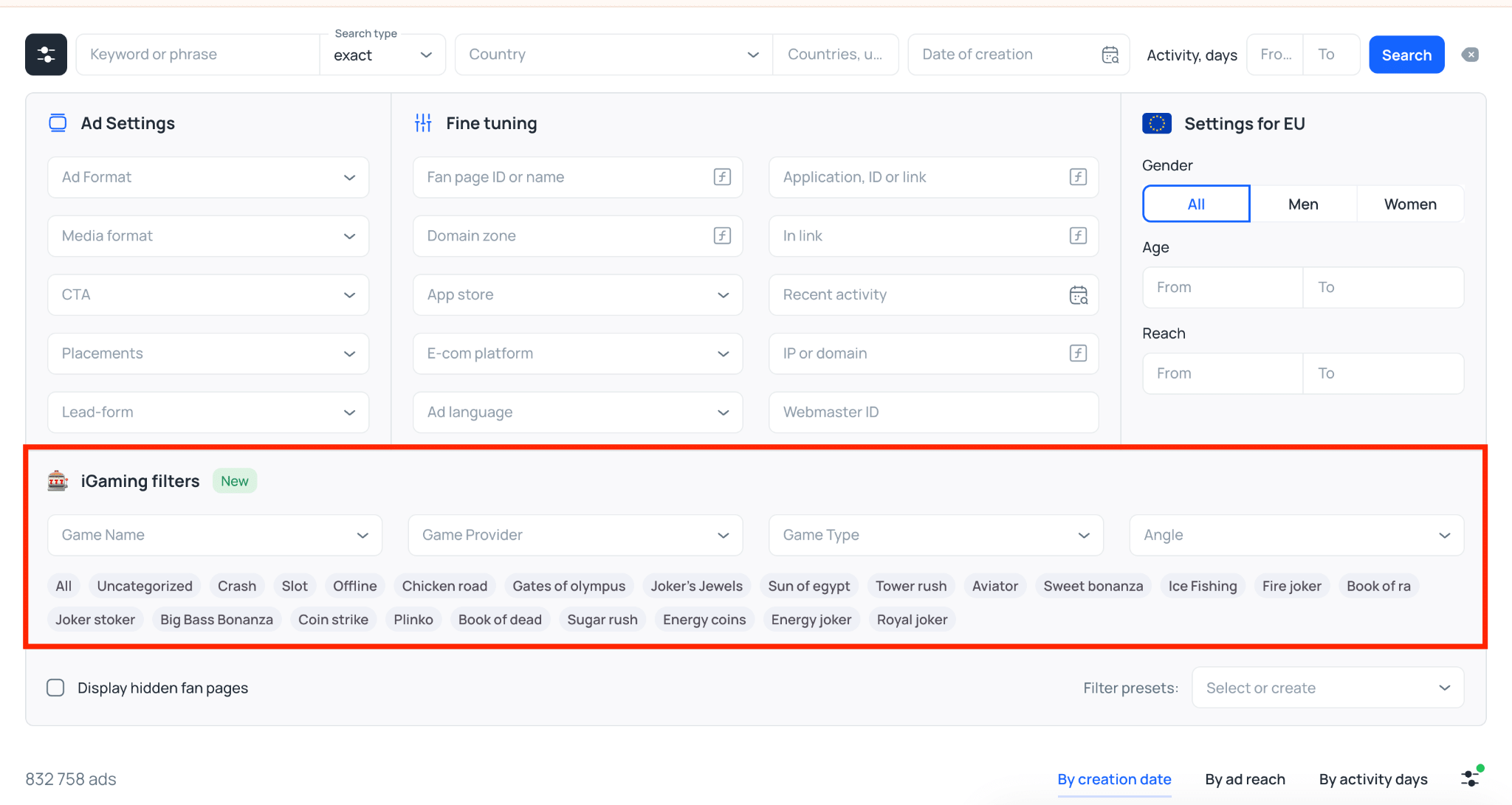
Taking Brazil as an example, a single click returns over 200,000 targeted creatives over a one-month period. 🔥

The difference in coverage between the two tools is substantial: over a two-week period, AdHeart surfaced approximately 32,000 gambling creatives, whereas Tyver delivered 442,000.
This gap clearly shows that Tyver scans Meta’s ad ecosystem more deeply and has stronger parsing mechanics, significantly reducing the risk of missing a winning angle.
To sum up, Tyver holds two practical advantages: the ability to find hidden Fan Pages and demographic audience filtering. AdHeart’s main asset is its AI search, which configures search parameters automatically.
In other areas, the tools are largely comparable: both let you inspect domains, IP addresses, languages, ad formats, how long an ad has been running, and related parameters.
Tyver’s Standout Feature: Creative Sharing ⭐️
📌 Tyver allows you to organize saved creatives into folders and share them with colleagues or clients, even if they do not have an active account on the platform.
To save an ad, click the “Add to favorites” button on the ad card.
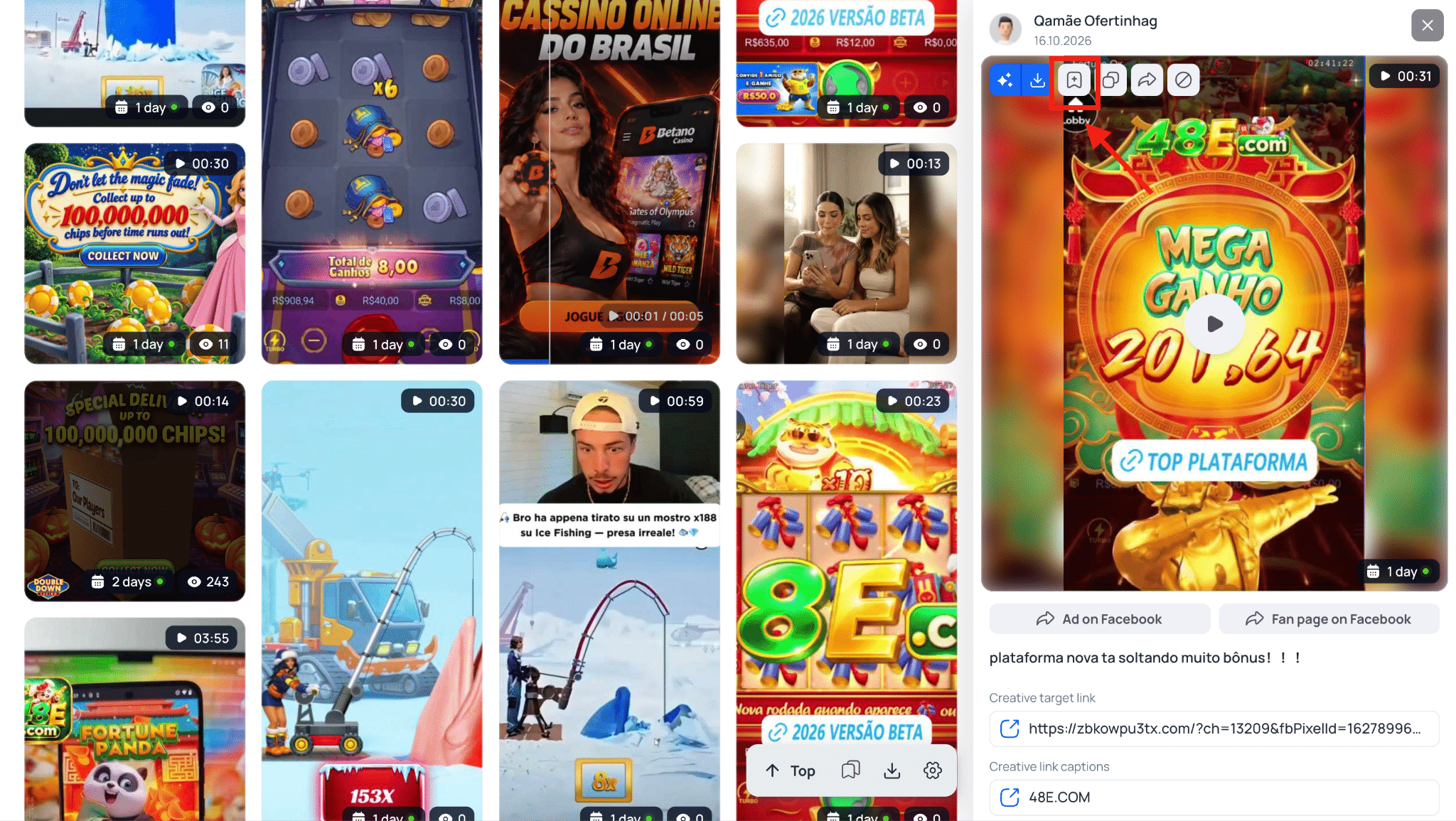
By default, creatives are saved to the “Favorites” folder, though you can create custom folders to segment assets by campaign, offer, or vertical.
Once an ad is added to favorites, a notification pops up in the top right corner. Clicking the prompt lets you create a new folder for your saved creatives on the spot.

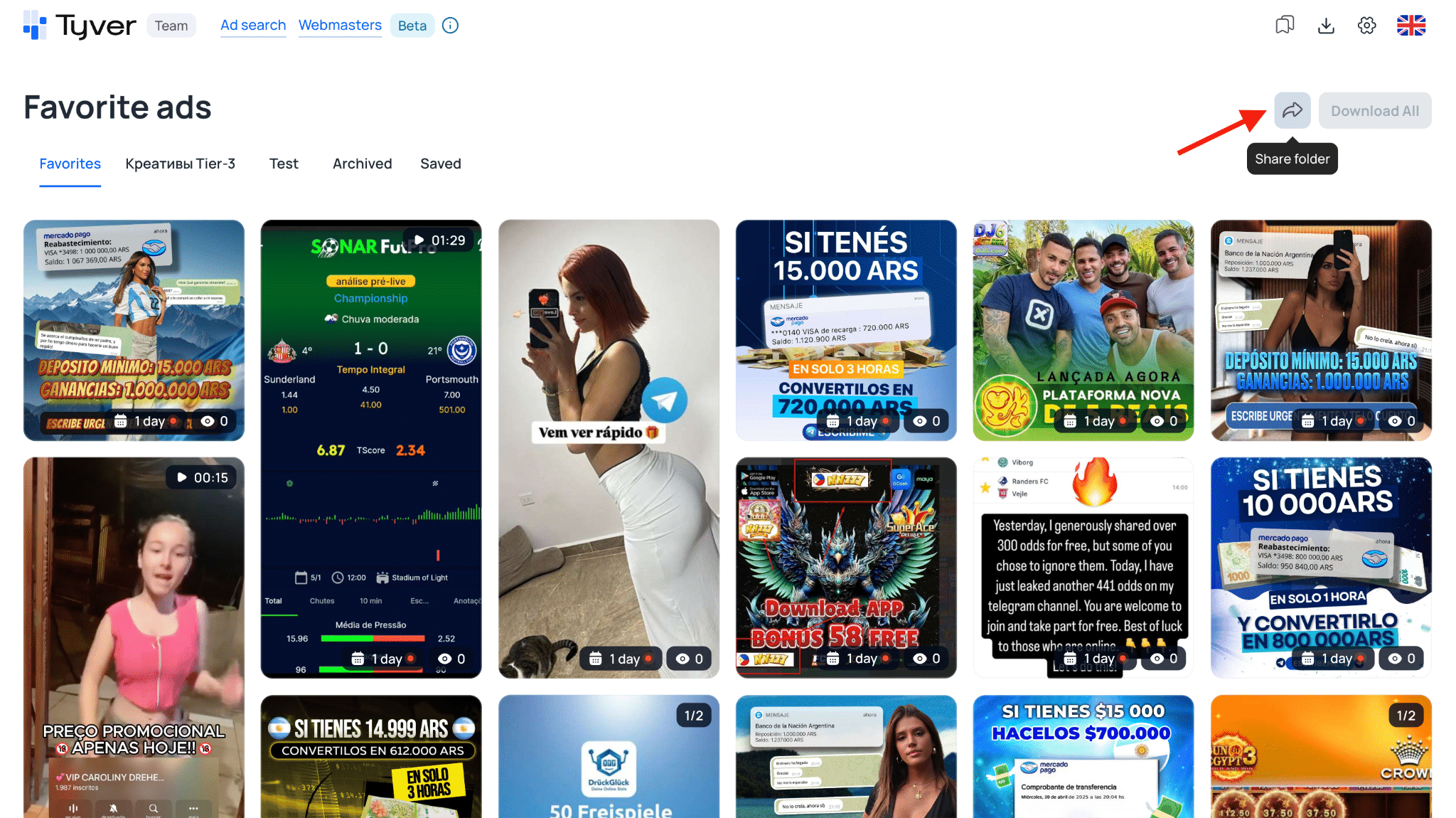
To share a folder, navigate to “Favorite Ads“, select the desired folder, and click “Share Link“. Anyone with the link can view the saved assets, even without registering on Tyver.
Side-by-Side Feature Comparison
To make the comparison clearer, here is a breakdown of core features, database metrics, and pricing across both platforms: ⬇️
| Parameter | Tyver | AdHeart |
| Ads Indexed per Month | 90M | 54M |
| Update Frequency | Every 15–20 minutes | Every minute |
| Number of Filters | 21 | 25 |
| Ad Sorting | By date, reach, and active days | By date and how long an ad has been running |
| Unique Tools | Hidden Fan Page search, demographic filtering (age and gender), 1-click vertical search | AI search, creative uniqueizer, vertical filter |
| Base Price | $79 | $69 |
| Ad Views Included | 30K on base plan, 60K on top plan | 3K on starter, 9K on mid-tier, custom on top tier |
| Option to Purchase Additional Views | $32 for 30K views | No |
✅ In terms of actionable features, Tyver holds a clear edge: demographic filtering surfaces the exact creatives resonating with your target audience. This speeds up discovery and protects testing budgets.
👌🏻 AdHeart emphasizes workflow convenience: its creative uniqueizer and AI search save time navigating the database, but they do not increase search depth.
Pricing and Subscription Plans
Pricing is a deciding factor when selecting an ad spy tool. No media buyer wants to overpay while missing critical functionality. Here is an overview of Tyver’s subscription tiers.
📍 Tyver offers three plans: Free, Pro, and Team. The Free tier serves as an alternative to Meta Ad Library for buyers needing basic research. The Pro plan is tailored for solo media buyers, while the Team plan is designed for media buying teams.
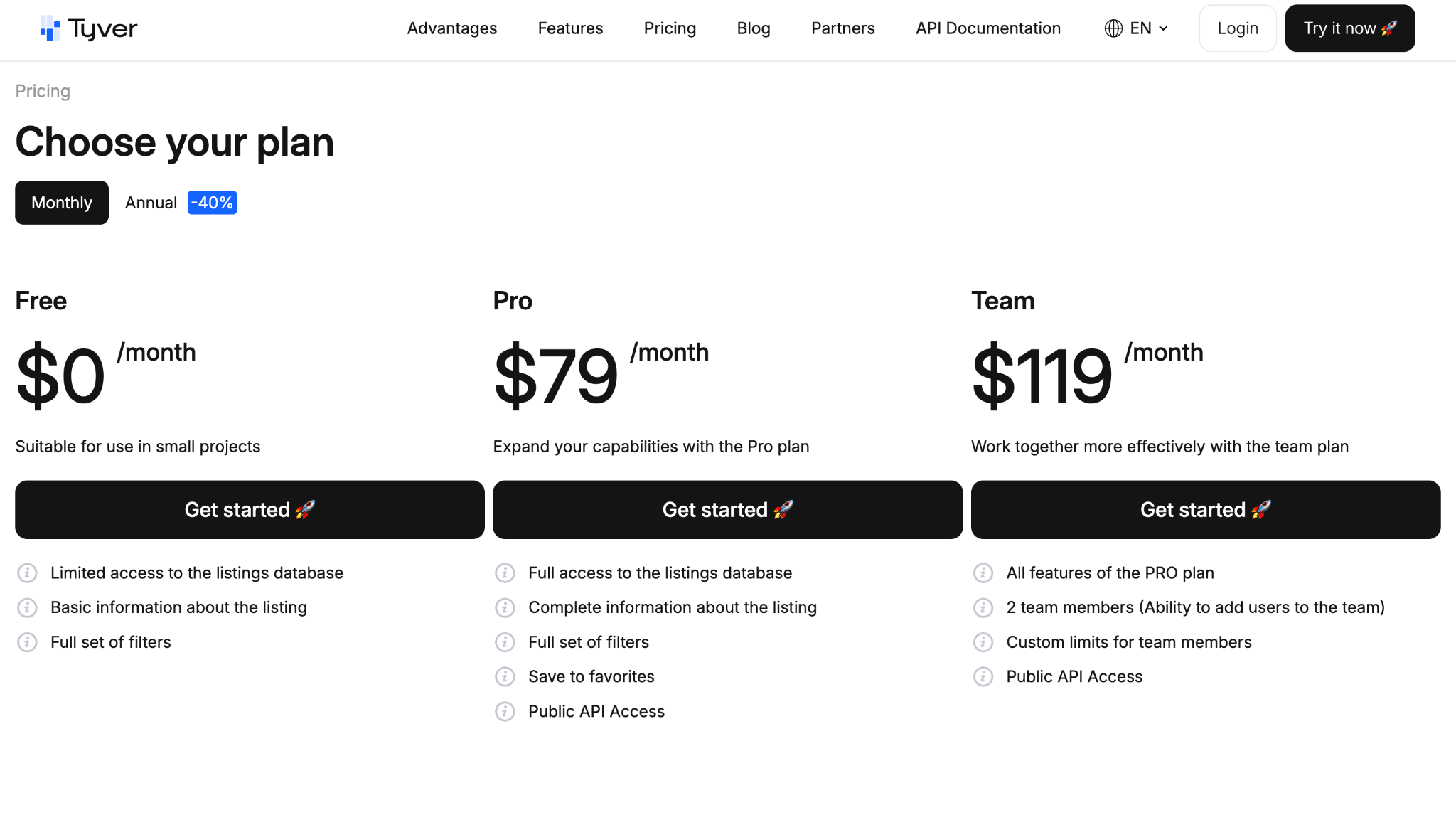
By unlocking full feature access (excluding team collaboration) on its entry-level paid plan, Tyver avoids gating essential tools behind expensive enterprise tiers, a common frustration with other spy tools.
Creative saving, unrestricted database access, and the complete filter suite are available on all paid plans. One major advantage is that the base plan includes 30,000 ad views, three to five times more than competing platforms offer. If you need more, you can purchase an additional 30,000 views for $32.
Here is how the subscription tiers compare on price and feature availability:
| Feature / Parameter | Tyver | AdHeart |
| Starting Price | $79 | $69 |
| Ad View Limit | 30K to 60K | 3K to 9K |
| Add-on Views Available | Yes ($32 for 30K) | No |
| Filter Access | Full | Full |
| Unique Tools | Audience demographic filter, hidden Fan Page search, 1-click vertical search | AI search, vertical filter, creative uniqueizer |
As the comparison shows, Tyver delivers substantially better value on ad view volume, offering up to 10 times more views when comparing base tiers. Furthermore, AdHeart does not allow you to purchase add-on views: once your quota is exhausted, you must renew the full subscription.
Vertical Breakdown: Where Tyver Wins
Moving from theoretical specs to practical application, let’s look at how Tyver performs across different verticals and GEOs.
Analyzing Nutra Setups 💊
Let’s test European GEOs by searching for ads using broad regional keywords.
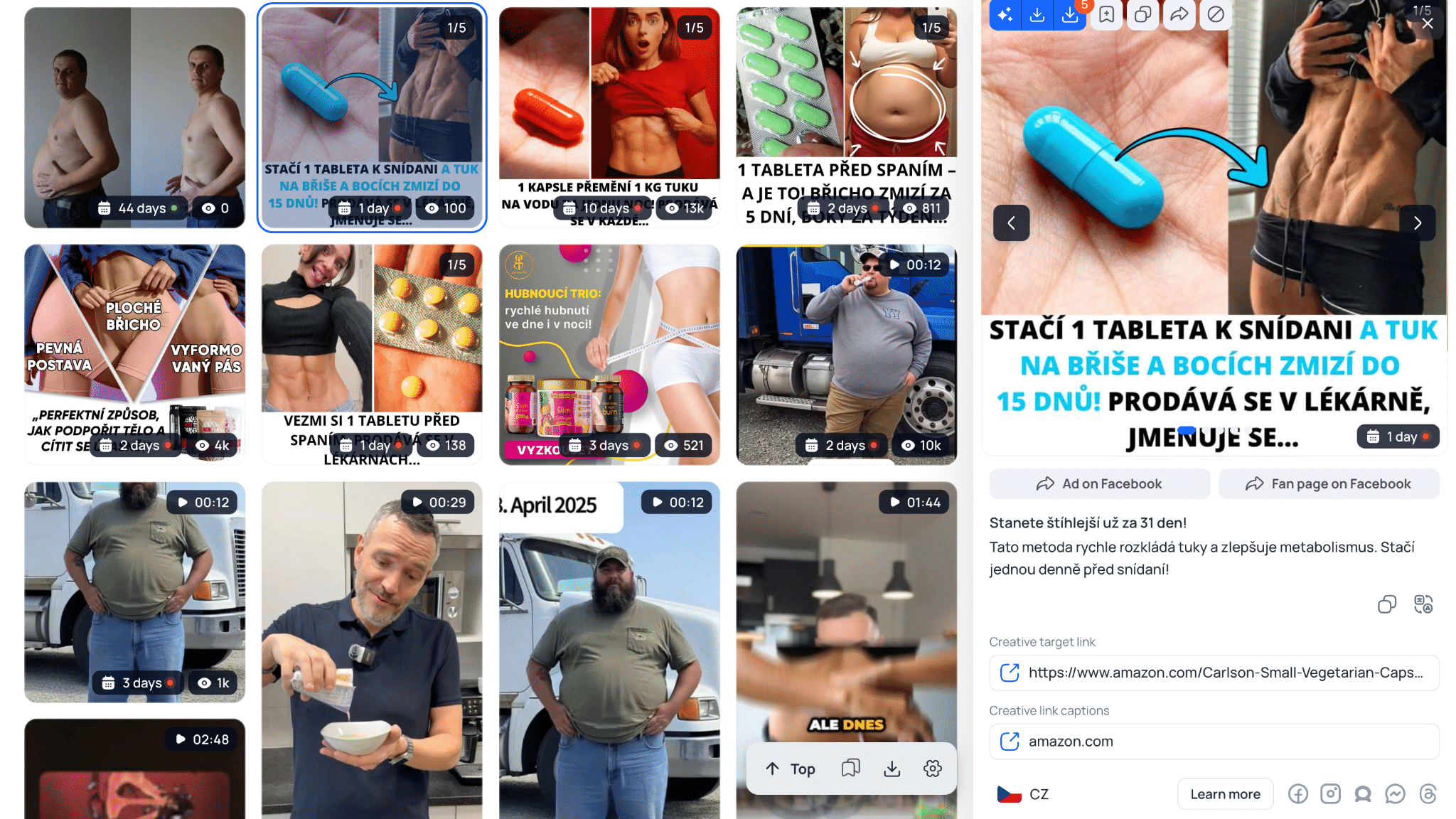
Searching for the Czech phrase rychlé hubnutí (“rapid weight loss”) returned over 2,000 creatives in Tyver, with winning angles visible on the very first page of results.
Tyver also enables you to inspect every creative launched from a specific Fan Page. Scroll to “Similar Ads”, select “By FB Page”, and click on any ad in the set.
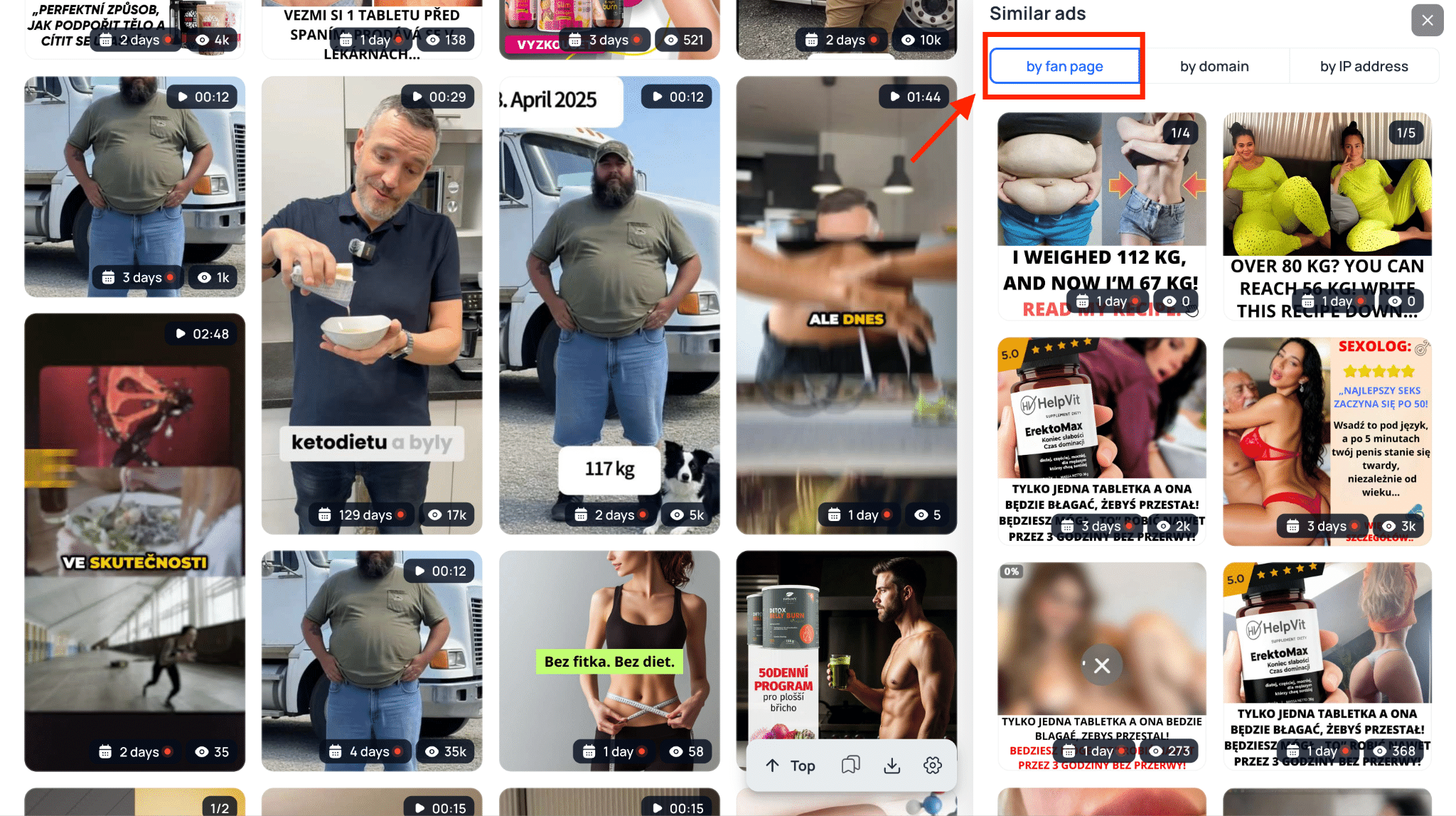
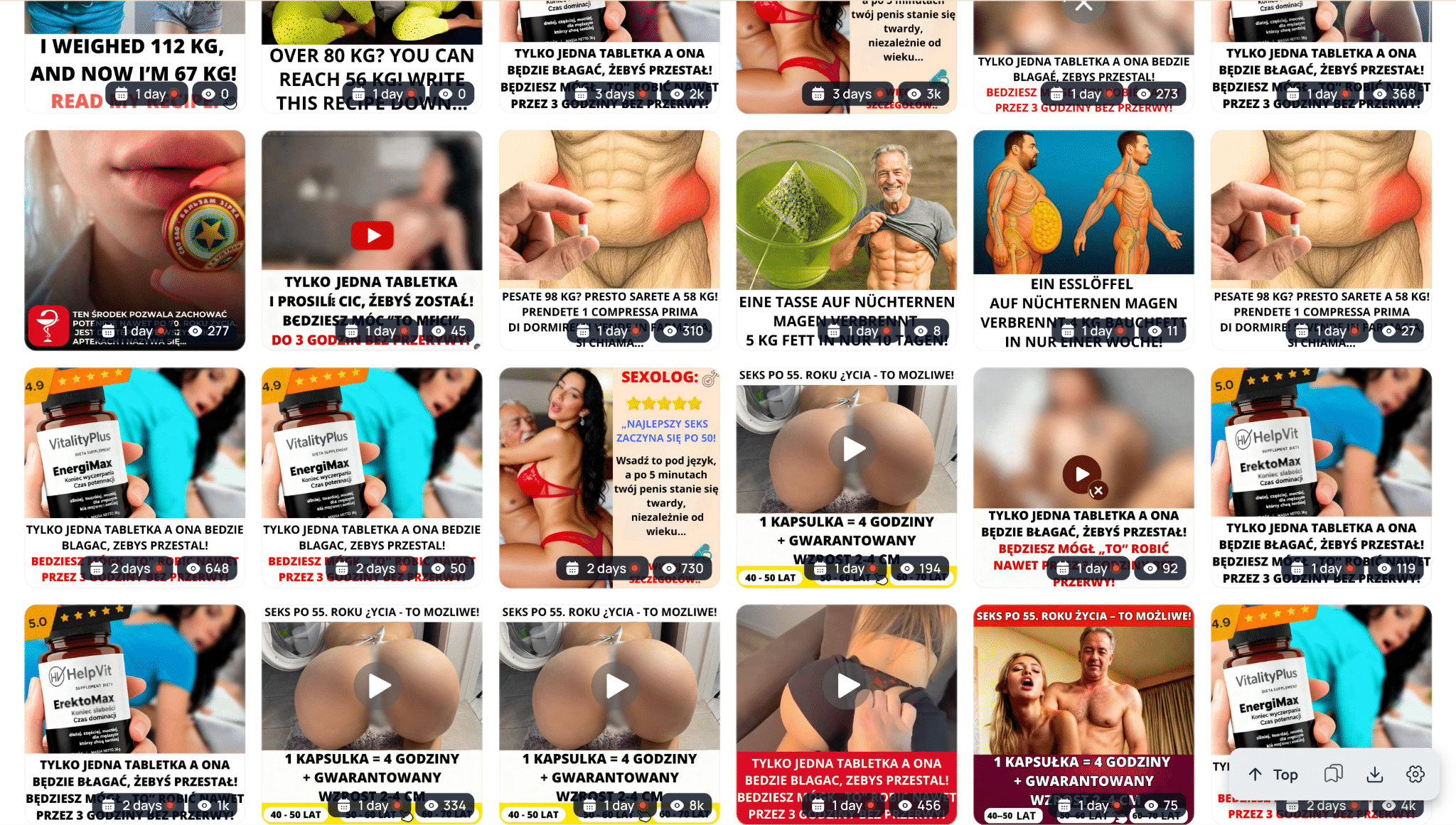
This reveals over 300 targeted creatives across diverse angles promoting various nutra offers. 🤝
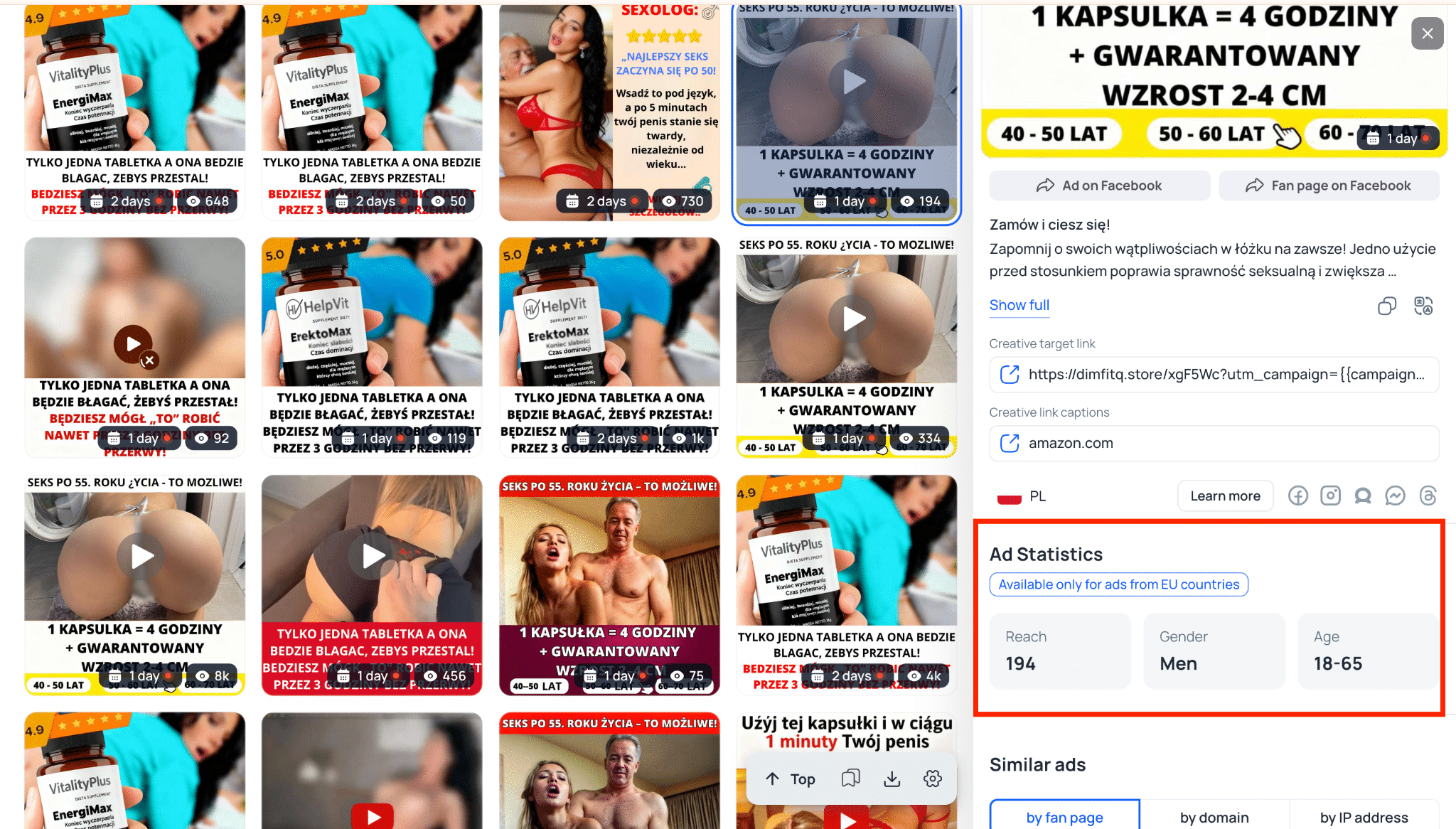
Additionally, Tyver provides detailed ad metrics, including reach estimates alongside audience age and gender breakdowns, helping you evaluate whether an angle is worth testing.
Tyver’s Advantages for Gambling 🎰
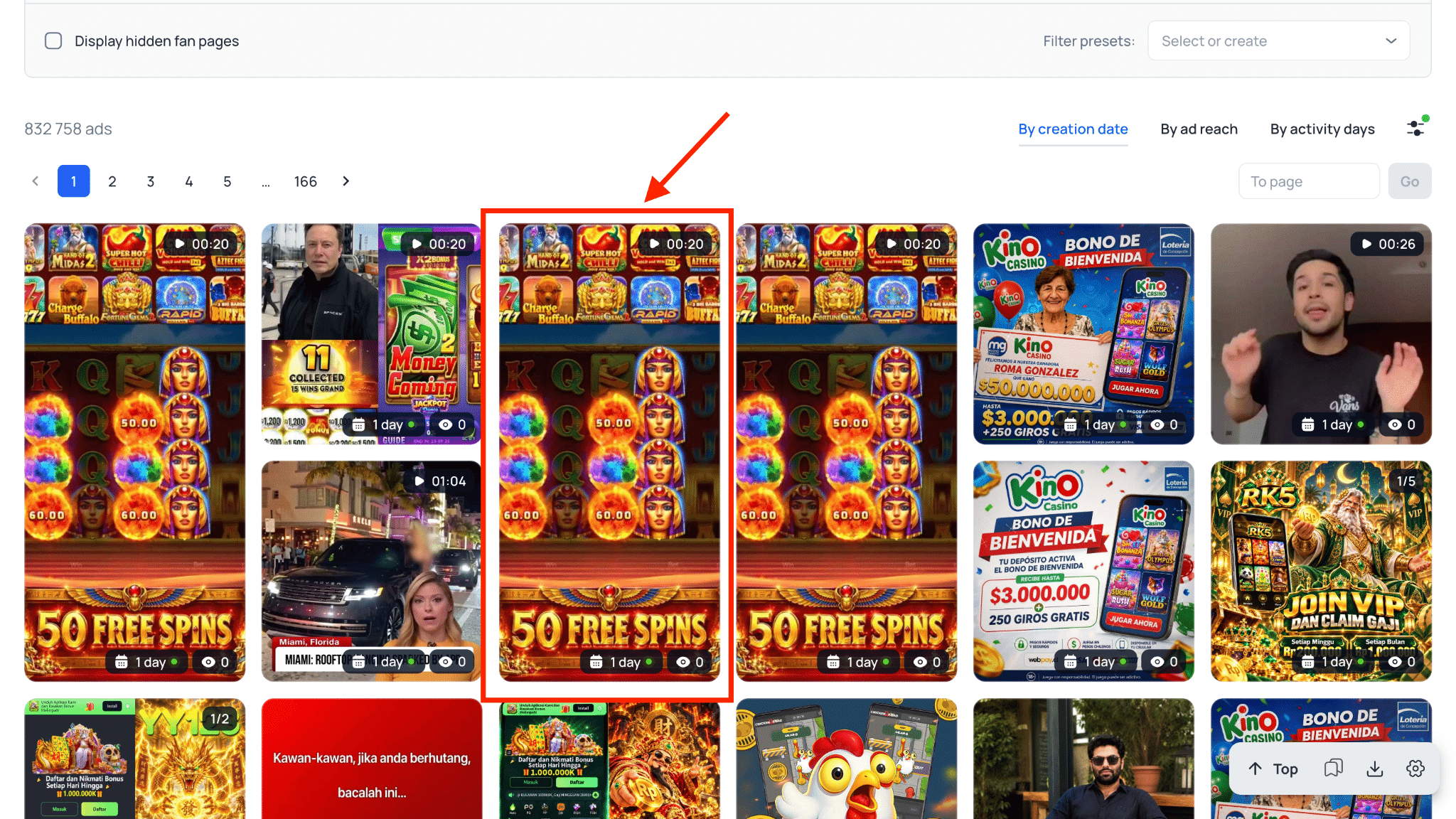
Here is how Tyver streamlines research for gambling campaigns in practice. Select the “App” filter and enter the name of a specific slot or crash game, and the tool immediately surfaces relevant live campaigns.
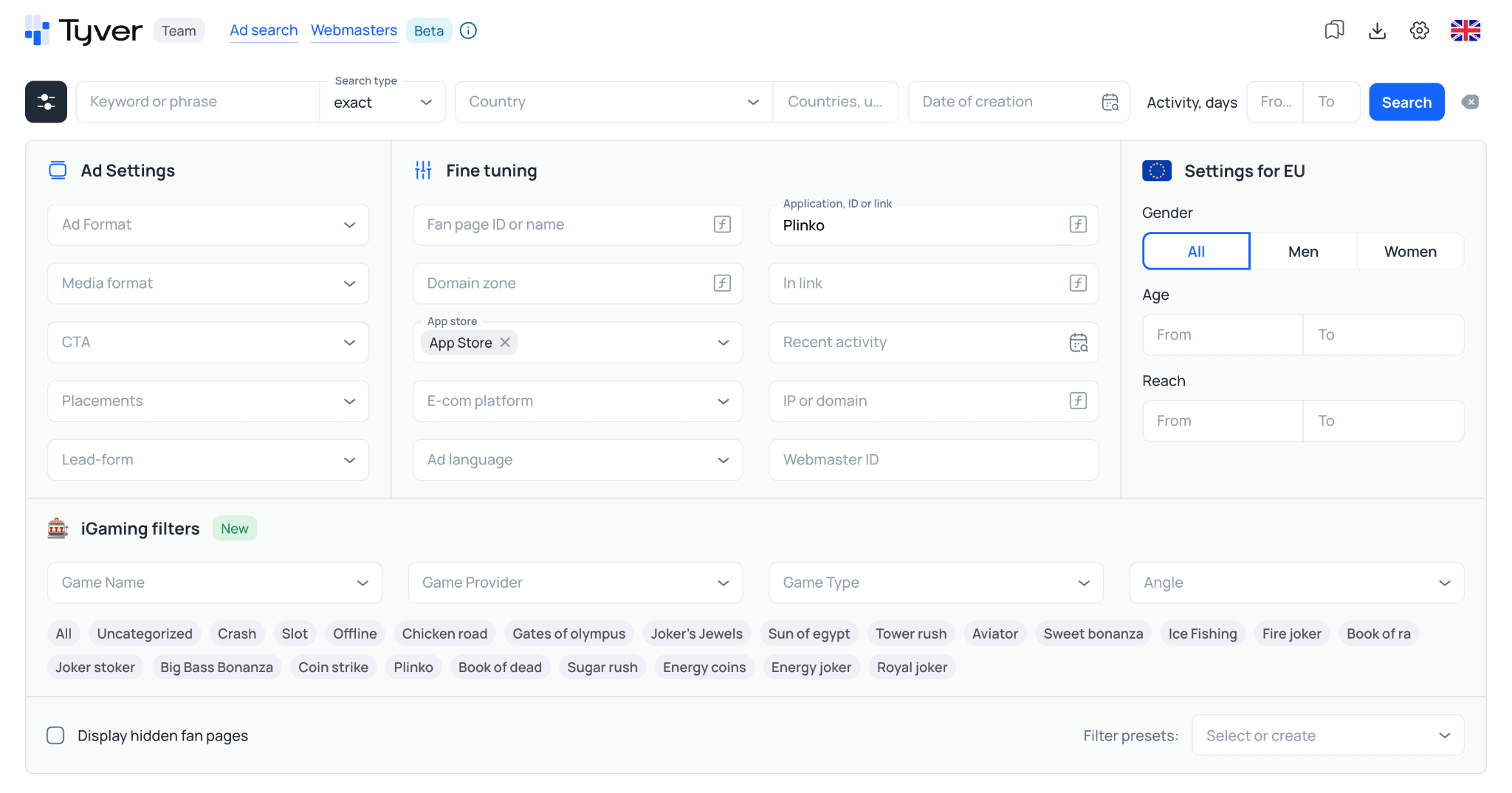
These search capabilities set Tyver apart, giving media buyers more ways to find relevant campaigns through specialized filters.
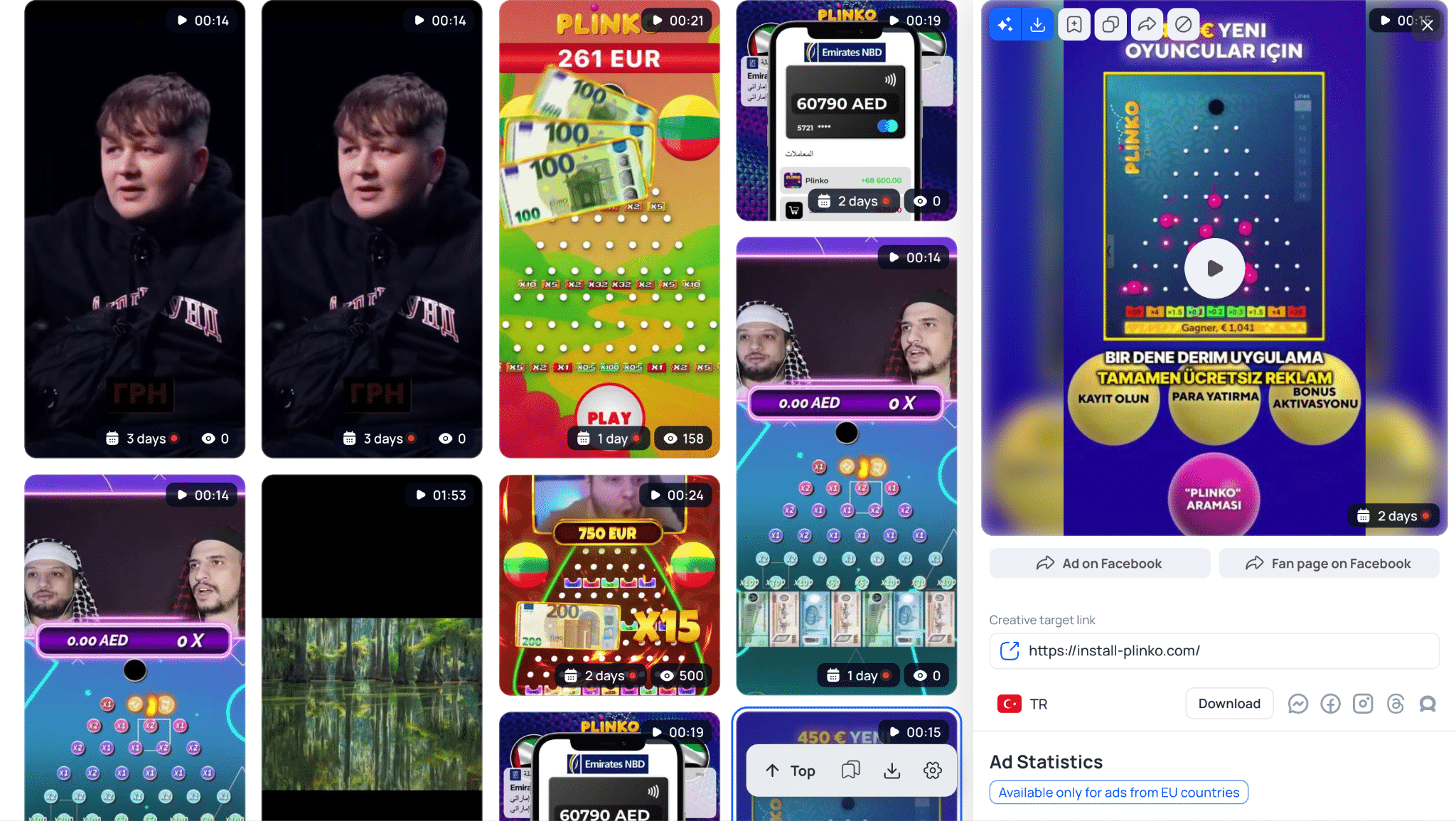
The platform already includes the tools media buyers need to find winning setups quickly. 💰
Final Verdict: Which Ad Spy Tool to Choose in 2026?
We set out to compare both ad spy tools objectively, without favoring either platform. Based on our tests, Tyver emerges as the more capable and cost-effective choice for media buyers in the current landscape, both in price and in the depth of its practical features. 👍🏼
Tyver prioritizes search depth, indexing ads that standard ad spy tools frequently miss. AdHeart focuses primarily on quick ad retrieval, but it lacks the granular demographic insights, the ability to find hidden Fan Pages, and the database size required for thorough campaign research.
Subscribe to our Telegram channel for regular updates on new features and spy tool developments.