Why Facebook Ad Accounts Matter for Media Buyers, and How to Get One and Move It to an Anti-Detect Browser ☑️
You found a winning creative. The offer converts, the GEO works, and you want to scale. Then your only ad account gets restricted, and everything stops. Many media buyers learn this the hard way: in Meta Ads, the ad account is not just a place to launch campaigns. It is the foundation of the whole business.
This guide explains why Facebook ad accounts matter so much, which types of accounts exist, and how to buy an account from AdSmash and set it up in an anti-detect browser step by step.
Why Facebook Ad Accounts Are So Important
One account is one point of failure
Meta can restrict an ad account at any time. Sometimes the reason is clear, like a rejected creative. Sometimes it is an automatic check that you cannot predict. If all your campaigns run on one account, one restriction stops all your traffic. An appeal can take days or weeks, and the result is not guaranteed. Media buyers who work with several accounts keep running while one of them is under review.
Trust and limits decide how fast you can scale
Every ad account has a spending limit. A fresh account often starts with a low daily limit, and Meta raises it slowly as the account spends and pays on time. Aged accounts, Business Managers with higher limits and agency accounts already have more trust. This means you can spend more from day one and scale a winning bundle before it burns out.
Testing needs several accounts
Good media buyers test a lot: offers, GEOs, creatives, audiences. Testing on one account is risky. A few rejected ads lower the account’s trust, and a test can kill the account you need for scaling. With several accounts, you can test on cheaper ones and move proven campaigns to stronger ones.
Different GEOs and verticals need different setups
An account registered in the USA and used with a US proxy looks natural when it runs ads in the USA. Running ads in many GEOs or in strict verticals (nutra, gambling, finance) from one personal profile looks unnatural and draws attention. Separate accounts with matching proxies keep each setup clean.
Types of Facebook Ad Accounts and Assets
- Farmed and aged personal accounts. Profiles with a real-looking history. Good for testing and for starting with small budgets. They need a short warm-up period before you spend.
- Business Managers (BM). One BM can hold several ad accounts. Some BMs come verified or with a starting limit, such as $250 per day. Good for splitting tests and growing spend.
- Agency ad accounts. Accounts issued through an advertising agency. They have higher trust, higher limits and faster support. Best for scaling campaigns that already work.
- Fan Pages. You need a page to run ads. Aged or reinstated pages with followers look more natural than a page created yesterday.
- Proxies. Each account needs its own stable IP address in the right GEO. Without a proxy, Meta can link your accounts together and restrict them all at once.
What You Need Before You Buy
- An anti-detect browser. For example, GoLogin, Dolphin Anty, AdsPower or Octo Browser. It creates a separate browser profile for each account, with its own fingerprint, cookies and IP.
- A proxy for each account. One proxy per account, in the same country as the account.
- A payment method for ads. A card that works with Meta Ads in your GEO.
- A 2FA code generator. Any app or web service that turns a 2FA key into a 6-digit login code.
- A plan. Know which account type you need for testing and which one for scaling.
How to Buy a Facebook Ad Account at AdSmash
AdSmash sells Facebook accounts, Business Managers, Fan Pages, proxies and agency ad accounts for media buyers. Here is how to place an order.
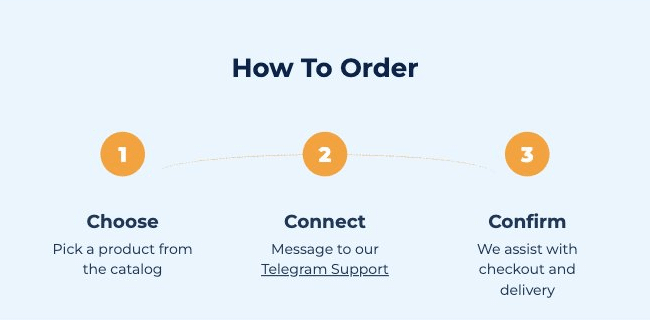
1. Choose a product. Go to adsmash.pro and open the catalog. Pick the account type and GEO you need. Each product card shows what is included and the price.
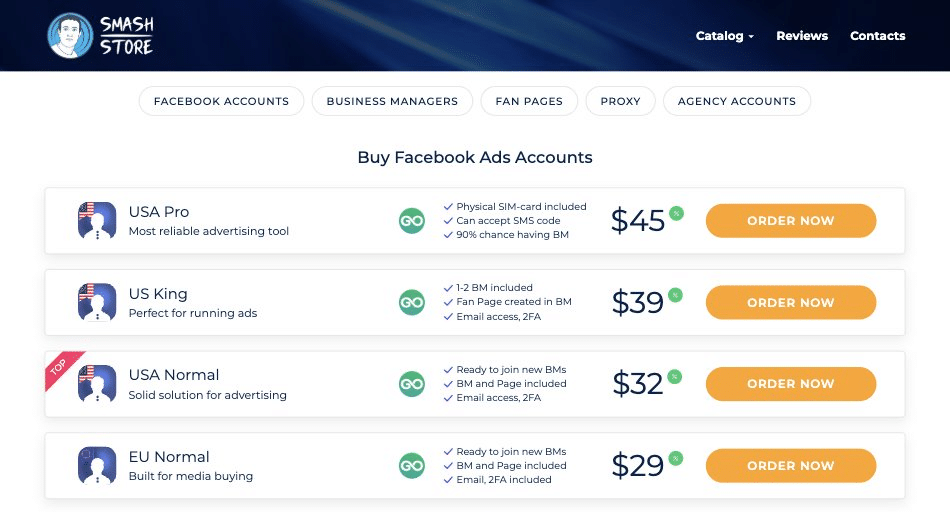
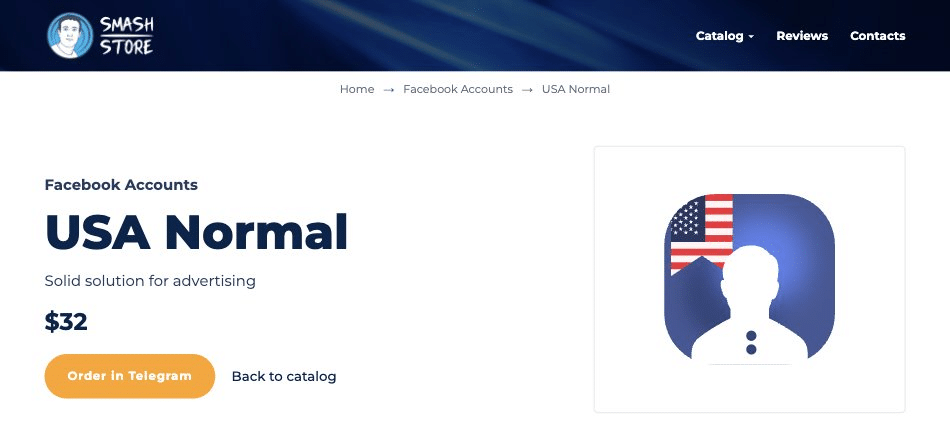
2. Click “Order now”. The button opens the AdSmash support bot in Telegram.
3. Confirm the order. Tell the manager which product you need and how many. The team will confirm stock and help you with payment. Crypto (USDT, BTC, ETH and others) is accepted.
4. Get the account data. After payment, you receive the account data. Delivery is usually instant or within a few hours if the item is in stock.
5. Check the account. Log in as described below and check that everything works. If an account does not work or gets restricted before you launch ads, contact support. The team will fix or replace it according to the product warranty.
For bulk orders and long-term work, write to the sales team in Telegram. They can offer better prices for volume.
How to Move the Account to an Anti-Detect Browser
There are two ways to get the account into your anti-detect browser. The first one is the fastest. The second one works with any anti-detect browser.
Option 1: Transfer a ready GoLogin profile
AdSmash can deliver accounts as ready GoLogin profiles. The profile already contains the cookies, the fingerprint and the settings of the account.
- Create a free or paid GoLogin account if you don’t have one.
- Send the email of your GoLogin account to the AdSmash manager.
- The team transfers the profile to your GoLogin account.
- Open GoLogin. The new profile appears in your profile list.
- Add your own proxy to the profile (see Step 3 below), then start the profile.
This way, you don’t need to import anything by hand. The account opens in the same environment where it was created.
Option 2: Import the account by hand
Use this option if you work in Dolphin Anty, AdsPower, Octo Browser or another tool. Your account data usually includes:
- login and password;
- email and email password;
- 2FA key;
- User Agent (UA);
- cookies (in JSON format);
- account ID and date of birth.
Step 1. Create a new profile. In your anti-detect browser, click “Create profile”. Give it a clear name, for example “US_Pro_01”, so you can find it later.
Step 2. Set the operating system and User Agent. Choose the same OS as in the User Agent (Windows, macOS and so on). Then paste the User Agent from the account data into the UA field. A matching UA helps Meta see the same device as before.
Step 3. Add the proxy. Paste the proxy data (type, IP, port, login, password) into the proxy section. Click “Check proxy” and make sure the IP is in the right country. Then check that the profile’s time zone, language and geolocation match the proxy country: most anti-detect browsers can set them automatically based on the IP. A US account with a US proxy but a European time zone looks suspicious. Use one proxy for one account only.
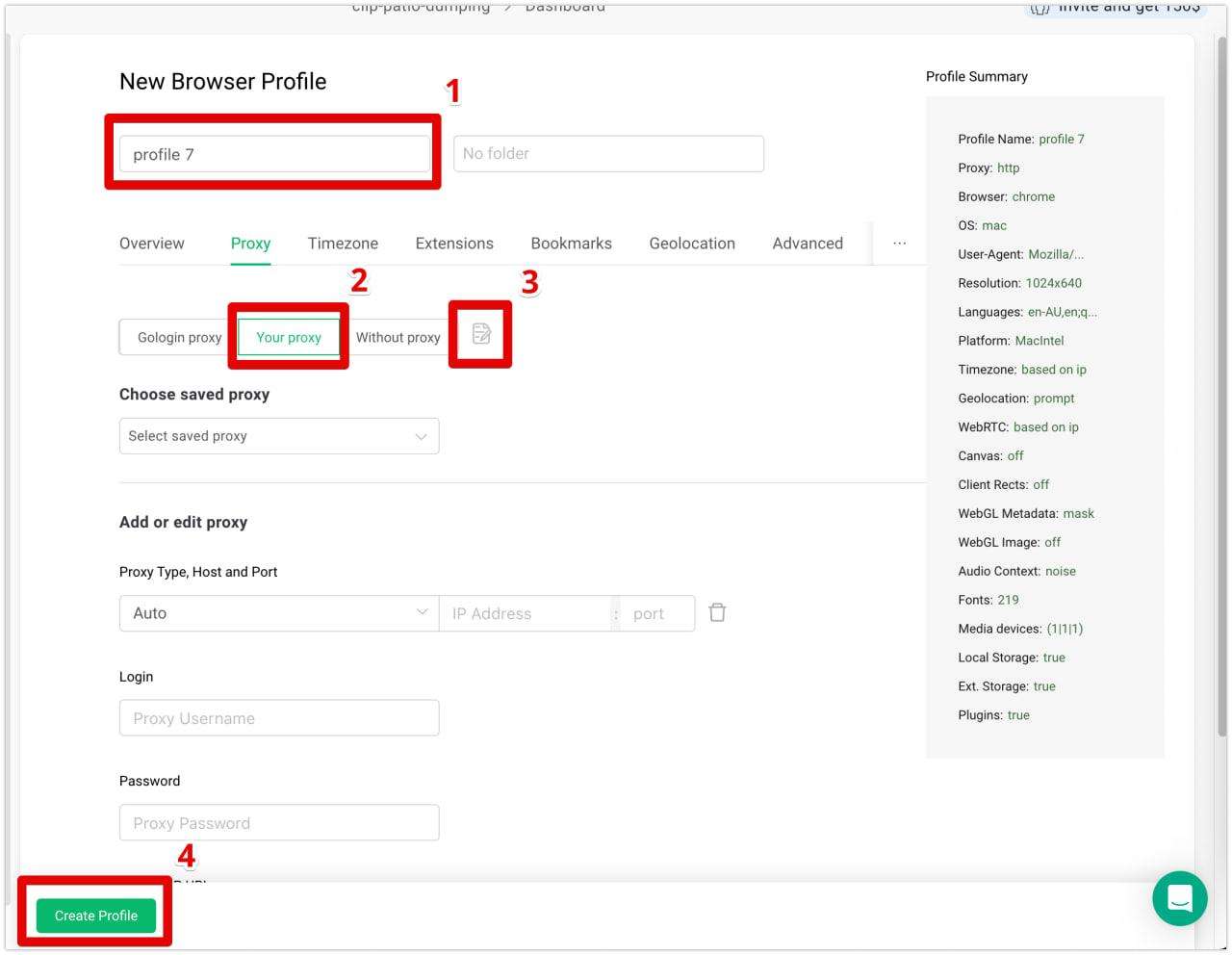
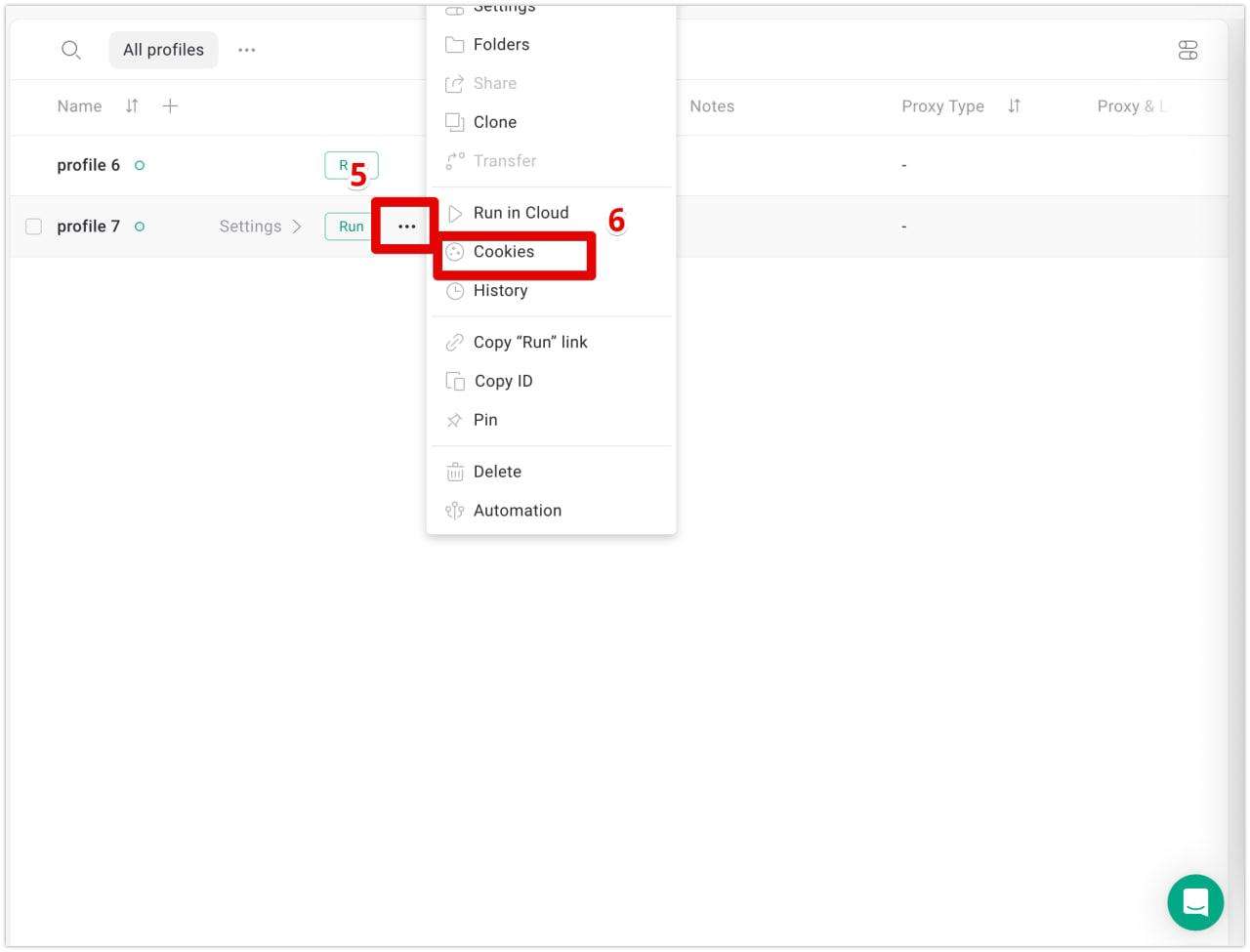
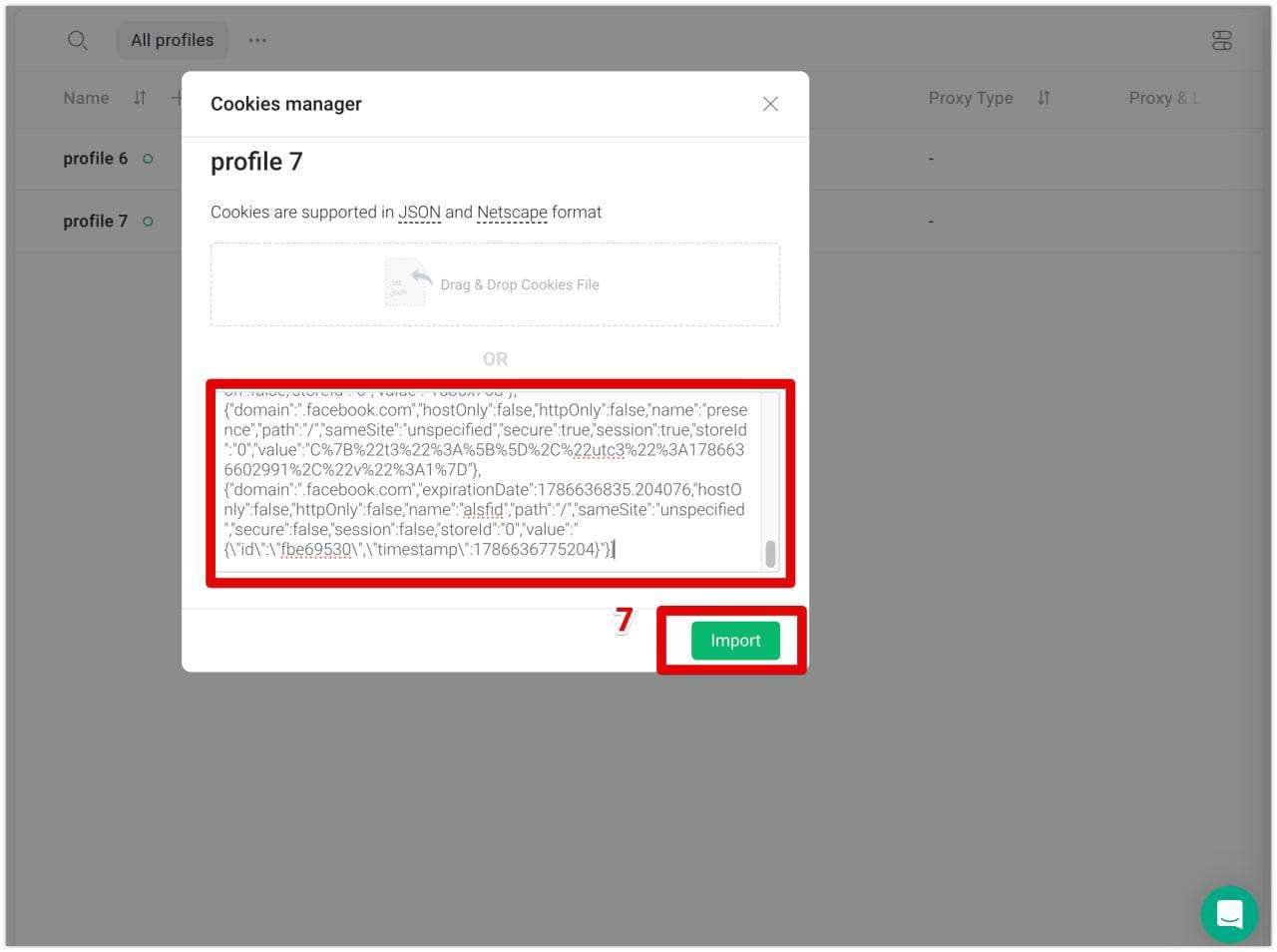
Step 4. Import cookies. Find the “Cookies” field or the “Import cookies” button in the profile settings. Paste the cookies in JSON format and save the profile. In GoLogin, click the three dots (…) next to the profile name, choose Cookies, paste the cookies and click Import. Make sure there are no extra spaces at the end of the cookies.
Step 5. Open Facebook. Start the profile and go to facebook.com. In most cases, you will be logged in right away thanks to the cookies.
Step 6. Log in if needed. If Facebook asks for a password, use the login and password from the account data. If it asks for a code, open a 2FA code generator, paste the 2FA key and enter the 6-digit code.
First Steps After Login
The first hours after a transfer are the most sensitive. Facebook sees a new IP and a new device, so act like a normal user.
- Don’t change settings right away. Don’t change the password, email, name or 2FA in the first days.
- Spend some time on the profile. Scroll the feed, like a few posts, watch a video. Short, normal activity helps.
- Add a payment method calmly. Add your card, then wait a little before you launch the first campaign.
- Start with a small budget. Raise spend step by step over several days.
- Start with soft creatives. Avoid aggressive hooks, before-and-after images and big promises on a fresh account.
Find Creatives That Work Before You Spend
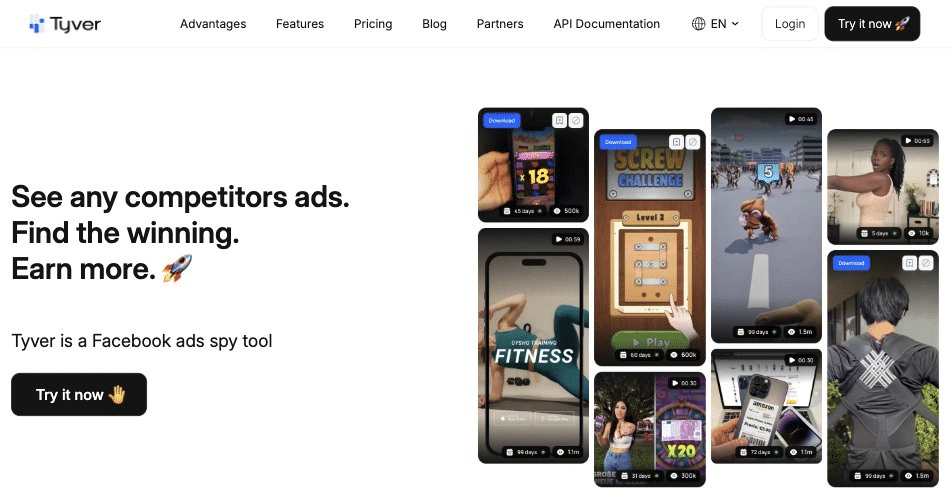
A good account will not save a bad creative. Before you launch, check what already works in your GEO and vertical. An ad spy tool like Tyver shows Facebook and Instagram ads from around the world, with filters by GEO, format, CTA, language and dates.
The Active Days metric shows how long an ad has been running. If an ad keeps running for a week or more and still gains impressions, it has passed moderation and is very likely profitable. For a quick start, set your GEO and vertical keywords, then filter by Active Days from 5 and sort by reach. You will see creatives worth learning from instead of testing blind. This saves budget and protects your accounts from extra rejected ads.
Common Mistakes That Kill Bought Accounts
- Using one proxy for several accounts.
- Using a proxy from a different country than the account.
- Leaving a time zone or language that doesn’t match the proxy.
- Logging in from a regular browser without an anti-detect profile.
- Changing the password and email right after login.
- Launching a big budget on the first day.
- Running risky creatives on a fresh account.
- Logging in to several accounts from the same browser profile.
FAQ
Is it safe to buy Facebook ad accounts?
There is always some risk. Meta’s terms do not allow buying, selling or transferring accounts, and Meta can restrict any account at any time. You lower the risk by buying from a seller with a warranty, using an anti-detect browser with a separate proxy, and following the first steps above.
Which anti-detect browser should I use?
Any popular one works: GoLogin, Dolphin Anty, AdsPower or Octo Browser. If you use GoLogin, AdSmash can transfer a ready profile, which is the fastest way to start.
What if the account gets restricted before I launch ads?
Contact AdSmash support in Telegram. If the account was restricted before ads were launched and you followed the setup rules, the team will fix or replace it according to the warranty.
Which account type should I start with?
For testing, start with farmed or aged accounts and a BM. For scaling proven campaigns, move to agency ad accounts with higher limits.
Why do I need a proxy if I use an anti-detect browser?
The anti-detect browser hides your device fingerprint, but not your IP address. Without a proxy, all your accounts share your real IP, and Meta can link them together.
Conclusion
Facebook ad accounts are the foundation of every media buying setup. More accounts mean less risk, more room for tests and faster scaling. Buy from a seller you trust, set up each account in its own anti-detect profile with its own proxy, warm it up, and launch creatives that have already proven themselves.
Ready to start? Choose your accounts at adsmash.pro and get them delivered ready to launch.