How to Choose a Good Proxy for Facebook Ads in 2026: A Guide to Running Multiple Ad Accounts 🚀
Running Facebook and Meta ads at any real scale in 2026 usually means running more than one ad account, and that is exactly where advertisers get into trouble. Meta’s enforcement is strict: according to an analysis of Meta’s reports, the platform actioned around 3.5 billion fake accounts in 2025 alone, and its systems treat accounts that share infrastructure as one operator. The proxy under each account often decides whether a Business Portfolio keeps spending or gets frozen overnight.
In this guide, you will learn 👇
- why Facebook ads need a proxy when you manage multiple ad accounts;
- how Meta links ad accounts and which signals matter most;
- which proxy types work for Facebook ads and which ones get flagged;
- how to set up and check a proxy step by step before you log in.
Why Facebook Ads Need a Proxy
Meta does not ban advertisers for running several ad accounts. Agencies and brands legitimately manage many accounts inside one Business Portfolio. Meta bans accounts that look like the same person trying to hide it. Enforcement builds a graph of technical signals, and when two accounts share enough of them, they are linked and rise or fall together.
A proxy for Facebook ads does three jobs, and all three decide whether an account survives its first week:
- Passing antifraud checks at login and at payment, where a flagged IP triggers a review before the account has done anything.
- Managing multiple Facebook ad accounts without linking them, by giving each one its own clean IP.
- Reaching specific GEOs, so campaigns run and get reviewed from the market they target.
⚠️ In practice, the real danger is the cascade. When one Business Portfolio is restricted, every ad account and Page inside it can freeze at once, and a single shared signal can pull unrelated portfolios into the same review. A clean proxy is the layer that keeps each account separate.
How Meta Links Ad Accounts
Meta does not rely on one piece of information to connect accounts. It watches a range of signals, and a match on just two or three can trigger a manual review. A 2026 device intelligence report found browser-tampering evasion rising year over year, which is why platforms now weight the device and network layers so heavily. Here is each signal, the weight it carries and how to isolate it.
| Linking signal | Risk weight | How to isolate it |
| IP address | High | One clean mobile IP per account, kept stable |
| Device and browser fingerprint | High | A separate antidetect browser profile per account |
| Payment method | High | A unique card or virtual card per portfolio |
| Tax and business info | High | A separate business entity per portfolio |
| Phone number | High | A unique non-VoIP carrier number per account |
| Logins and API tokens | Medium | Partner access, one vetted app and token per portfolio |
| Cookies and email | Low to medium | A fresh profile and a unique business email per portfolio |
💡 The takeaway is simple: an account is only as separate as its weakest shared signal. The IP and the fingerprint sit at the top because most advertisers get these two wrong.
Types of Proxies for Facebook Ads
Not every proxy type belongs on an ad account. Here are the four main options in short:
- Mobile proxies: real 4G and 5G carrier IPs with the highest trust, because Meta reads the traffic as an ordinary phone user.
- Residential proxies: real home IPs. Believable, but shared pools carry other users’ history, and home IPs can drop mid-session.
- ISP (static residential) proxies: a fixed home-range IP hosted in a data center. Stable, but easy to link if reused.
- Datacenter proxies: fast and cheap, but their hosting ranges get flagged quickly.
Here is how they compare for Facebook ads:
| Proxy type | Trust on Meta | Session stability | Cost model | Best use for ads |
| Mobile | Highest | Strong with sticky sessions or a dedicated device | Per GB, or a dedicated mobile device | Primary and high-spend accounts, multi-account work |
| Residential | Good | Varies, home IPs can drop | Per GB | Lighter account management, harder GEOs |
| ISP (static) | Medium | High, one fixed IP | Per IP, monthly | Long-term work on one stable address |
| Datacenter | Low | High, but low trust | Low cost per IP | Automation and research, not live ad accounts |
Why Mobile Proxies Work Best for Facebook Ads
For the accounts an advertiser cannot afford to lose, a mobile proxy is the strongest base. Carrier IPs sit behind carrier-grade NAT, shared by many real people on the same mobile network, so Meta cannot treat one as suspicious without hitting genuine users. That is the highest-trust starting point available, and it is why mobile proxies for Facebook ads outperform residential and datacenter options on the checks that matter.
A provider such as VoidMob offers mobile proxies in two forms, each for a different job. A dedicated mobile device gives one ad account or portfolio its own carrier IP that no one else touches, which suits a primary, high-spend account that needs a stable, trusted identity for the long haul. A shared pay-per-GB pool suits lighter account management and shorter sessions. Both run on real mobile hardware, so the IP reads as a real phone either way. One rule applies to all of it: pin the session so the IP stays put, because rotating it mid-login looks like an account takeover.
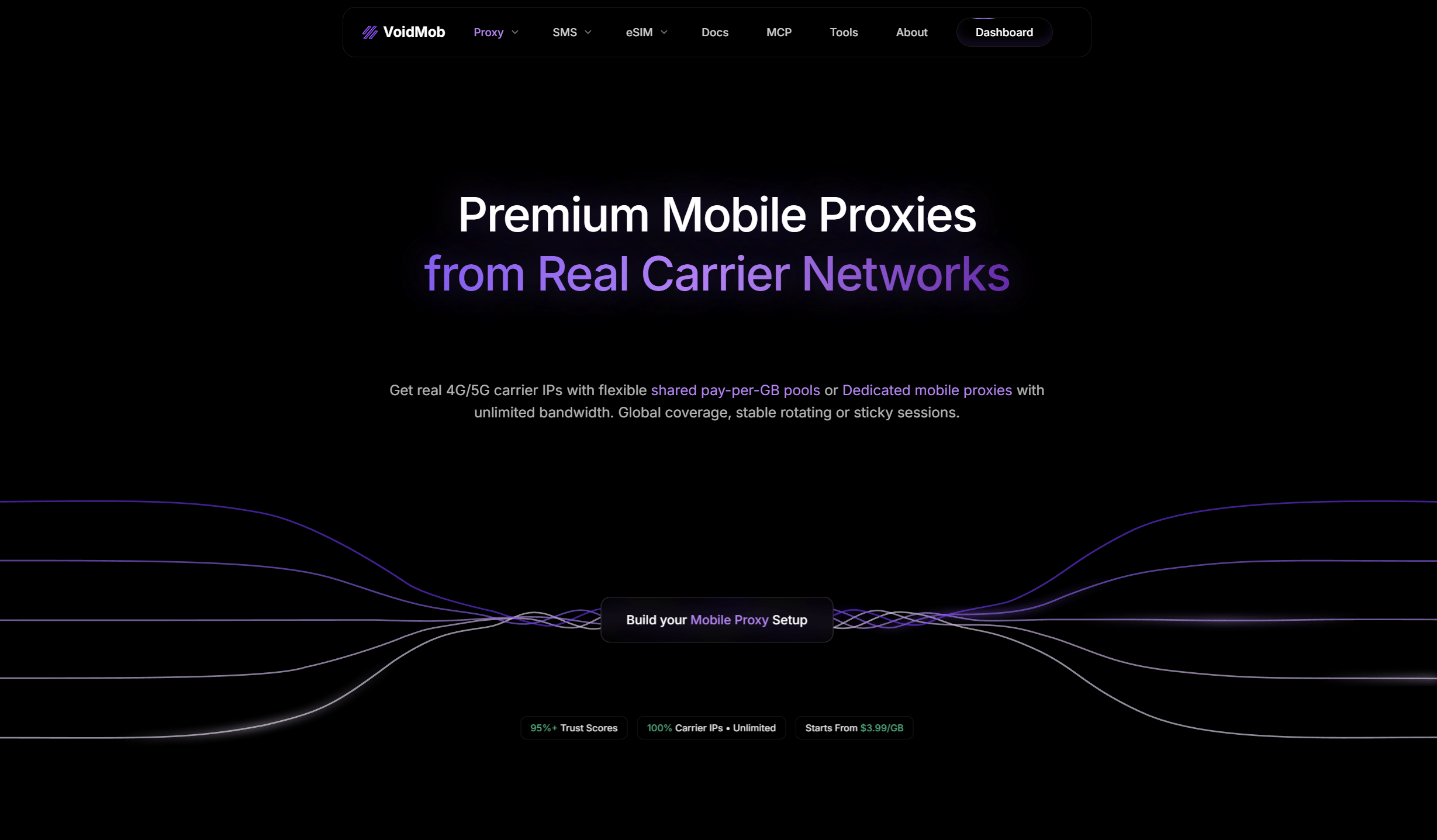
VoidMob offers shared pay-per-GB pools and dedicated mobile proxies on real 4G and 5G carrier networks.
📱 For Facebook account management across many clients or brands, the principle is simple: one clean mobile IP per account, kept stable, so nothing links one portfolio to the next.
Proxy + Antidetect Browser: How They Work Together
A clean IP solves the network layer, but two accounts opened in the same browser still share a fingerprint. That is why a proxy alone is not enough. An antidetect browser such as Dolphin Anty, AdsPower or Multilogin gives each account its own isolated profile with a distinct fingerprint, cookies and storage.
The working combination is one antidetect profile plus one mobile IP per account. Match the browser profile, the IP, the phone number and the location for each account, and Meta has nothing left to tie one portfolio to another.
How to Set Up a Proxy for Facebook Ads: Step by Step
A proxy only helps if the whole stack holds up, so build each account on its own layers before a single dollar of spend goes through it.
- Choose the IP model. Use a dedicated mobile device for a primary, high-spend account you keep long term, and a shared pay-per-GB pool for lighter accounts and shorter sessions.
- Create one antidetect profile per account. Give each account its own browser profile with a distinct fingerprint, and never open two accounts in the same profile.
- Bind one mobile IP per profile. Attach a single clean mobile IP to each profile and use a sticky session so it does not rotate mid-use.
- Match the location. Set the browser time zone, language and locale to the proxy’s exit country, so the account’s story is consistent.
- Add a real phone number. Meta rejects VoIP numbers at verification, so use a non-VoIP carrier number for each account.
- Check the proxy before you log in. See the checklist below.
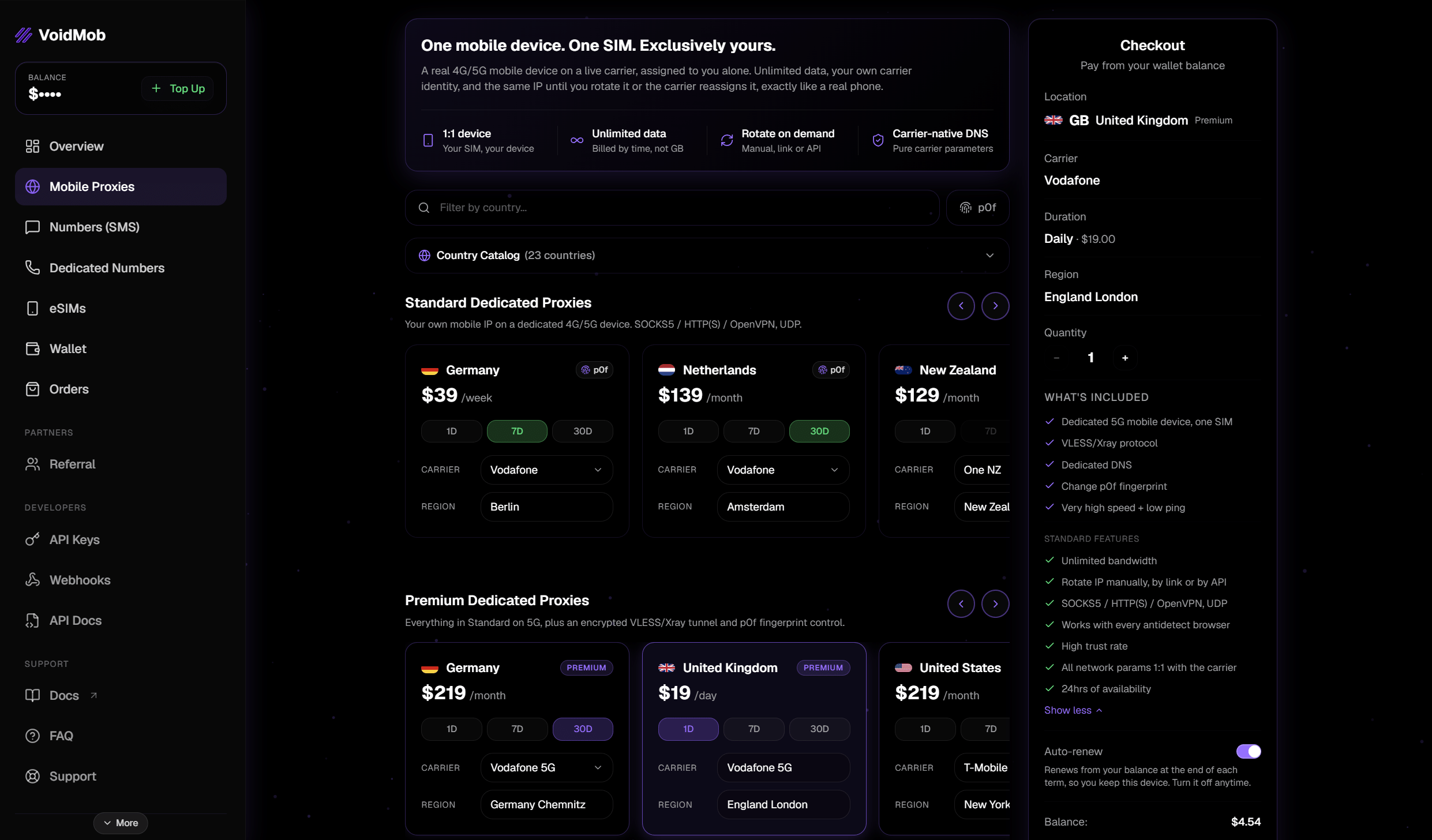
A dedicated mobile proxy in the VoidMob dashboard: one device, one SIM and one carrier IP for a single account.
For the full account-level playbook, including Meta’s official Business Portfolio structure and the payment and API isolation most guides skip, VoidMob’s guide to running multiple Meta ad accounts walks through each layer.
How to Check Your Proxy Before Logging In
✅ A few minutes of checks can save an account. Open the antidetect profile, visit an IP checker such as VoidMob IP Type Checker, ipinfo.io or BrowserLeaks, and make sure that:
- The IP belongs to a mobile carrier, not a hosting provider or data center. Look at the ISP or ASN field.
- The country and city match the GEO you plan to work in.
- WebRTC does not leak your real IP address.
- DNS requests go through the proxy, not through your home provider.
- The time zone and language in the profile match the proxy country.
- The IP is not blacklisted on spam or fraud lists.
If any of these checks fail, fix the profile or change the proxy before you log in to Facebook. A bad first login is much harder to recover from than a delayed one.
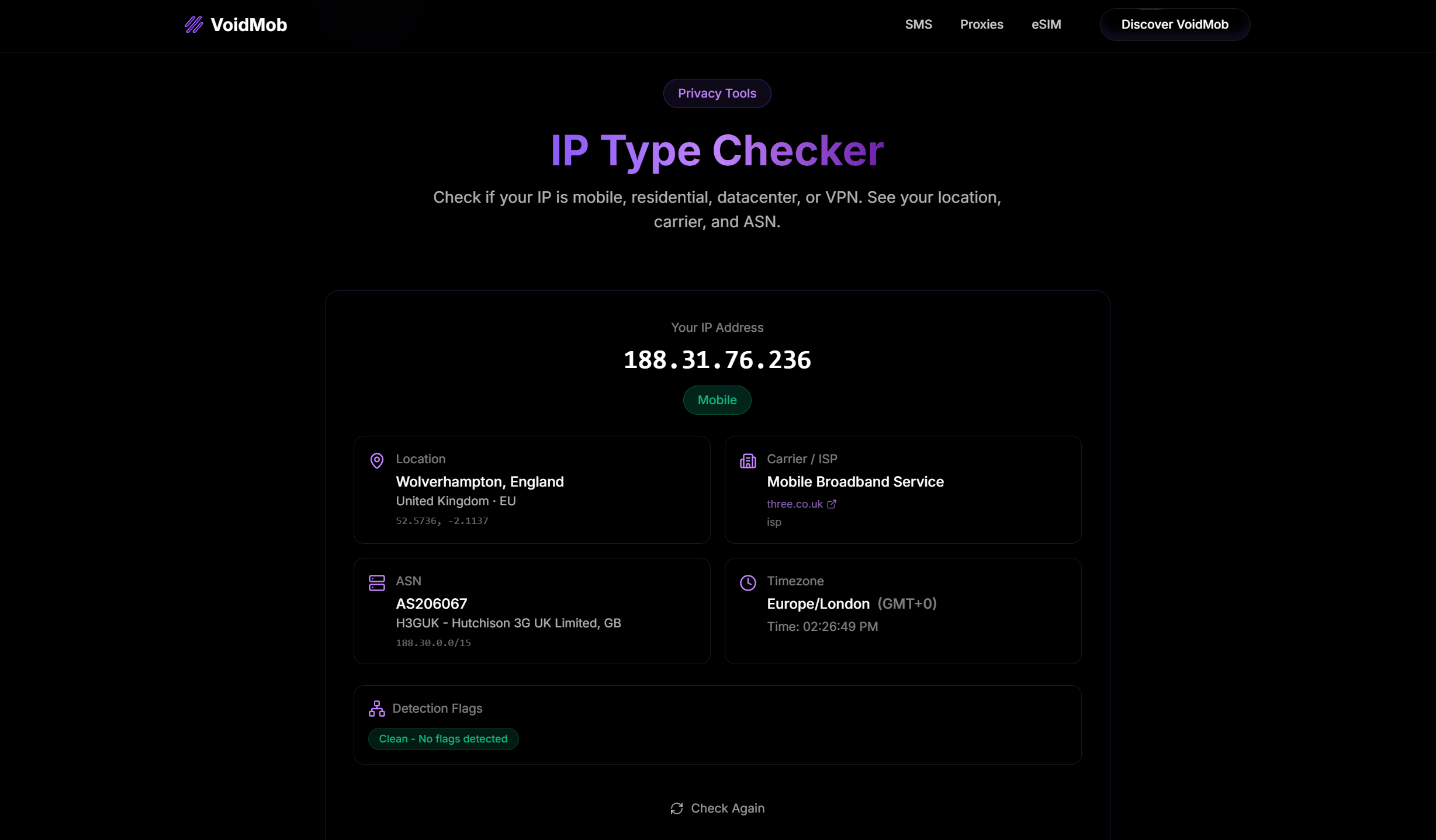
VoidMob IP Type Checker: the IP is detected as mobile, and the carrier, ASN and time zone match the UK, with no detection flags.
Common Mistakes That Get Ad Accounts Banned
Even with a proxy in place, a few habits undo the work:
- Reusing one IP across several accounts. Accounts on the same exit read as one operator. Give each account its own IP.
- Opening two accounts in the same browser profile. A shared fingerprint links them even on different IPs.
- Reusing a card or payment method across portfolios. Payment is a direct, high-weight link.
- Rotating the IP mid-session on a logged-in account. Save rotation for between tasks, not inside one.
- Using a VoIP number for verification. Meta flags VoIP at signup, so the account starts on the wrong foot.
- Opening a second account to evade a suspension. This is the one case Meta hunts for hardest, and it undoes every other precaution.
Find Working Creatives Before You Spend
A clean setup keeps your accounts alive, but it does not make campaigns profitable. Rejected ads also hurt account trust, so it pays to know what already works before you launch. An ad spy tool like Tyver collects more than 5 million Facebook and Instagram creatives per day from 140+ countries, and the database is updated every few hours.
🔍 For a quick start, set your GEO and vertical keywords, filter by Active Days from 5 and sort by reach. At the top, you will see ads that have passed moderation and keep gaining impressions. Use them as a reference for hooks, formats and offers, then build your own creatives. For proxy options beyond Meta, see our proxy comparison for affiliate marketing.
Conclusion
The proxies that keep Facebook ad accounts alive are the ones that make each account look like a separate, real person. With enforcement as strict as it is in 2026, that comes down to the IP layer more than anything else. Mobile proxies lead because carrier IPs carry the highest trust: a dedicated mobile device gives a high-spend account its own stable identity, and a shared pool covers lighter work. Add one antidetect profile per account, a real non-VoIP number and matched GEO settings, check the proxy before every first login, and a multi-account Meta setup can scale without the whole thing going down together.
FAQ
What proxy works best for Facebook ads?
A mobile proxy on real 4G or 5G carrier IPs. It reads as a genuine phone user, which gives it the highest trust of any proxy type. Residential proxies are a reasonable option for lighter account management and hard-to-reach GEOs, but for primary, high-spend accounts, mobile is the safer base.
Do I need a proxy for a single ad account?
Usually not, if you run one account from your own device and home or office connection. A proxy becomes necessary when you manage multiple Facebook ad accounts, work with accounts registered in another country or share access across a team.
Can several Facebook ad accounts run on one IP?
Not safely. Meta treats accounts on the same IP as related, so running several portfolios from one address is one of the fastest ways to get them all reviewed. Use one dedicated IP per account or portfolio.
Static or rotating proxies for Facebook ads?
For a logged-in ad account, the IP should stay stable: use a static IP or a sticky session on a mobile proxy. Rotation inside a session looks like an account takeover. Rotating proxies are fine for research and scraping, not for live ad accounts.
Do datacenter proxies work for Facebook ads?
Not well. Datacenter ranges get flagged quickly on sensitive activity like ad accounts. They suit automation and research, not live campaigns.
What else links Meta ad accounts besides the IP?
The device and browser fingerprint, the payment method, tax and business details, the phone number, and shared logins or API tokens. The IP and the fingerprint carry the most weight, which is why a mobile proxy paired with an antidetect profile is the core of a safe setup.
Can a dedicated mobile proxy be used for a long-running ad account?
Yes. A dedicated mobile device holds one carrier IP for a single account over time, which is exactly what a primary, high-spend account needs: a stable, trusted identity that does not shift under it.