A smarter workflow for Meta Ad Research and Multi-account management ⛓️
Running profitable Meta ads comes down to two jobs that are more connected than they look. The first is market intelligence: which creatives competitors are scaling, which hooks keep repeating, and which landing pages sit behind the ads. The second is operational hygiene: every client, every GEO, and every team member needs a clean, clearly labeled working environment.
Tyver handles the first job. Hidemyacc handles the second. This guide walks through what each tool does, then shows an end-to-end workflow that combines them, from the first search to the first live campaign.
What is Tyver?
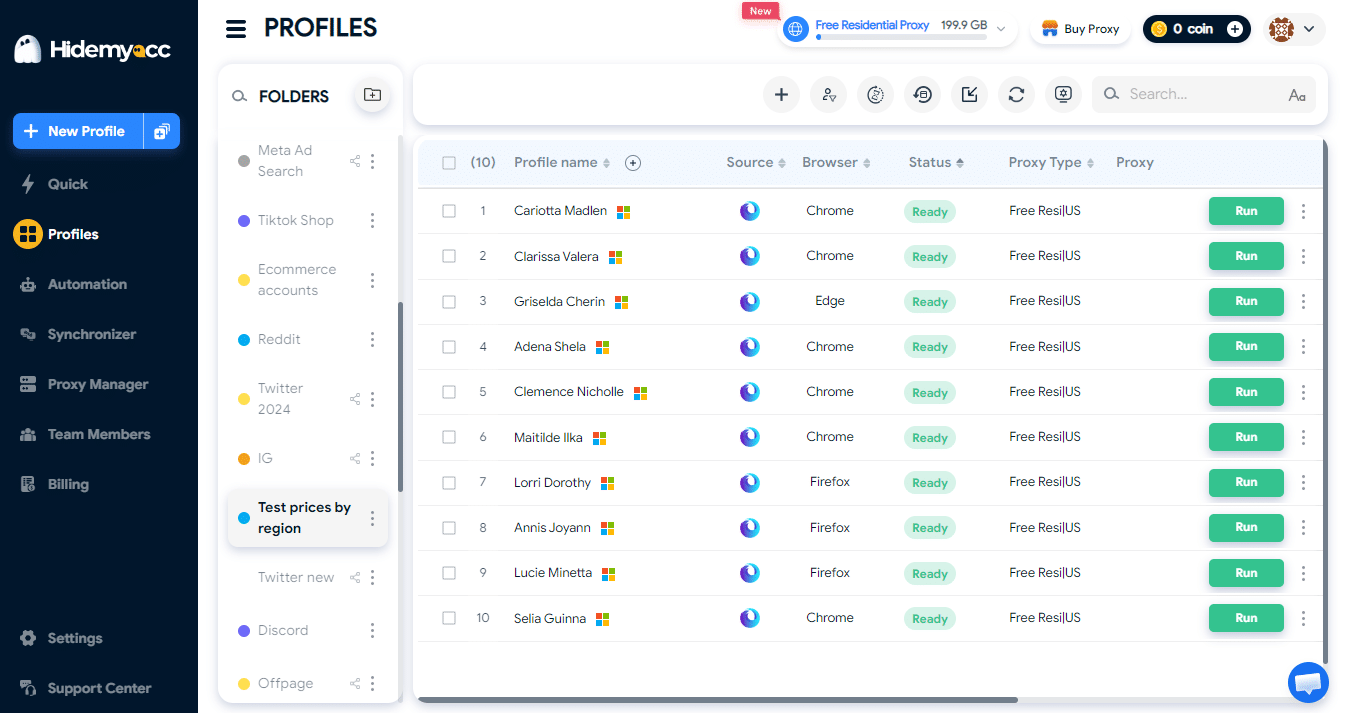
Tyver is an ad spy tool for Facebook and Instagram. Think of it as a search engine built specifically for Meta ads, with far deeper filtering than the native Meta Ad Library.
These are the capabilities worth knowing about.
Broad data coverage. Tyver indexes ads from Facebook, Instagram, Threads, Audience Network and Messenger, and collects more than 5 million creatives per day. It covers 91%+ of Facebook ads across 140+ countries, and the database is updated every few hours.
Granular filters. There are 20+ filters, including e-commerce platform detection (for example, Shopify), CTA button filters (for example, “Shop Now”), and “In Link” search, which lets you search by destination URL. This makes it easy to narrow results down to a specific store type or funnel structure.
EU transparency data. For ads delivered in the EU, Tyver adds reach and demographic breakdowns, which are tedious to pull manually from the Ad Library.
Workflow features. You can translate ad copy with one click, organize ads into folders to build a swipe file, and share folders via link with people who do not have a Tyver account.
Pricing. Tyver has a Free plan for getting familiar with the interface. For real research, there are two paid plans: Pro ($79/month) and Team ($119/month, 3 seats included, $5 for each additional seat). Paying for 6 months saves up to 20%, and annual billing saves up to 40% compared to monthly. Check the official site for current prices before subscribing.
Tyver is especially useful for media buyers, affiliates, e-commerce store owners and agencies that need fast competitor creative research.
What is Hidemyacc?
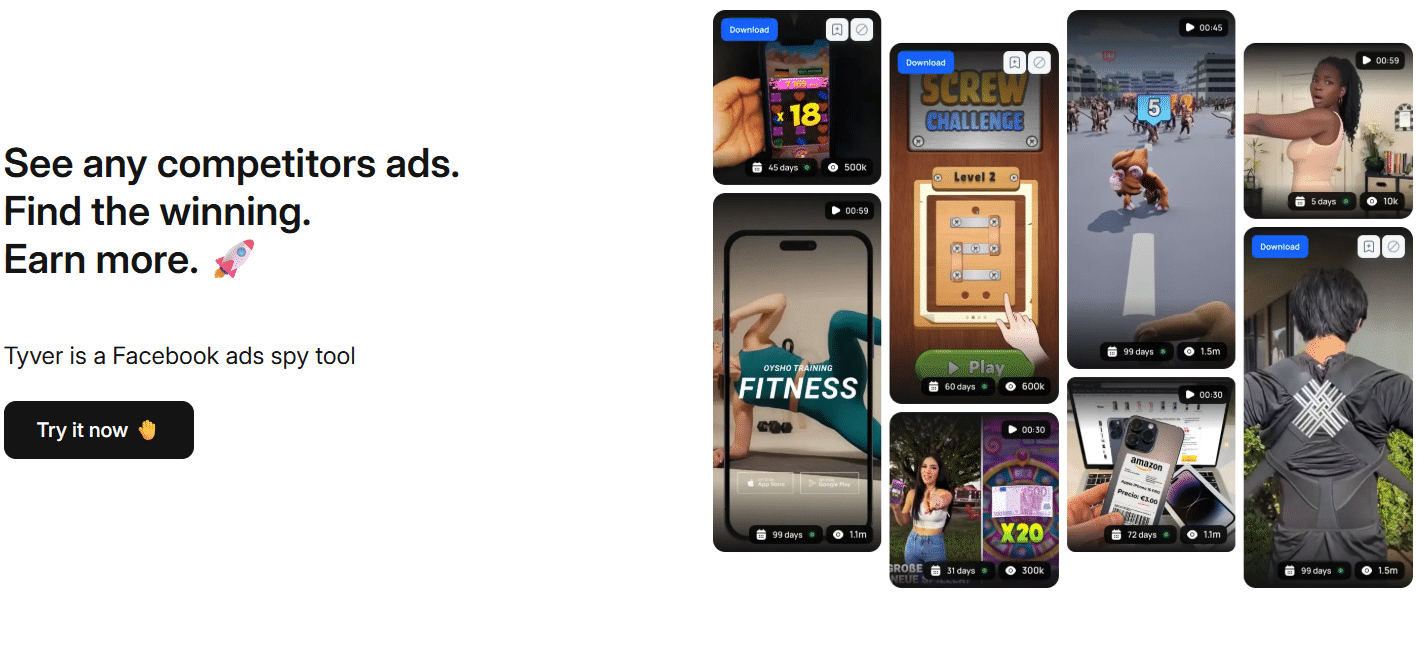
Hidemyacc is an antidetect browser. Each browser profile runs as an isolated environment with its own cookies, local storage and browser fingerprint, fully separated from every other profile. You can assign a dedicated proxy to each profile and save login sessions so you can pick up exactly where you left off.
Hidemyacc’s current positioning is “Fingerprint as real device. Now have Firefox.” In plain terms, each profile’s fingerprint is built to resemble a real device, and in addition to the familiar option, Hidemyacc now supports Firefox profiles. That gives you more flexibility when you want to diversify the browser environments across your profiles.
For advertisers, the practical benefits of an antidetect browser include:
- Environment isolation per client or project. One profile per client means no cookie bleed and no mixed login sessions.
- Real-device fingerprinting. Each profile presents a configuration consistent with an actual device, which keeps the environment coherent.
- Firefox support. Use a Firefox profile when you want an environment that differs from your Chrome profiles, for example to keep a research profile separate from operational profiles.
- Team collaboration. Share profiles with teammates without passing credentials around in chat.
- GEO-specific proxies. Useful when you need to view a landing page the way a user in a specific country would see it.
Features and plans evolve, so check the Hidemyacc homepage for the latest details.
Why combine Tyver and Hidemyacc?
A simple way to remember it: Tyver answers “what should we run?” and Hidemyacc answers “where and in which environment do we work?”
| Need | Best tool |
| Find creatives and angles that are being scaled | Tyver |
| Build and organize a swipe file | Tyver |
| Inspect competitor landing pages and funnels | Tyver to discover, Hidemyacc to open in a dedicated profile |
| View pages as a user in a specific GEO | Hidemyacc plus proxy |
| Separate environments per client or project | Hidemyacc |
| Share access across the team | Hidemyacc profiles, Tyver Team plan and shared folders |
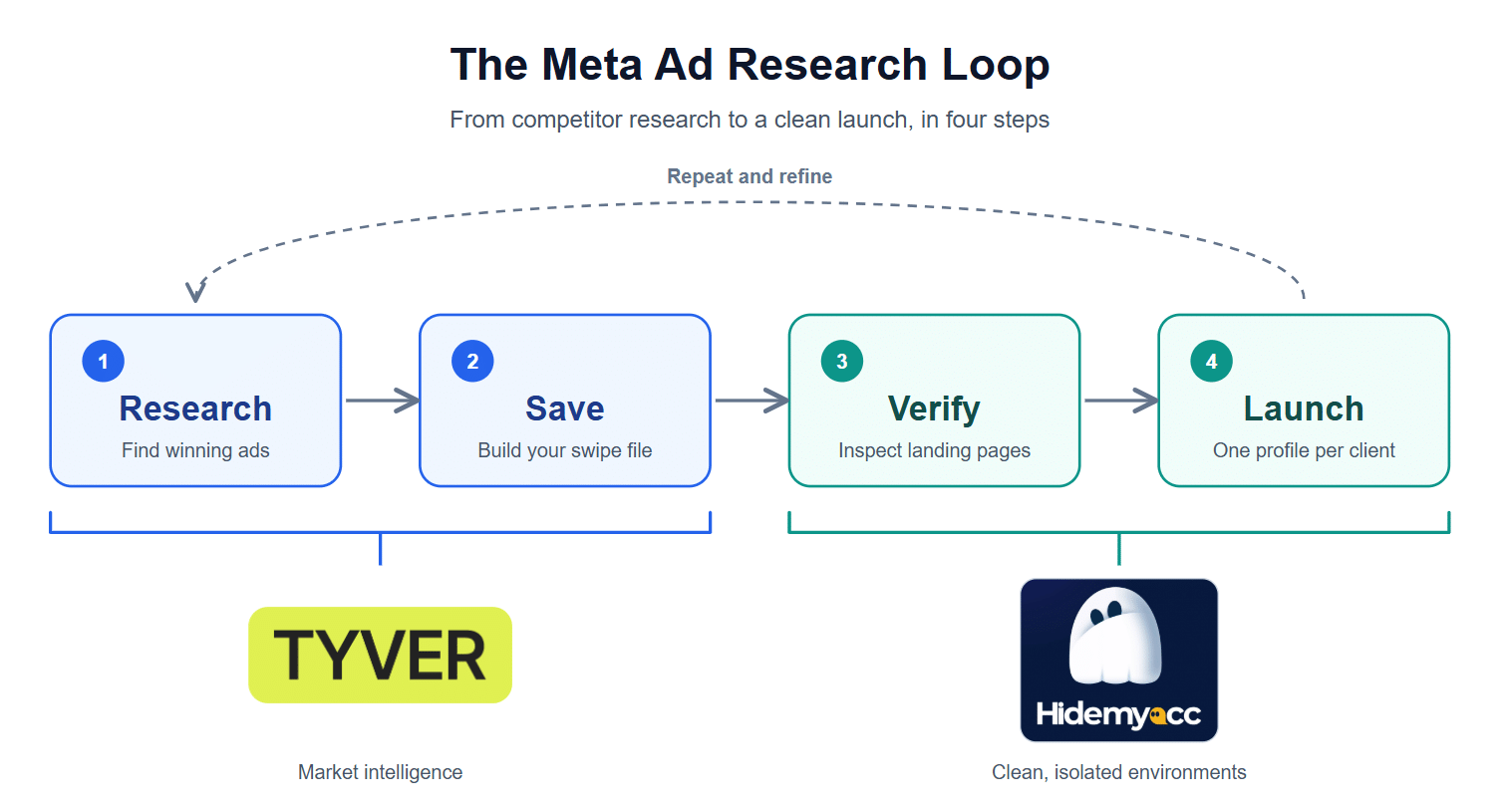
Step-by-step workflow: from research to launch
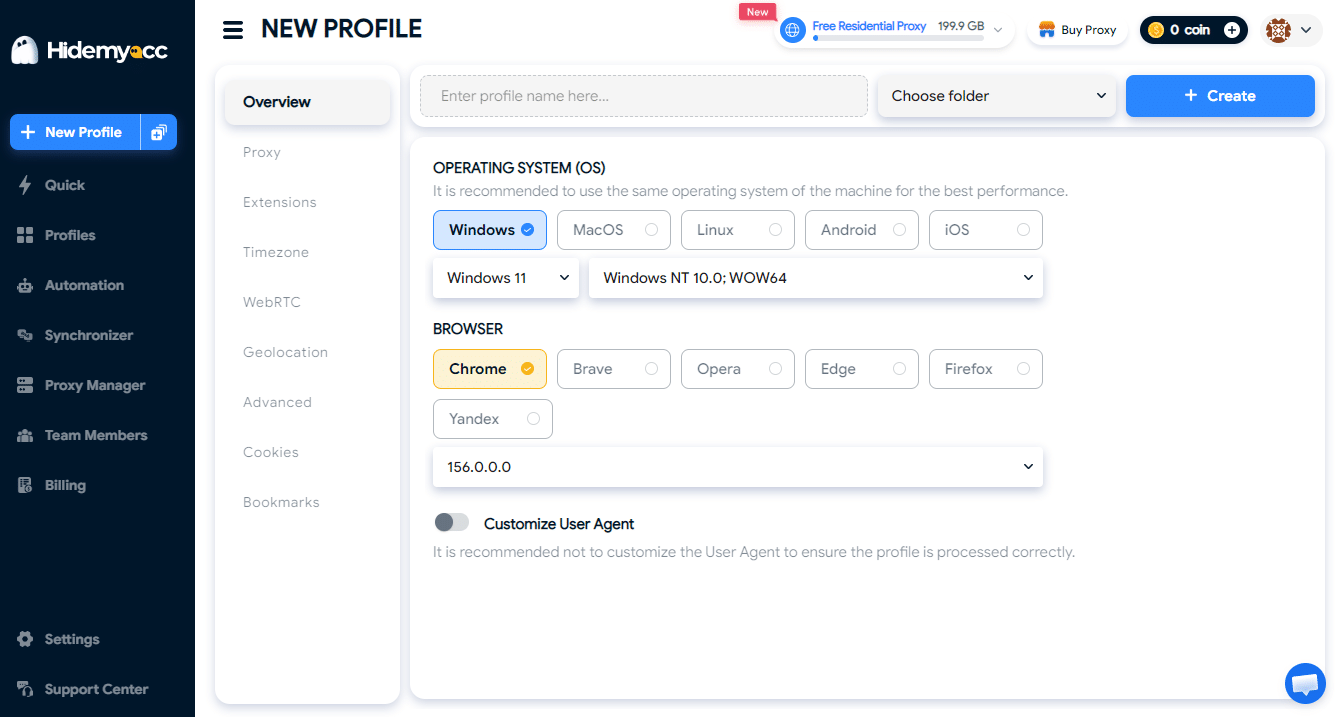
Step 1: Create a dedicated research profile
In Hidemyacc, create a profile used only for research, for example “Research – Germany”. Attach a proxy that matches the target GEO. Every time you open a competitor’s landing page, it happens inside this profile, completely separate from your real ad accounts.
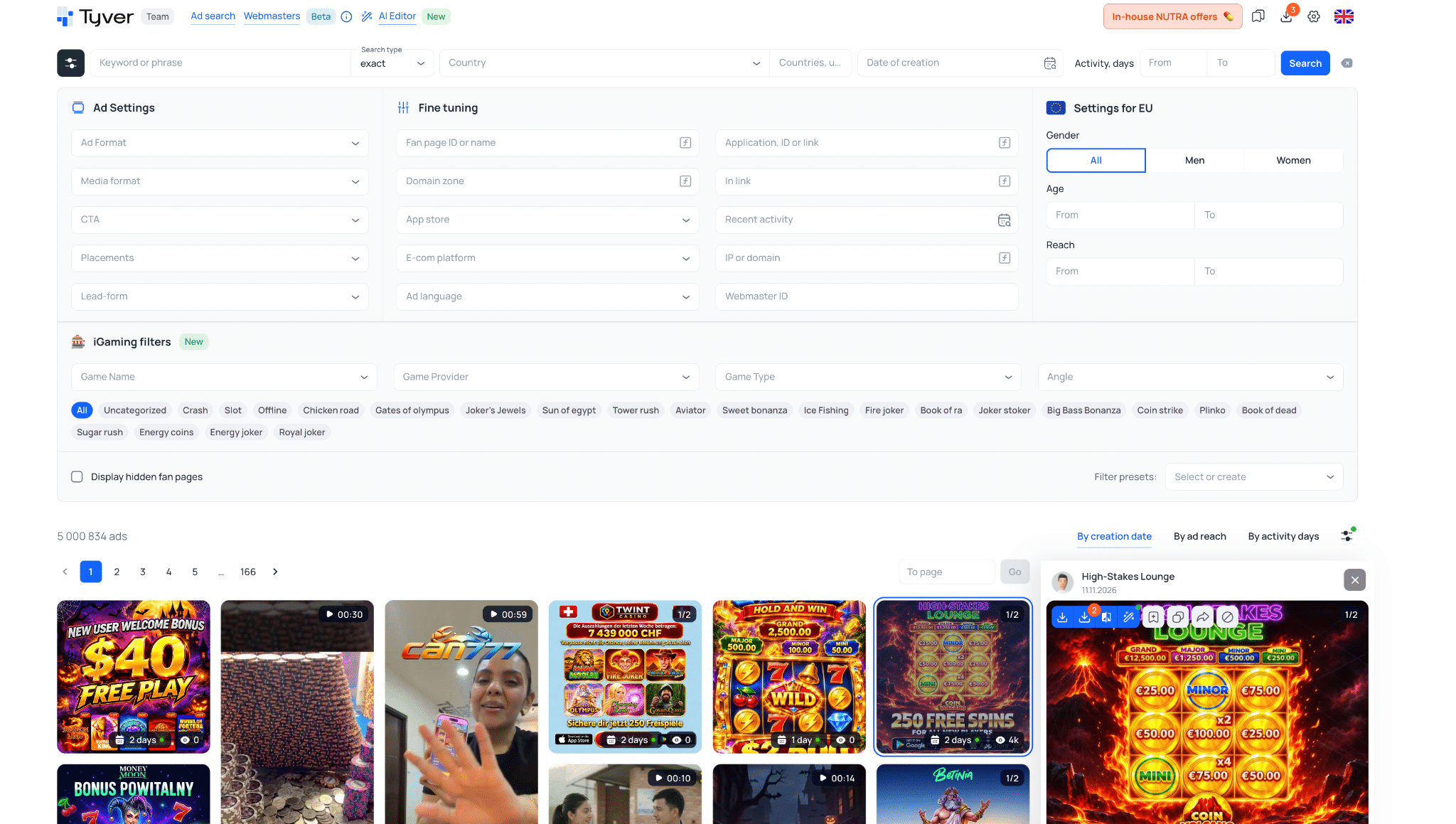
Step 2: Search for ads in Tyver
Log in to Tyver and start from your vertical’s keywords. A sensible filtering approach:
- Select the target country and language.
- Filter by format (video or static image) and placement.
- Prioritize ads with a long run time or many variations. A long-running ad often signals that the advertiser considers it worth continued spend, though it is only a directional signal, not proof of profitability.
- Use the e-commerce platform or CTA filters to narrow results to the store type you want to learn from.
For example, if you are researching skincare stores in Germany, set the country to Germany, the format to Video, the e-commerce platform to Shopify and Active Days from 5, then sort by reach. The top of the results will show creatives that have passed moderation and keep gaining impressions.
Step 3: Save and tag your swipe file
Save notable ads into folders by theme, such as “15s video hooks”, “Discount offers” or “UGC”. Add a short note explaining why you saved each one: the opening hook, the format, the call to action. After a few weeks, this folder becomes a genuine creative library for your whole team.
Step 4: Inspect the landing page in a Hidemyacc profile
Open the ad’s destination URL inside the research profile. If you want to keep it fully separate from your Chrome profiles, choose a Firefox profile for this task. When reviewing the page, pay attention to:
- page structure: headline, social proof and the order of content blocks;
- the offer and how the page closes the sale;
- page speed and mobile experience.
Thanks to the GEO-matched proxy, you see the page version and language that customers in that market actually see.
Step 5: Extract patterns, do not copy
The goal of competitor research is to understand patterns, not to clone. Ask yourself:
- Which hooks repeat across the vertical?
- Which formats dominate?
- Which offers show up most often?
Then produce your own creatives based on those insights, using your brand’s real imagery, voice and offer. Copying another advertiser’s creative is not only a weaker strategy but can also violate copyright and ad policies.
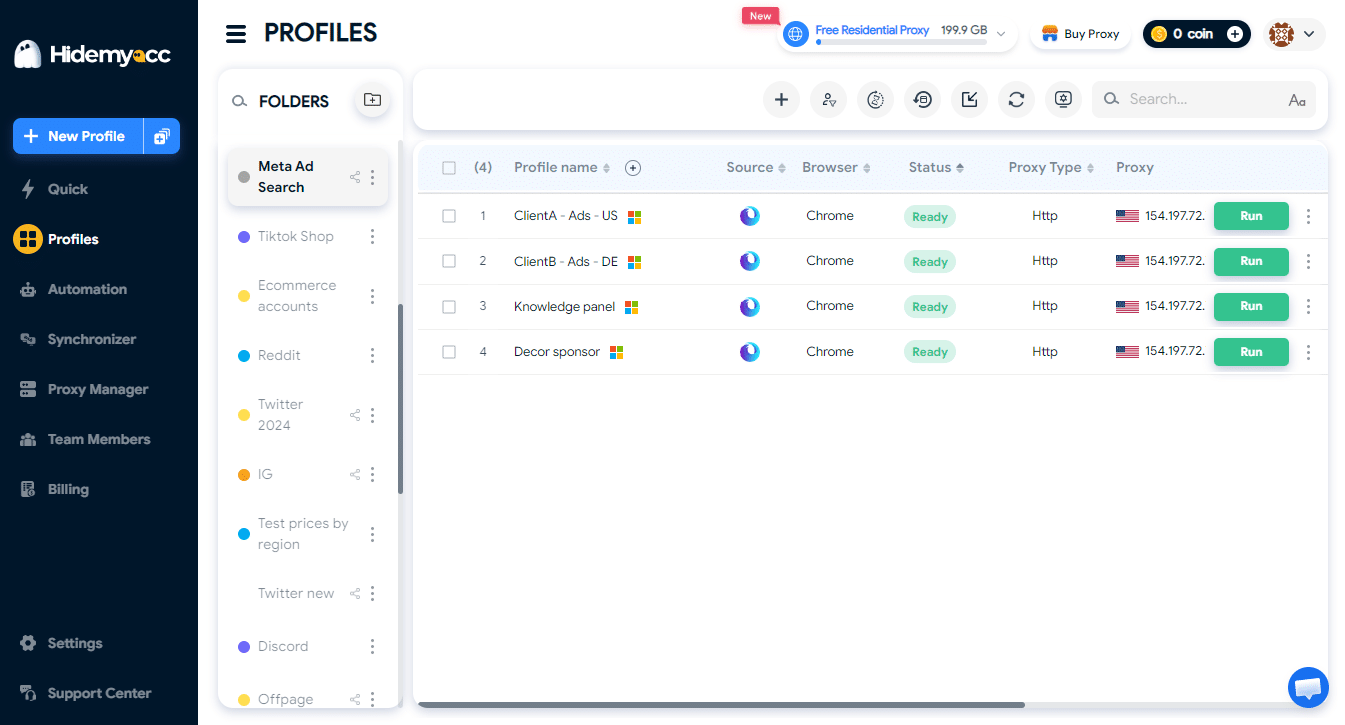
Step 6: Launch in a separate profile for each client
When you go live, each client, or each Business Manager you are authorized to manage, should live in its own Hidemyacc profile. This keeps the team from mixing up accounts and makes handoffs far easier.
Team operations tips
Use a consistent profile naming convention. For example, [Client] – [Purpose] – [GEO]. One glance tells you what a profile is for and who owns it.
Apply least-privilege access. Researchers only need the research profile. Media buyers only need the profiles of the clients they manage. This sharply reduces the chance of cross-account mistakes.
Share swipe files via folder links. Tyver lets you share folders with people who do not have an account, which is handy when pitching creative ideas to clients. For an in-house team, the Team plan gives everyone their own seat with access to the same research.
Standardize with a research checklist. A short five-item checklist (keywords, filters, ads saved, hook notes, landing page review) keeps everyone researching to the same standard.
Audit regularly. Once a week, clean up your folders: remove ads that are no longer running and keep only the examples that still add reference value.
Important: platform policy considerations
This is the section you should not skip.
Meta has its own rules for creating and operating ad accounts. An antidetect browser is not a substitute for complying with platform policies. Only manage accounts that you own or are legitimately authorized to manage, and read Meta’s terms carefully before launching.
Some verticals, such as gambling, nutra and finance, are restricted or require licenses in many countries. Check local regulations and Meta’s advertising policies before you run campaigns.
Tyver surfaces publicly running ads. Use it for learning and inspiration, not to copy other advertisers’ creative assets without permission.
Finally, features and prices for both tools can change. Start with the Free plans or trials to get familiar with the tools before committing long term.
Frequently asked questions
Is Tyver free?
Tyver has a Free plan, but it is meant for getting familiar with the interface. For real competitor research, you will need the Pro or Team plan.
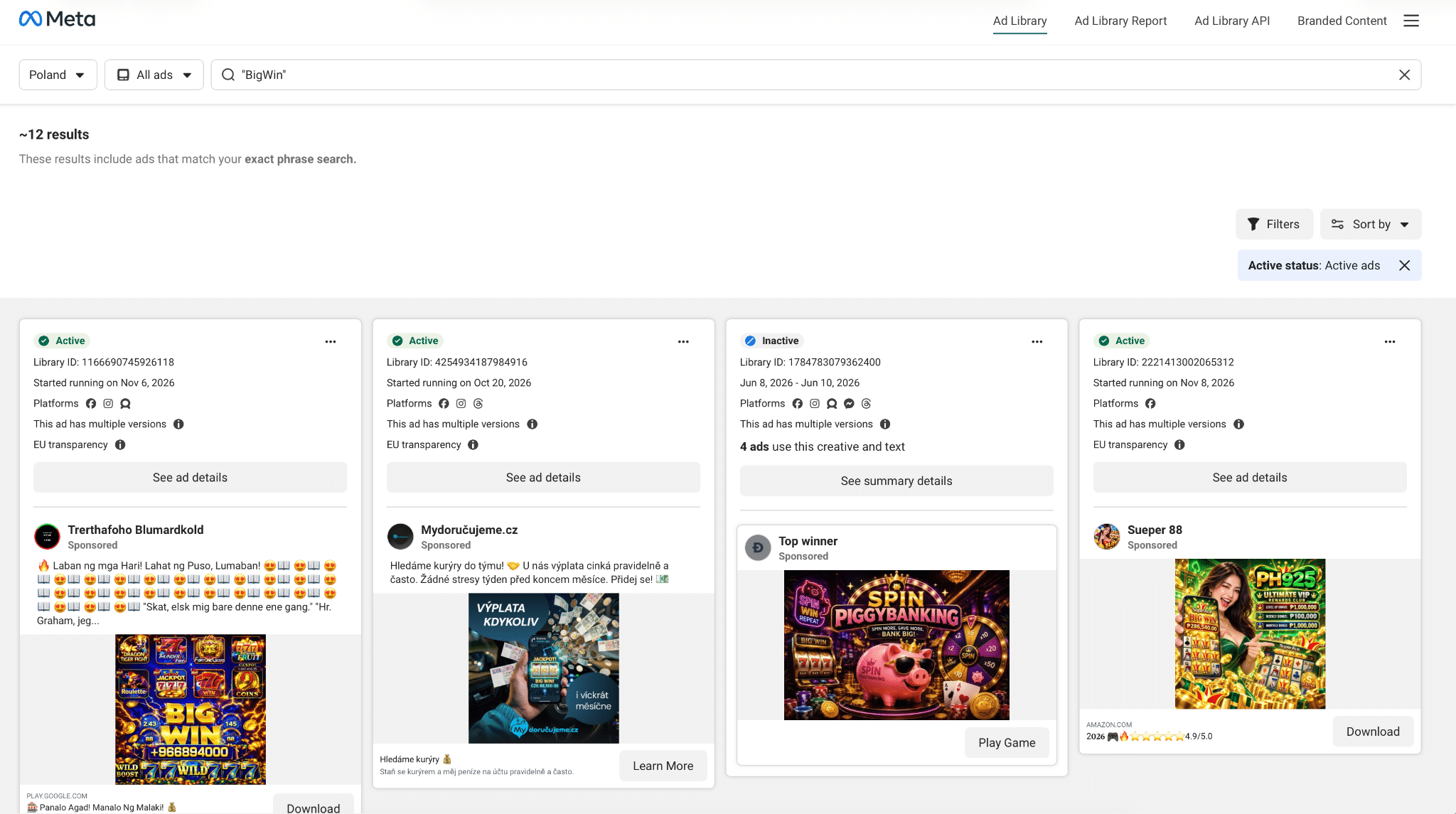
Why not just use the Meta Ad Library?
The Ad Library is free and reliable, but its filters are limited and its interface is not built for bulk research. Tools like Tyver add deeper filters, folder-based organization and destination URL search.
Do I need Hidemyacc if I only research ads?
Not strictly. But if you work with multiple clients, multiple GEOs or in a team, isolating environments with profiles keeps your workflow tidy and reduces mistakes.
Does Hidemyacc support Firefox?
Yes. Hidemyacc’s current message is “Fingerprint as real device. Now have Firefox,” meaning you can create Firefox profiles in addition to the existing option. Check the homepage for version details and usage.
Can I use this workflow for e-commerce?
Yes. It is a common use case: find product creatives, study competitor store structure, then build your own version for your brand.
Conclusion
Tyver gives you clear visibility into the market. Hidemyacc, with its message “Fingerprint as real device. Now have Firefox.”, helps you organize work across multiple environments cleanly. Together they form a clear path from research to launch, whether you are a solo media buyer or an agency.
Start small: create one research profile in Hidemyacc, get familiar with Tyver on the Free plan, then switch to Pro or Team for real research in your vertical and scale the setup as your team grows.