How to find and analyze competitors’ ads on Facebook? Free and paid tools 🤫
Need to create a profitable ad creative? The easiest way — is to find competitors’ ads on Facebook that have already proven their effectiveness. In other words, not just browsing niche-related ads, but identifying the ones that are truly performing best. 😉
Why do you need to analyze competitors’ ads?
Spoiler: not to copy them. The main goal of analyzing competitors’ ads on Facebook is to identify what works and what doesn’t. By studying ads regularly, you start spotting trends and patterns in your niche. Over time, you develop market awareness and an instinct for recognizing strong and weak advertising.
Monitoring competitors’ ads on Facebook also helps you understand which products, services, and offers are actually in demand. You can find and analyze competitors’ ad creatives using the built-in tool — Meta Ad Library — as well as paid Facebook spy tools.
Facebook Ad Library — a free tool
📚 Facebook Ad Library is an official resource where all active ads running across Meta platforms (Facebook, Instagram, Threads, etc.) are publicly displayed.
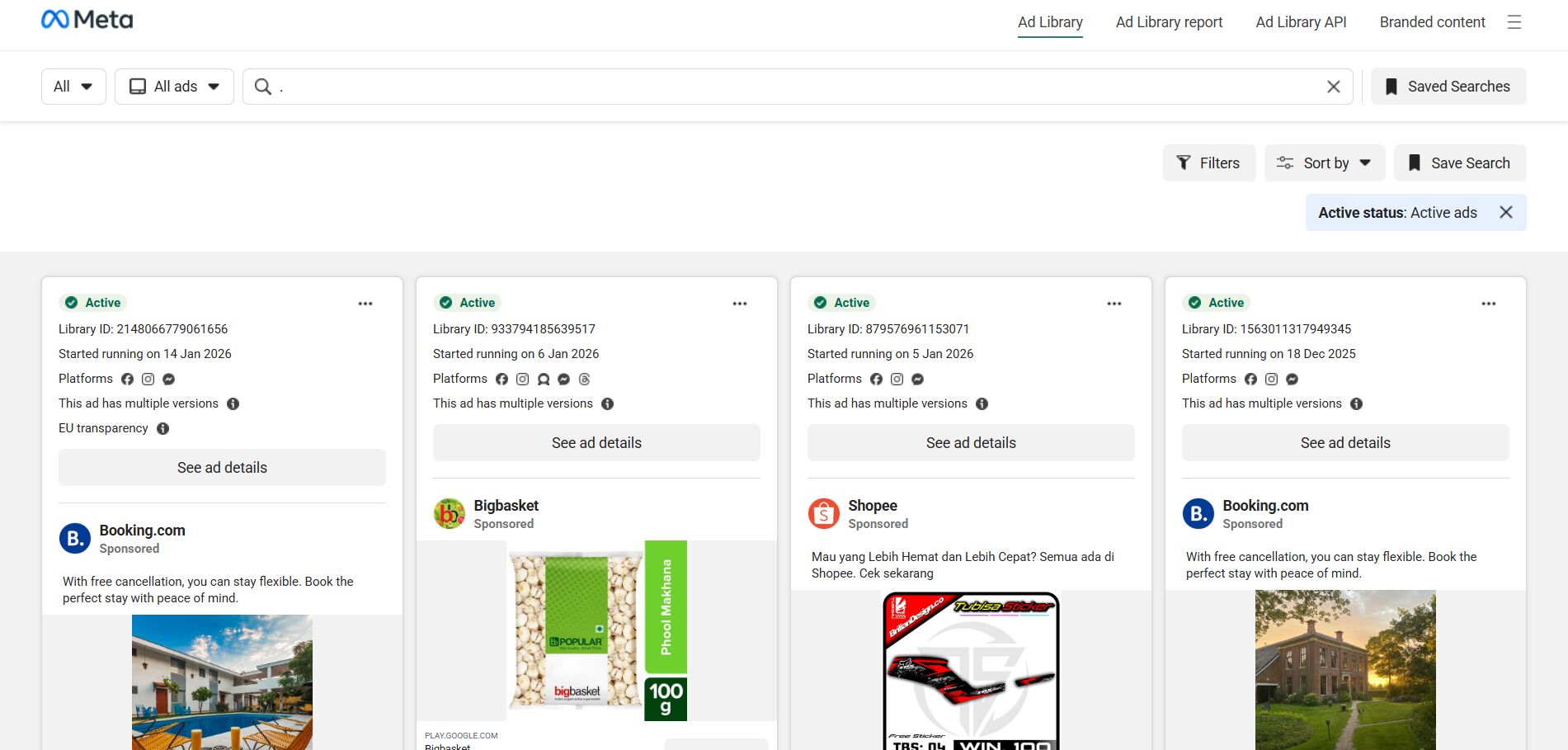
How to use Facebook Ad Library: search by keywords and pages
To get started, go to Facebook Ad Library, select the country you want to search in, and choose the ad category “All ads.”
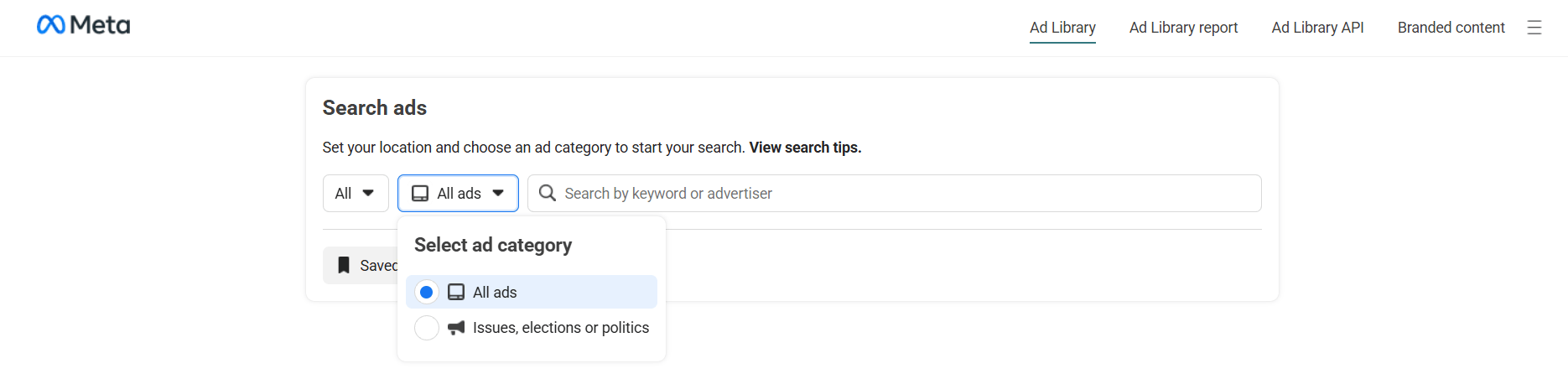
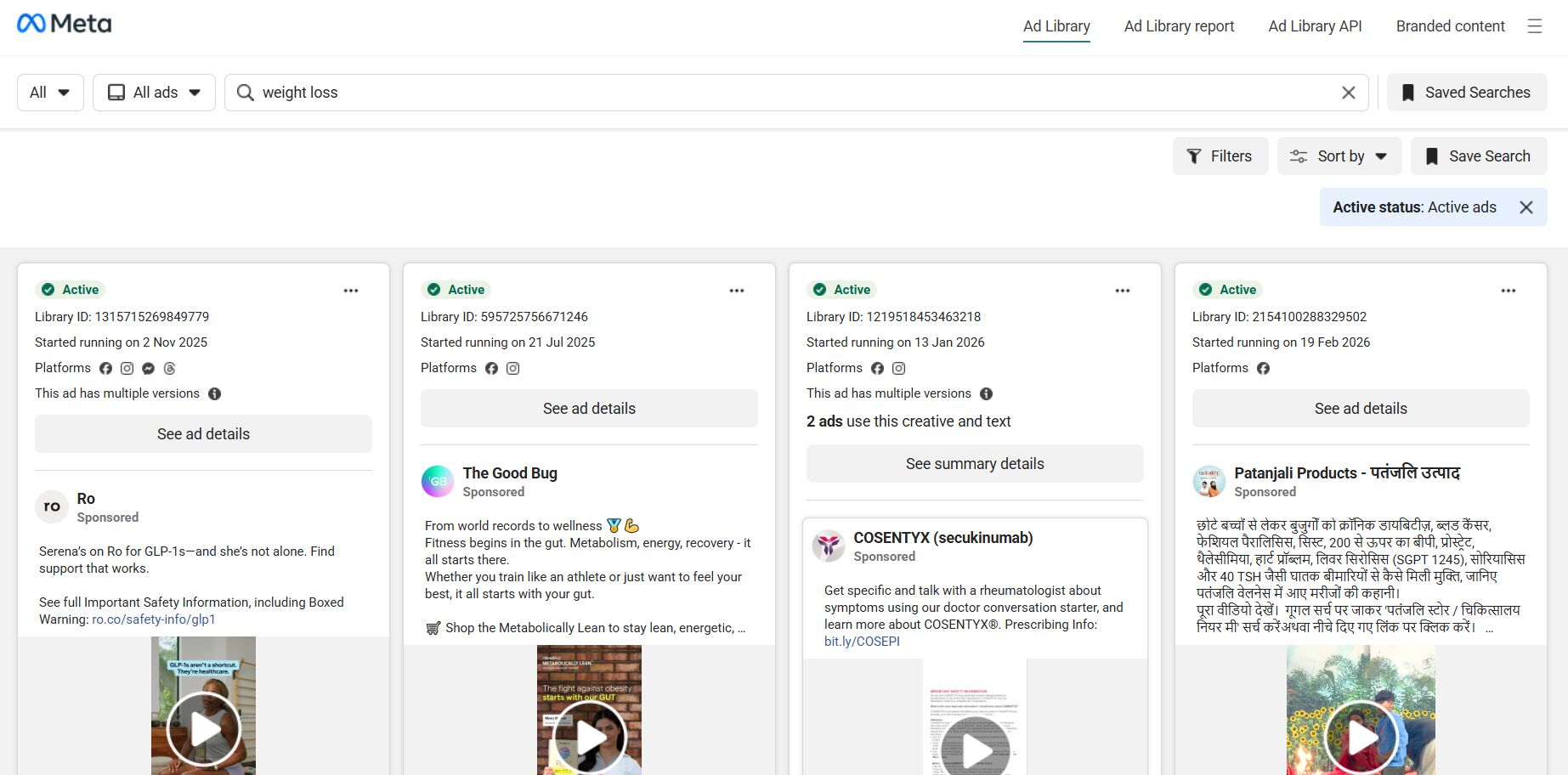
🔑 After that, enter a keyword and press “Enter.” For example, type in the keyword “weight loss,” and you’ll see a wide range of creatives from nutritionists, fitness centers, and related businesses.
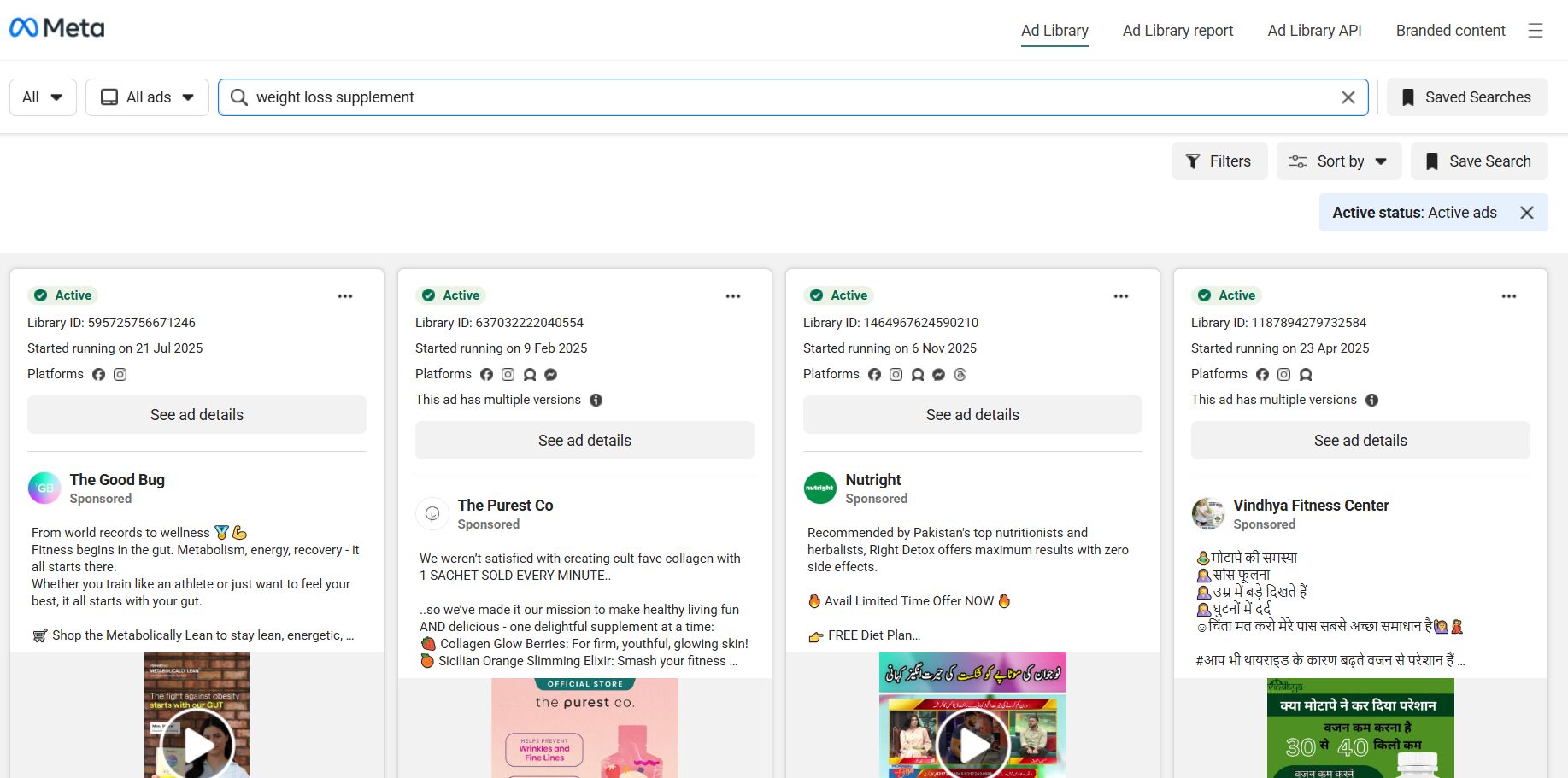
To find more ads related to affiliate marketing, you need to refine your query. For example, instead of just “weight loss,” search for “weight loss supplement“. The number of results will decrease, but many of them will be more relevant to affiliate campaigns.
If you remove the “Active ads” filter, you’ll see a much larger number of ads in the results — many of them coming from affiliate marketers. The reason is simple: once certain affiliate creatives stop generating profit, advertisers turn them off, but they may still appear in the broader ad archive. ☝️
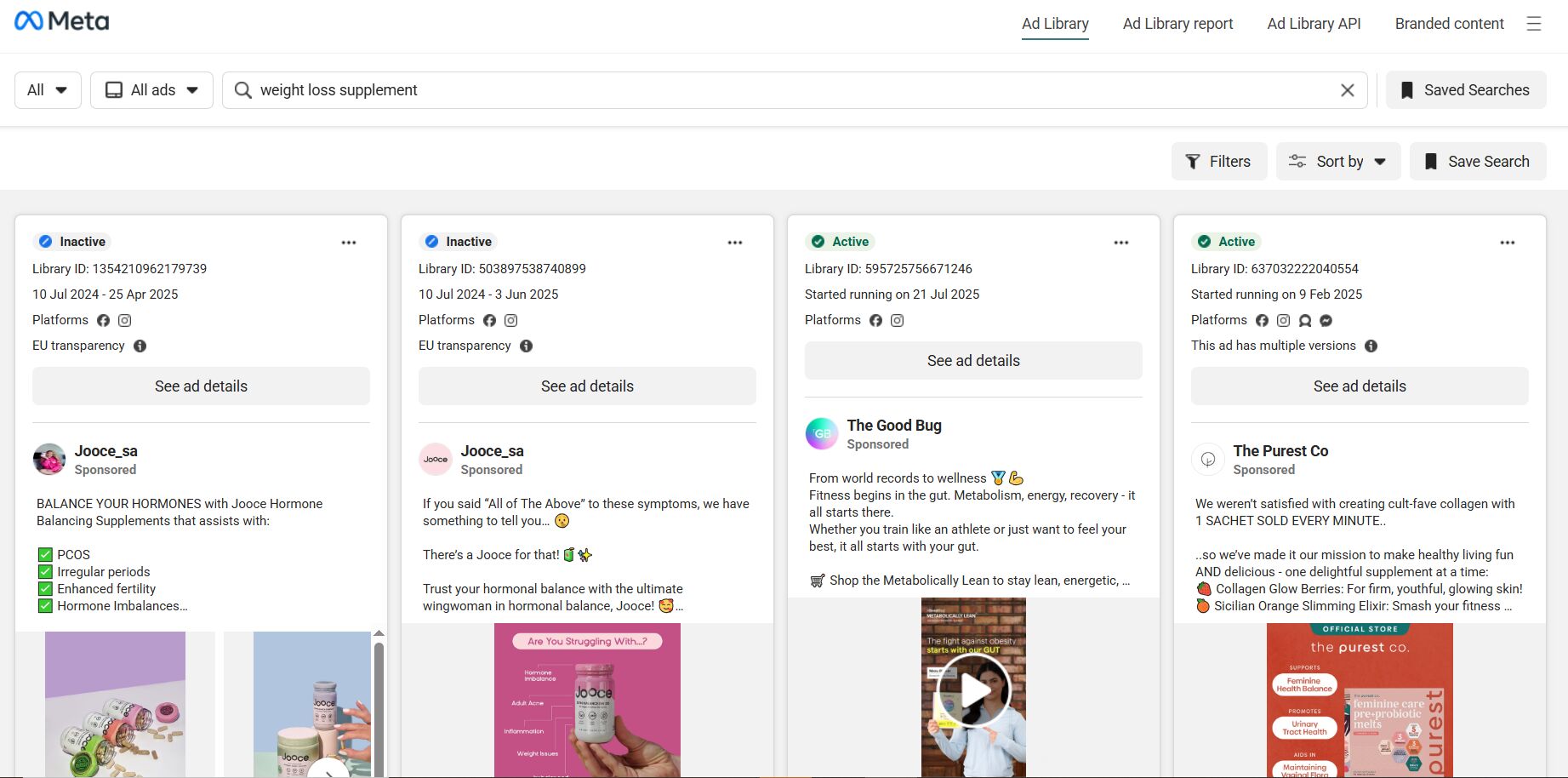
🔍 Search by fan page. When you enter a keyword, you’ll see not only ads in the results but also a list of fan pages related to that topic.
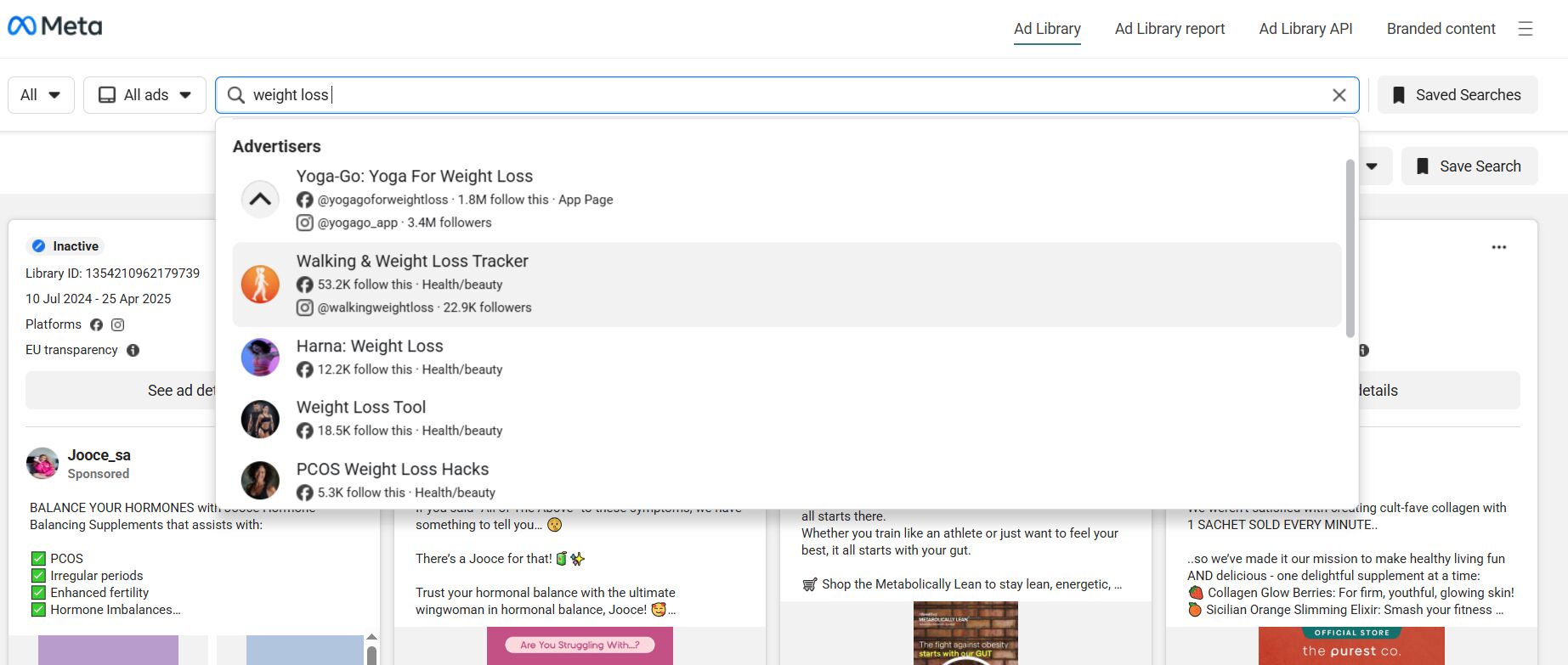
However, many pages shown in the search results may not display ads directly. To search for ads by fan page, follow these steps:
- Open any ad (click the “See ad details” button);
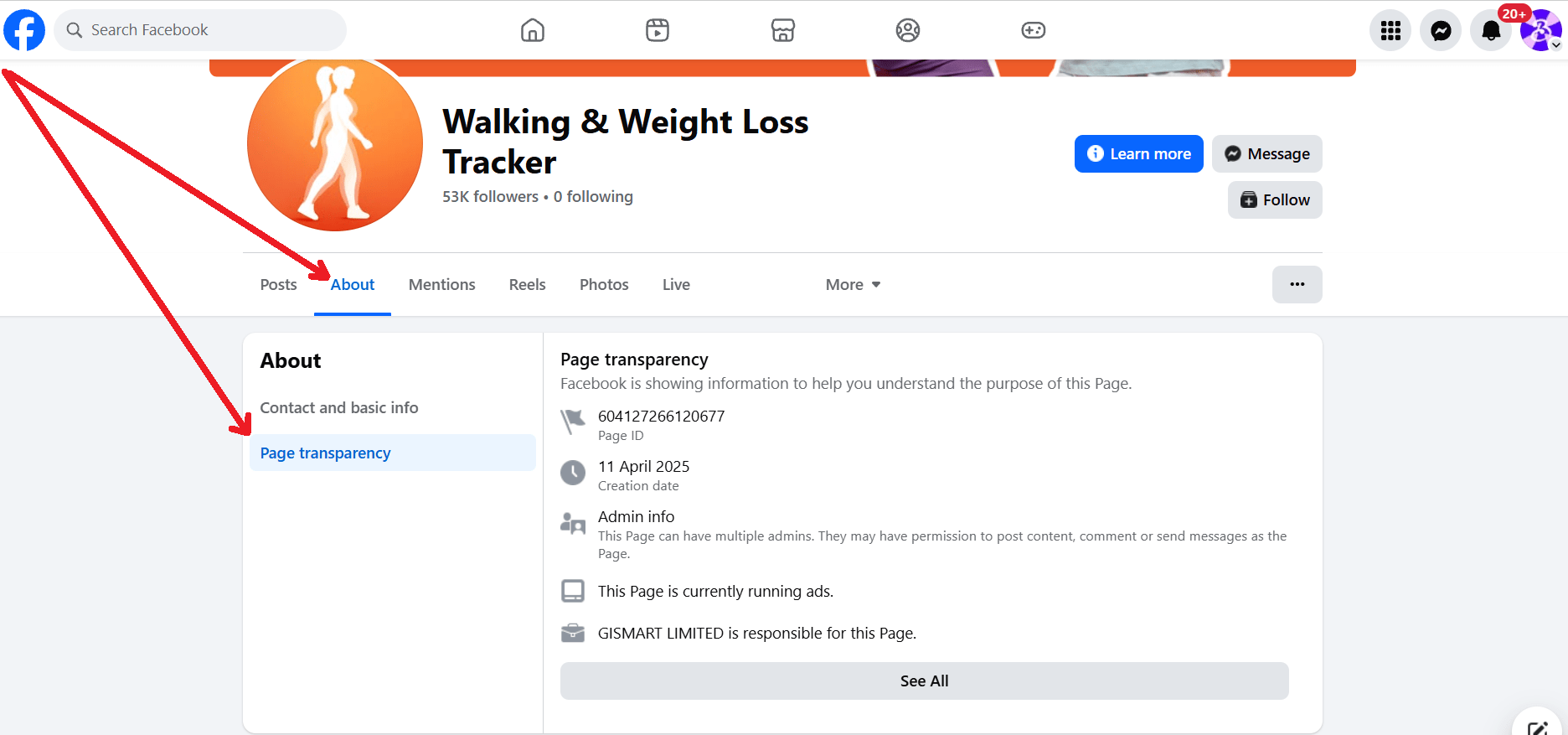
- Right-click the page name and open it in a new tab;
- Go to the fan page and open the “Page transparency” section.
👌🏻 Then, under the line “This Page is currently running ads,” click “See all,” and after that select “Go to Ad Library.”
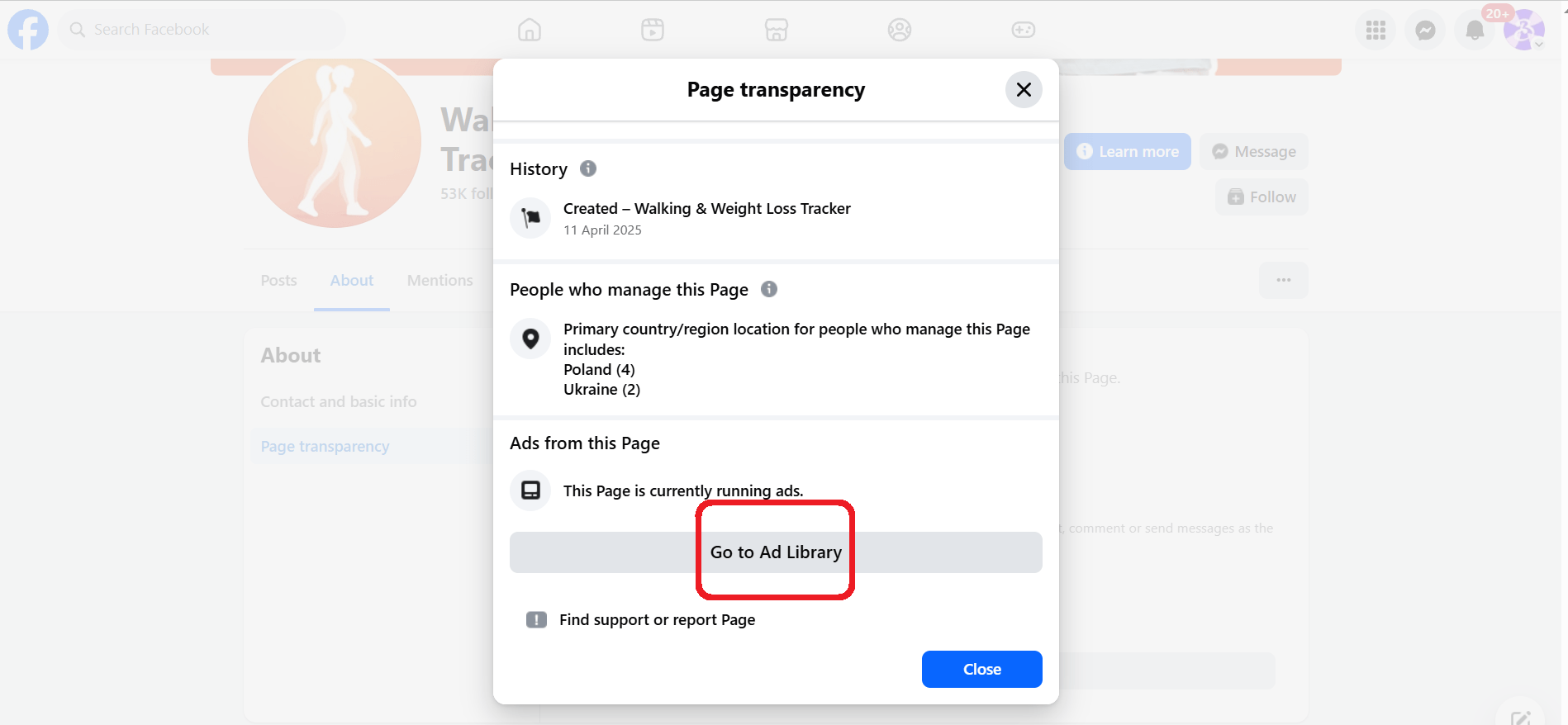
As a result, you’ll see all ads currently running from that fan page. 👏
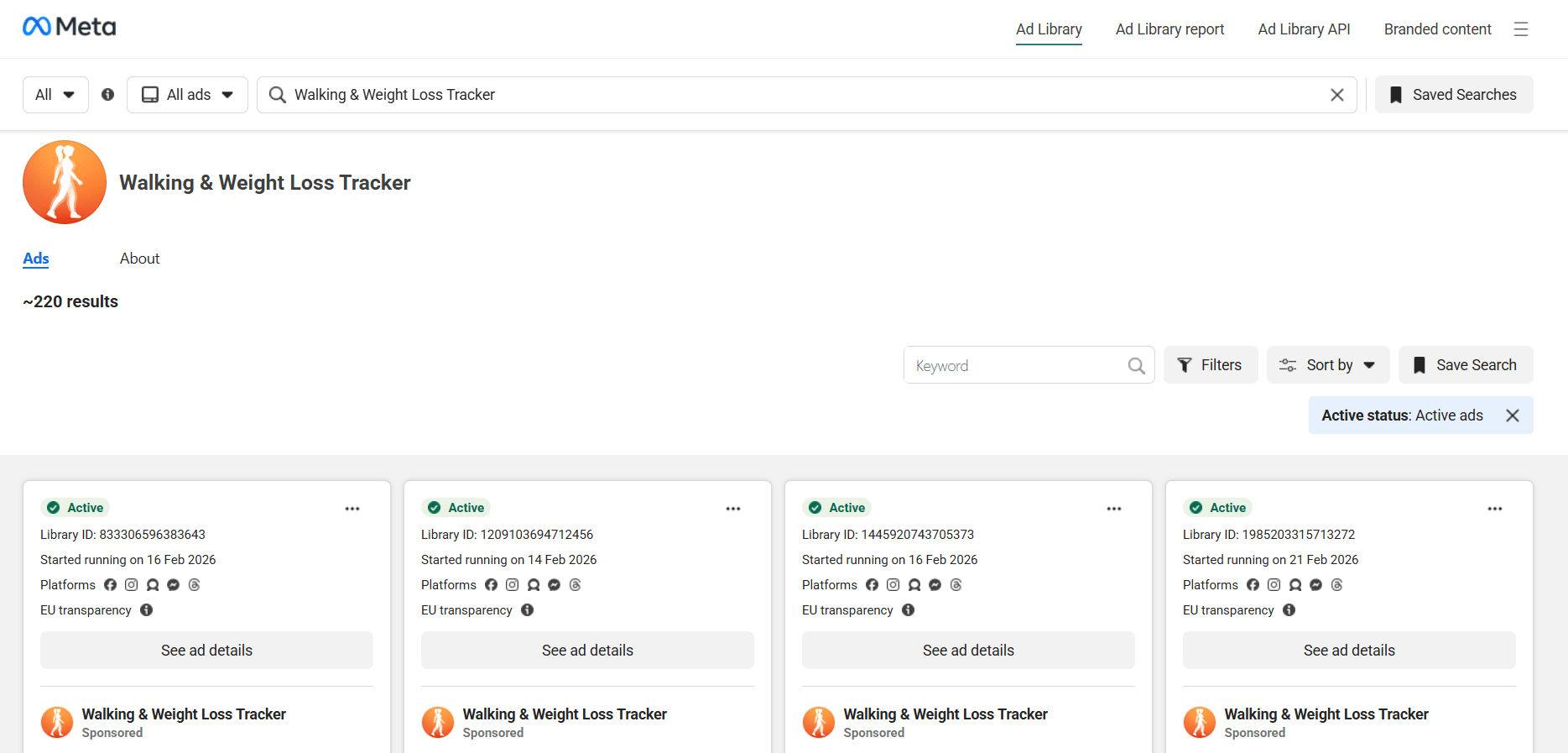
Setting up filters: GEO, platforms (FB/IG/Messenger), and media types
✍️ You can refine your search in the Facebook Ad Library by using filters. Click the “Filters” button and select:
- Language;
- Advertiser (the list will include brands that appeared in your search results);
- Platform (Facebook, Instagram, WhatsApp, Messenger, Threads, Audience Network);
- Media type (Images, Videos, Memes).
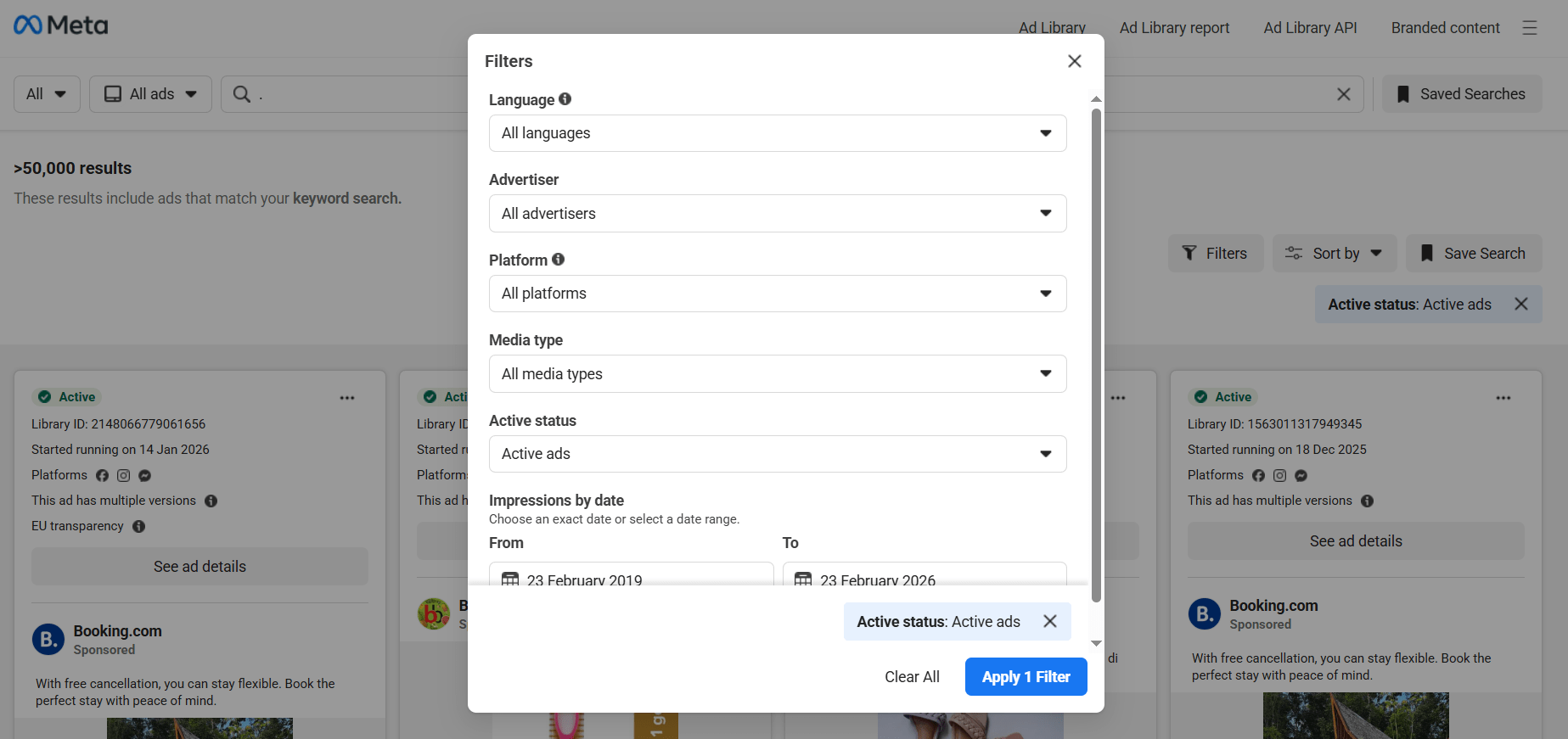
🗓️ You can also set a date range in the filters to specify when the ads were launched.
Pros and cons of the ad library
🔥 The main advantage of the library is free access to active ads on Instagram and Facebook. It offers basic filtering options, shows launch and stop dates, and displays advertiser pages. For ads running in the EU, you can also view limited targeting information.
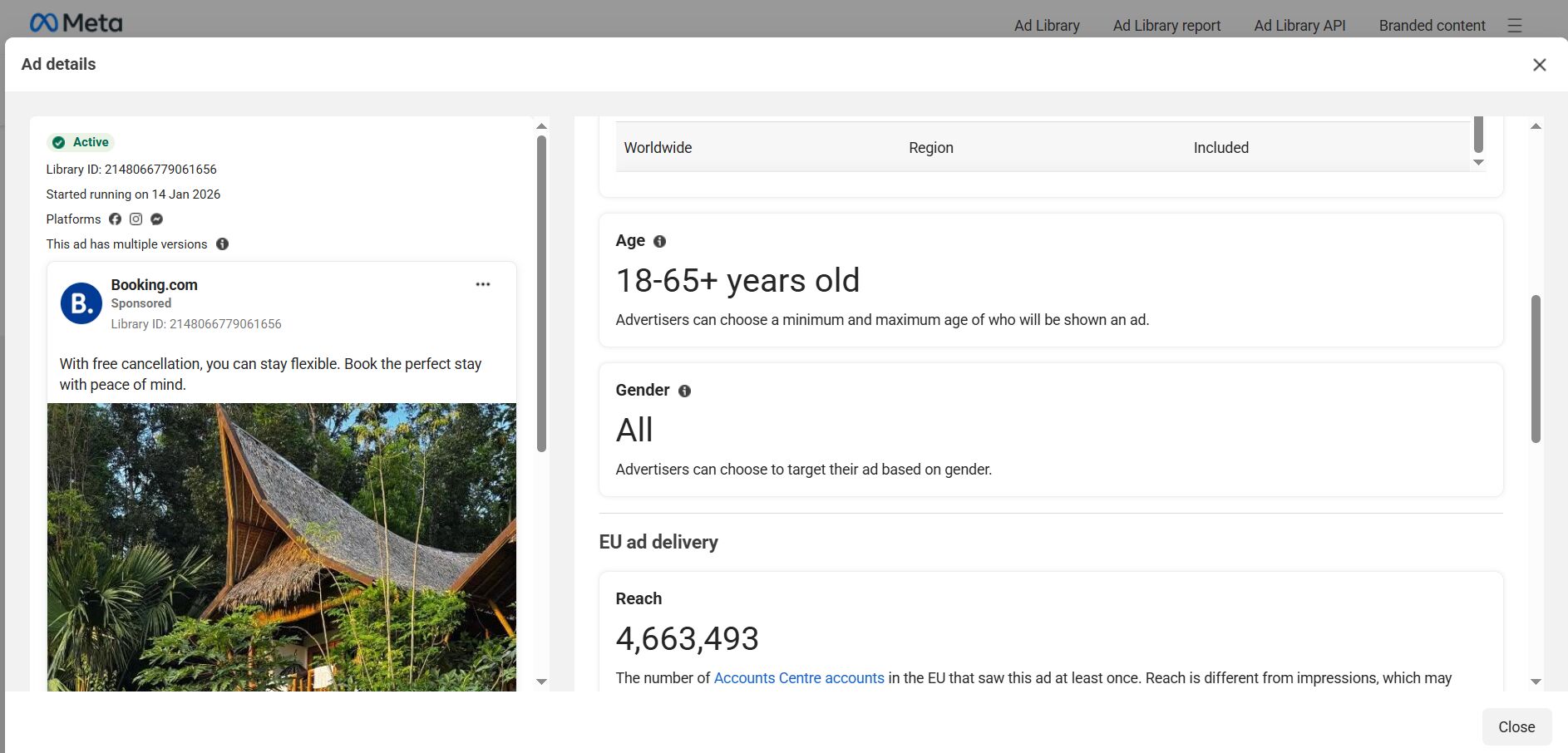
❌ However, Meta Ad Library has several limitations that make it less convenient for in-depth research.
The first and main drawback: inactive ads remain in the database for no more than a year, and rejected ads disappear immediately. This makes a full analysis of competitors’ Facebook ad campaigns difficult. Even though inactive ads may stay searchable for some time, they disappear from fan page profiles — and they don’t remain in search results for long either.
The second drawback is the limited set of search filters. You can filter by GEO, language, and platform, but you can’t filter ads by CTA buttons or app store placements. Such filtering is essential when searching for casino ads or e-commerce campaigns.
Finally, the interface is not very compact — only three, at most four ads fit on one screen, which slows down large-scale analysis.
Paid spy tools
Since analyzing competitors’ ads in Facebook Ad Library is not always convenient, advertisers often turn to paid spy tools. The most popular tools for Facebook ad analysis are BigSpy, AdSpy, Power AdSpy, and Tyver. Let’s start with the first three, as they are long-standing players in the market. 👀
BigSpy
A service that monitors ads across Meta platforms, Google, as well as TikTok, Twitter, Yahoo, and Unity.
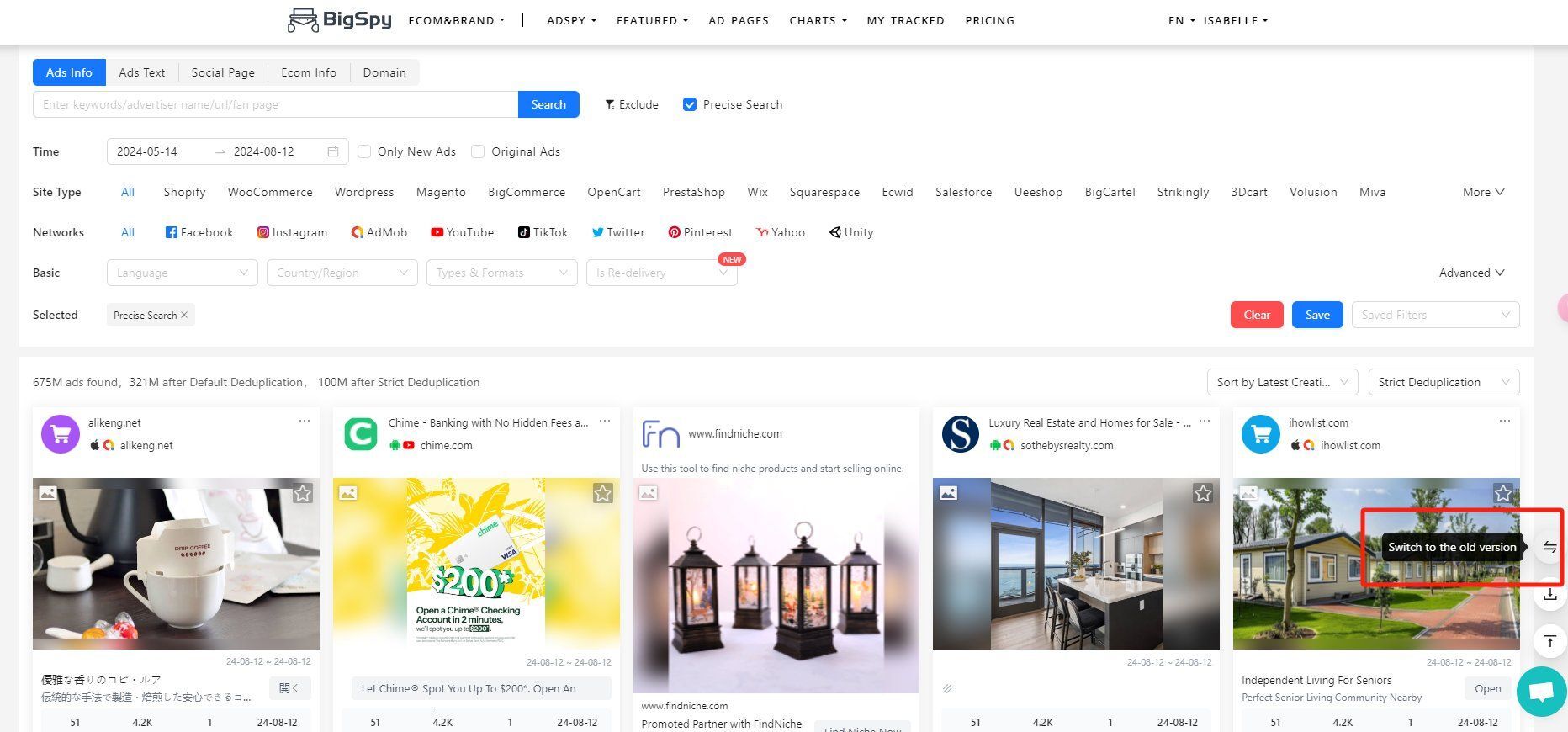
BigSpy offers the following features:
- Keyword-based search;
- Filtering by platform (Facebook, Instagram, etc.);
- Search by creative type (video, image, carousel);
- Sorting by launch date and number of views.
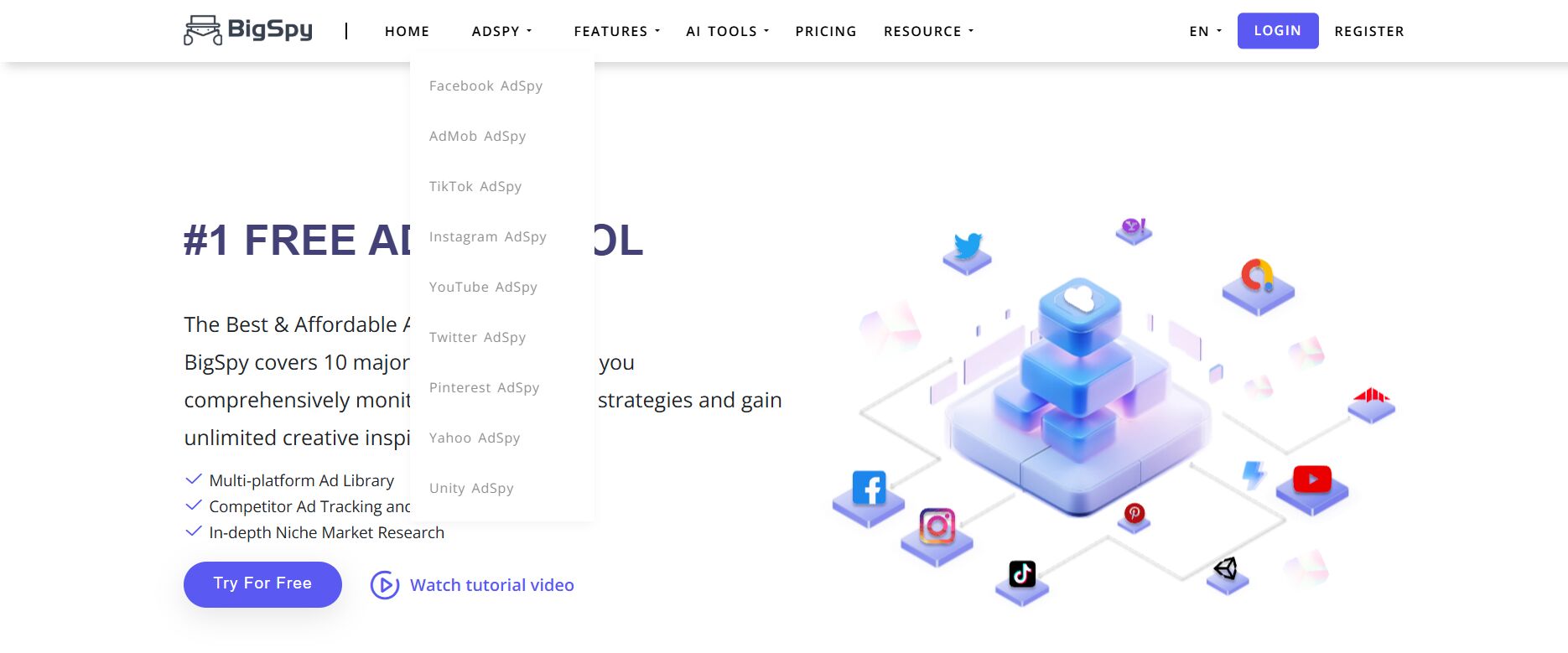
❗️ Despite the “Free Ad Spy Tool” label on its homepage, BigSpy is far from free:
- A limited plan with up to 50 searches per day for Facebook and Instagram only (excluding other Meta platforms) costs $19;
- Full access to all platforms with no search limits starts at $75.
AdSpy
AdSpy collects ads from Facebook and Instagram (other Meta platforms are not included). You can search ads not only by keywords within the creatives themselves, but also by keywords found in the comments under the ads.
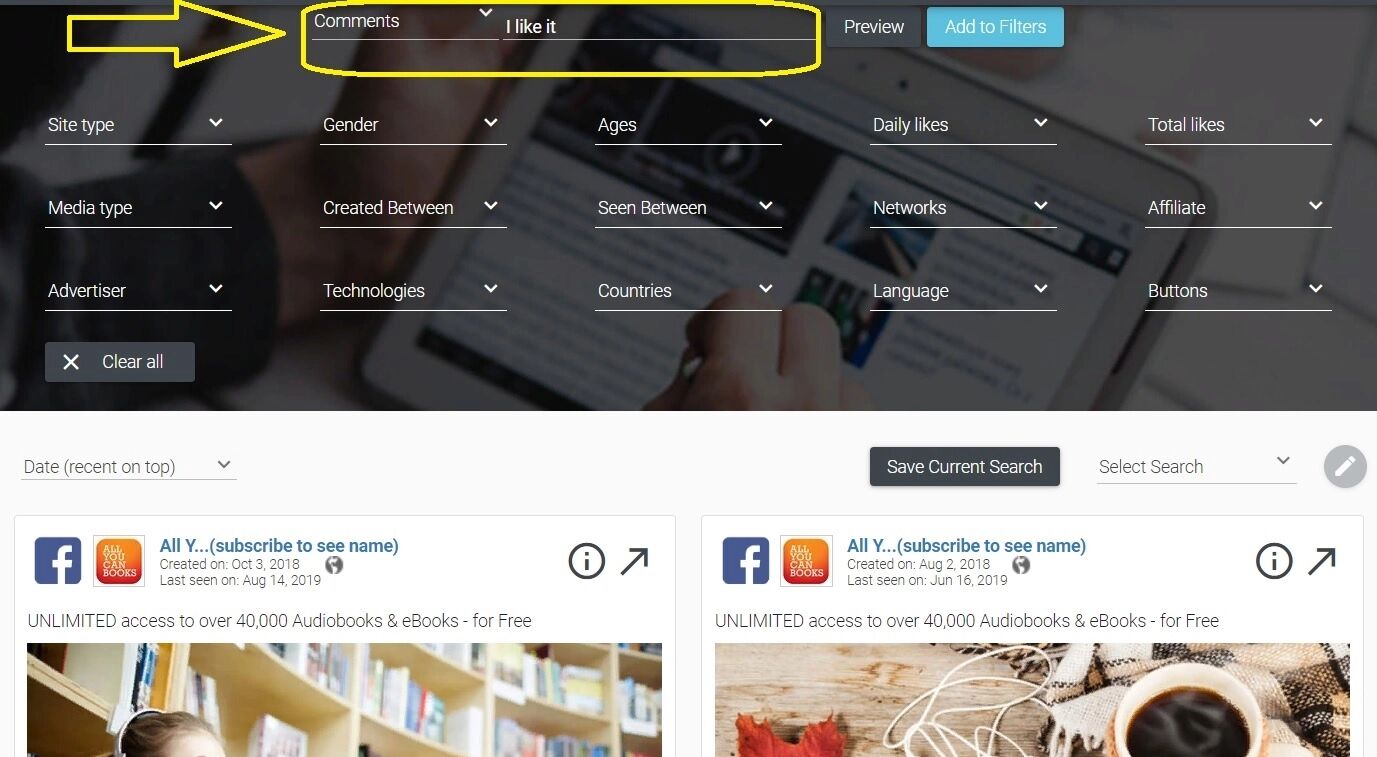
You can filter ad results not only by GEO, language, and media type, but also by advertisers and affiliate networks.
😵💫 The paid subscription costs $149 per month.
Power Ad Spy
A multi-platform spy service that collects ads from Facebook, Instagram, Google, native networks, Reddit, Quora, and LinkedIn.
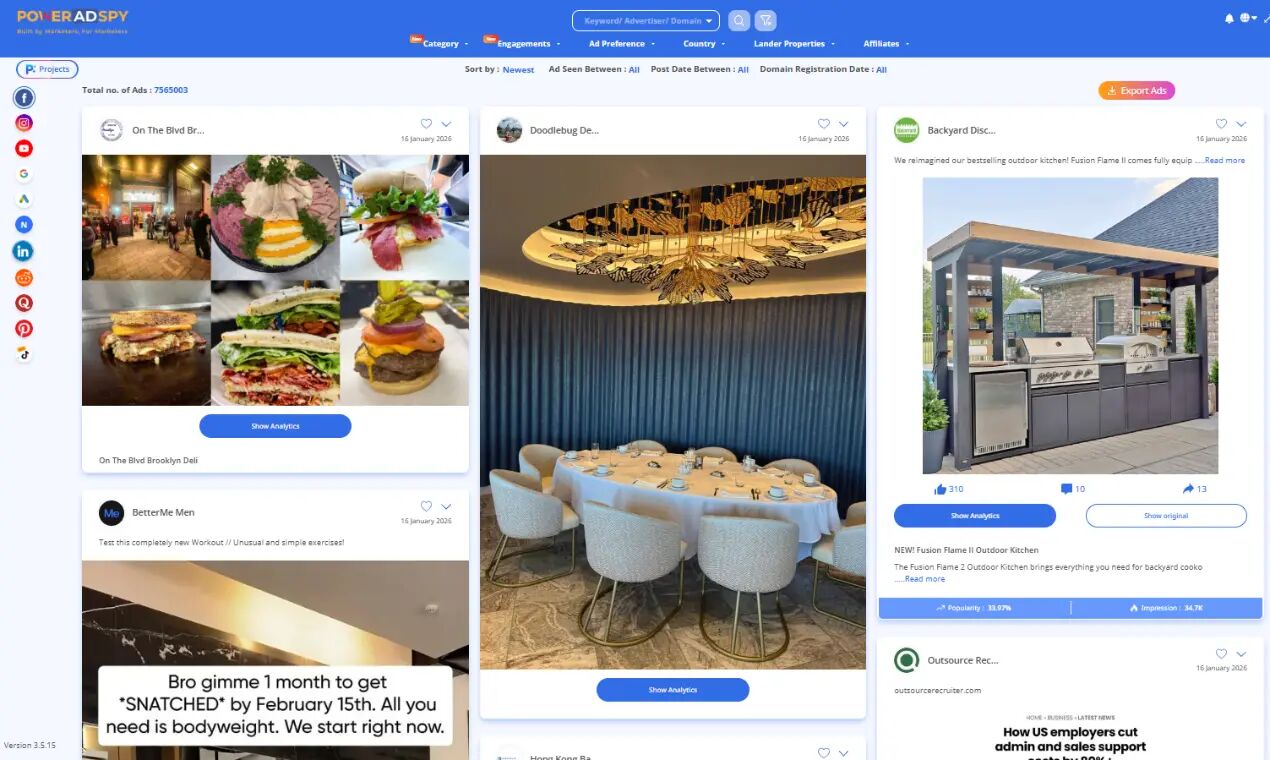
The functionality is fairly standard:
- Search by keywords, advertisers, and domains;
- Filtering by CTA, GEO, language, and media types;
- Tracking ads running from a specific advertiser’s fan page.
Power Ad Spy also provides an estimated ad budget (a hypothetical estimate, not the actual spend). Pricing starts at $69 per month, but full access to all features and advertising platforms requires a plan of $279 per month or higher 😬.
Tyver
⭐️ Unlike the long-established players in the market, Tyver is a relatively new service. Its developers took into account the strengths and weaknesses of older spy tools, as well as user feedback.
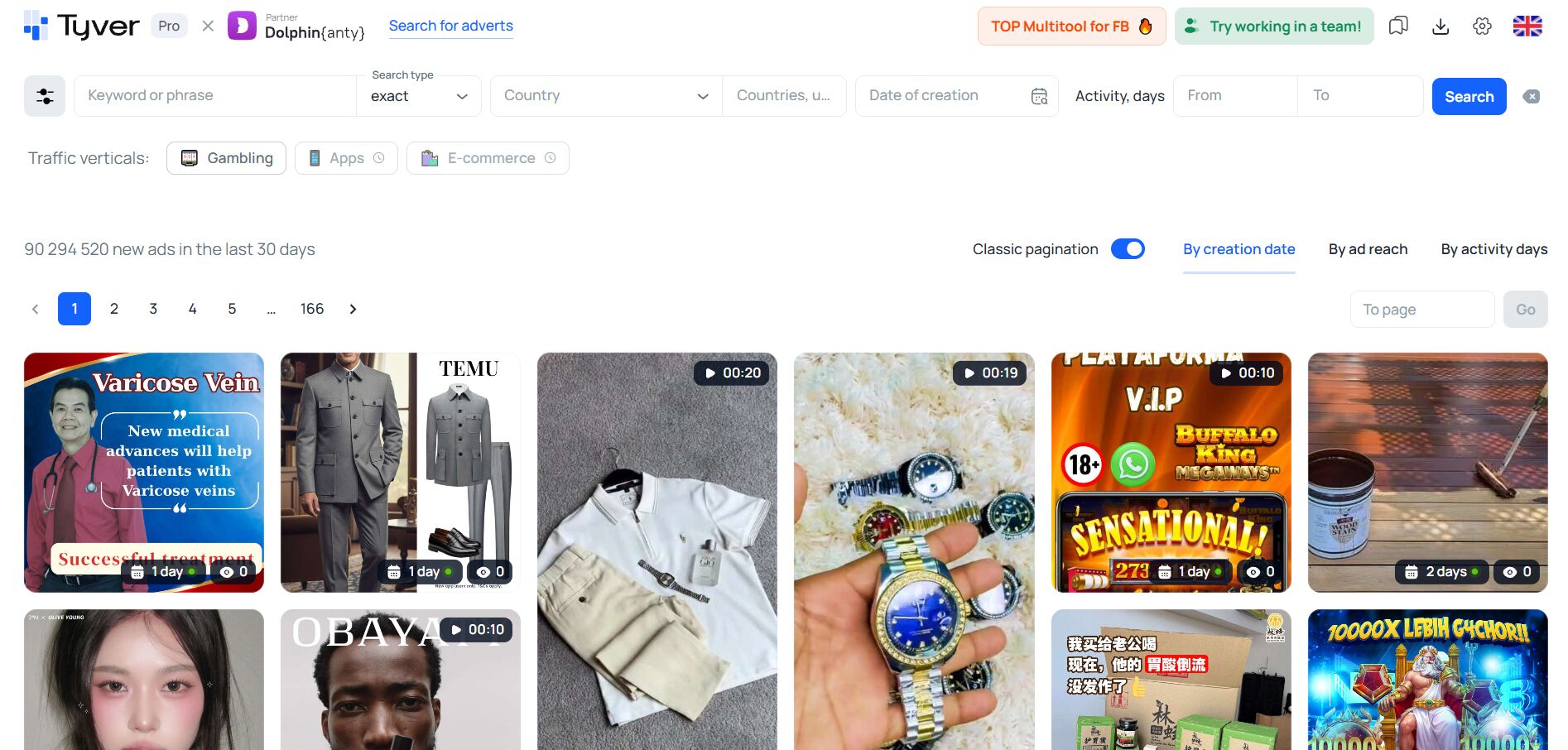
✅ That’s why Tyver includes all the essential features needed for effective ad spying:
- Keyword-based search;
- Filtering by CTA, ad format, Meta placements, e-commerce platforms, app stores, domains, and even URL fragments;
- Targeting by country and language, and for EU ads — by gender and age of the target audience.
Unlike many other tools for finding competitors’ Facebook ad creatives, Tyver is not overloaded with excessive buttons and complex menus. For affiliate marketers, it also offers vertical-based search (currently only the Gambling 🎰 category is available, with more in development).
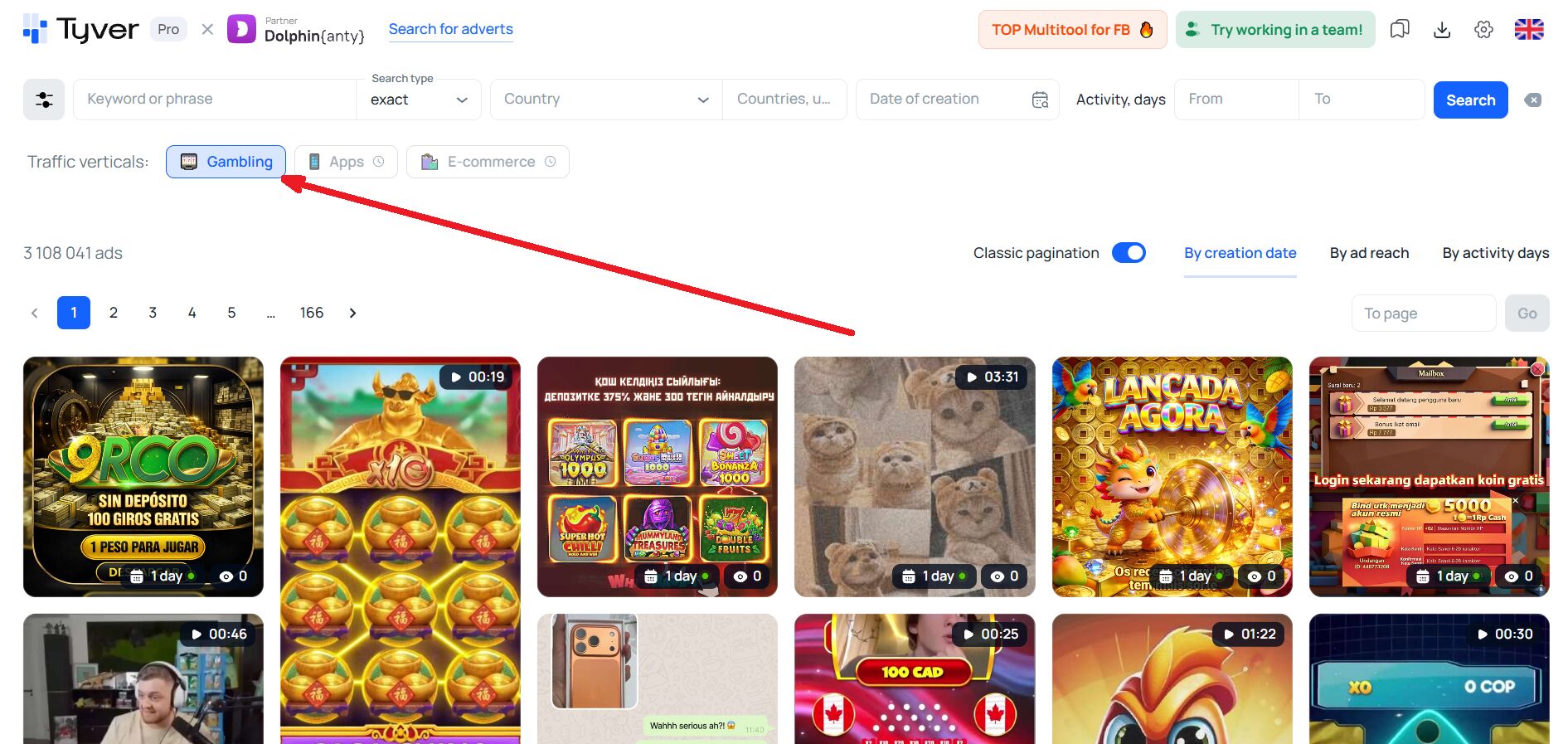
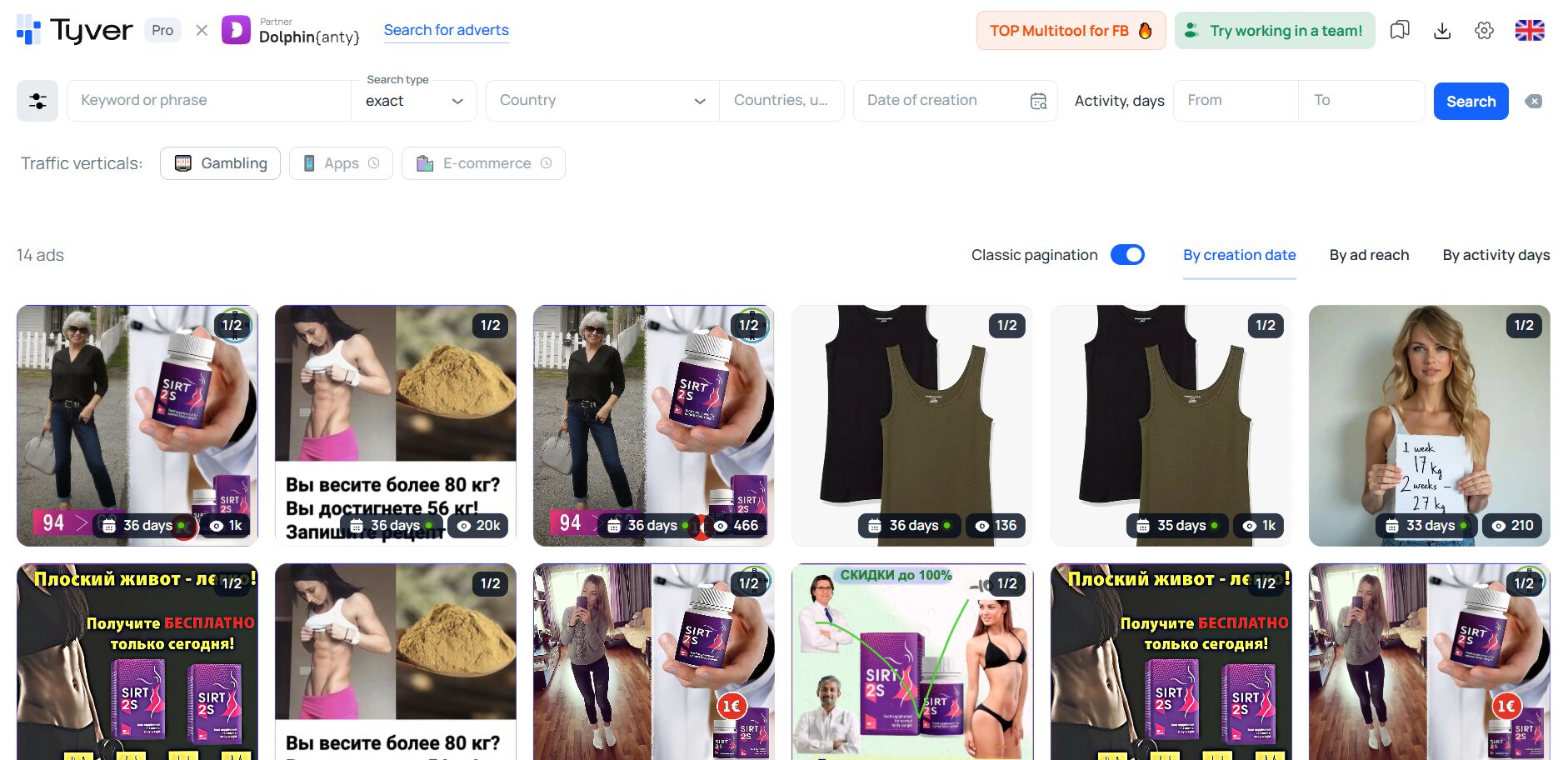
Ads in the results are displayed in a compact layout, the screen isn’t cluttered, and the interface is intuitive.
👍🏻 Tyver is about how to find competitors’ ads on Facebook even if you’ve just created an account and want to start exploring the market right away — without spending hours learning a complex dashboard. That’s why we’ll demonstrate the basics of ad spying using this service.
How to uncover valuable insights about the market and competitors?
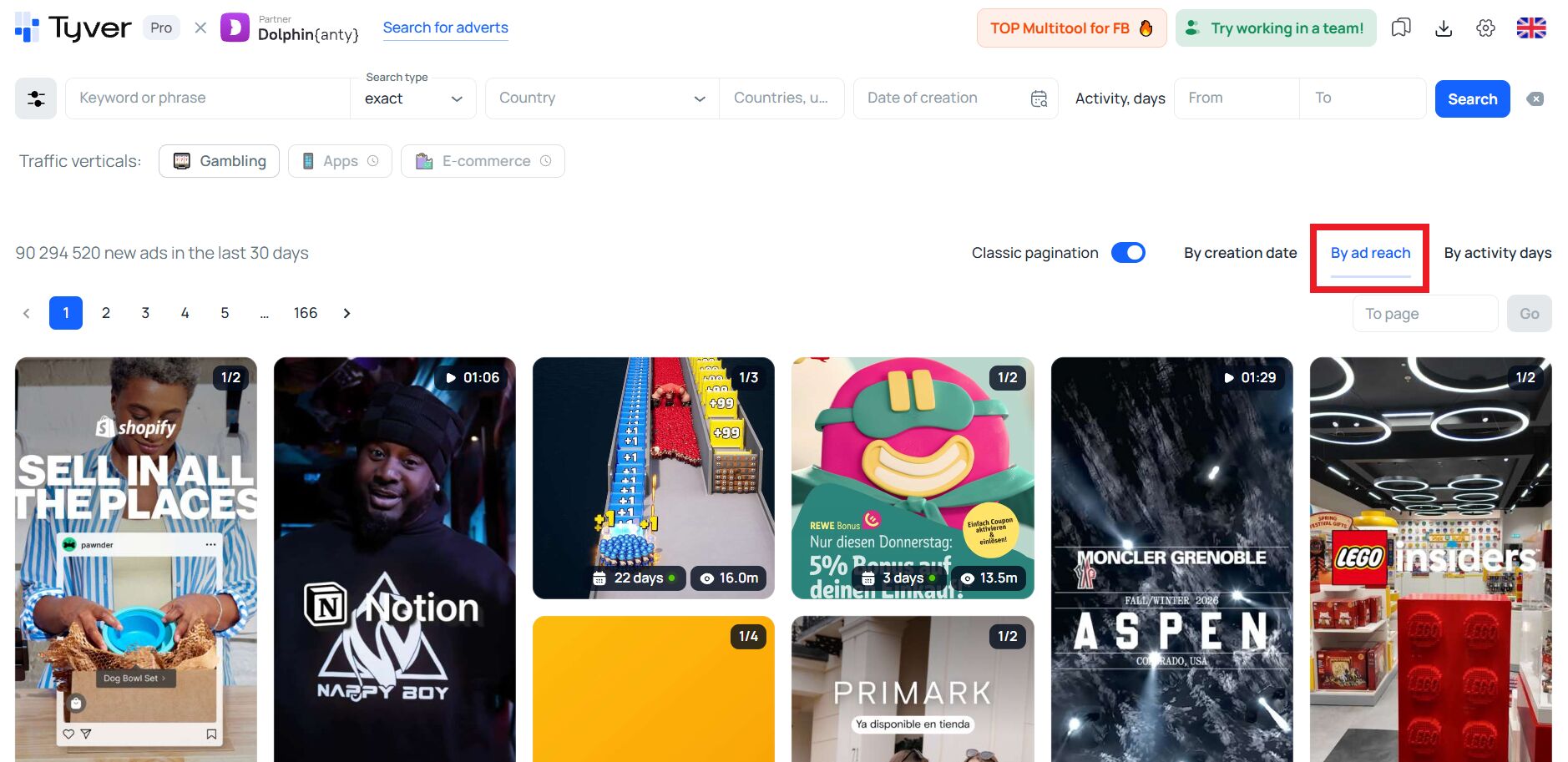
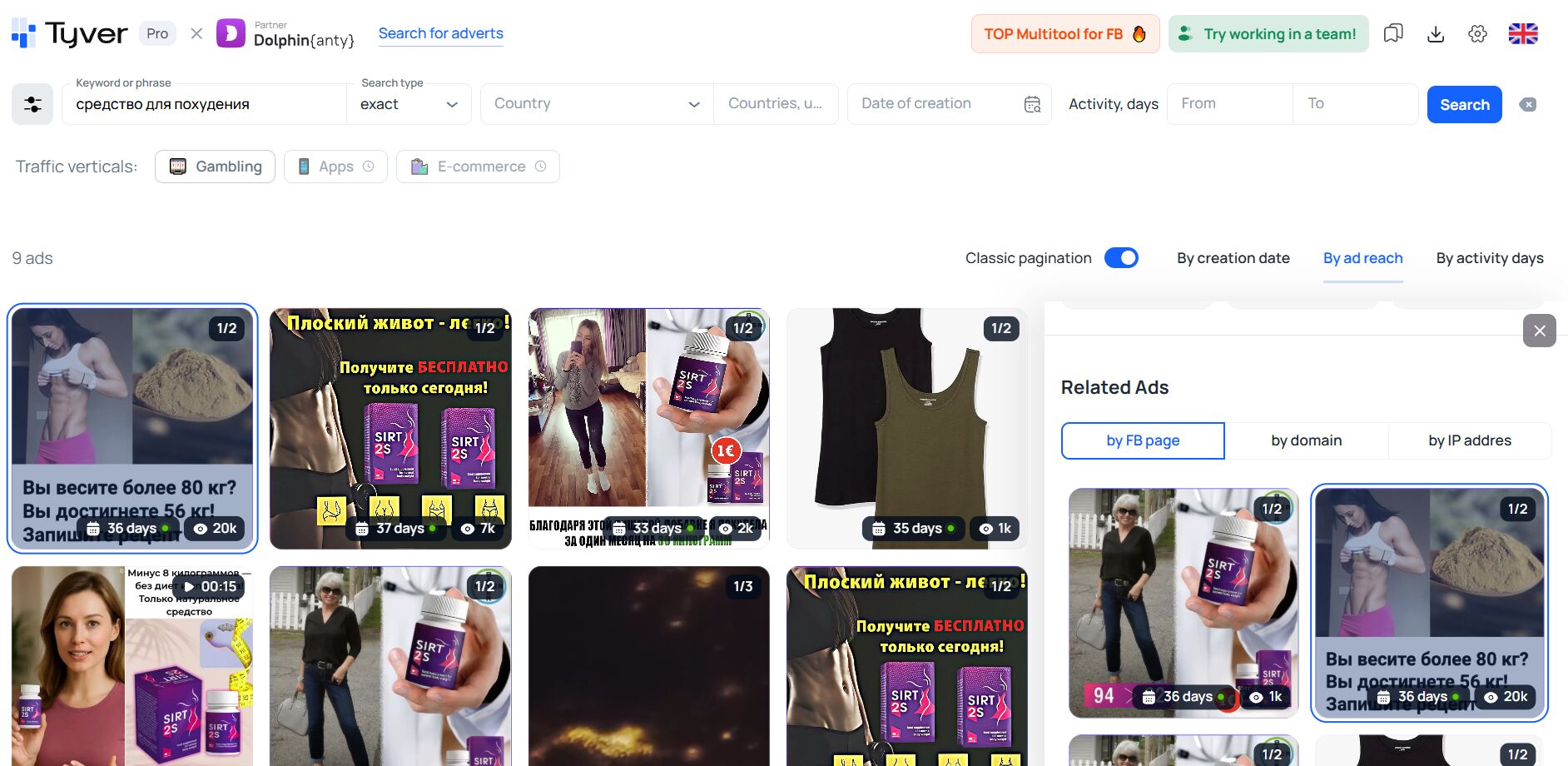
❗️ The key thing to understand: which ads are the most and least successful across Meta platforms. This is easy to do in Tyver by sorting ads by reach and by days active. Sorting by reach brings the ads with the highest visibility and audience engagement to the top of the results.
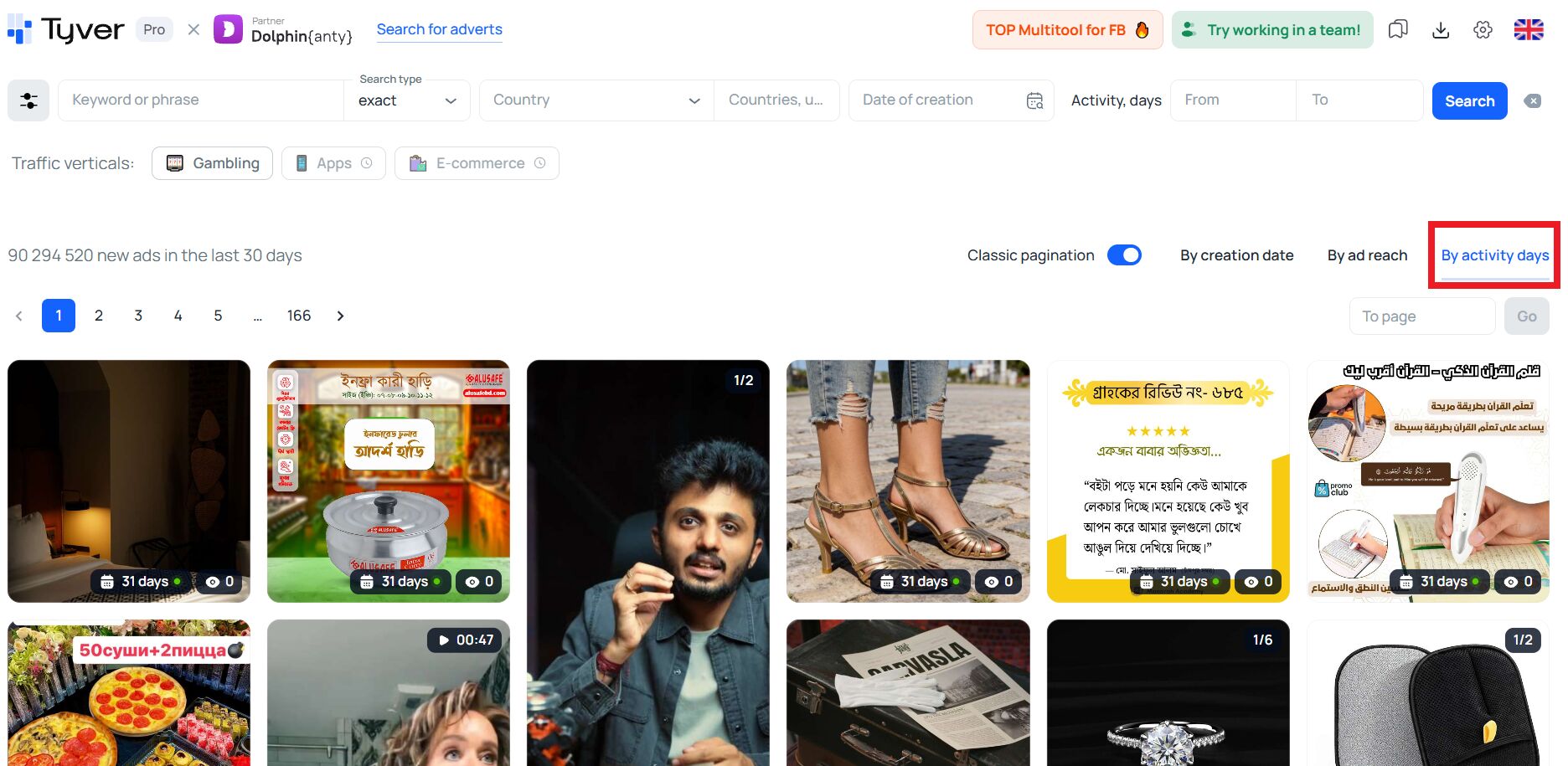
📊 Sorting by activity days places the ads that have been running the longest at the top — which usually means they are profitable, since advertisers continue funding them over an extended period.
How to find competitors’ creatives on Facebook?
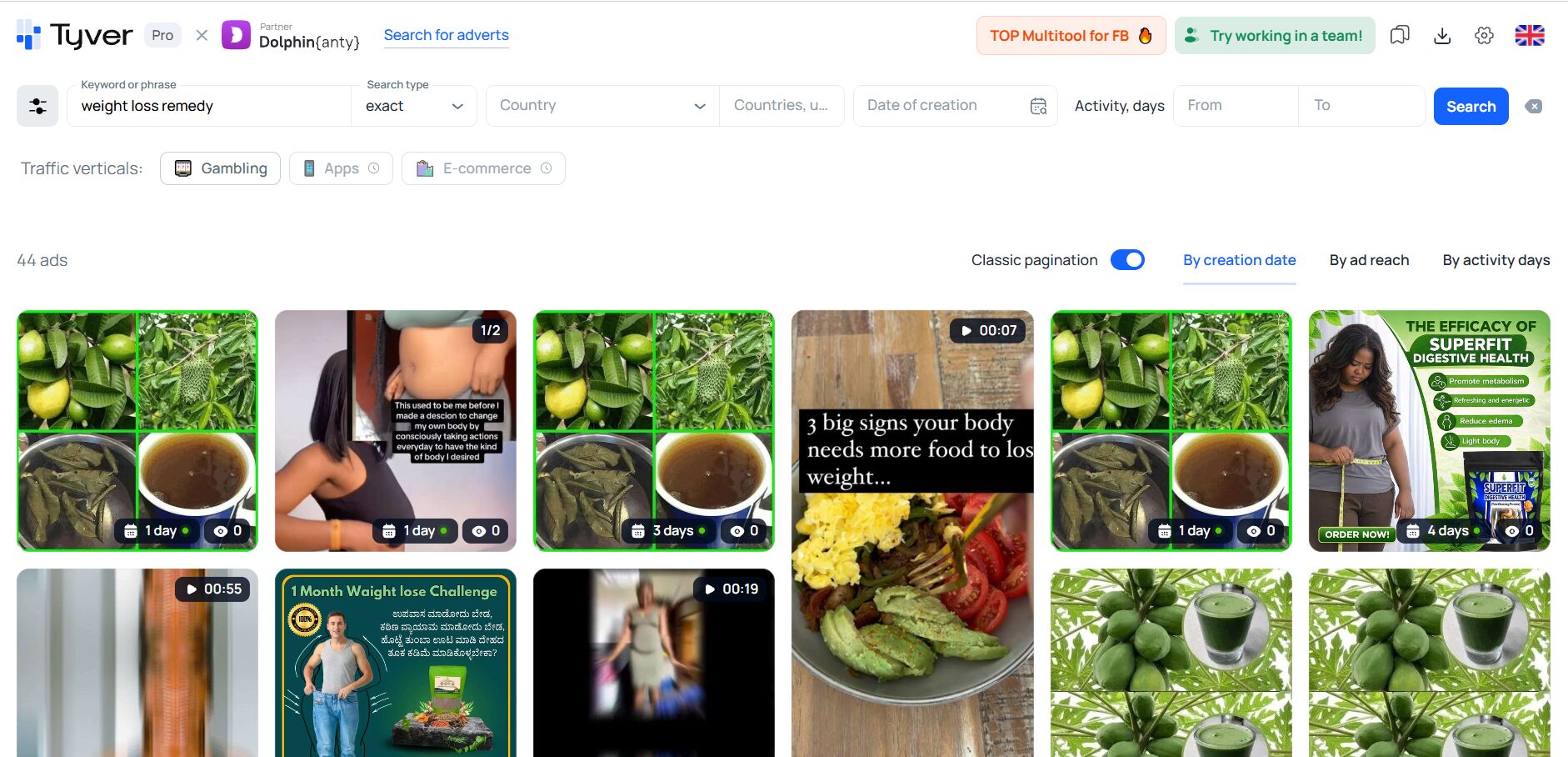
🔑 In most cases you simply need to enter a relevant keyword, for example, weight loss remedy.
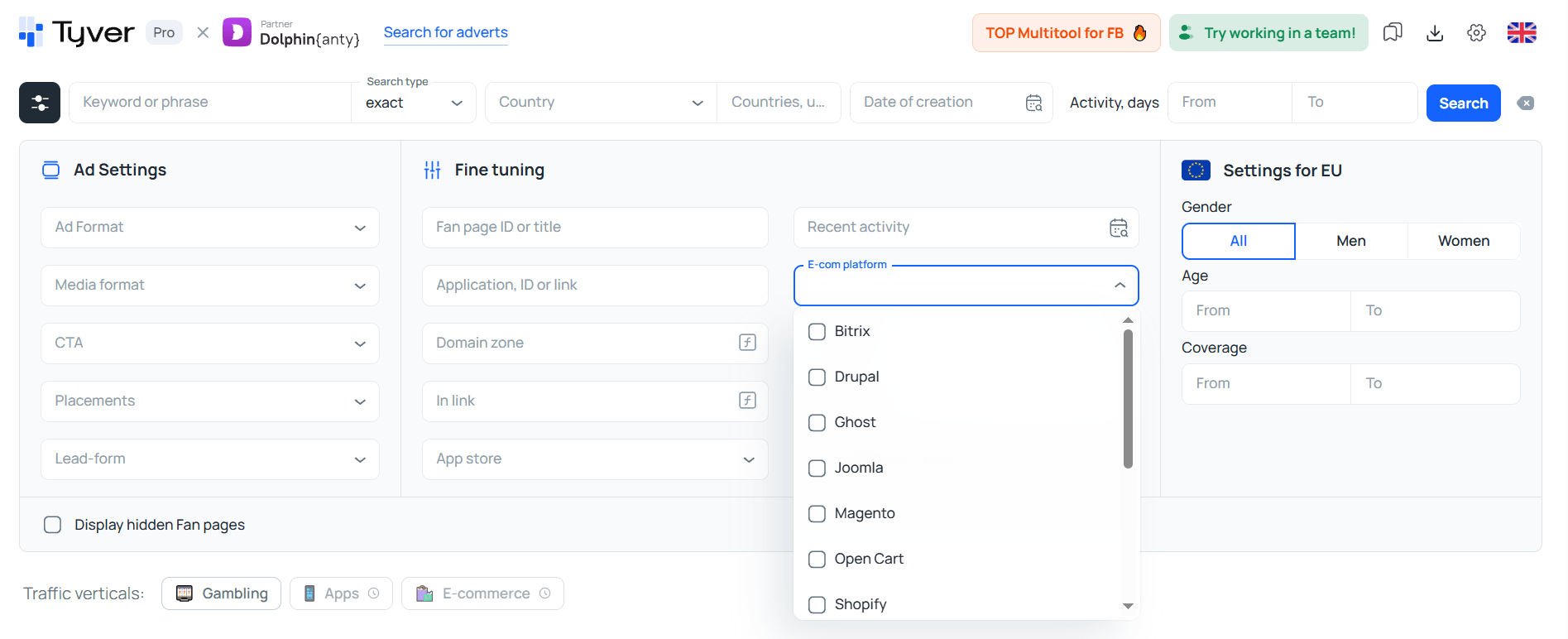
However, in some cases, it’s enough to simply apply the right filters. For example, to find ads from online stores, you can filter results by E-commerce platforms. 🛍️
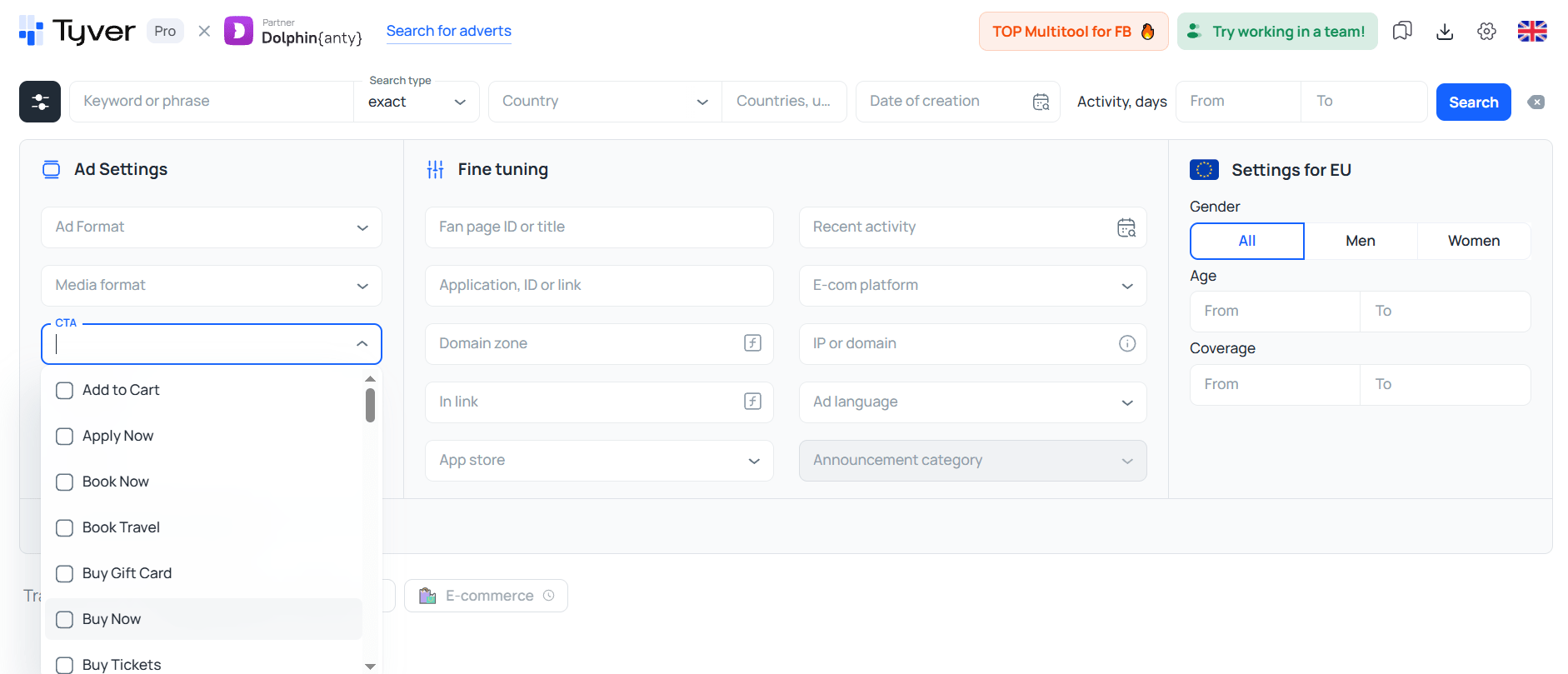
You can also find online store ads by filtering through CTA buttons — simply select “Buy Now” or “Shop Now.”
If you select the CTA “Play Game” or “Play Now,” you’ll find plenty of ads related to casinos, poker, and other gambling offers. However, for casino campaigns, it’s still better to use the dedicated “🎰 Gambling” filter.
How to find affiliate offers?
To locate affiliate ads, apply a filter based on tracking macros in URLs — these are commonly used by affiliate marketers to track traffic and conversions.
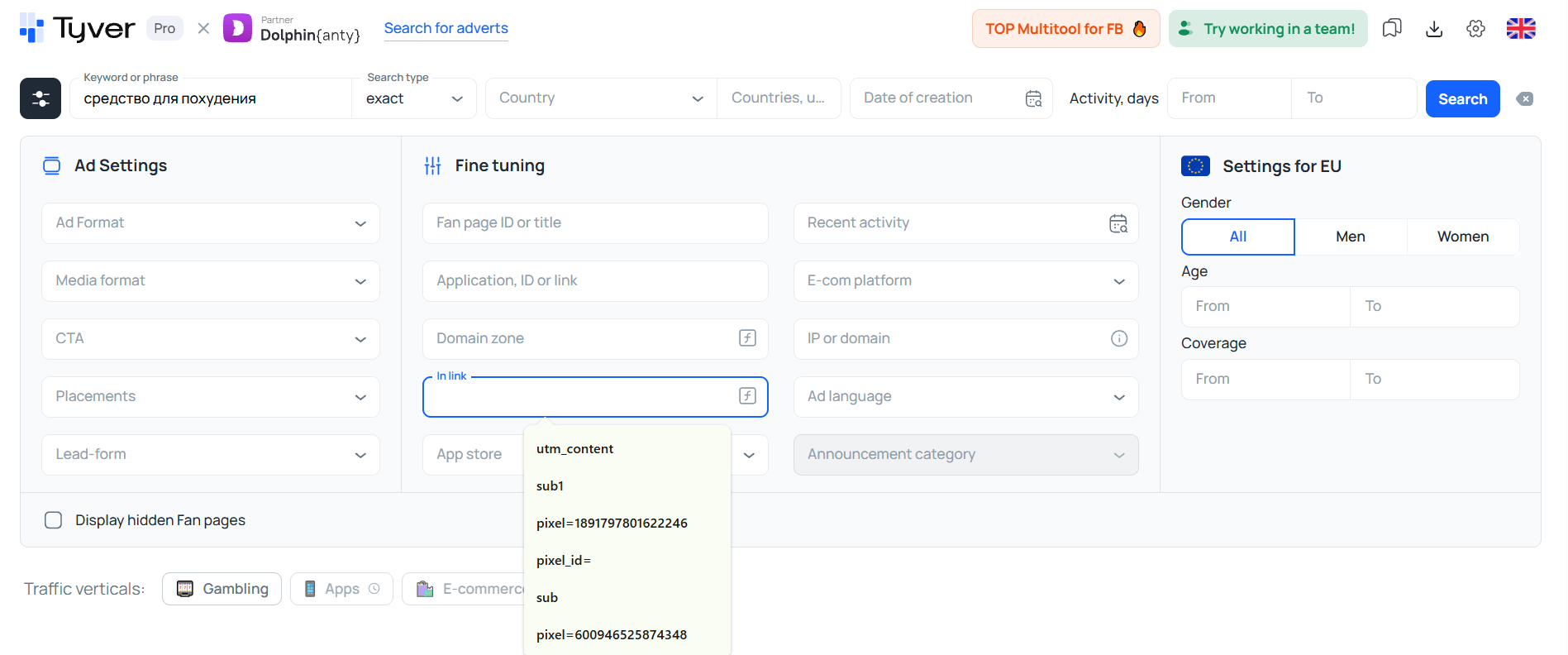
⚡️ The most common tracking macros include:
- sub1=
- utm_source=
- adset_name=
- pixel=
- pixel_id=
- ad_id=
Enter any of these into the URL filter, and the results will mostly display affiliate-driven ads.
How to find out who competitors are targeting on Facebook?
When you open a specific ad, you can immediately see which country and platforms it is targeting. If the campaign runs in the EU or other tier-1 countries, the ad will often display additional details such as the gender and age range of the target audience.
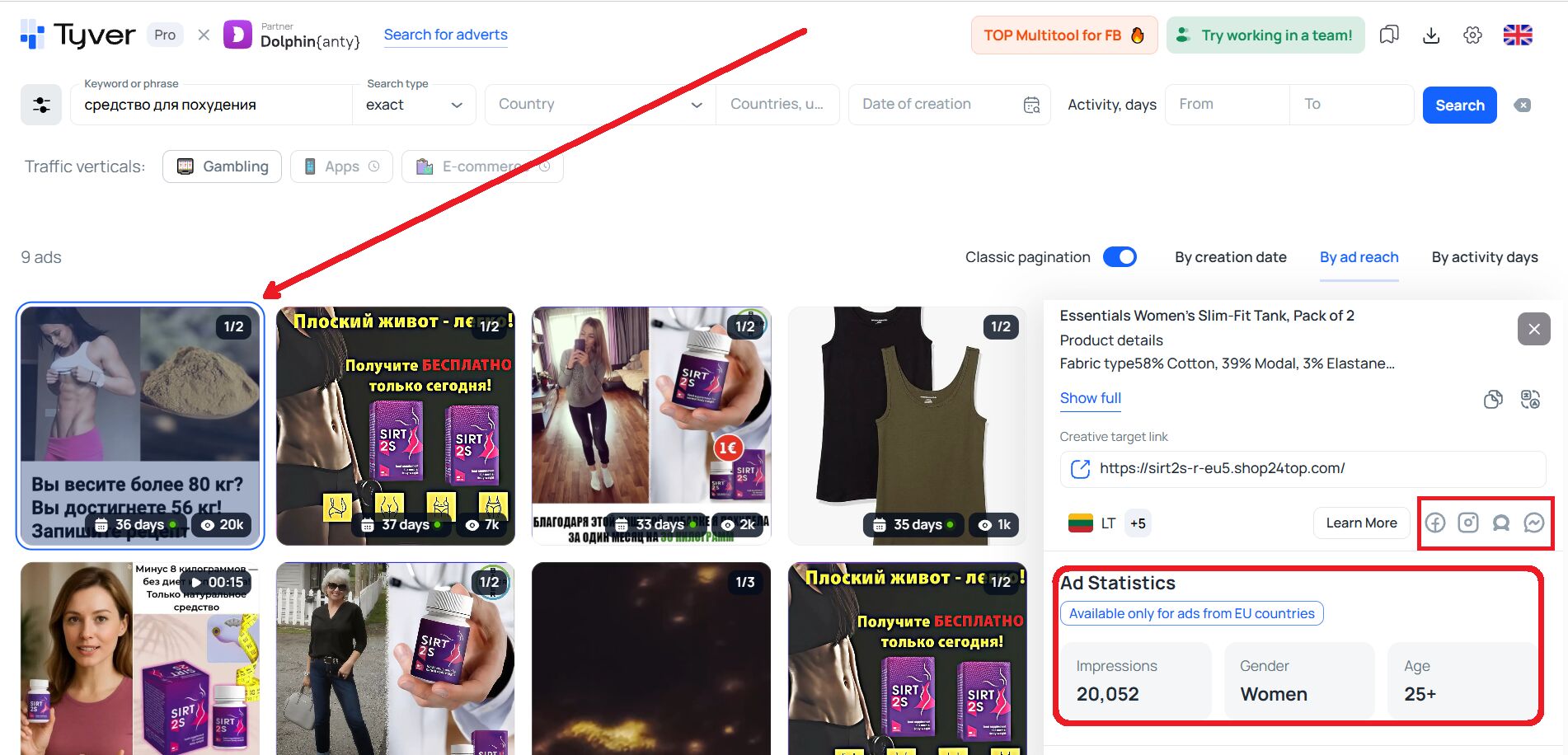
If you scroll down the ad and go to the “Related ads” section, then click on any of them, you’ll be able to view all ads launched from the same fan page.
Conclusion
🙂 For effective monitoring, you don’t need dozens of complex features — just keyword search, filters by CTA, e-commerce platforms, app stores, and URL fragments. However, Meta Ad Library lacks many of these options, it also doesn’t provide gambling-specific search or targeting filters by gender and age.
Tyver includes these search and filtering tools. They are implemented in a compact dropdown interface that doesn’t clutter the workspace.
Tyver doesn’t try to cover every possible advertising source — it focuses exclusively on Meta platforms. Using this tool, you can find competitors’ ads on Instagram and Facebook, as well as discover campaigns running on Threads, WhatsApp, and Messenger.
By concentrating solely on Meta Ads, Tyver delivers maximum quality at a reasonable price. To see it for yourself, sign up and test the platform using the free plan.