Tyver vs AdPlexity: Which Is Better for Solo Media Buyers and Affiliate Teams in 2026? 🤔
There is no single spy tool on the market that performs equally well across every traffic source. Buying one platform for everything rarely makes sense: you either end up paying for features you do not use or find that the tool lacks the filters you actually need for your traffic source.
Today, spy tools are generally developing in two directions. Some focus narrowly on a specific traffic source, while others collect ads from several different ad networks. Tyver is built specifically around the Meta ecosystem, while AdPlexity originally made its name as a tool for researching native ads, push traffic, and mobile campaigns.
In this article, we compare Tyver and AdPlexity in 2026. We will look at their search filters and analytics, compare pricing, and explain which tool makes more sense depending on your traffic source.
What Is Tyver and What Is It Built For?
Tyver was developed around one specific use case: finding and analyzing ads across the Meta ecosystem.
Unlike spy tools that try to collect campaigns from multiple traffic sources at once, Tyver focuses exclusively on Facebook, Instagram, Messenger, and Threads.
Meta Ad Database Size and Coverage
The service covers more than 92% of ads across major Meta placements, including the Facebook and Instagram feeds, Stories, Reels, and Threads. 📈
Its systems scan ad activity across more than 140 GEOs and refresh the database every few hours.
Search results include both currently active campaigns and archived ads from the past several years.
Standout Features
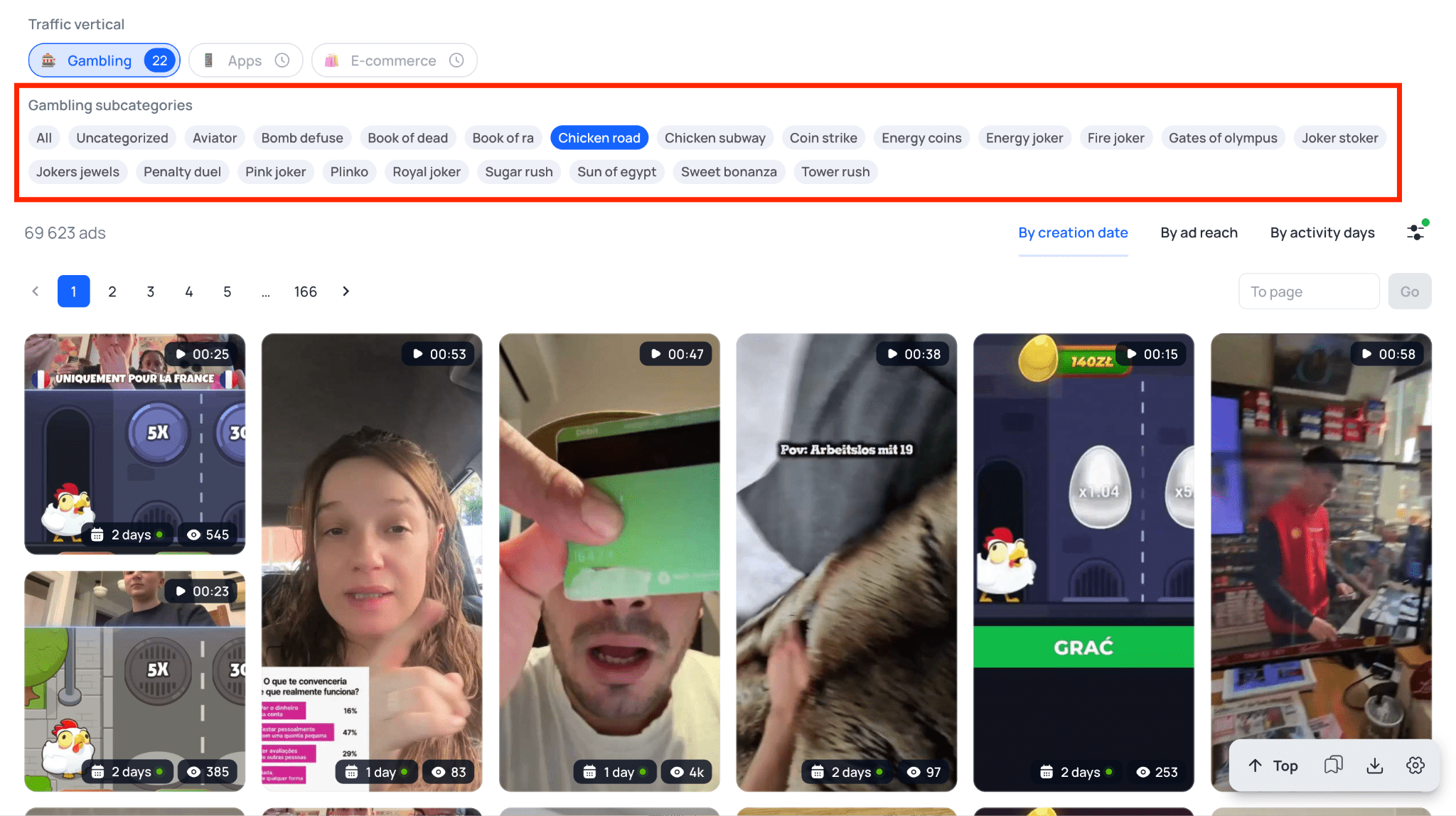
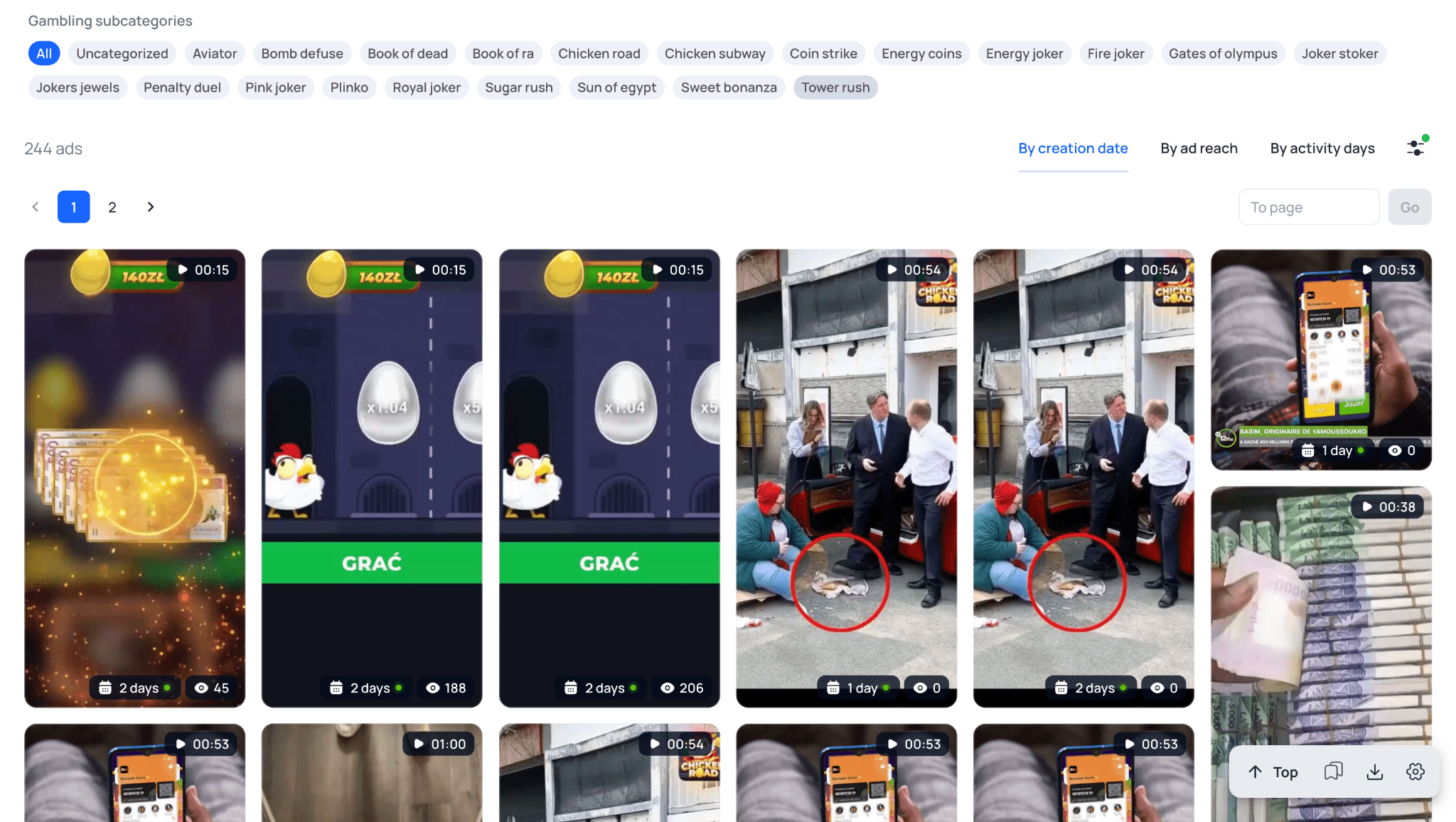
Gambling Filter. This can save a significant amount of time for media buyers working with gambling offers. With a single click, you can narrow the results to creatives for a specific product. The list includes more than 20 popular slots and crash games, including titles such as Aviator and Plinko that are widely promoted by affiliates.
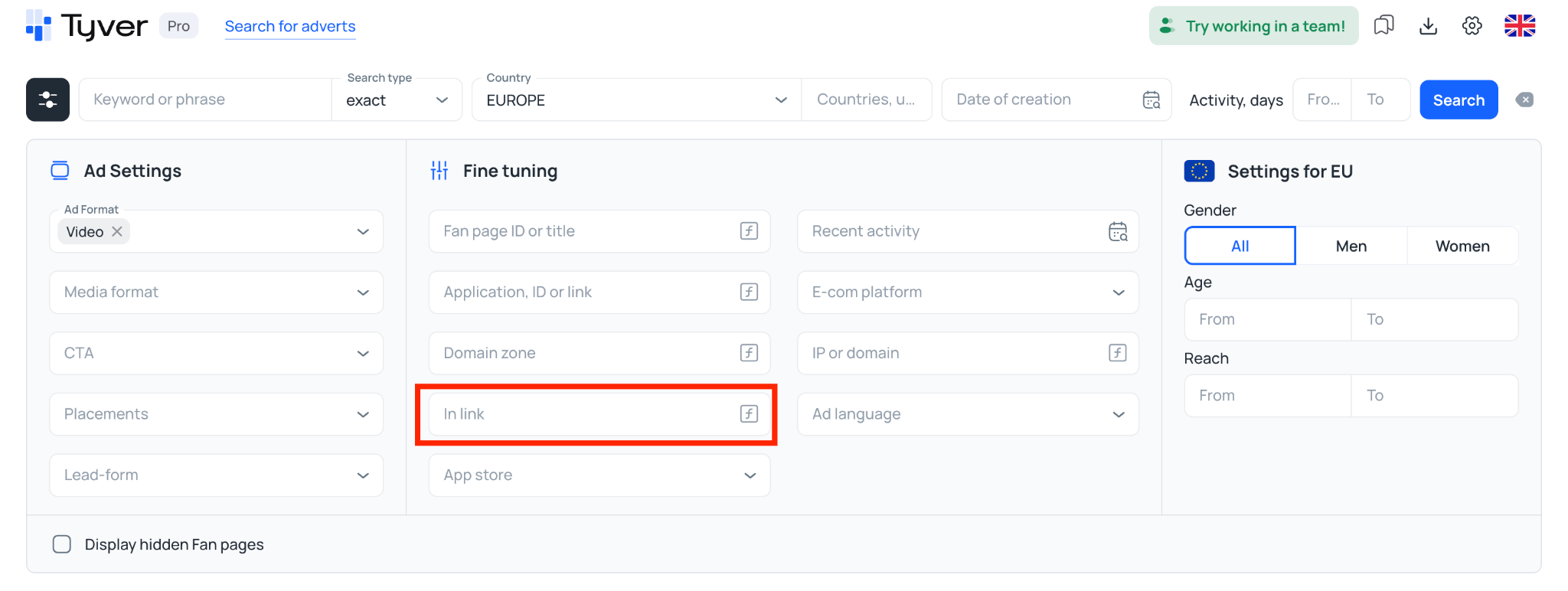
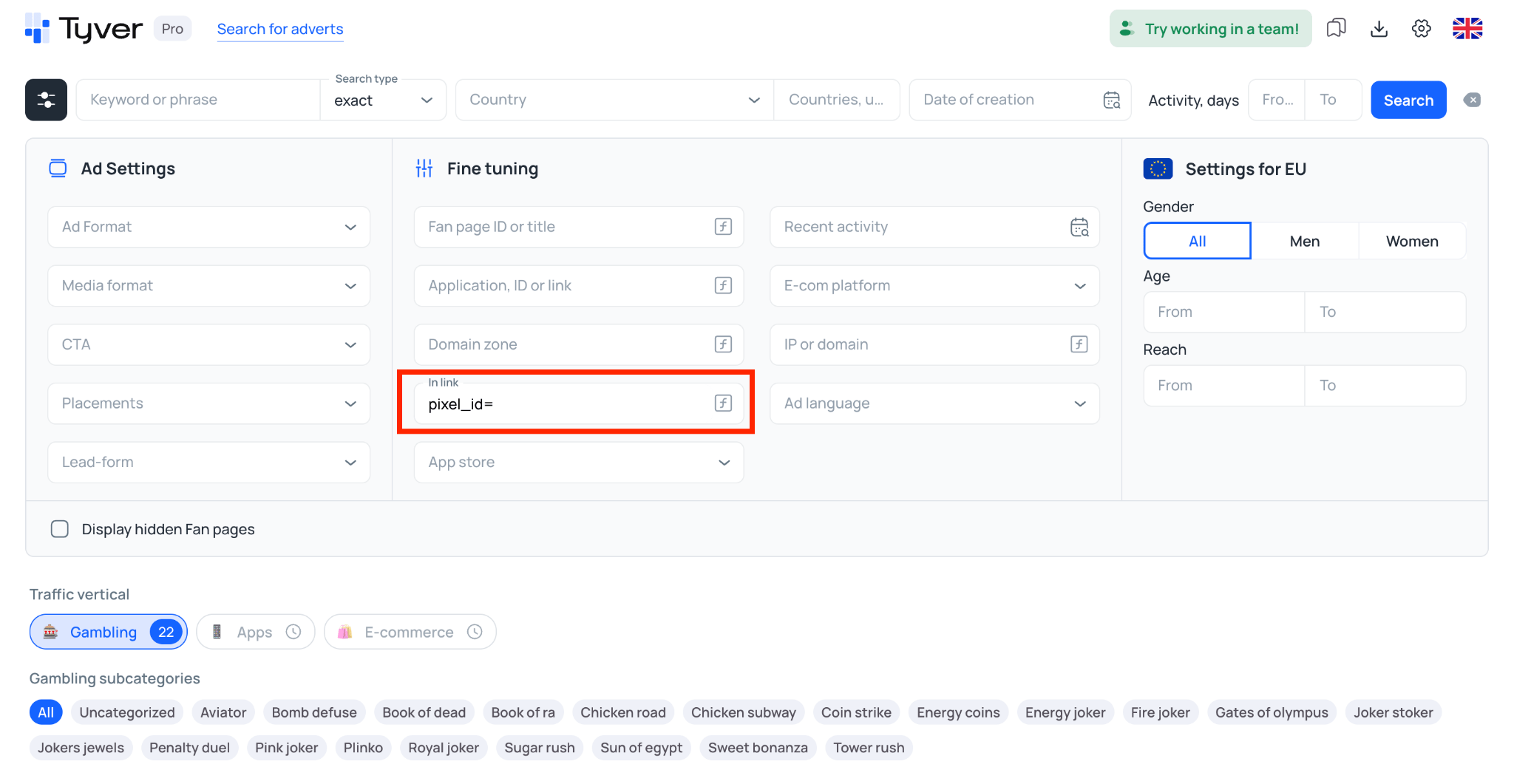
URL Parameter Search. The link search field supports technical tracking parameters such as click_id=, sub_id=, aff_id=, or pixel=. This makes it possible to narrow the results toward campaigns that are more likely to be affiliate-driven rather than standard brand advertising.
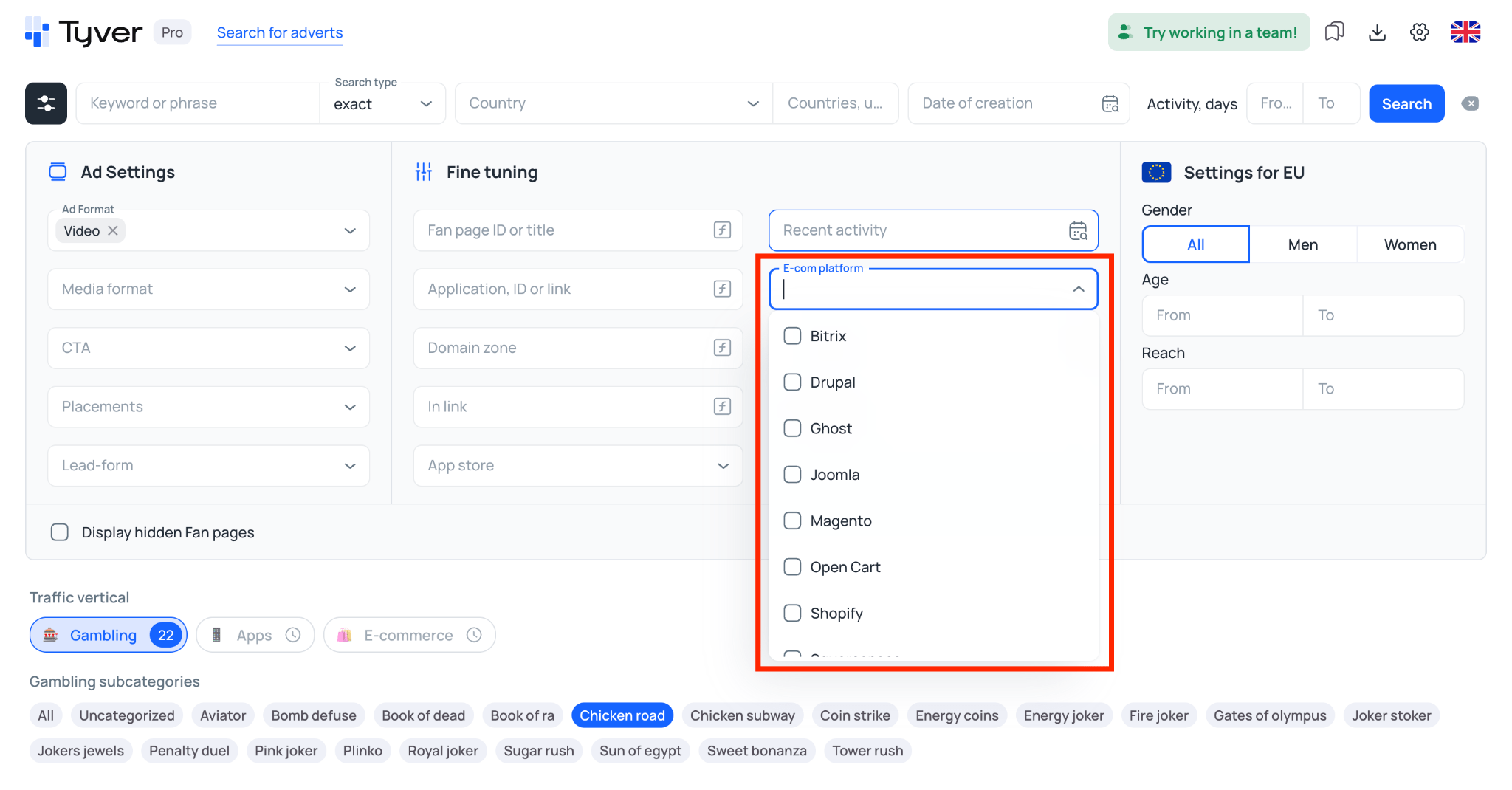
E-commerce Platform Filter. Tyver can also filter ads by CMS and e-commerce platform, including Shopify, WooCommerce, Wix, and others. This is particularly useful for dropshipping and mainstream e-commerce. You can quickly find competitors’ online stores, identify products they are advertising, and research creative ideas.
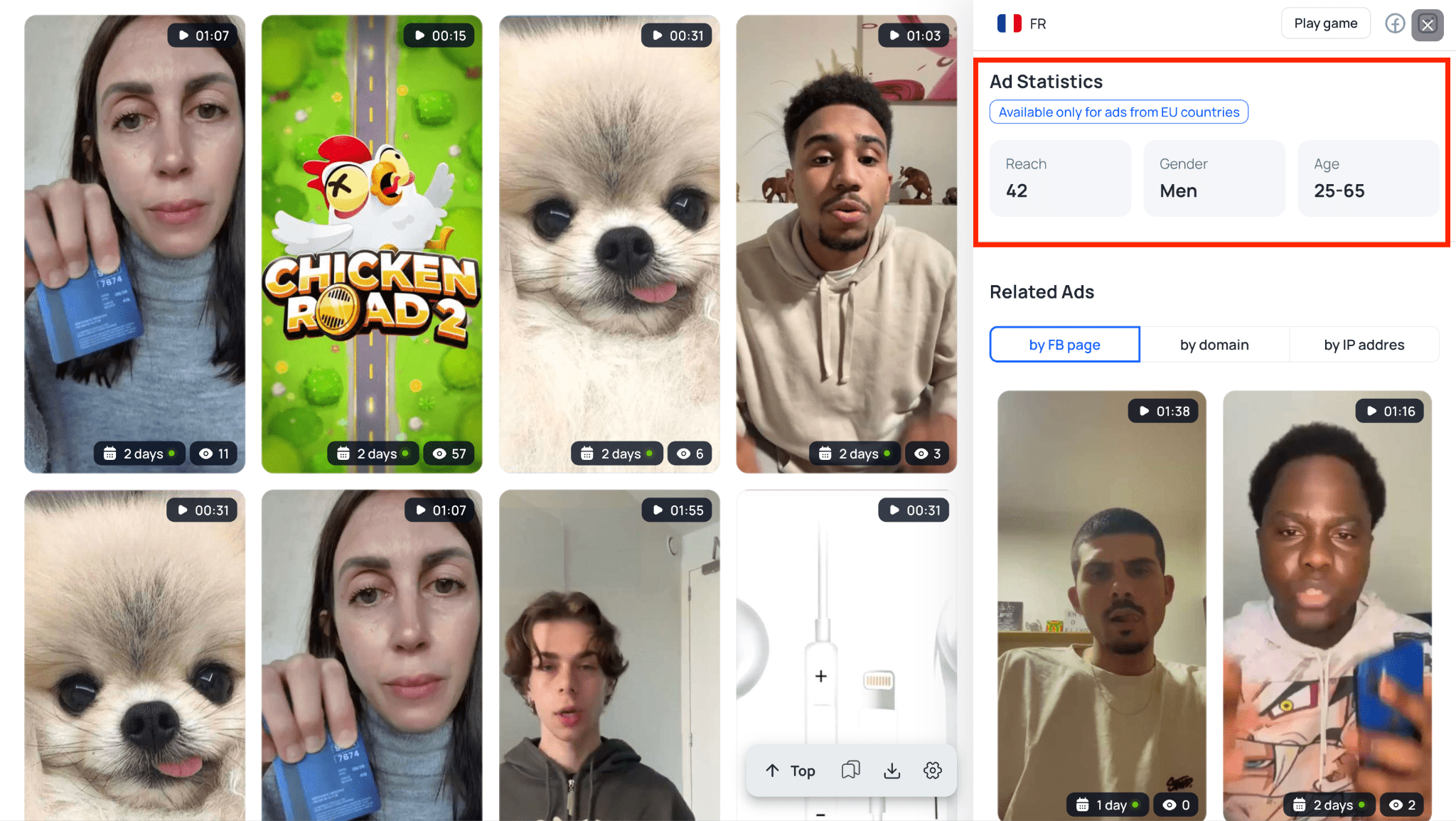
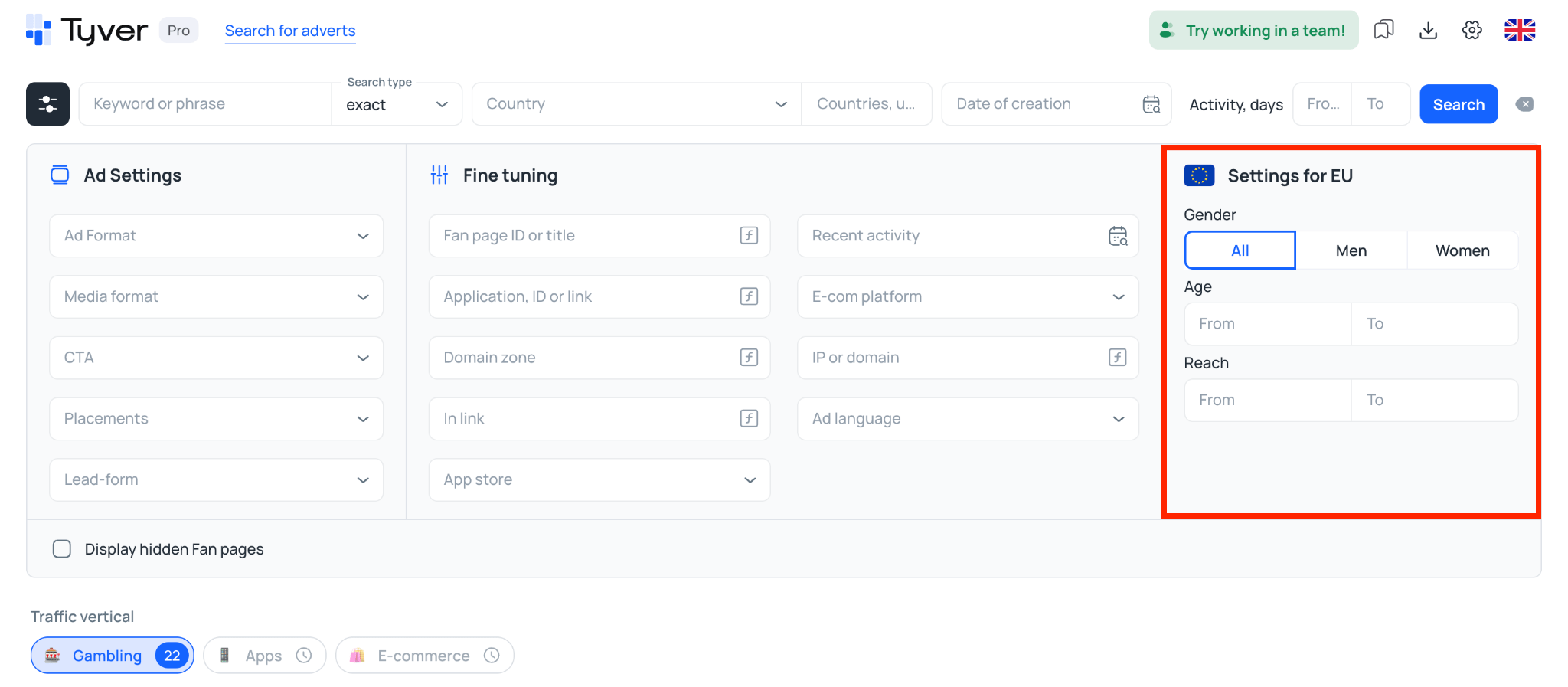
EU Reach and Demographic Data. Tyver is one of the relatively few spy tools that displays reach and demographic data for European GEOs. If you work with EU traffic, you can see the age and gender breakdown for an ad and get a better idea of who the advertiser is targeting.
Instant Ad Translation. Ad copy can be translated right inside the interface with a single click, without switching to a separate translation tool. This is a real time-saver when you are researching angles in a language you do not speak — Spanish, German, Vietnamese — and just need to quickly understand the offer and the angle a competitor is running. 🌍
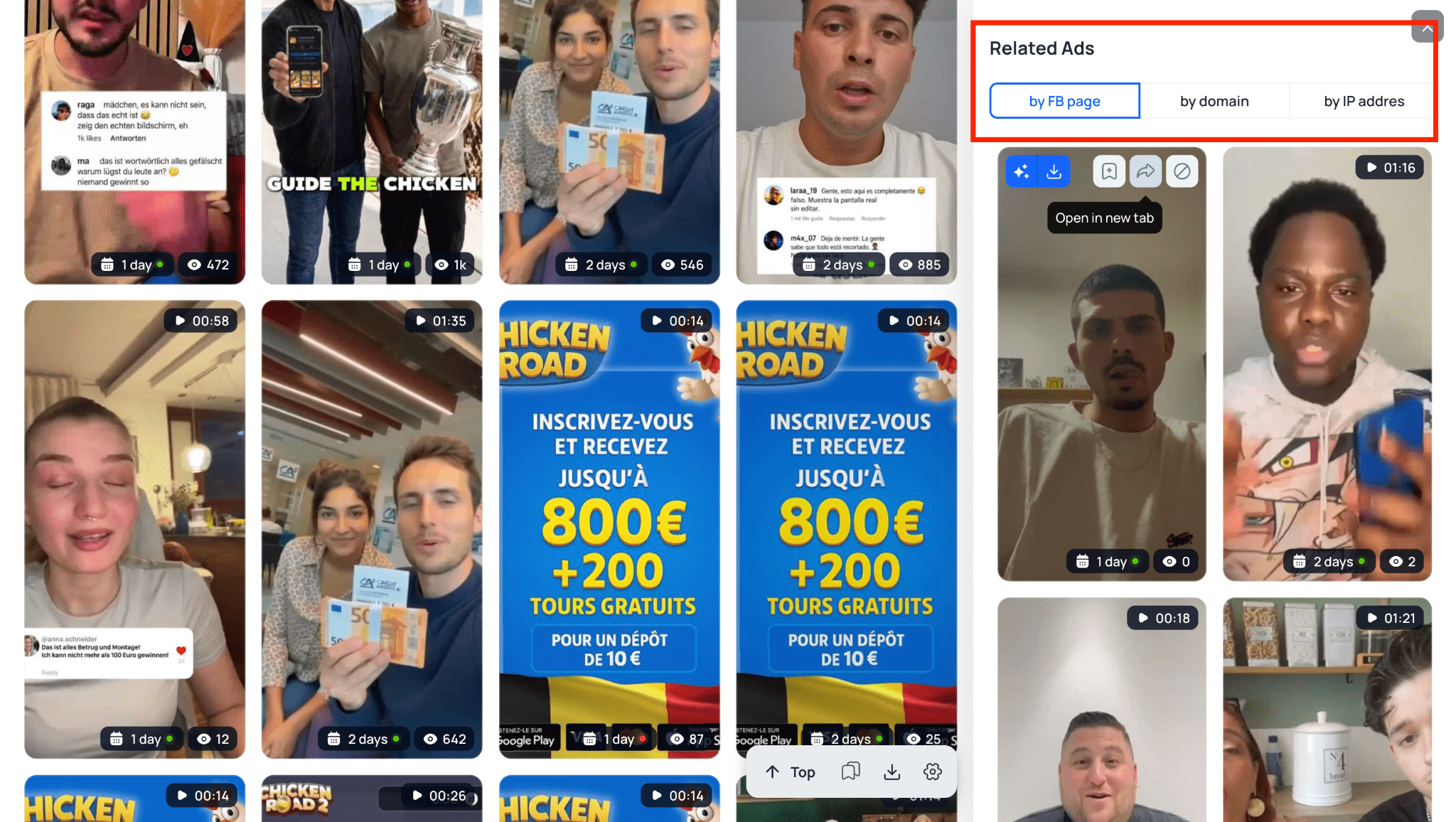
Funnel Research. Tyver can show all ads associated with a specific Fan Page, domain, or server IP address. This makes it easier to map out a competitor’s setup, see which creatives they are running, and identify the pre-landers used in the funnel.
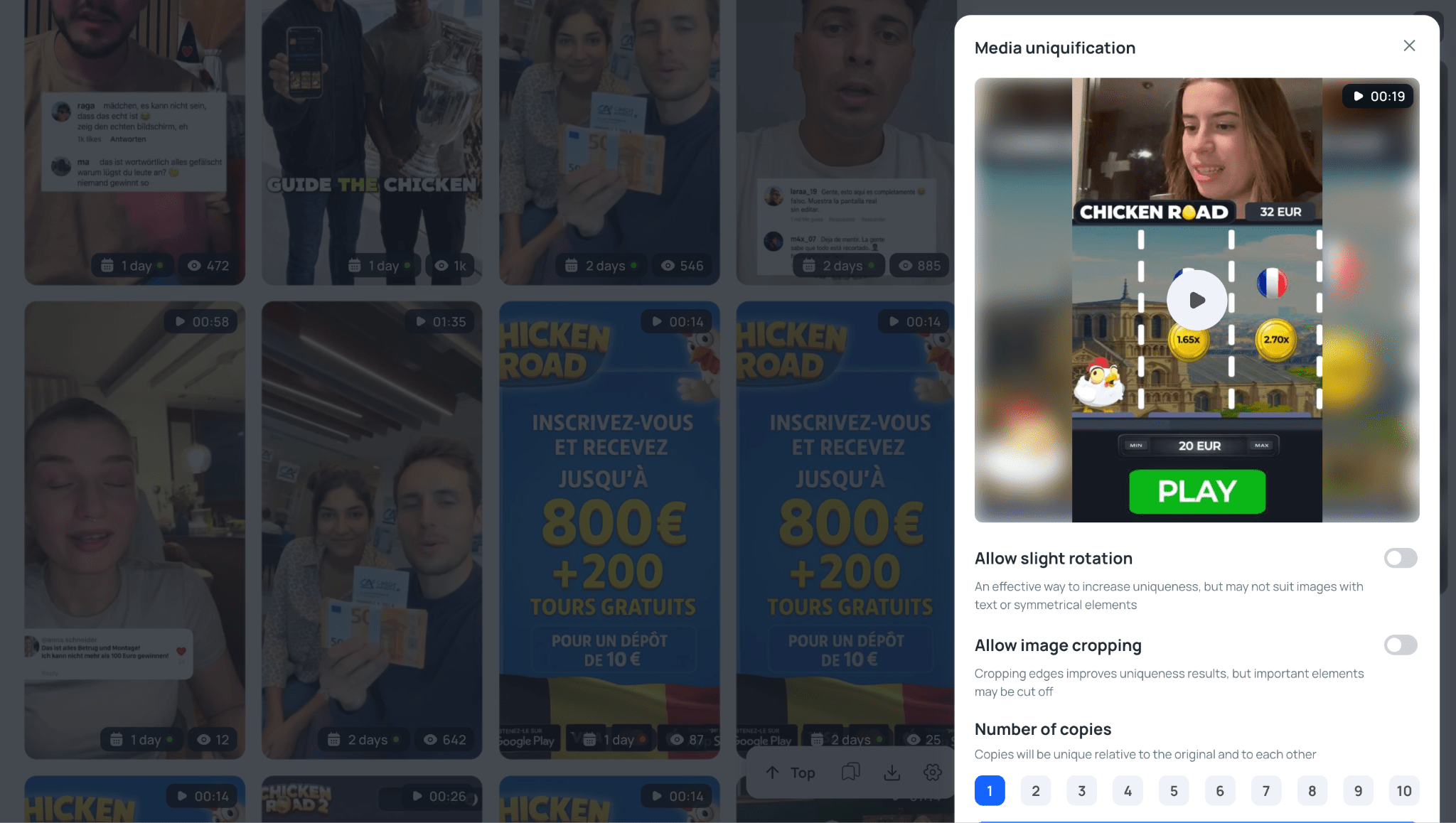
Built-In Creative Editor. The tool is available directly from the ad card. You can rotate the creative, crop the edges, add noise, and download the edited version.
Team Access. The Team plan allows managers to give buyers separate access and set individual view limits for each account.
Folders can also be shared through a direct link, allowing a buyer to open a saved collection of creatives without signing in to the platform.
AdPlexity Overview
AdPlexity is one of the better-known spy platforms for native ads, push traffic, pop traffic, and mobile campaigns.
It is designed around networks such as Taboola, Outbrain, PropellerAds, and MGID, and can be used to track competitor campaigns across both desktop and mobile traffic.
AdPlexity Products: Mobile, Desktop, Native, Push, and More
AdPlexity is structured differently from many other spy platforms. It does not offer one universal subscription that unlocks every traffic source.
Instead, the platform is divided into separate products for different ad formats and device types, including Native, Mobile, Desktop, Push, Social, and Adult.
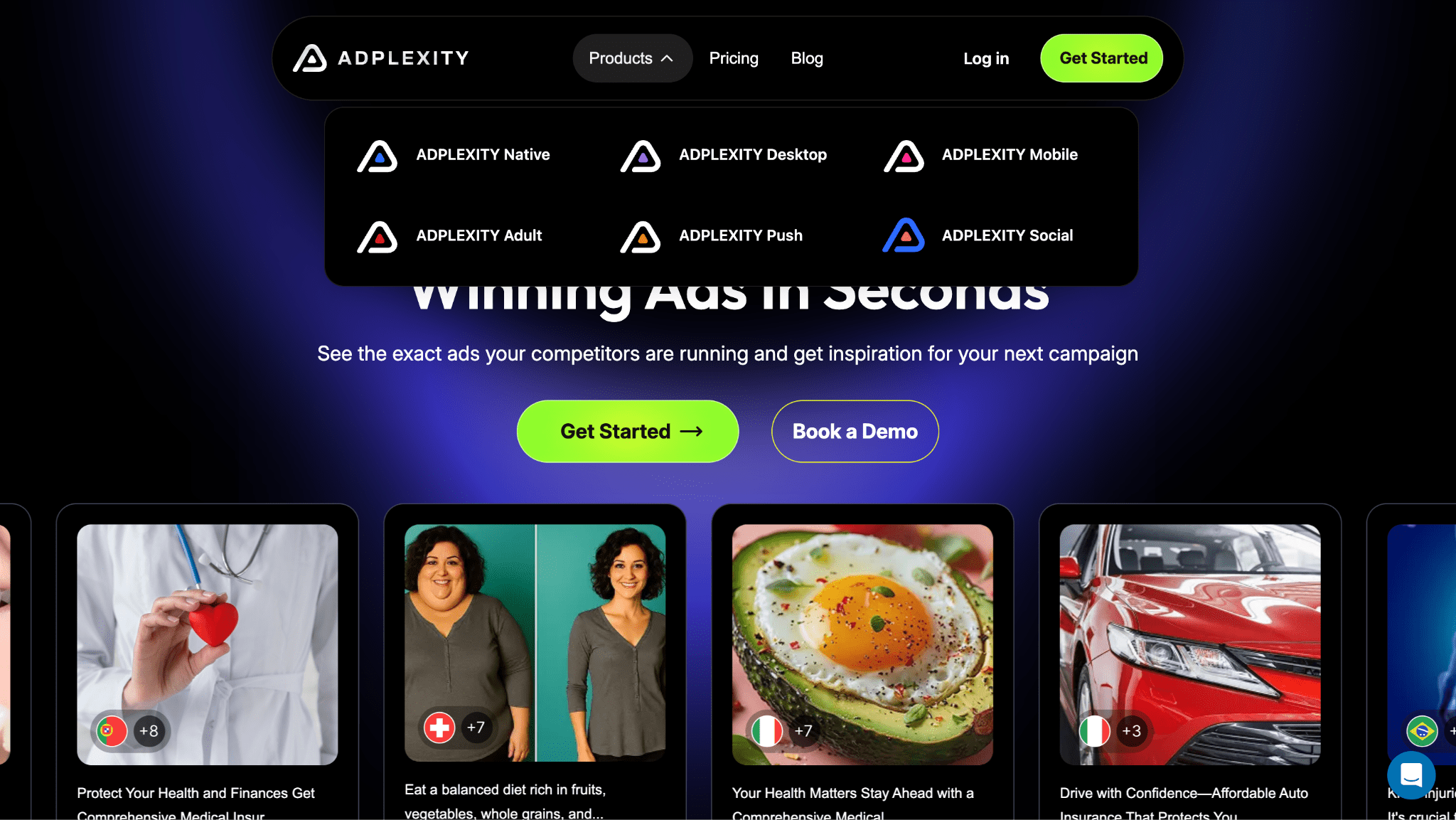
There are several reasons for this structure:
- Different data sources and collection methods. Native ads from platforms such as Taboola, Outbrain, and MGID are collected through large news and content sites. Push campaigns come from push ad feeds, while the Social product focuses on Meta ads. Each format requires its own collection and processing infrastructure.
- Different targeting and device requirements. The mobile product tracks impressions by operating system and mobile carrier, while the desktop product focuses on banners and native ads shown on websites designed for larger screens.
- Pricing. Maintaining and constantly refreshing a global database across every network is expensive. By separating the platform into individual products, AdPlexity lets buyers pay only for the traffic source they actually use, whether that is push, native, mobile, or social.
Tools and Features
Full-Funnel Search. AdPlexity can search for keywords and domains not only in the ad copy itself, but also on the landing page, throughout redirect chains, and in outbound links placed on pre-lander buttons.
You can enter a tracking domain and find ads associated with a competitor, or identify pre-landers that ultimately lead to a specific offer.
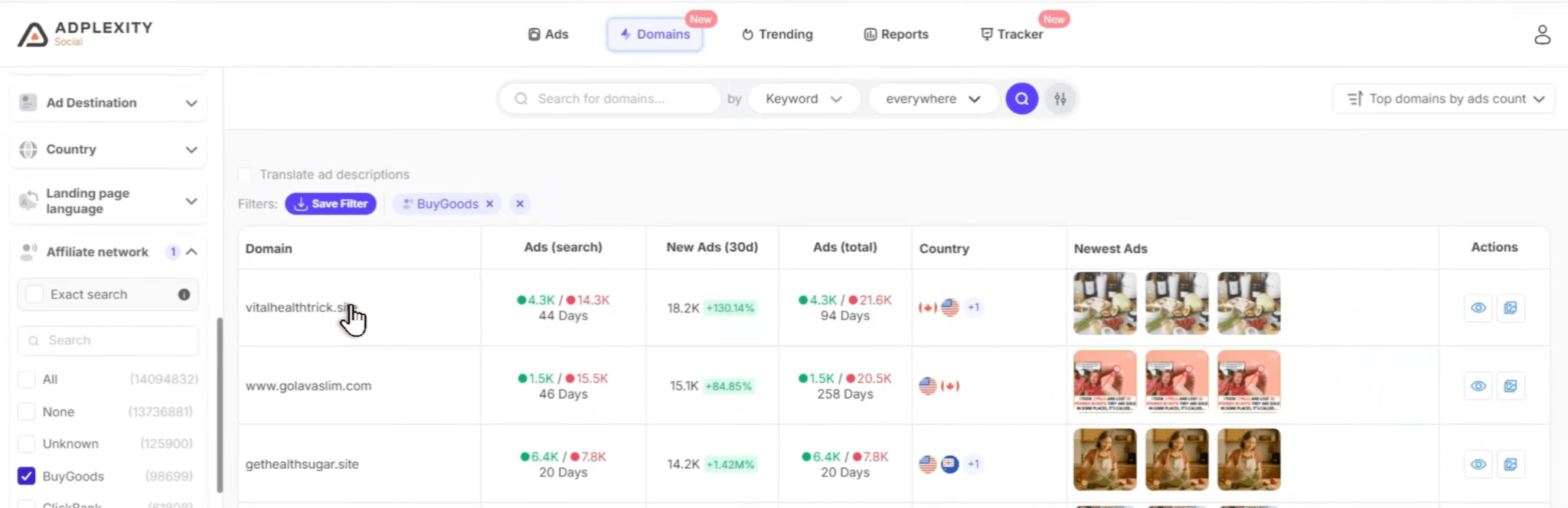
Filters by Tracker, Network, and Platform. The platform supports filtering by trackers such as Voluum, Binom, and RedTrack, site platforms including Shopify and ClickFunnels, and affiliate networks such as ClickBank, BuyGoods, and MaxBounty.
The affiliate network filter is primarily geared toward mainstream affiliate marketing, nutra, and e-commerce.
Creative Grouping. The “Group ads by creative” feature matches identical images and videos used across different Fan Pages and accounts.
It shows how many ads use the same creative and which pages are running it.
Domain Analytics. This section provides detailed information about a competitor’s domain, including the number of active and stopped ads, associated landing pages, target GEOs, and campaign duration.
Custom Boards and Sharing. Users can build collections of campaigns and save not only individual creatives, but entire domains and Fan Pages as well.
Finished boards can be shared with individual buyers or a full team through a direct link.
Landing Page Downloads. In supported products, AdPlexity can download a landing page as a ZIP archive containing its images, styles, and scripts. The platform can also remove external redirects and third-party scripts so the page is easier to upload to your own hosting.
This feature is available in Native, Mobile, and Desktop. The Social product only allows users to view landing pages.
Search Filters and Analytics: Tyver vs AdPlexity
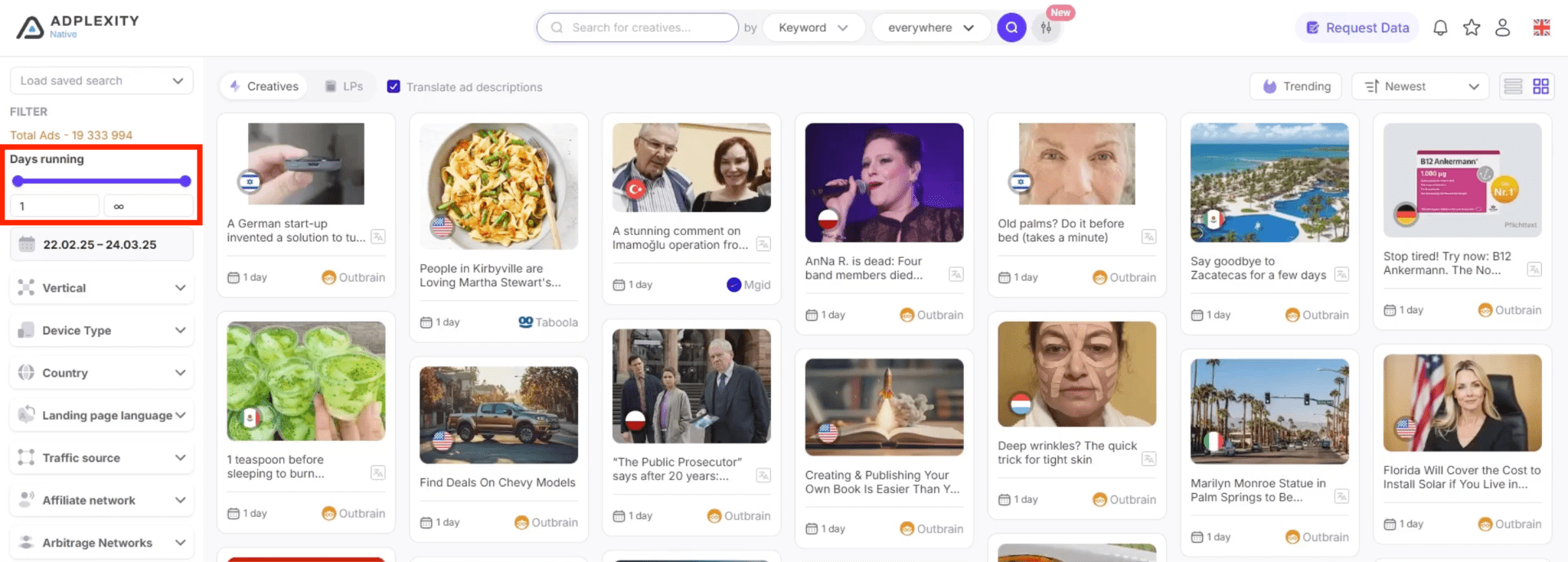
In AdPlexity, the main filters are located in the left-hand sidebar.
At the top, there is a “Days running” slider for campaign duration, along with a calendar for setting an exact date range.
Below that is the “Industry” section, where ads are grouped into categories such as “Gambling,” “Lead gen,” “App Downloads,” “Ecom,” and “Affiliate.”
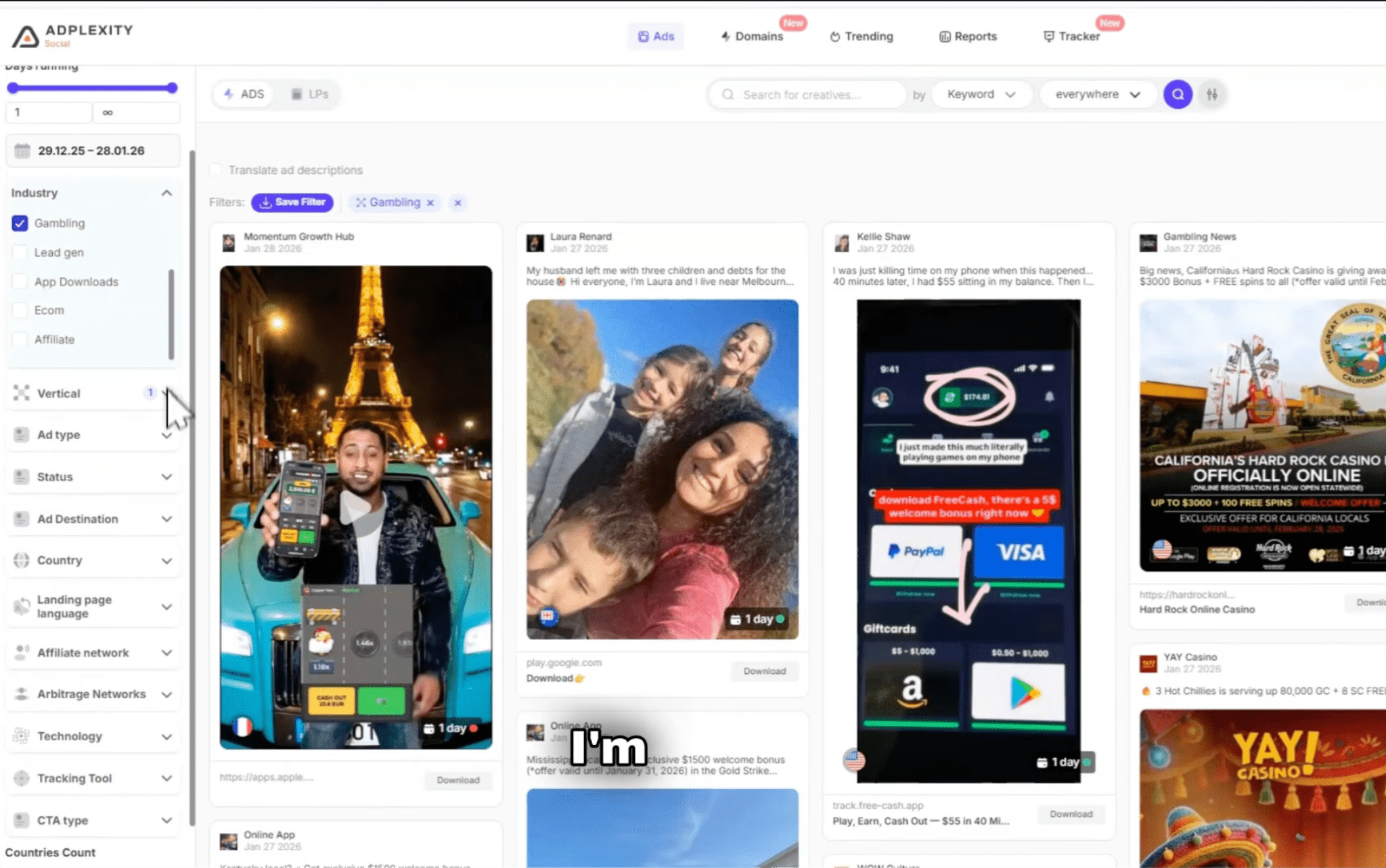
One useful detail is the status filter. In addition to active and stopped campaigns, AdPlexity includes a “Deleted” option. This displays ads that have already disappeared from Meta’s official ad library, for example because the account was banned or the ad violated platform rules.
That can be especially useful in gray-hat verticals such as gambling, where many creatives disappear quickly but may still remain available in the spy tool’s database.
AdPlexity also includes an “Affiliate network” filter with options such as ClickBank, BuyGoods, and Digistore.
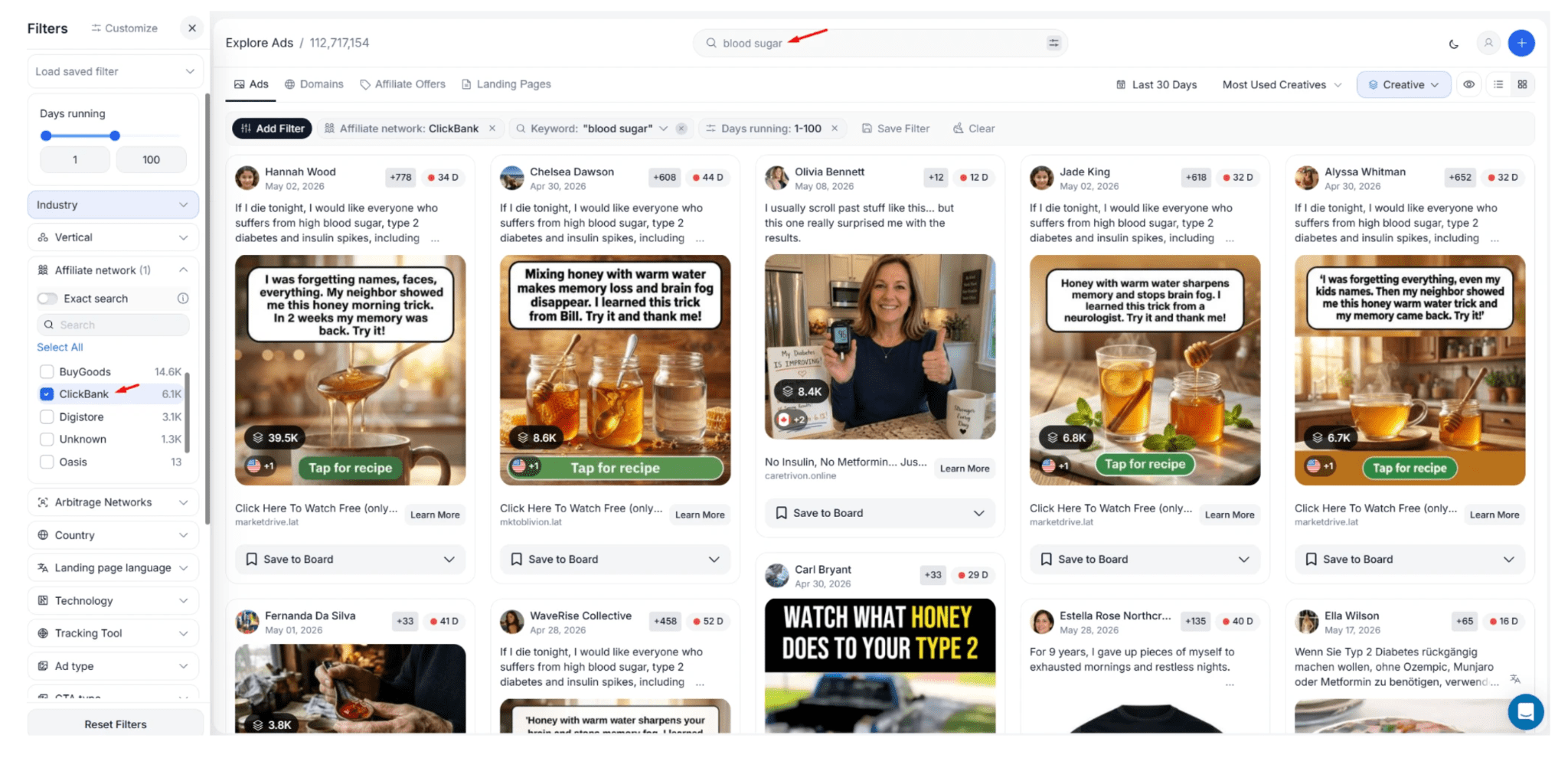
Under “Technology,” users can filter campaigns by site platform, tracker, or specific funnel technology, including PWA-style landing pages used to imitate app stores in gambling funnels.
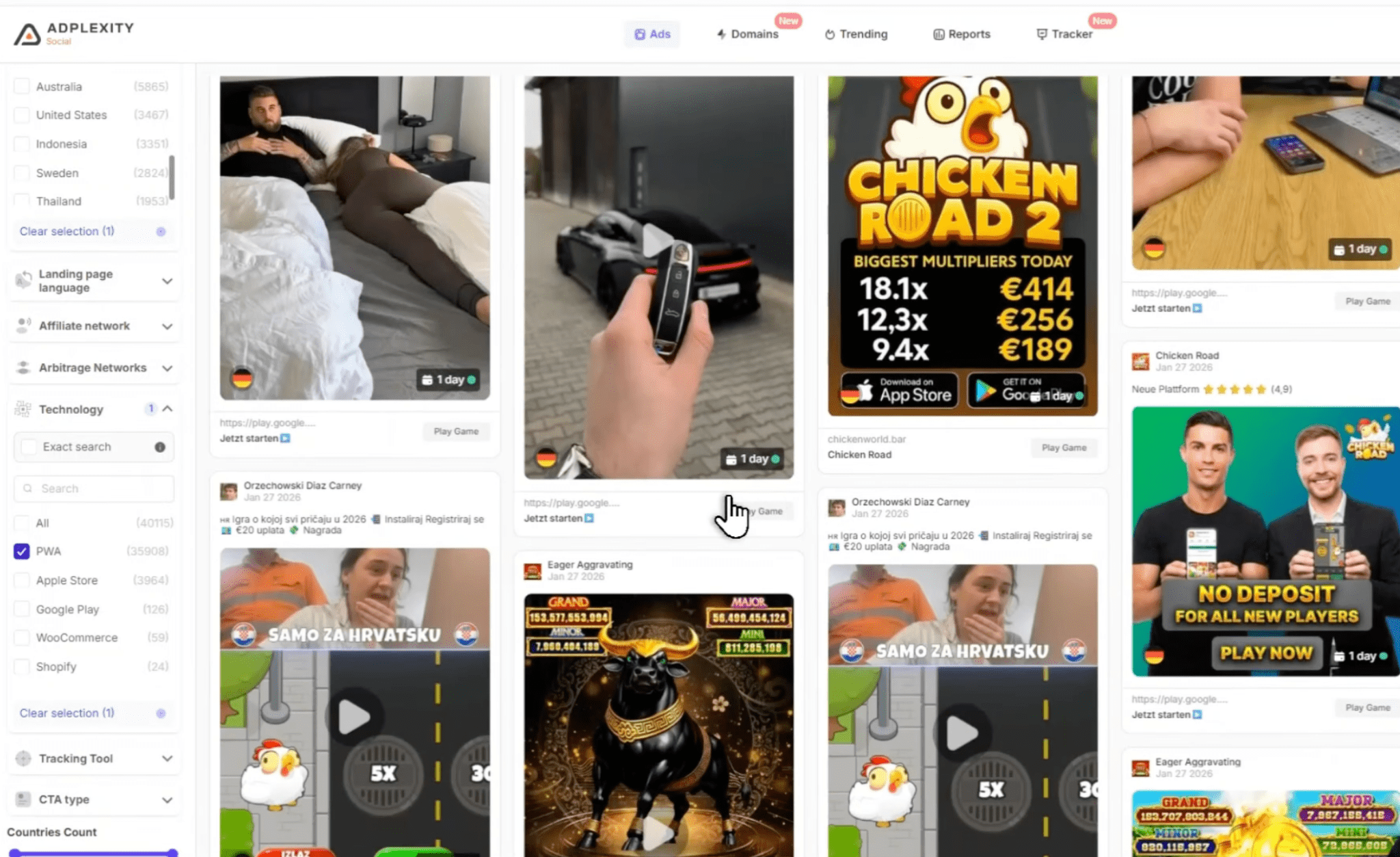
The main search bar can be used for more than ad copy. The drop-down menu lets you define exactly where the query should be matched, including the pre-lander URL, domain, redirect chain, or outgoing links.
Above the results, there is also a “Group ads by” filter. If you group by creative and sort by “Most used creatives,” the platform combines ads that use the same image or video.
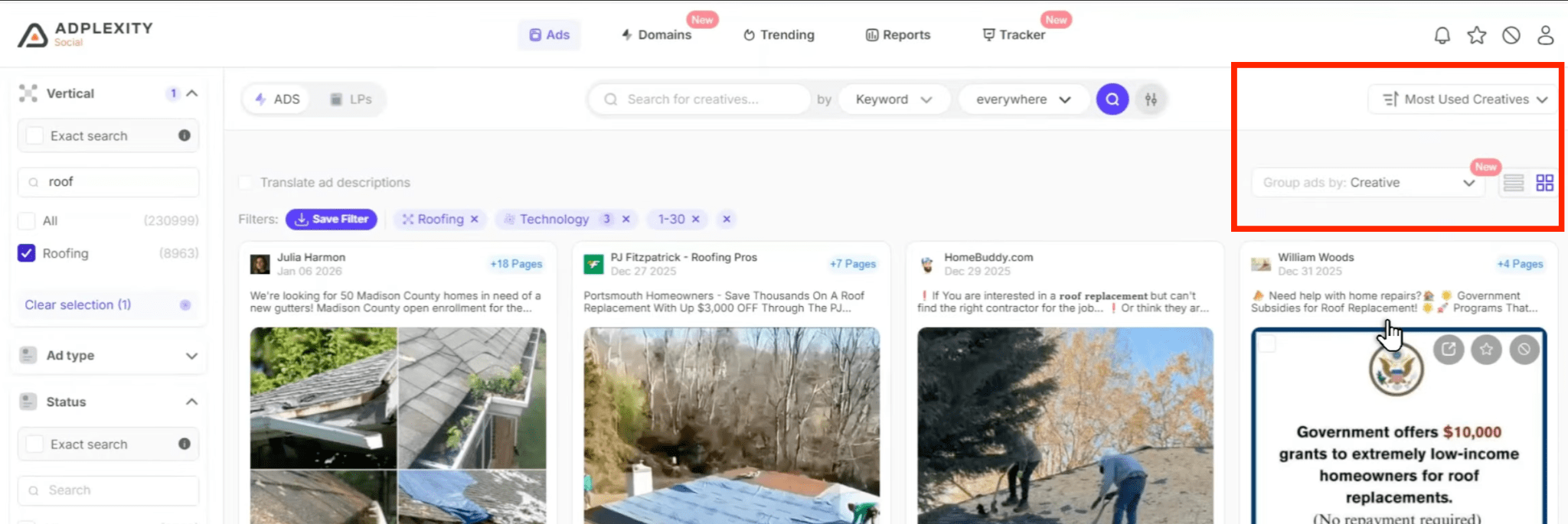
This is useful because a buyer may run the same visual across dozens of different pages. Without grouping, the feed becomes cluttered with duplicates. Creative grouping removes those repeats and brings the most widely used visuals to the top of the results.
Tyver takes a somewhat different approach. At the top of the interface, you get the main search controls: keyword search, search type, country selection, ad creation date, and “Active days” fields where you can set a minimum and maximum campaign duration.
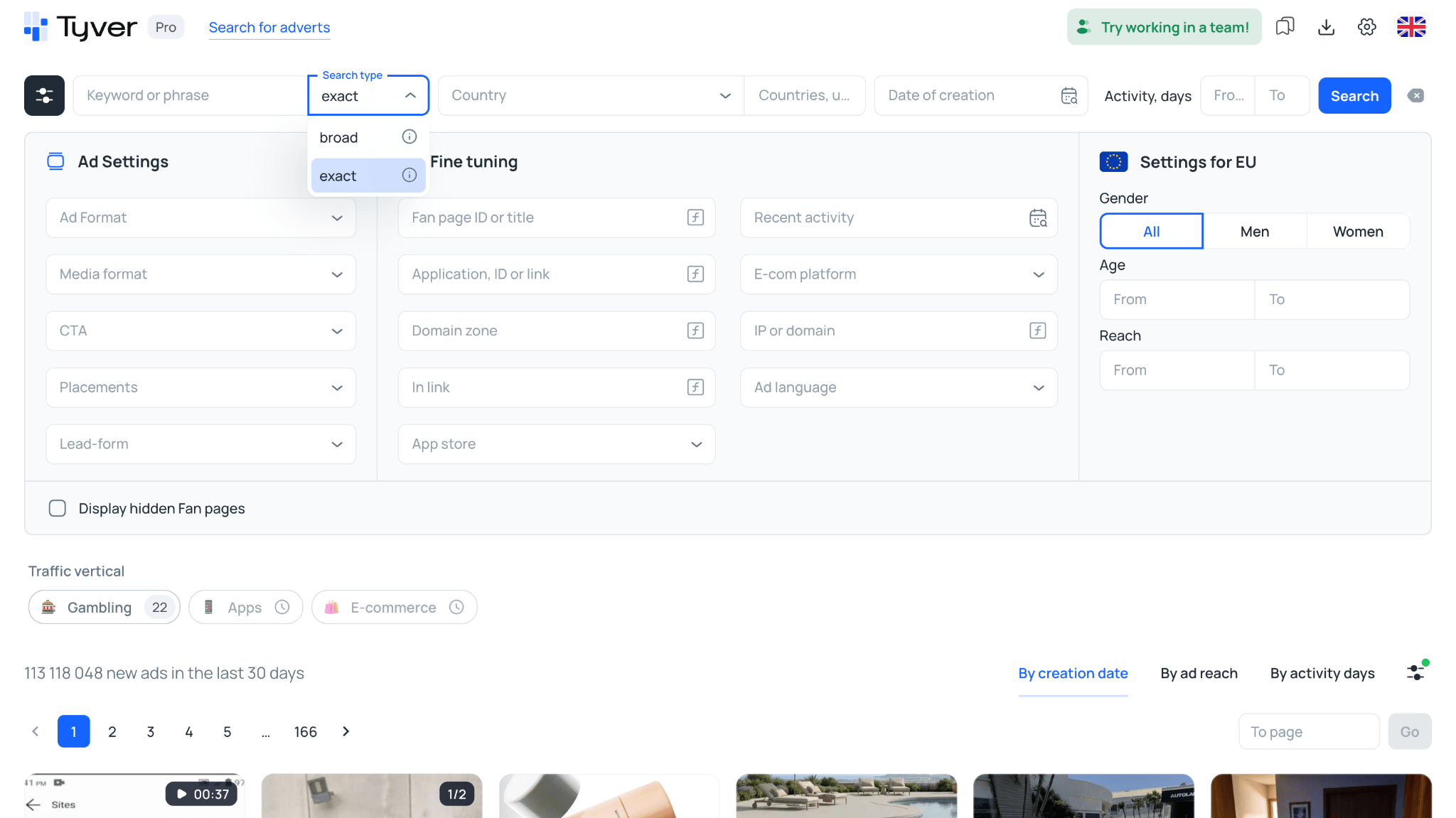
Tyver supports two keyword search modes: broad and exact.
With broad search, the platform looks for individual words from the query across the full ad text and takes morphology into account. This is useful when you are researching an angle but do not know the exact wording.
For example, you can enter a phrase related to an audience pain point or offer theme, and the tool will return ads that use different grammatical forms of those words.
Exact search looks for the phrase exactly as it was entered. This mode is useful when you need to find a specific offer name, branded query, or exact headline from an ad.
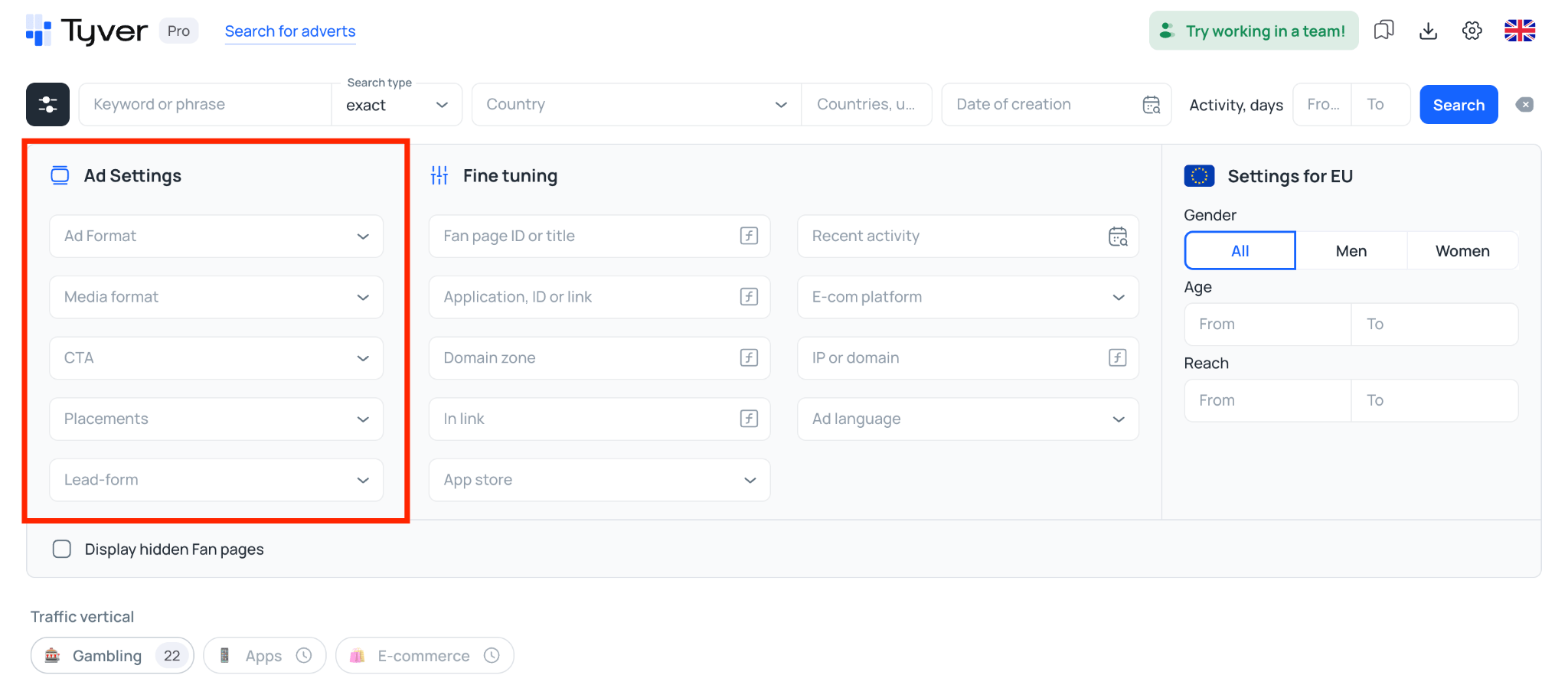
The main settings area below is divided into three columns. The left-hand column, “Ad Settings,” contains filters for ad format, media type, CTA buttons, placements, and lead forms.
The middle column, “Advanced Settings,” is designed for more granular funnel research.
The “In Link” field lets you enter tracker parameters such as pixel_id=, sub1=, or utm_source=. This filter is often used to remove a large share of standard brand advertising and focus more closely on affiliate campaigns.
For app campaigns, Tyver includes the fields “App, ID or Link” and “App Store.”
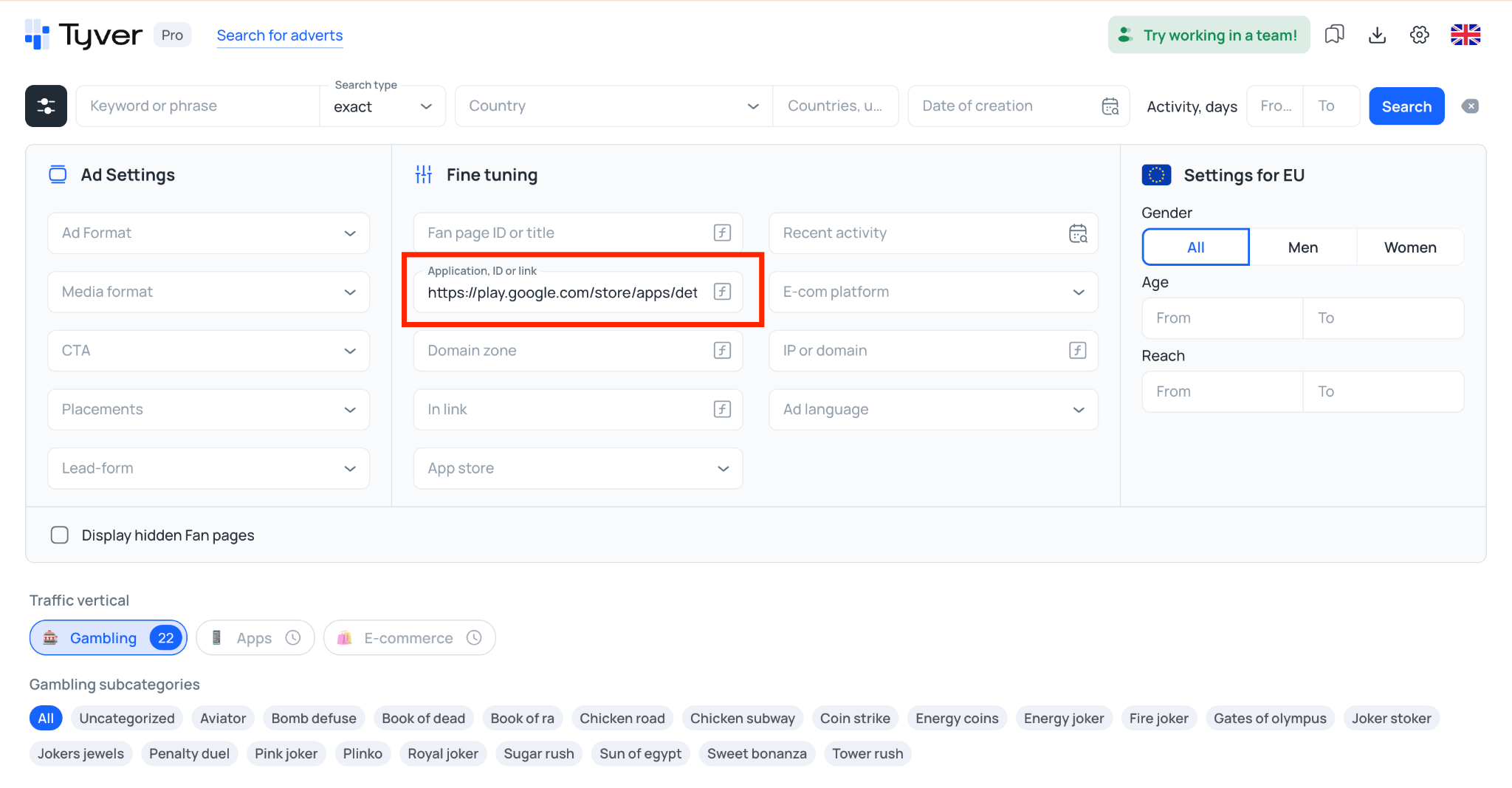
You can paste an app URL or its ID from the App Store or Google Play and find the ads that are sending traffic to that specific app.
The “EU Settings” column includes audience age, gender, and reach filters.
Directly above the search results is the “Traffic Vertical” section with Gambling, Apps, and E-commerce buttons. The Apps and E-commerce sections are still under development.
Selecting Gambling opens a list of subcategories featuring popular slots and crash games such as Aviator, Plinko, Sweet Bonanza, Gates of Olympus, Book of Dead, Sun of Egypt, and others.
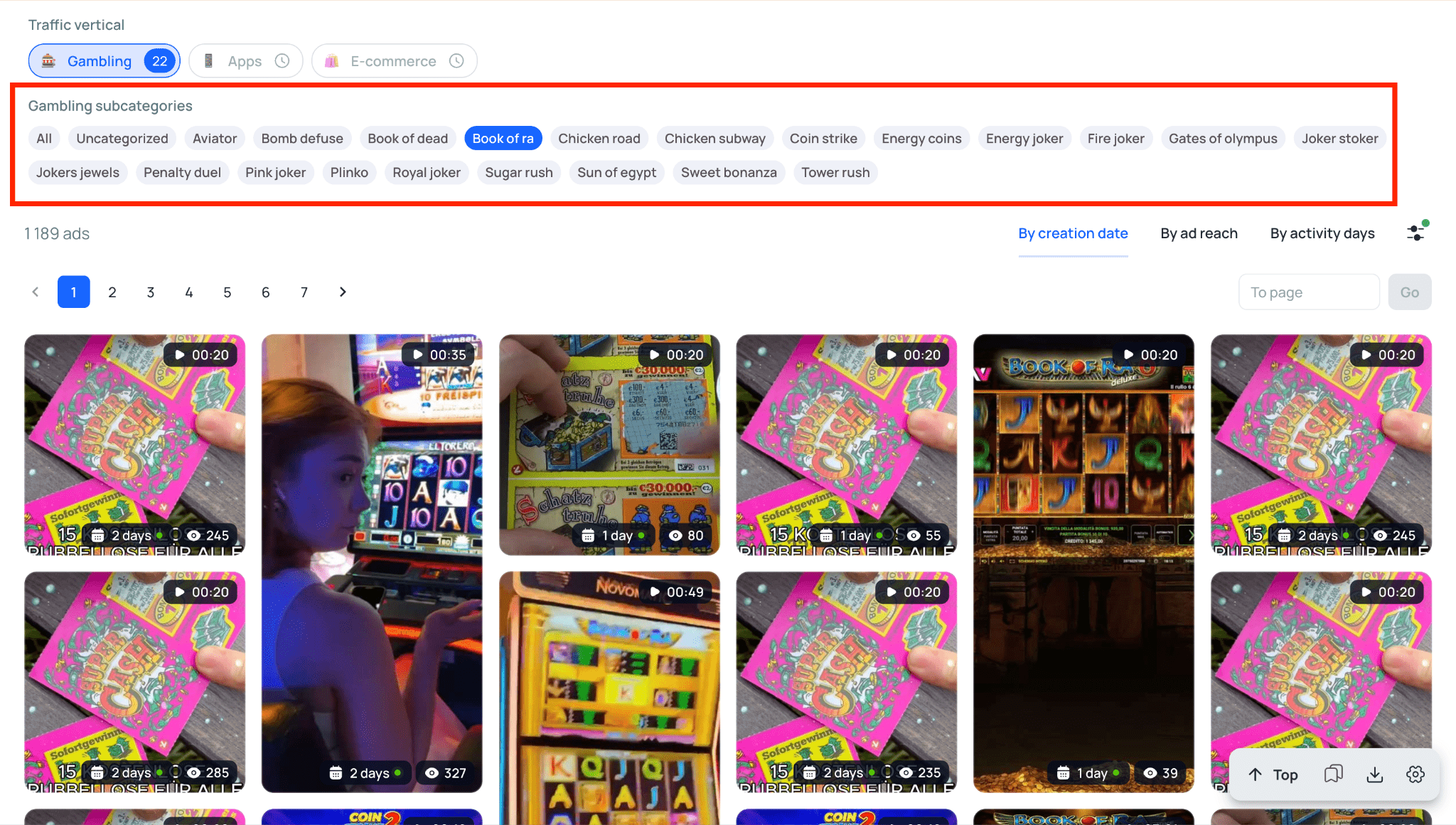
Choosing a specific game immediately filters the results to ads associated with that product.
In practice, this works like a ready-made search preset. You do not need to build the query manually or enter the offer name yourself. ⏱️
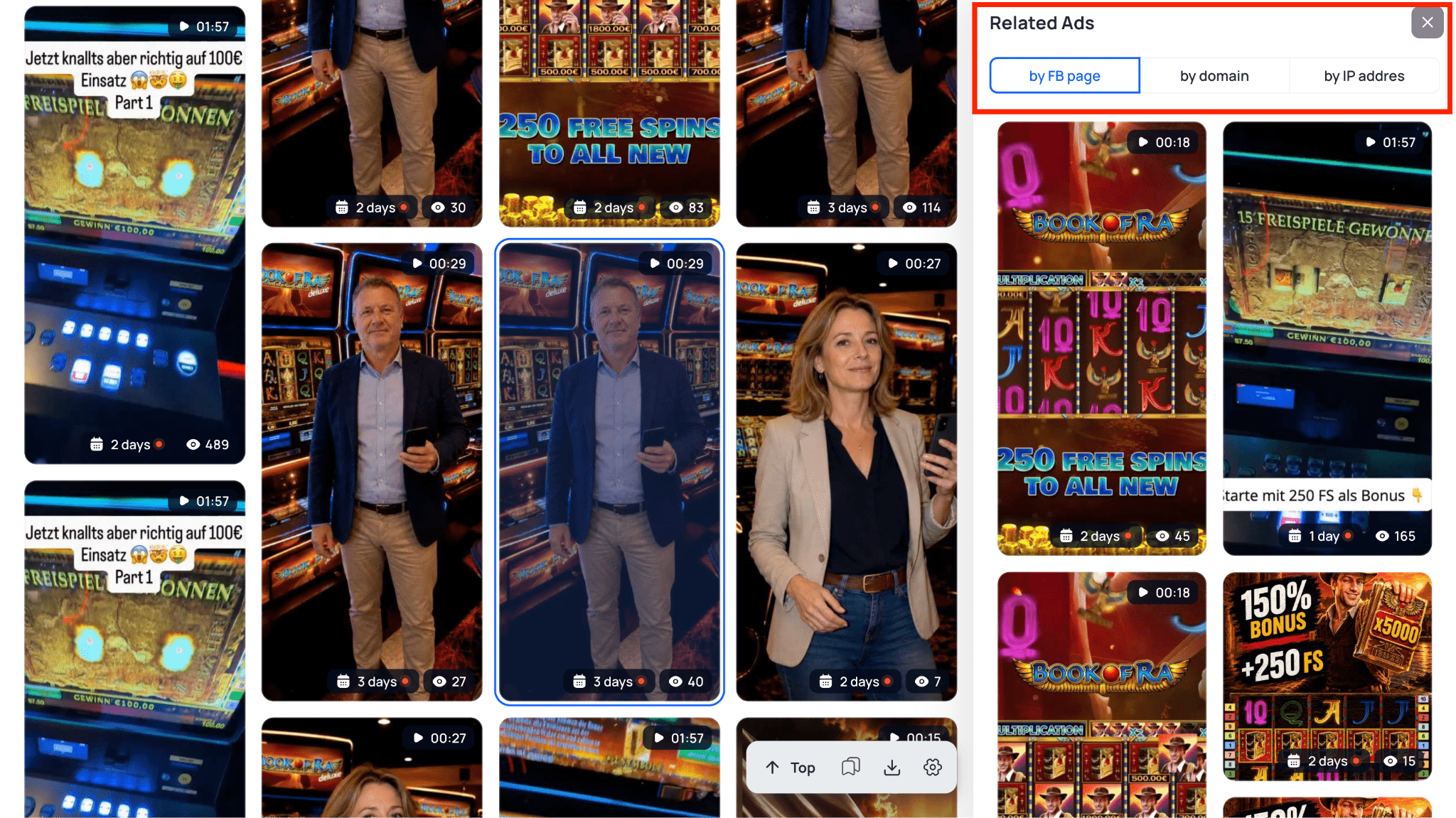
When you open an individual ad card, a “Similar Ads” section appears below the reach and audience statistics.
It includes three quick-search options:
- By FB Page: shows other ads launched from the same Fan Page;
- By Domain: finds ads pointing to the same website or pre-lander;
- By IP Address: finds ads whose destination sites are hosted on the same server.
Pricing and Subscription Plans
A spy tool subscription is an ongoing campaign expense, so its cost directly affects your operating budget. There is little reason to overpay for modules you do not use or purchase separate accounts for every buyer when a team plan is available.
With AdPlexity, pricing depends on the traffic source. The Social product costs $99 per month. Mobile and Native are sold separately at $199 and $249 per month respectively.
There is no free plan or trial, so you cannot test the platform before paying. AdPlexity also does not offer a dedicated team plan. If several people need access, each buyer requires a separate full-price subscription.
Tyver’s pricing is based on search volume and the number of seats:
- Free — $0/month. A limited account designed for testing the interface and search functionality before upgrading.
- Pro — $79/month. Designed for solo media buyers. Includes full access to the platform with a limit of 30,000 ad views per month. With annual billing, the effective monthly price drops to $47.
- Team — $119/month. Designed for affiliate teams. Includes 60,000 ad views per month and three seats. Administrators can distribute usage limits across buyers using Strict, Soft, or No Limit modes and share creative collections. With annual billing, the effective monthly price is $71.
For solo users, Tyver is cheaper: $79 per month compared with $99 for AdPlexity Social. With annual billing, the difference becomes even larger: $47 versus $79 per month.
For teams, the gap is more significant. Three separate AdPlexity accounts cost at least $297 per month, while Tyver’s three-seat Team plan costs $119. 💸
| Feature | Tyver | AdPlexity |
| Free access | ✅ Free account available | ❌ None |
| Solo pricing | ✅ Pro: $79/month ($47/month with annual billing) | ☝️ Social: $99/month ($79/month with annual billing) |
| Team access | ✅ Team: $119/month for 3 seats ($71/month with annual billing) | ☝️ Separate subscription required for each buyer (at least $297/month for 3 users) |
| View limits | ☝️ 30,000 on Pro, 60,000 on Team | ✅ Unlimited within the selected product |
| Team usage controls | ✅ Available: Strict, Soft, No Limit | ❌ Not available |
| Ad translation | ✅ Yes, one click, built into the interface | ❌ Not offered |
| Gambling category filter | ✅ Ready-made presets for 20+ specific slots and crash games | ☝️ General “Gambling” category, no per-game presets |
| Public API | ✅ Available | ❌ Not listed publicly |
Pros and Cons
Tyver: Pros and Cons
The main difference between the two platforms comes down to specialization and traffic source coverage.
Tyver’s main advantages include:
- Reasonable pricing and a Free plan;
- A simple interface with fast search results;
- Ad reach data;
- Built-in creative editing;
- Instant, one-click translation of ad copy directly inside the interface, with no need to switch to a separate translator;
- A proper team plan with individual usage limits and shared creative folders;
- Affiliate-focused filters, including tracker parameters, app IDs, and ready-made gambling categories with specific slots and crash games;
- Public API access;
- Quick discovery of related ads by Fan Page, domain, and IP address.
The main drawback of Tyver is straightforward:
- The service is focused entirely on the Meta advertising ecosystem, primarily Facebook and Instagram.
Tyver benefits from its narrow specialization. It offers deeper Meta-specific research tools and more granular filters for buyers who work primarily with Facebook and Instagram, at a noticeably lower price than most alternatives. Independent reviewers, including AffMaven, highlight Tyver’s precise tracker-based filtering and reasonable pricing, rating the platform 4.7 out of 5. ⭐
AdPlexity: Pros and Cons
AdPlexity’s main advantages include:
- A large historical ad archive built over many years;
- Unlimited creative views within the purchased product;
- Multiple traffic sources, with separate products for Mobile, Native, Desktop, and Social;
- One-click downloads of landing pages and pre-landers in supported products;
- A mature platform with a long track record and stable performance.
The main disadvantages include:
- Costs rise quickly if you need access to several traffic sources because each product is sold separately;
- No team plans, so each buyer requires a separate subscription;
- The interface is available only in English;
- No free plan or demo access before purchase;
- Fewer granular Facebook affiliate filters compared with newer, more specialized Meta spy tools like Tyver;
- No built-in ad translation — copy has to be pasted into a separate translation tool manually.
AdPlexity’s main strength is the scale of its database and the variety of traffic sources it covers. It makes more sense for buyers who work not only with social traffic, but also with native advertising, mobile networks, or other formats. The trade-off is higher overall cost and less flexibility for teams.
Conclusion: Which Tool Should You Choose?
If we compare the two specifically for Facebook and Instagram research, the choice depends largely on your vertical and the types of offers you run.
AdPlexity uses its Social product for social media campaigns.
It is geared more toward traditional e-commerce, mainstream product advertising, and brand campaigns.
It also lacks some of the more granular filters that affiliate buyers may want. For example, you cannot search as precisely by fragments of tracking URLs, app IDs, or specific Facebook Pixel-related parameters.
As a result, the feed can contain a large volume of mainstream e-commerce ads, which means buyers researching nutra, gambling, or betting campaigns may have to sort through a lot of irrelevant results manually.
Tyver, by contrast, was built specifically around affiliate ad research within Meta.
Its filters are designed to remove irrelevant results quickly and narrow the search to a specific vertical or funnel type.
You can filter by tracker parameters, research creatives by IP address or Fan Page, translate a competitor’s ad copy on the spot, or jump directly to ads for specific slots using ready-made gambling subcategories.
In practice, the choice comes down to your traffic source and workflow:
- AdPlexity Social makes more sense for researching mainstream e-commerce, large brands, and brand advertising.
- Tyver is the better fit if you run affiliate offers on Facebook and Instagram and want to find relevant campaigns without manually digging through large volumes of mainstream e-commerce ads — while paying less and running your whole team on one plan.