Facebook Ad Library: How to Find Competitors’ Creatives 😉
When analyzing competitors’ ads on Facebook and Instagram, you don’t have to search manually 🙌🏻. The platform has its own tool where you can view active ads. It’s useful for affiliates, marketers and business owners who are looking for inspiration and developing their ad strategy. In this article we’ll discover how to use the Facebook Ad Library and find competitors’ creatives in different ways.
What Is the Facebook Ad Library
📚 The Facebook Ad Library (renamed Meta Ad Library in 2021) is a free, searchable database of all active ads running across Facebook and Instagram. It allows anyone to see which approaches a particular brand is using right now and where its ads are being shown.
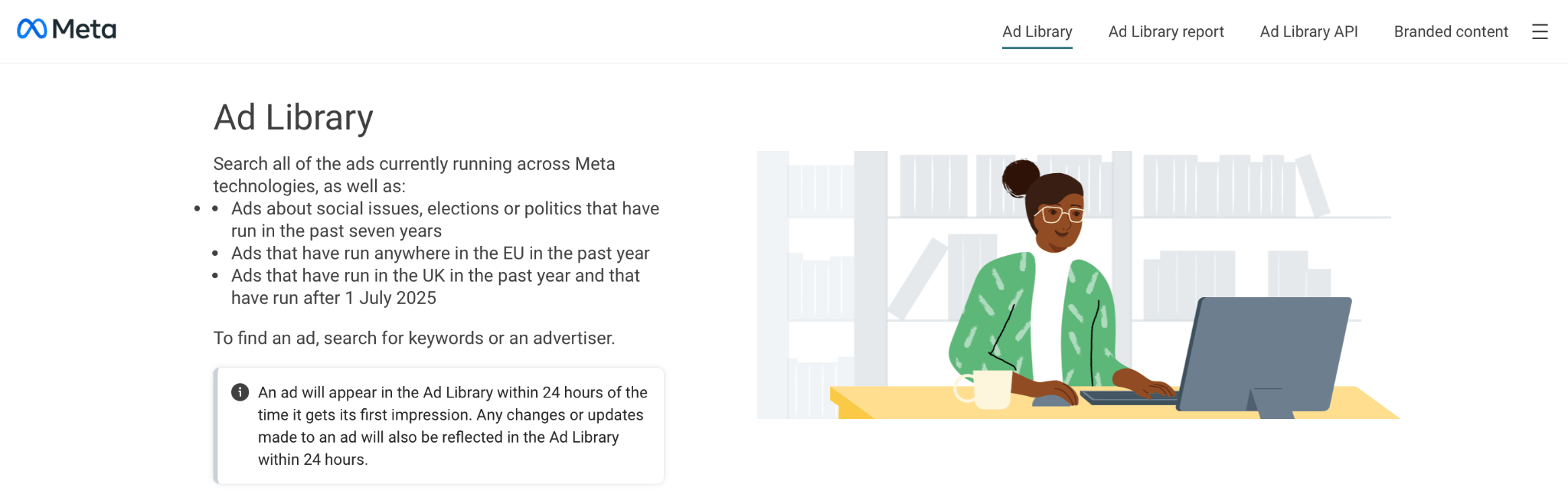
This tool was created to ensure transparency in political advertising, but over time it has evolved into a comprehensive source of competitive intelligence for marketing and affiliate advertising. In the library you can search Meta ads by page name, keywords and some other parameters as well as analyze their visuals, offers and positioning.
The library also displays ads from automated Meta Advantage+ campaigns where AI is used to analyze creatives. This means some ads may be generated or optimized algorithmically rather than manually by the advertiser.
🫡 For traffic specialists Ad Library effectively serves as a basic spy tool: it helps discover creatives, monitor competitors’ Facebook ads, track their activity and quickly collect references for your own campaigns.
Advantages and Disadvantages of the Free Creative Library
Let’s have a closer look at the Instagram and Facebook Ad Library from two perspectives: what it actually provides to users and where its capabilities are limited.
✅ Advantages:
- Free access to competitors’ creatives;
- Search by branded content, keywords and domains;
- Ability to view ad copy, formats and visuals;
- Display of ad geography;
- Dynamic creatives shown in multiple variants;
- Quick collection of references and ideas.
❌ Disadvantages:
- No performance metrics like CTR, spend, conversions;
- No data on scale or ad lifespan;
- Limited filters and analytics;
- No way to assess true creative performance.
Thus, the library helps you find competitors’ Facebook ads and use them as a source of inspiration for your own creatives. However, in terms of data depth and analytics, it falls short of full-fledged spy tools like Tyver ⭐️, which provide access to a much broader set of useful data. We’ll cover such services a bit later.
How to Access the Facebook Ad Library
🚪 Access to the Meta Ad Library is open to all users. To get started, simply visit the official Meta Ad Library website. There, you’ll find search filters and helpful guides on how to view competitors’ ads on Facebook.
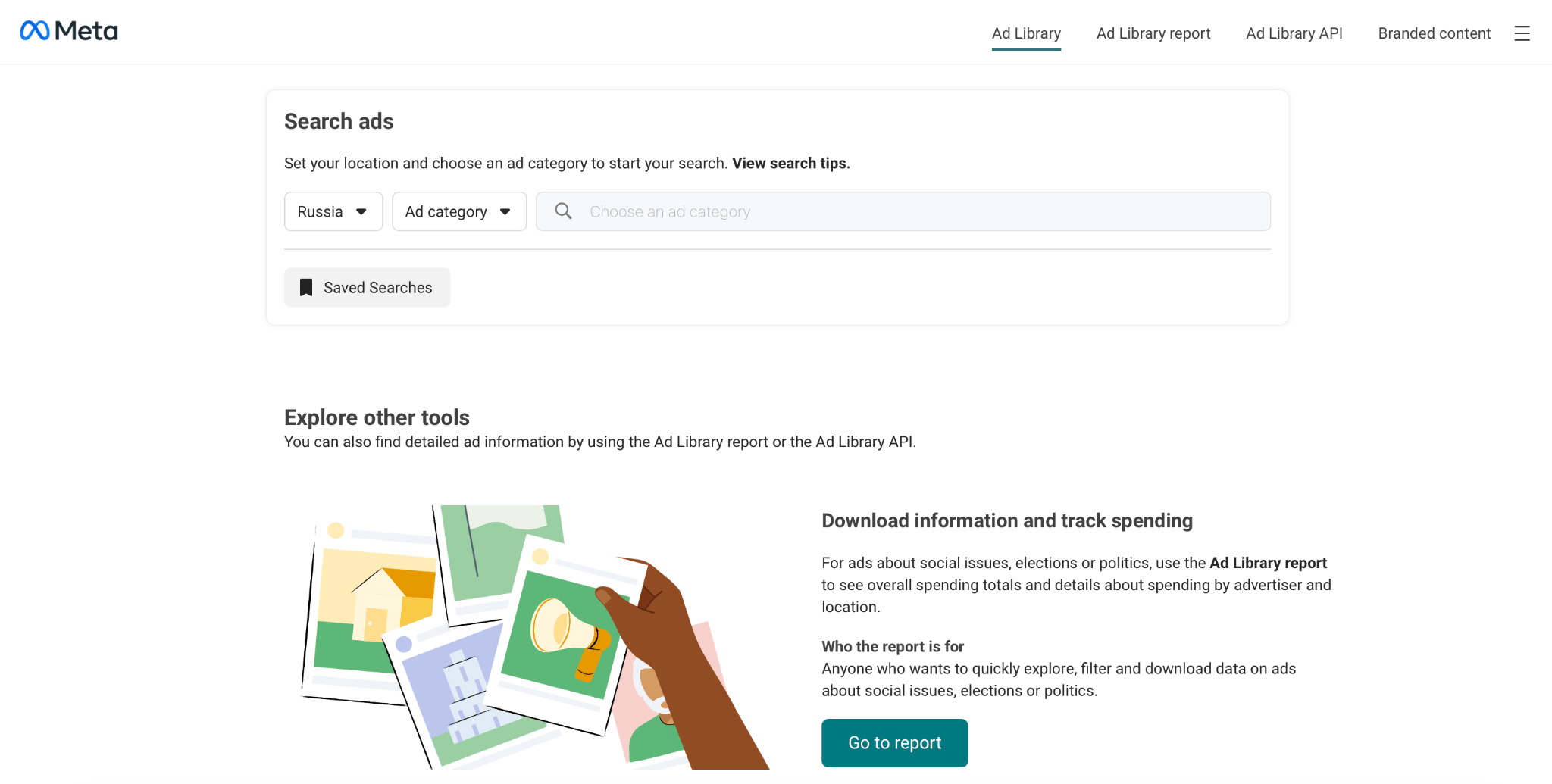
The functionality is the same in both the browser and mobile app, and no Meta account is required. This makes the library a convenient tool for browsing competitors’ ads on Facebook.
How to Download an Ad Creative from the Facebook Library
😬 The Meta Ad Library doesn’t have a “Download” button, but you can still get the creative using standard methods:
- Take a screenshot or record your screen;
- Save the image directly through your browser;
- Use third-party tools, such as browser extensions or spy services.
For analyzing competitors’ campaigns on Instagram and Facebook these methods are completely legal and safe.
How to Find Facebook Creatives Using Keywords
Here’s how to use the Facebook Ad Library in practice. One effective way to search for creatives is by keywords 🔑:
- Go to the Meta Ad Library.
- Select your target geography and ad category.
- Enter a keyword, phrase or slogan into the search bar.
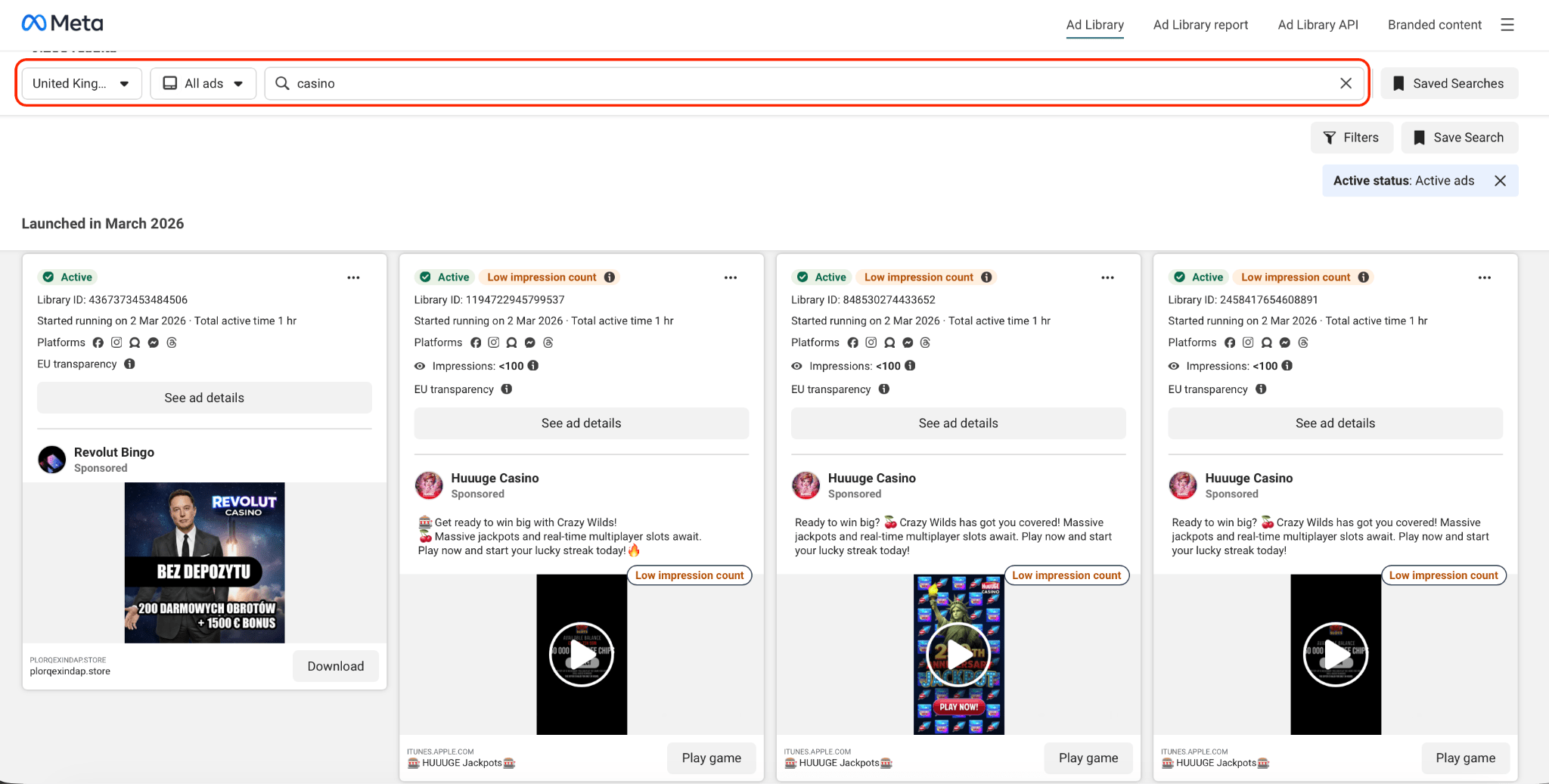
This approach allows you to quickly gather creative ideas, understand which offers are performing well and see which ad formats are popular in the niche.
How to View Competitors’ Ads Without Keywords
Sometimes searching by keywords isn’t necessary, especially if you’re not familiar with the exact terms used in a niche. For these cases the Meta Ad Library provides a set of filters 🌪️ that let you select the language, advertiser, platform, ad format, ad status and delivery dates.
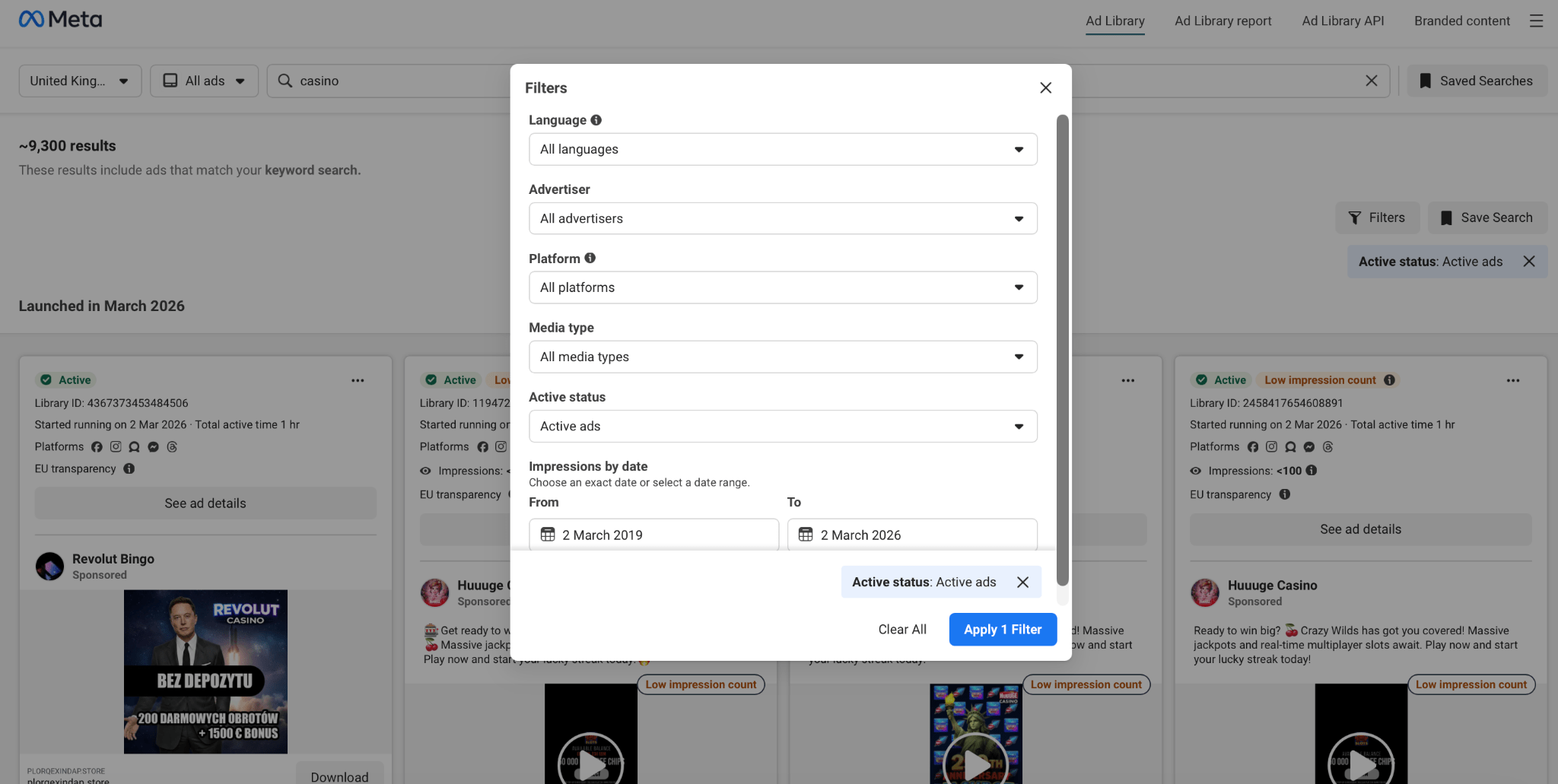
This approach is useful for monitoring specific competitors or brands when you want to collect all their active creatives and evaluate their advertising strategy.
How to View Ads by a Specific Domain
🔗 In the Meta Ad Library you can also search for ads using a website domain. To do this:
- Select the “All Ads” category in the search bar.
- Enter the competitor’s website domain, for example, asos.com.
- Click “Search”.
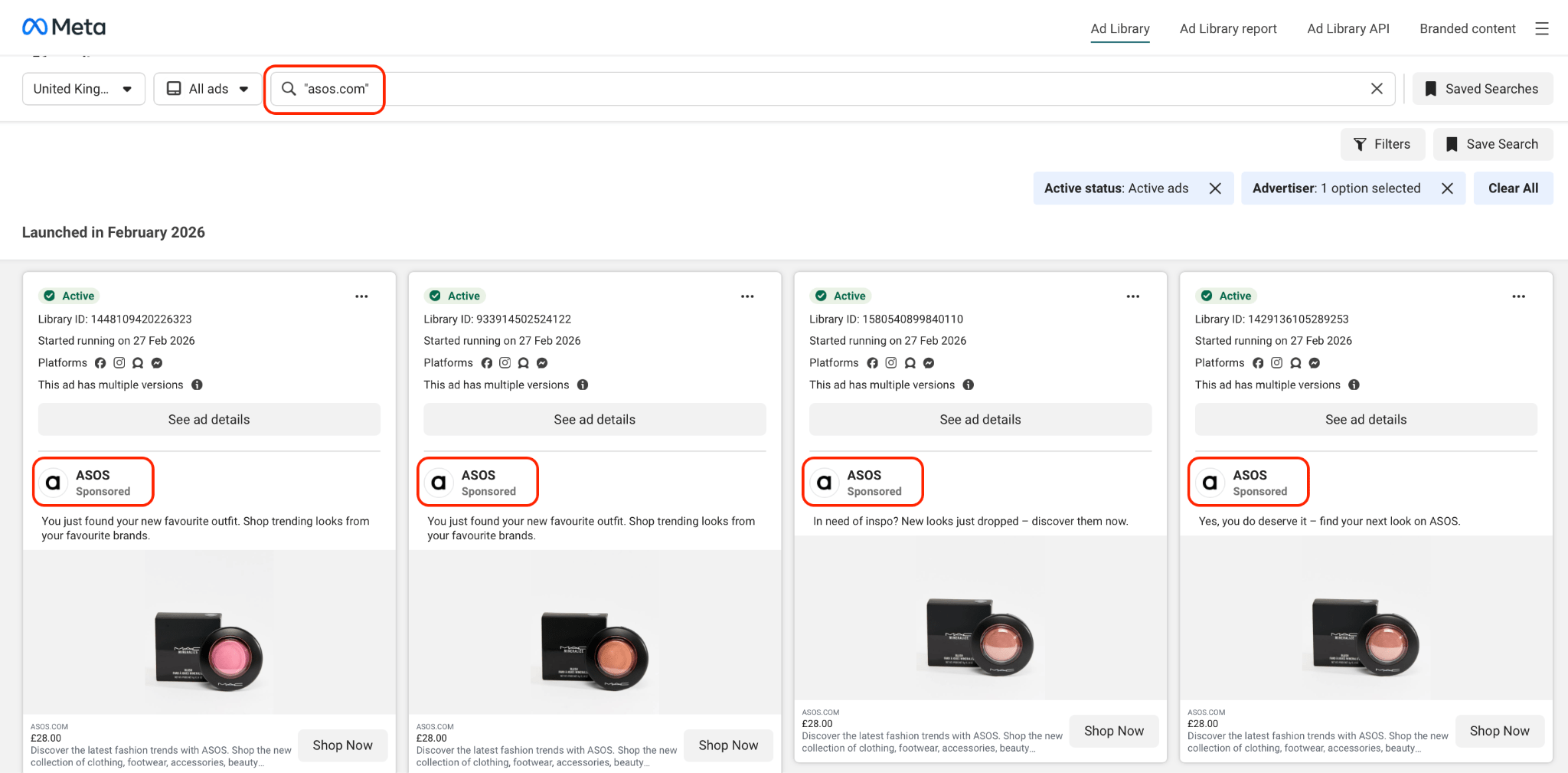
As a result, you’ll see which offers and creatives are actually driving traffic to a specific website and understand your competitor’s strategy.
Evaluating the Effectiveness of Facebook Creatives Found in the Library
🙁 The Meta Ad Library doesn’t provide performance metrics, but there are ways to assess a creative’s potential:
- Visual analysis: evaluate the quality of the creative, amount of text and offer structure.
- Text analysis: pay attention to the headline, description and call-to-action; successful creatives are usually short and clear.
- Number of variations: the more similar ads a page has, the more likely the algorithm is testing effective versions.
- Ad duration: long-running ads may indicate stable performance.
- Comparison with competitors: look for patterns repeated across multiple brands in the niche.
While exact CTRs, budgets and conversions remain unknown, this type of analysis helps you select the most promising ideas.
How to See the Geography of Competitors’ Ads
The Meta Ad Library lets you view the countries 🌍 where competitors’ ads are being shown. This helps you understand which markets a brand is targeting and where its ads are most active.
- On the ad you’re interested in, click “Ad Info”.
- If the advertiser has set geographic targeting, the “Location Visibility” section will appear.
- Review the list of countries — this represents the ad’s current delivery geography.
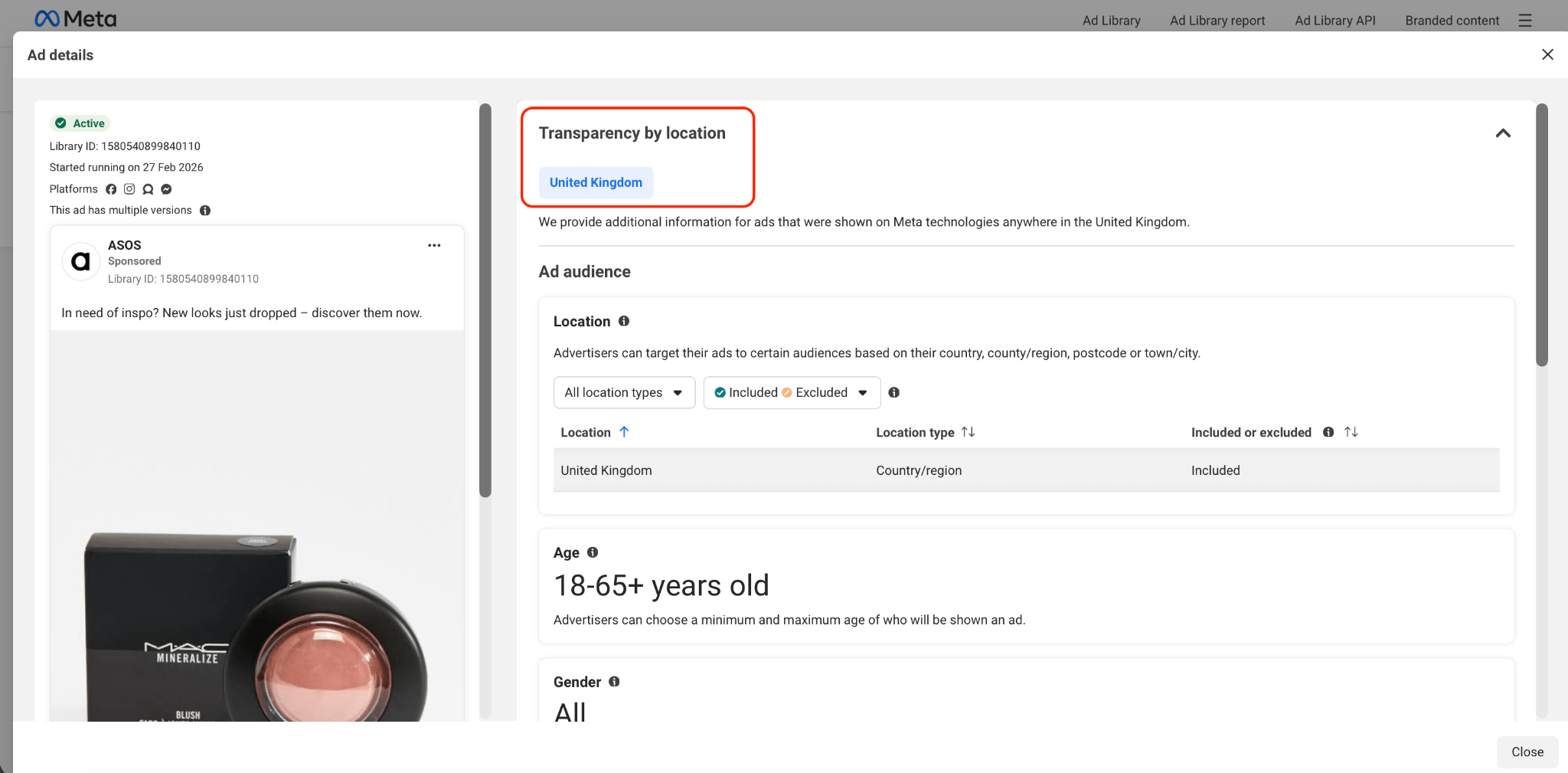
This approach is especially useful for affiliates: you can see where a competitor is scaling their ads and select relevant regions for your own campaigns.
Spy Services for Analyzing Facebook Ads
The Meta Ad Library is helpful for browsing creatives, but it doesn’t provide many important details such as actual reach, ad duration, campaign scale or connections between ads. To get a comprehensive picture of advertising activity and quickly find working ad combinations, affiliates use spy services — platforms with large ad databases, advanced filters and analytics.
🔥 One of the top services for finding Facebook creatives in 2026 is Tyver. It is specifically designed for affiliate marketing and allows users not only to view ads but also to understand which ones are truly performing and scaling.
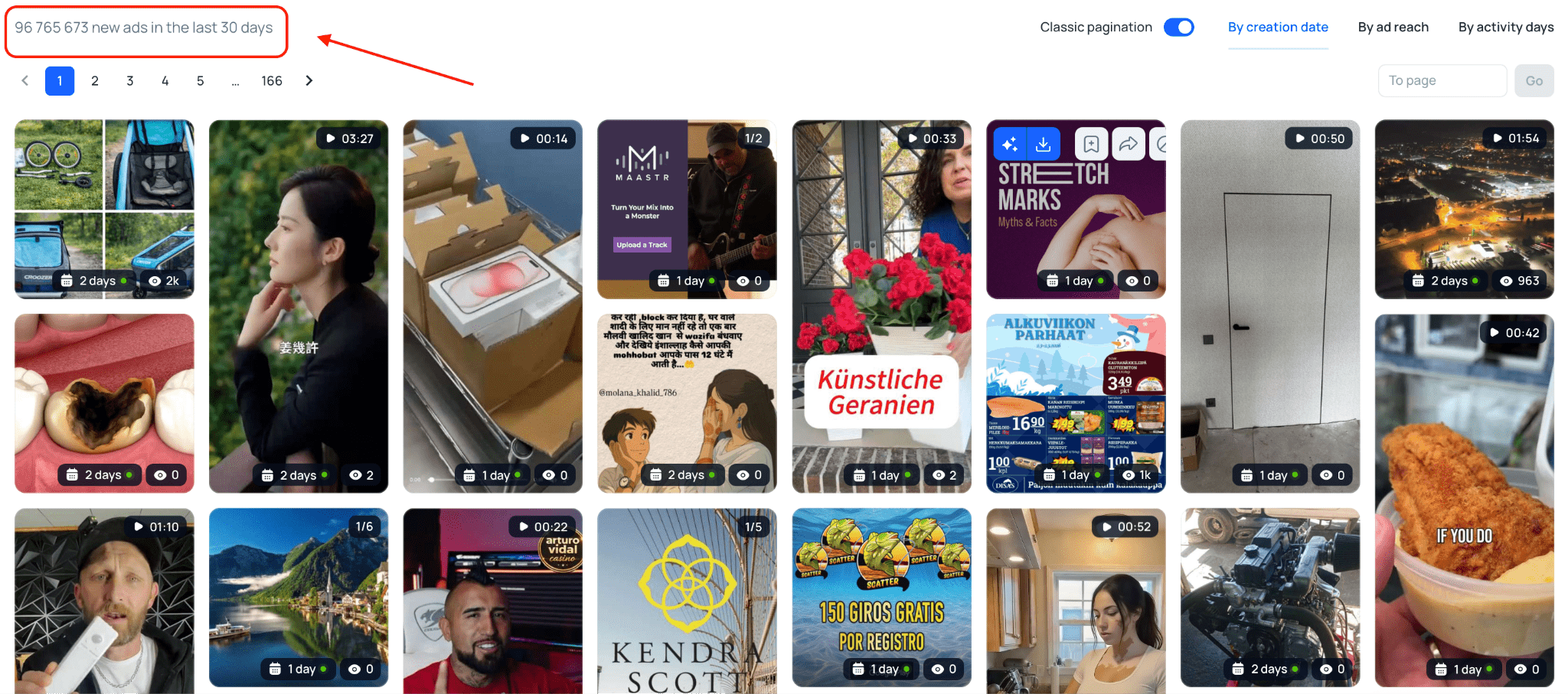
Large and Up-to-Date Creative Database 👍🏻
Tyver updates millions of new ads daily from dozens of countries. This ensures that its database always contains fresh creatives and the latest approaches currently being used across various verticals and geographies.
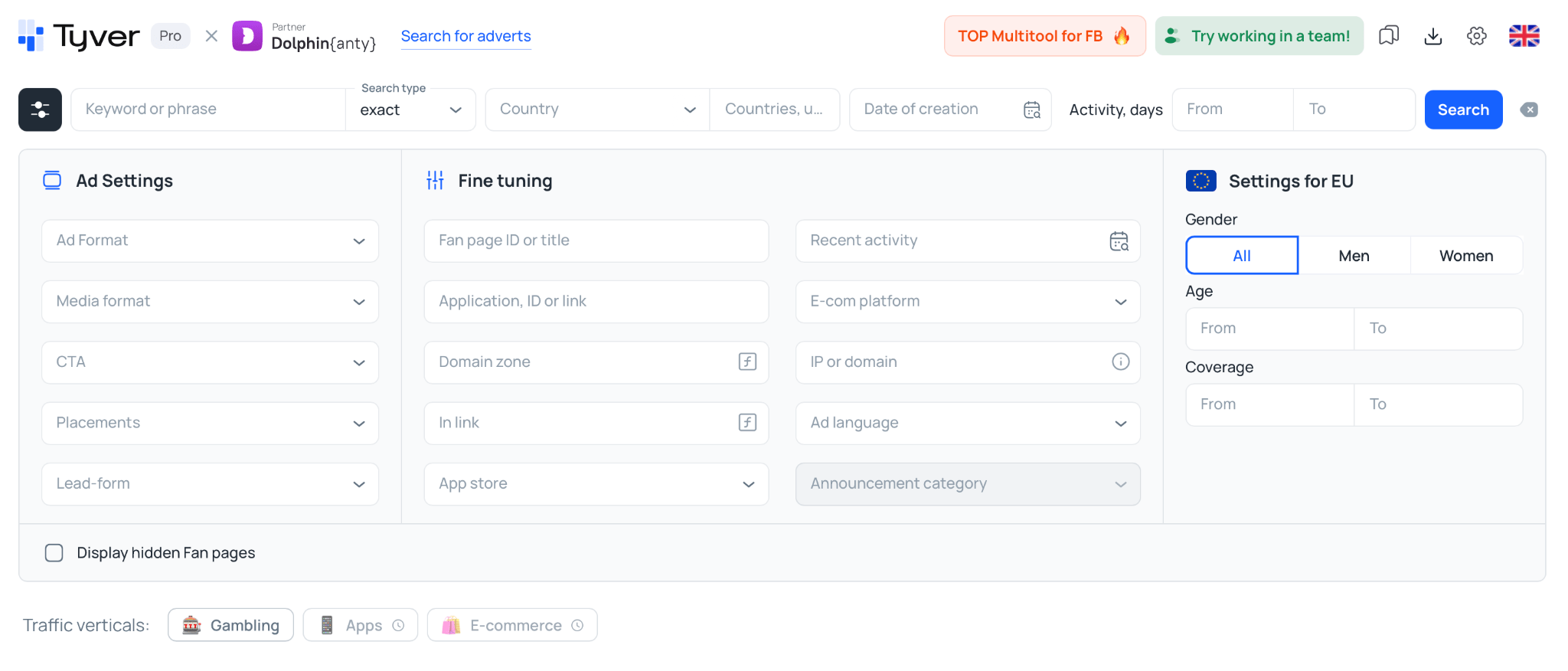
Advanced Filters for Precise Searching ✅
The platform offers more than 20 filters, including keywords, domains, Fan Pages, ad format, CTA, placements, geography, ad duration and more. By combining filters, you can quickly narrow down the massive database to relevant ads and find creatives tailored to a specific offer, vertical or country.
Metrics That Indicate Performance 🚀
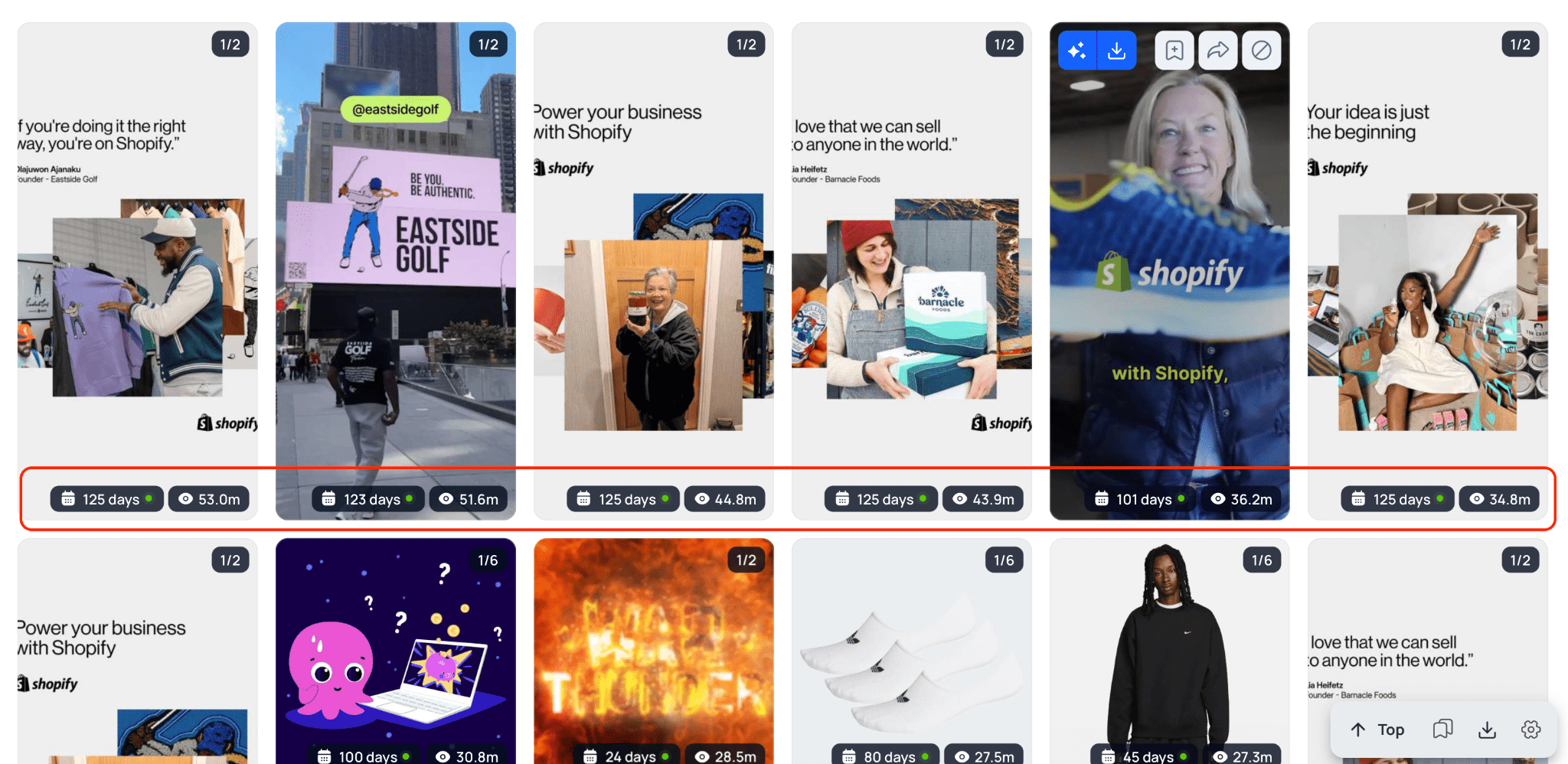
Unlike the Meta Ad Library, Tyver displays reach and ad age. These are key signals for affiliates: if a creative runs for a long time and achieves high reach, it’s likely that the campaign is converting and scaling. This approach allows decisions to be based on data rather than just visual assessment.
Finding Ad Sets via Domains, Pages and IP 🔍
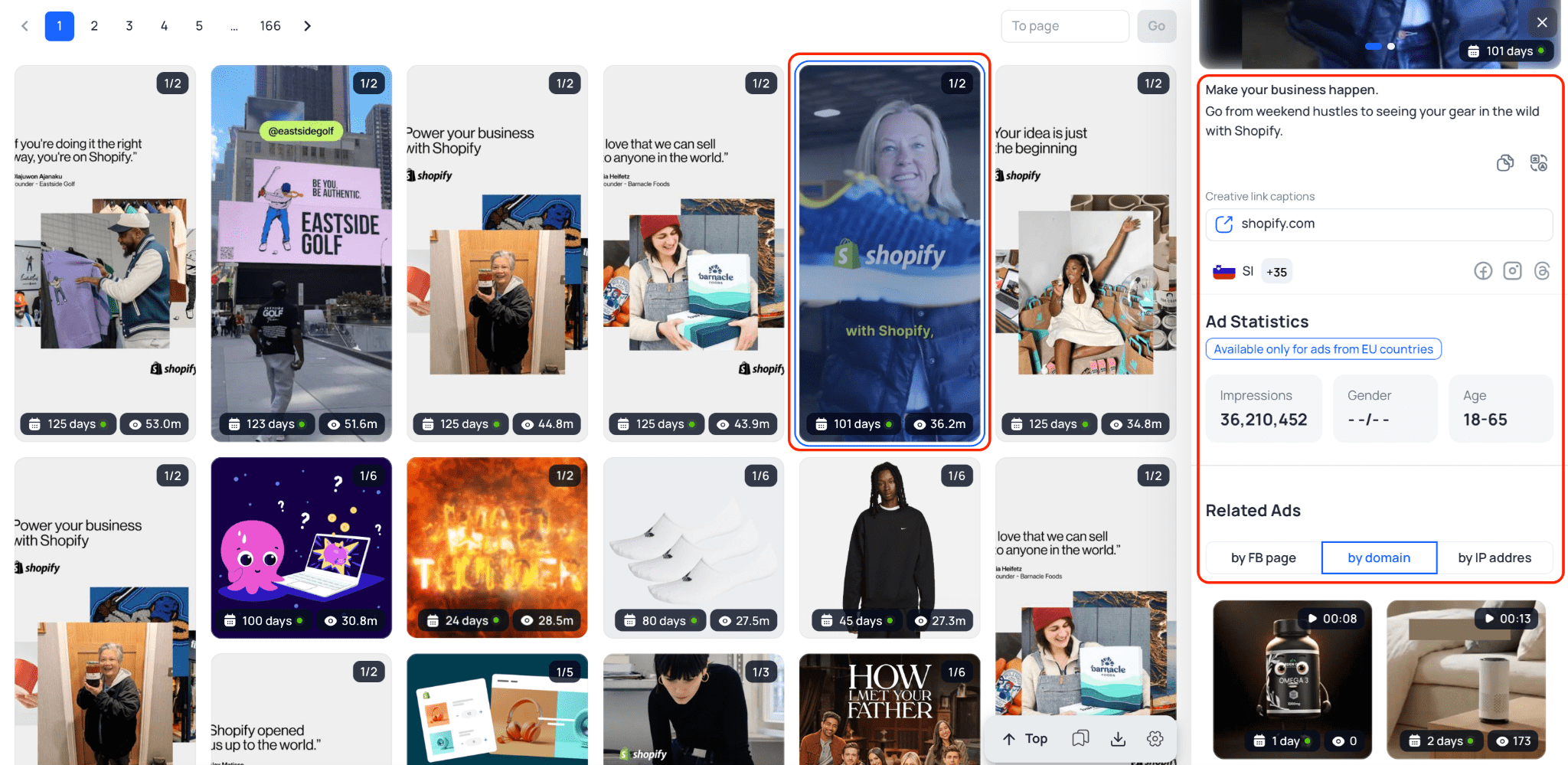
Tyver lets you find related ads by domain, Fan Page or IP address. This makes it easy to view the full set of creatives from a single advertiser or team and understand their current approaches, geographies and offers. It means that you can analyze a competitor’s strategy and replicate successful elements. Simply click on an ad and all the relevant information will appear in the side menu.
Easy Management of Found Creatives
You can save, organize and revisit ads you found in Tyver. This is useful for building reference libraries, analyzing competitors and preparing your own ad campaigns.
If you want to dive deeper into the platform’s features and workflows, we’ve prepared a detailed Tyver review as well as separate guides for quickly finding creatives in the nutra 💊 and gambling 🎰 verticals — these will help you master the tool faster in practice.
Thus, while the Meta Ad Library is suitable for quickly browsing ideas and individual ads, Tyver is a full-fledged analytics tool for discovering and evaluating working ad combinations. It shows not only what the ads look like, but also how actively they are running and which approaches are scaling in the market. Professional affiliates often choose Tyver because it allows them to make data-driven decisions and save budget on testing.
FAQ
What should I do if the Facebook Ad Library isn’t working?
Most often this happens because the service is temporarily unavailable due to updates — just wait a few hours.
How can I find hidden ads on Facebook?
The Meta Ad Library only shows active ads, so fully hidden ads cannot be found there. However, you can always monitor competitors using spy services like Tyver.
Which spy service is best for affiliate marketing?
In practice affiliates most often choose Tyver because it provides deeper analytics for creatives, metrics and campaign scaling than competitors or free ad libraries. This allows you to quickly find working ad combinations and make data-driven decisions rather than relying solely on visual analysis.