Tyver.io: a spy-service review and a complete How-To guide ⚡️
Monitoring competitors’ advertising in affiliate marketing is not a “luxury” ⭐️ but a necessity. Its goal is not only to find a successful combo (bundle), copy it, replicate it, and make a profit. Monitoring also helps you develop visual literacy and gain a holistic view of advertising approaches and trends.
Competitors’ ads and the ad market as a whole are studied with the help of spy services. This is a valuable tool—but only if you know its functionality. One of them is the Tyver.io spy-service. Using it as an example, we’ll examine useful features for spying and master the basics of searching and filtering ad creatives. 🖼️
Why Tyver.io?
The main distinction of 🚀 Tyver.io is the speed of database updates and the volume of scanned ads. On average, 3M+ new ads are added to the feed every day. Over 90% of creatives from Meta platforms are ingested into the ad database right away. At the same time, Tyver shows not only current but also already deleted creatives, providing a complete picture.
The developers tailored tyver.io for affiliates, so the platform includes filters for searching creatives and bundles in traffic arbitrage. Search by popular verticals is also being gradually introduced. 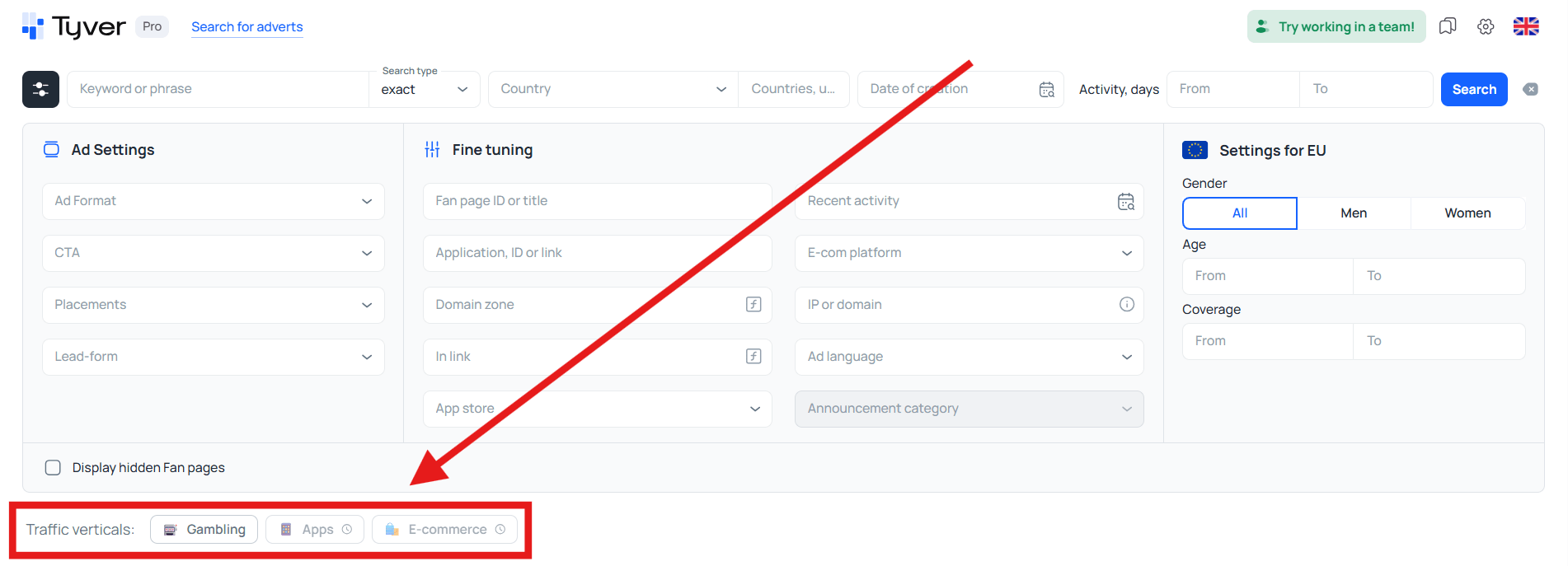
The Tyver ad spy service is useful not only for affiliates — it’s actively used by marketplace sellers, internet marketers, owners of their own online stores, SMM specialists, and everyone looking for working advertising approaches in their niche.
Tyver.io: features
It’s important not only to find target ads but to do it quickly. That’s why Tyver’s functionality is geared toward precise and efficient search. Moreover, this spy tool not only enables fast discovery of creatives but also pulls valuable information about advertisers and helps assess ad quality. The key is knowing how to use the relevant search tools.
Ad Search: by keywords, verticals, action types, e-com platforms, and app stores
Most often, ads are found by keywords, and this is the most effective way to discover competitors’ creatives. Keywords 🔑 let you define not only the search topic but also outline the region through language:
- In Russian — search across the CIS;
- In Spanish — Spain and Latin America;
- In Portuguese — Portugal and Brazil;
- In Arabic — the Middle East and North Africa;
- In English — the UK, USA, Western Europe, Australia, New Zealand, Canada, and partly India.
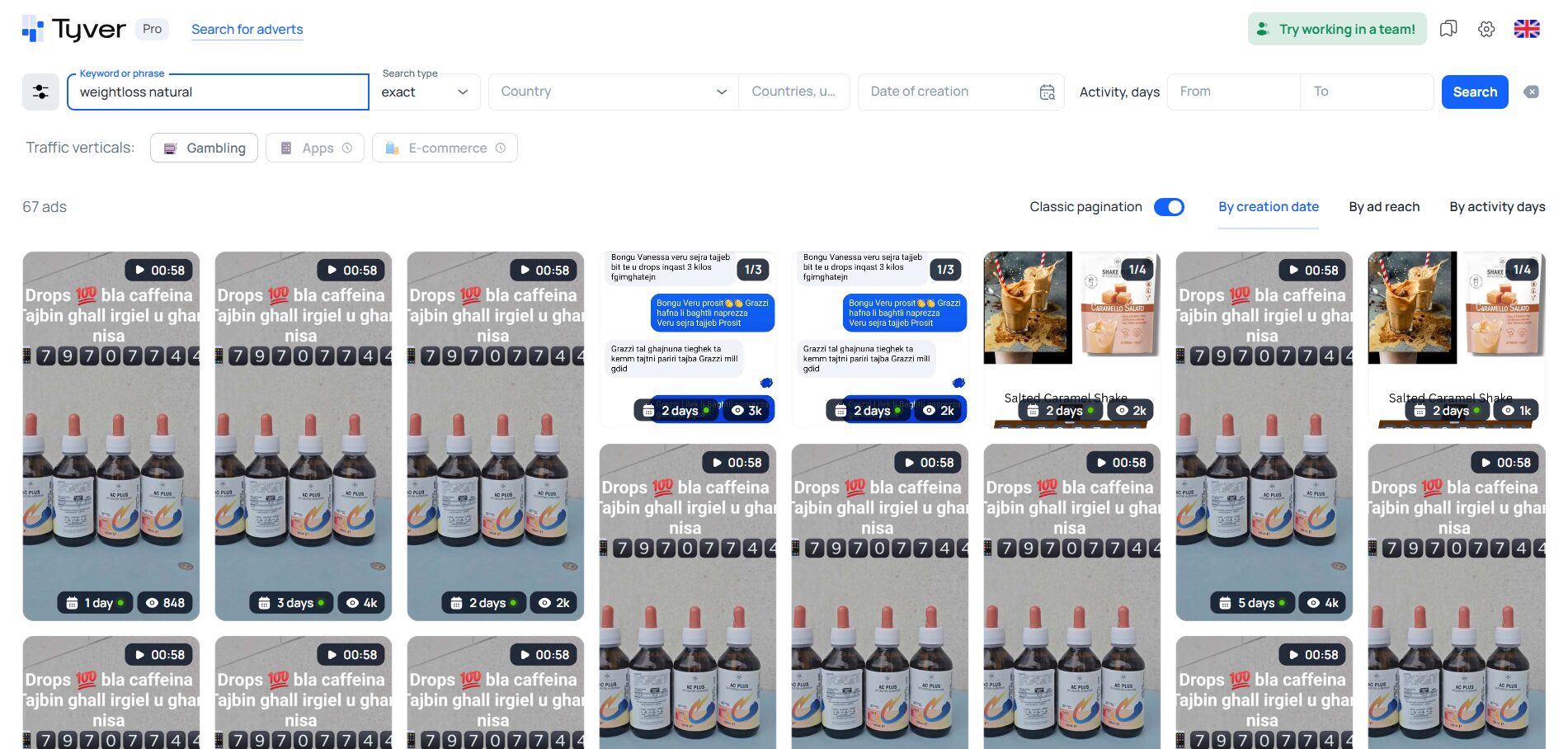
By default, the Exact search type is selected at the top, and the system looks for ads where the keyword is present in one way or another. If you choose the Broad search type, the results will also include ads where the exact keyword is absent but semantically similar words are present.
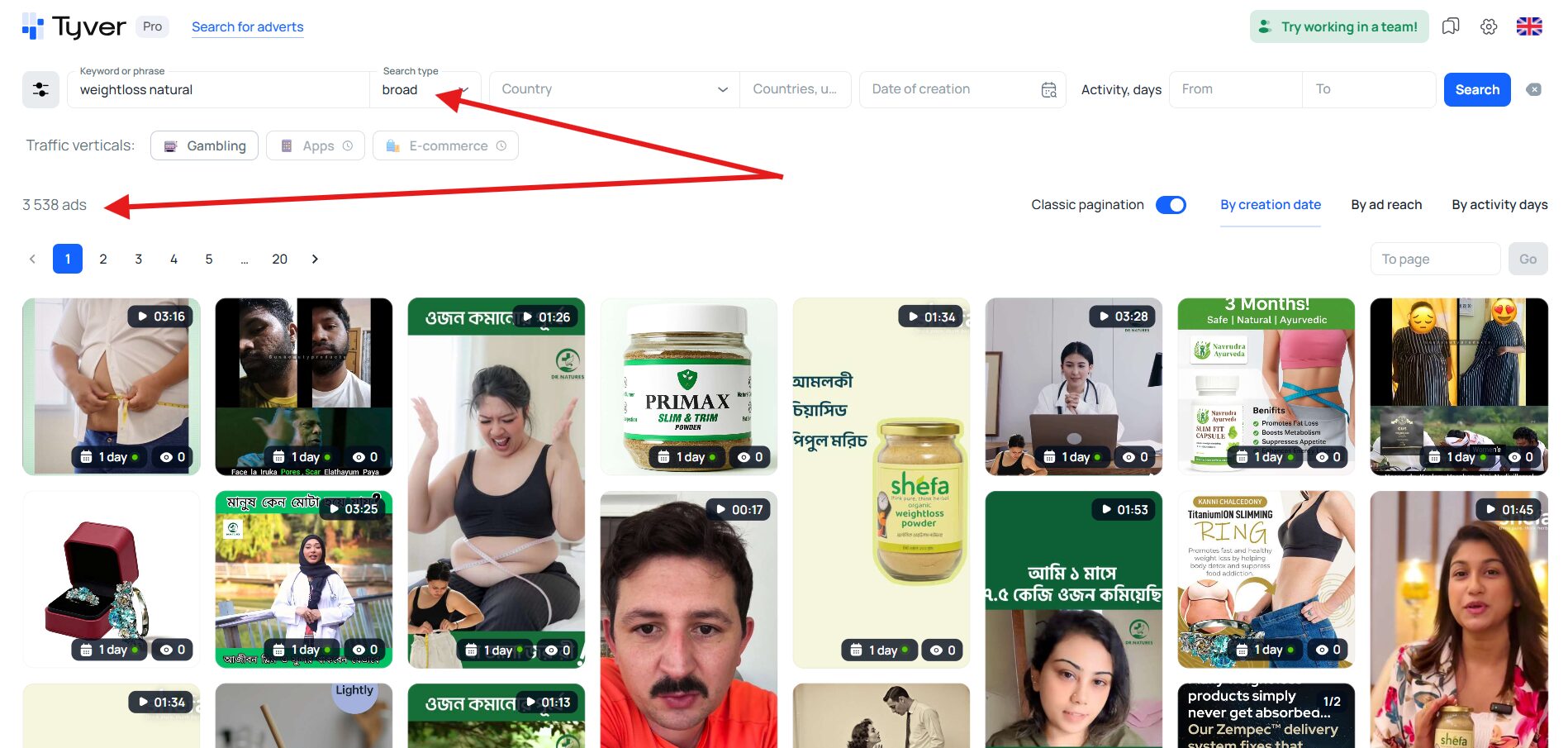
As we can see, the feed has changed, and the number of found creatives grew from 67 to 3538 for the exact same keyword.
🔷 Exact keyword search helps study specific products and brands. It will help you find ads for a particular offer, advertiser, or trademark; see which creatives, landers, and approaches competitors are already using. It’s a tool for surgical analysis and hypothesis validation.
🔷 Broad search helps you explore not a specific product but the entire topic and find a wide range of goods and services within it. Broad search lets you discover new hypotheses and ideas for testing.
Keywords are the most important and primary way to search for ads. But often, in addition, ads are parsed by target actions, e-commerce platforms, app stores, and even verticals.
🔷 By target actions (CTAs). For many keywords (lose weight, casino, joints, clothing), you’ll often get ads from blogs, opinion leaders, coaches, etc. To increase search precision, besides keywords you should include the appropriate CTAs. For casinos, for example: play game, download, install app, install now.
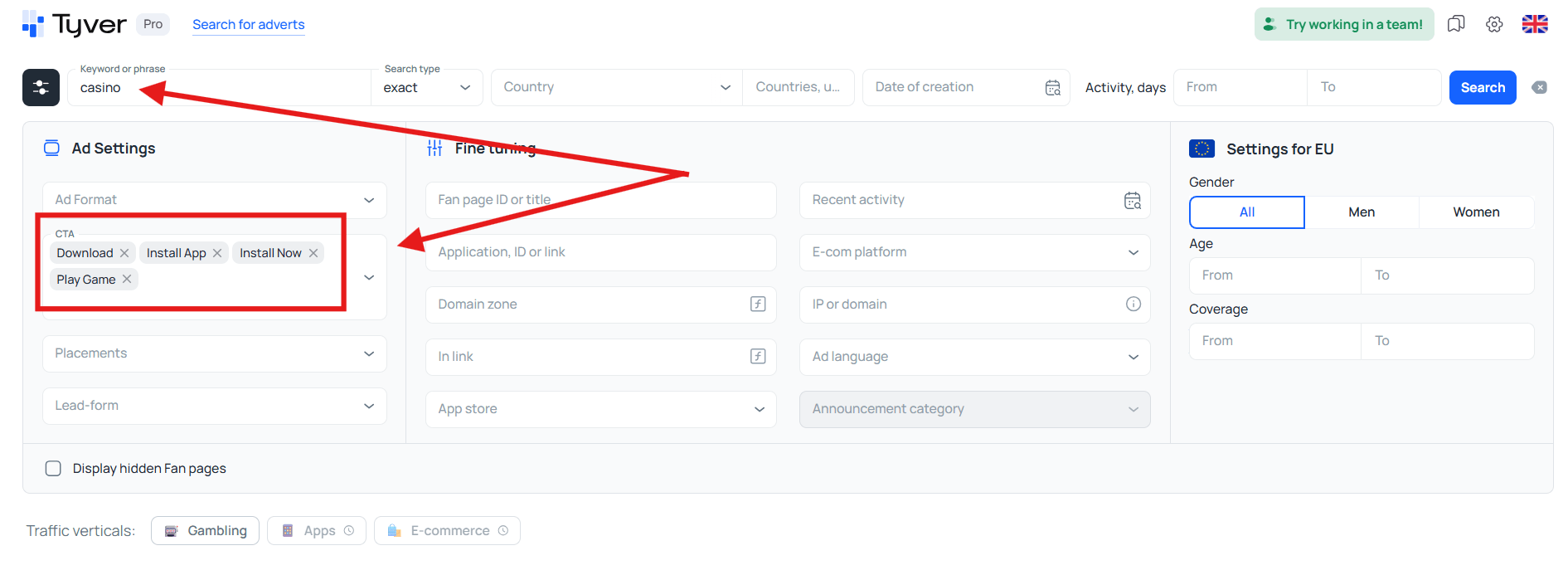
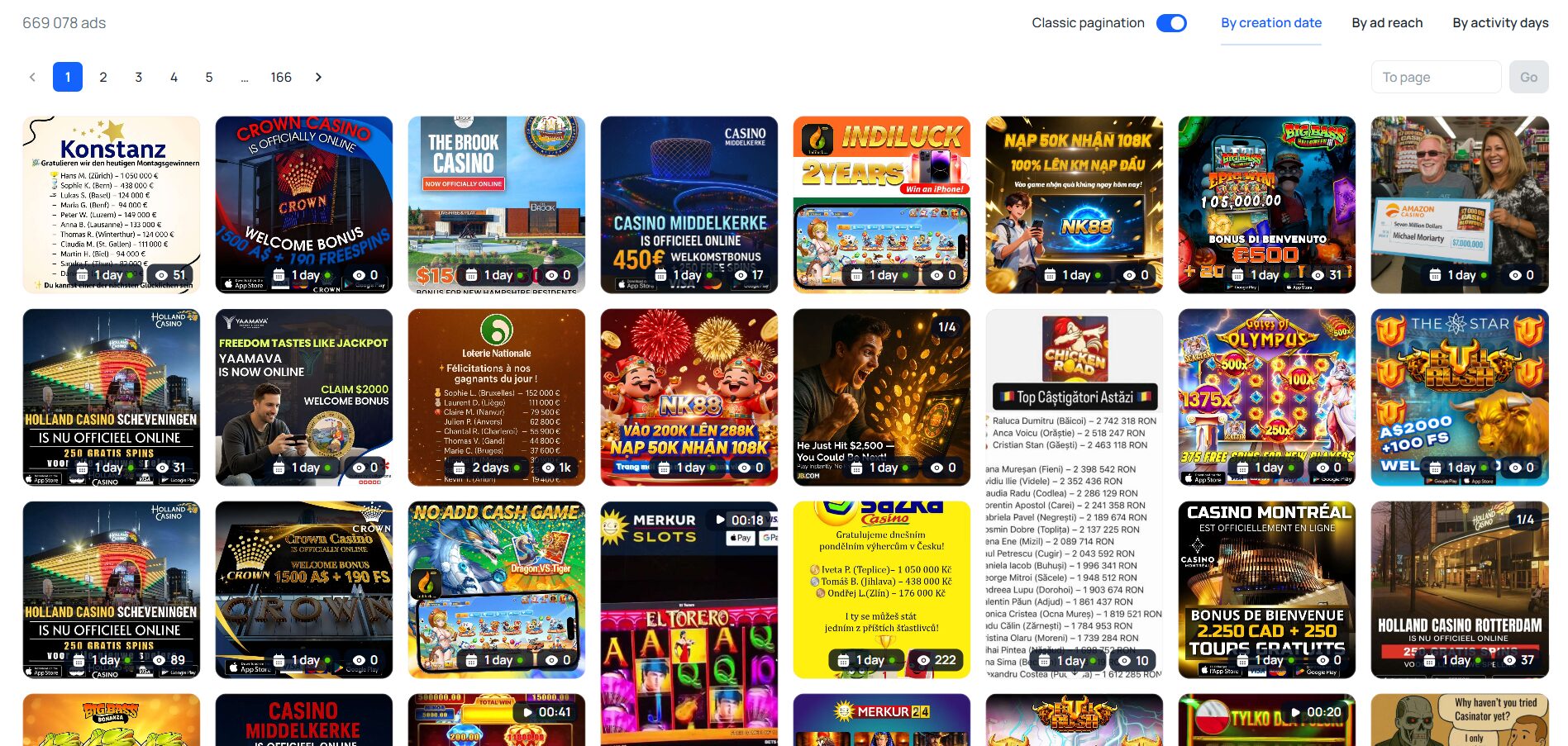
If you’re searching for products, you need other CTAs — add to cart, buy now, shop now, get quote.
🔷 Search by e-com platforms. This allows you to find ads from online stores, so it can be combined with keywords or used separately from keyword search. For instance, to simply study the online-shop market without a specific query, you can tick popular commerce platforms in the respective field without keywords.
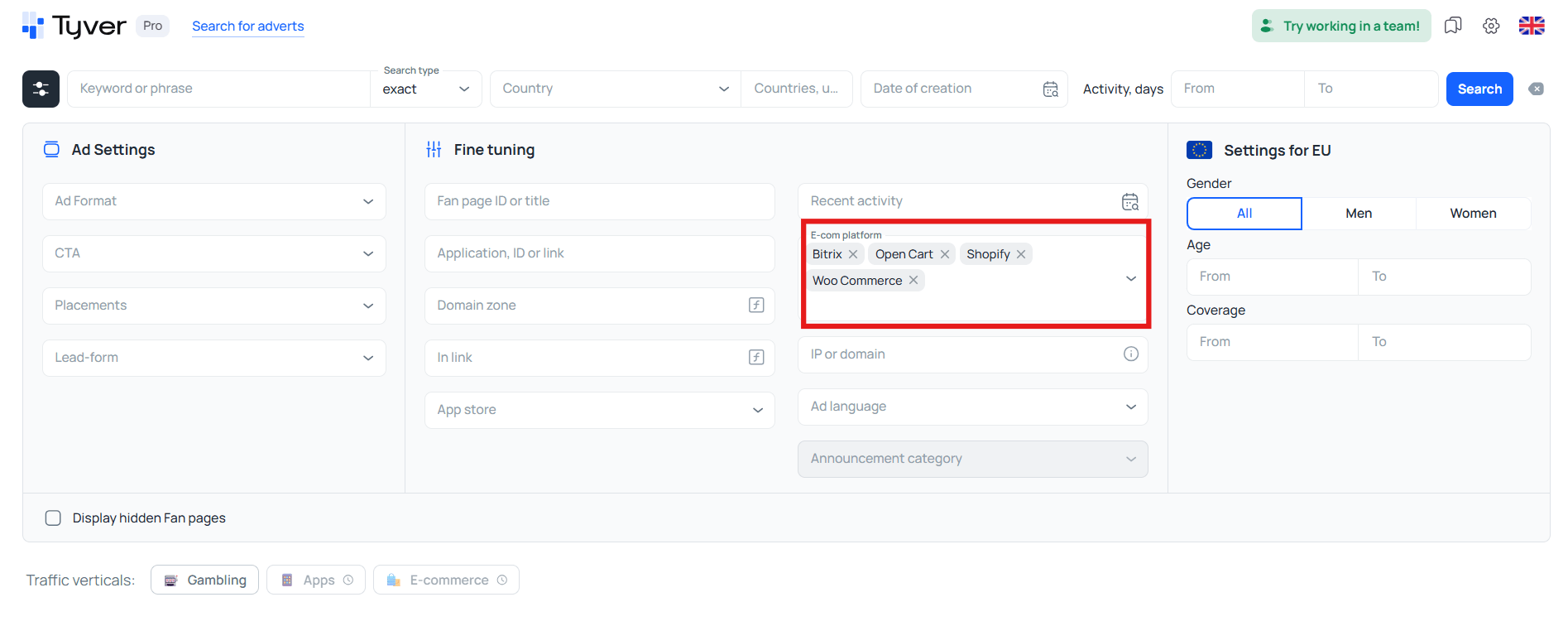
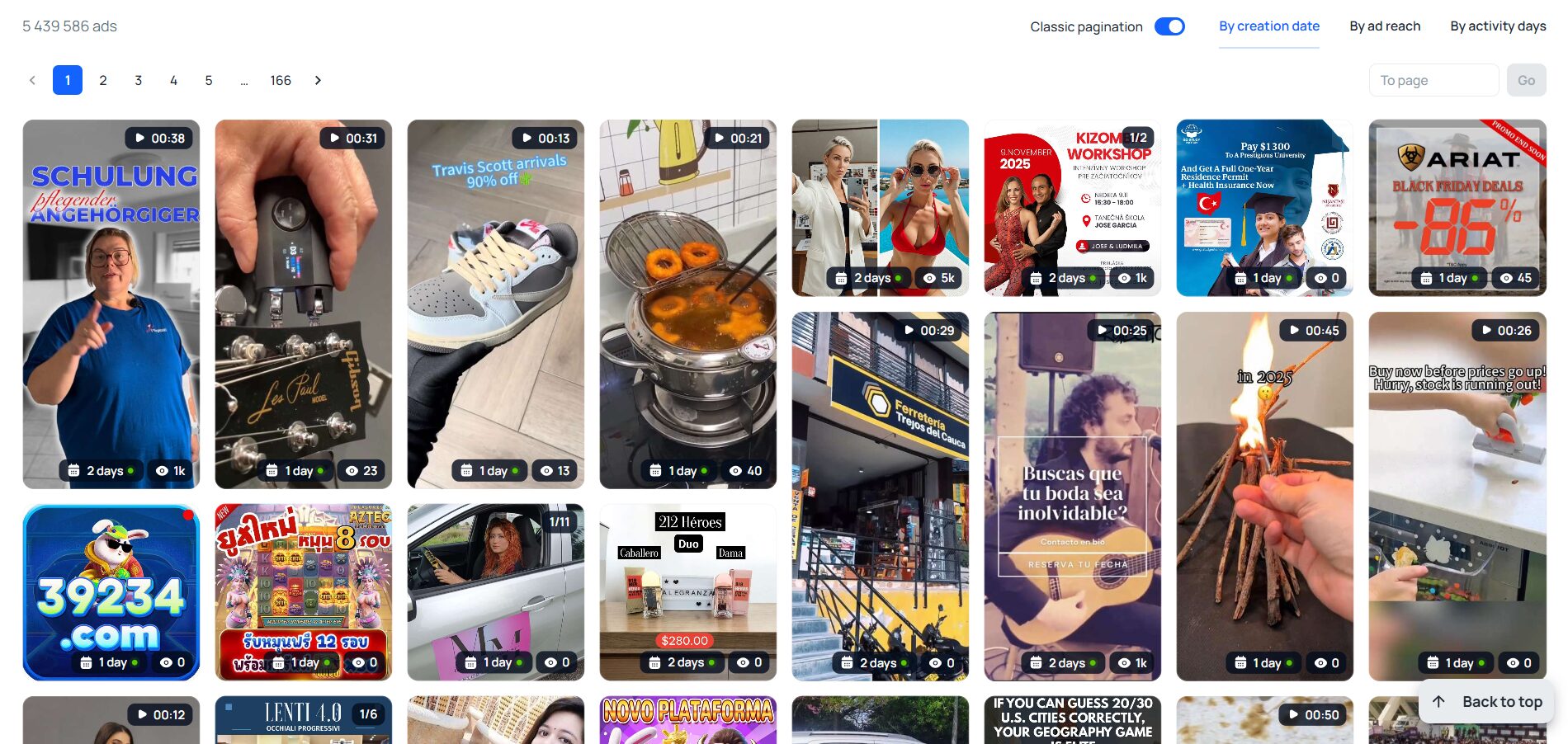
If you need to find ads for a specific product from online stores, just add the relevant keyword. For example, let’s search for iphone 📱.
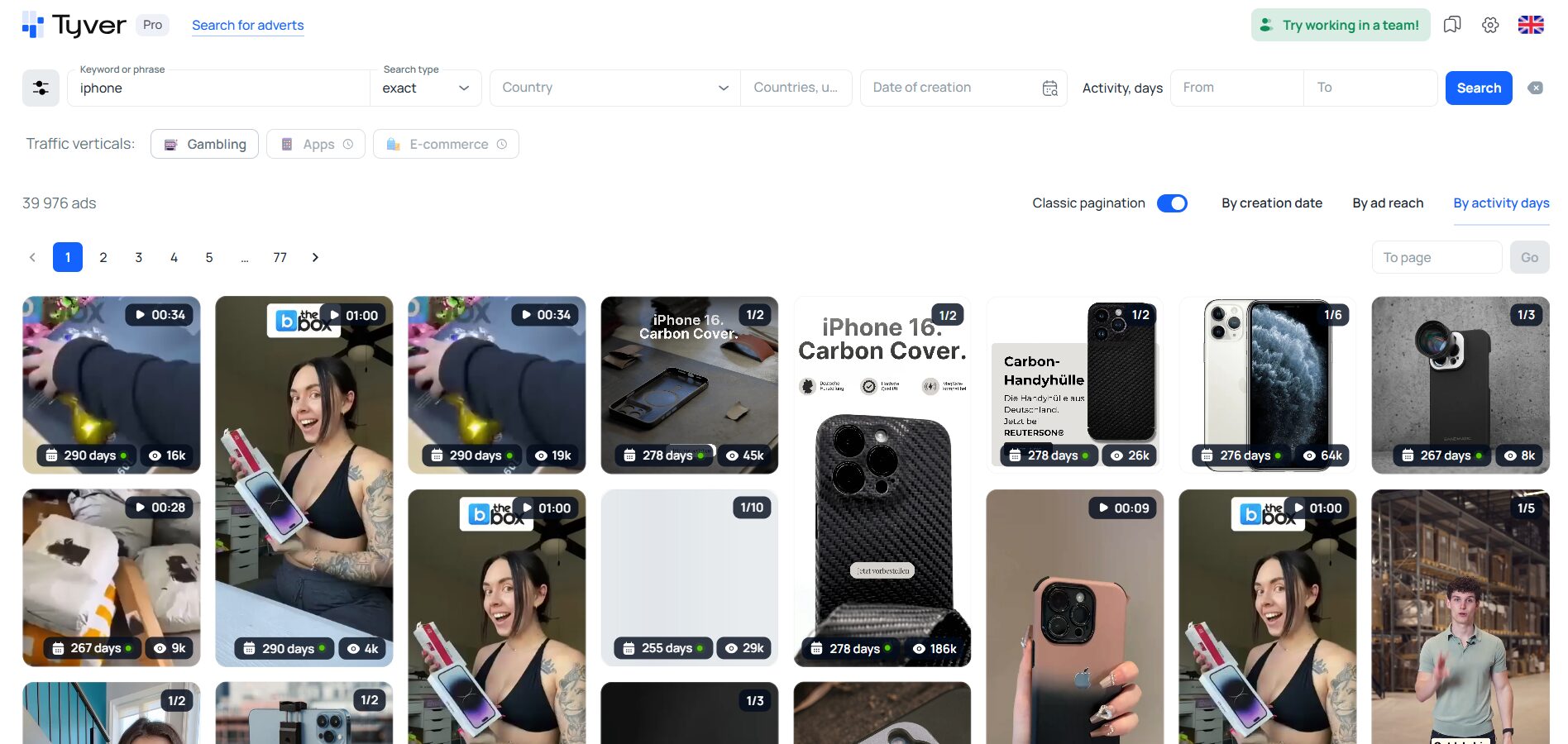
As we can see, iphones ads from various stores and countries appear.
🔷 Search by verticals. One of the most valuable tools in traffic arbitrage. It allows you, in one click and without extra filters or keywords, to find all ads belonging to a certain vertical, for example gambling.
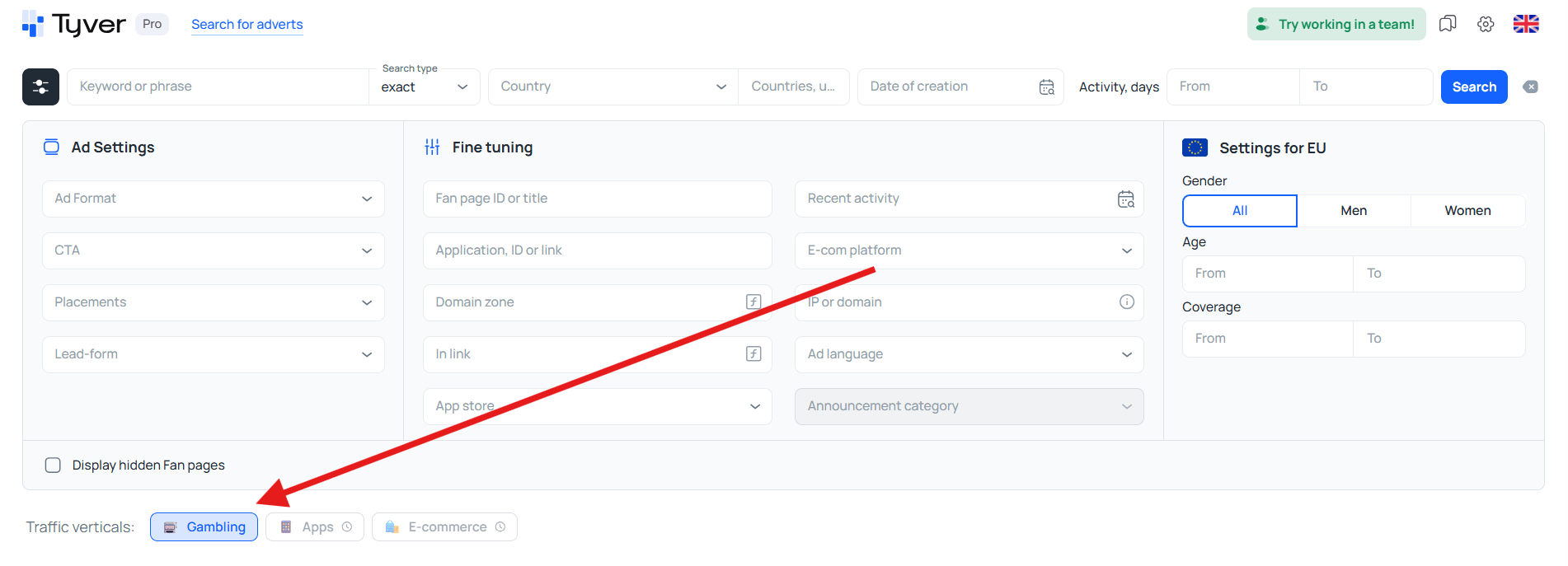
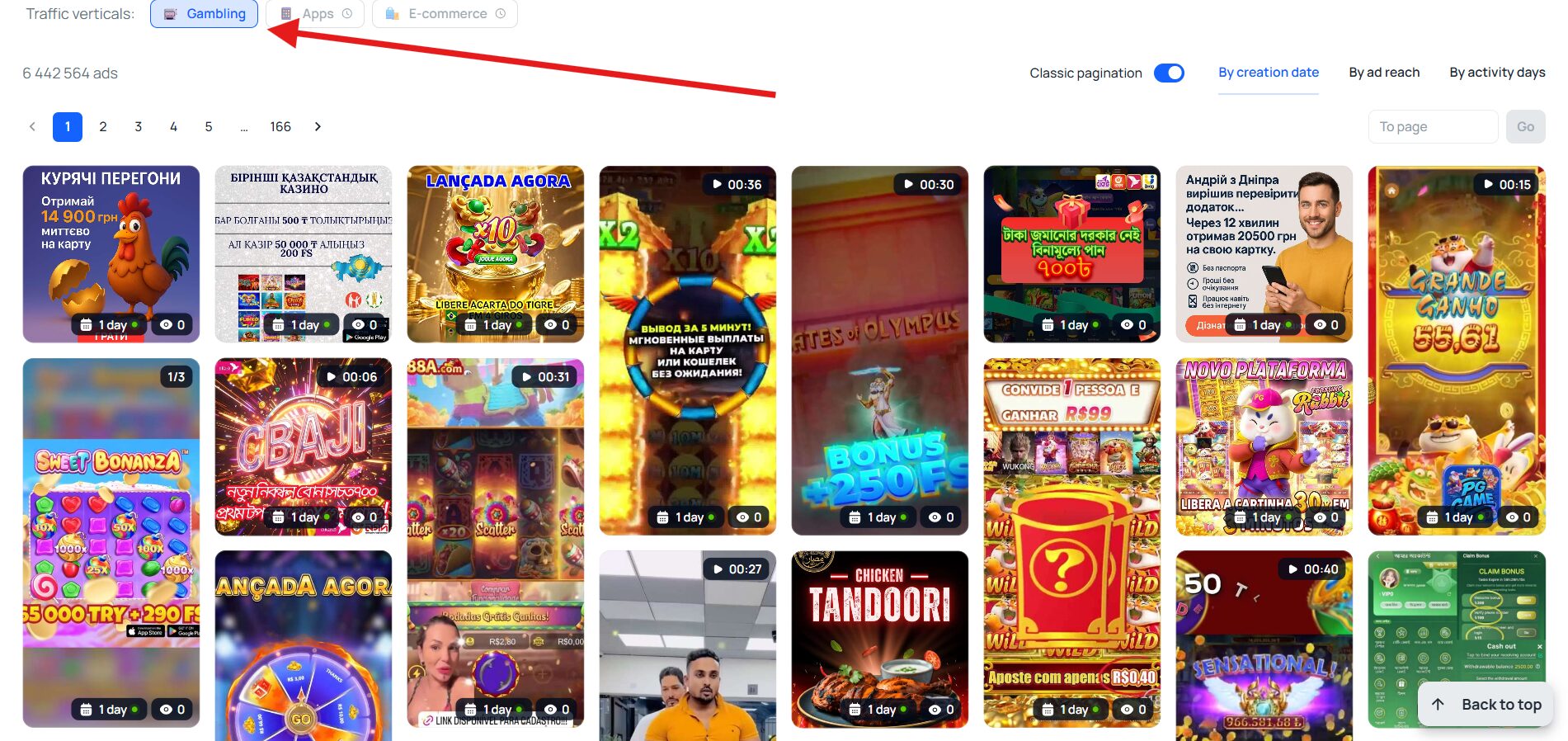
At the time of writing, only gambling search is actively and reliably working. For other verticals, functionality is being refined.
Filtering ads
To narrow the search area, you use filters. You can filter the feed by geographic regions, countries, placements, ad format, link identifiers, app stores, languages, and audience age/gender parameters. Most of these filters are auxiliary and self-explanatory. But a couple of them are crucial for cleaning up results and removing noise: filtering by identifiers and by app stores.
👀 Filtering by link identifiers helps you find arbitrage bundles faster than a simple search by keywords, CTAs, and verticals. The reason is that affiliates often add the following fragments to links to track traffic and pass stats to a tracker:
- pixel_id=;
- pix=;
- utm_source=;
- ad_id=;
- utm_content=;
- utm_medium=.
📄 If you search by these fragments, the feed will contain primarily affiliate creatives. For comparison, let’s search a weight-loss product without link identifiers and then filter the results by one of them.
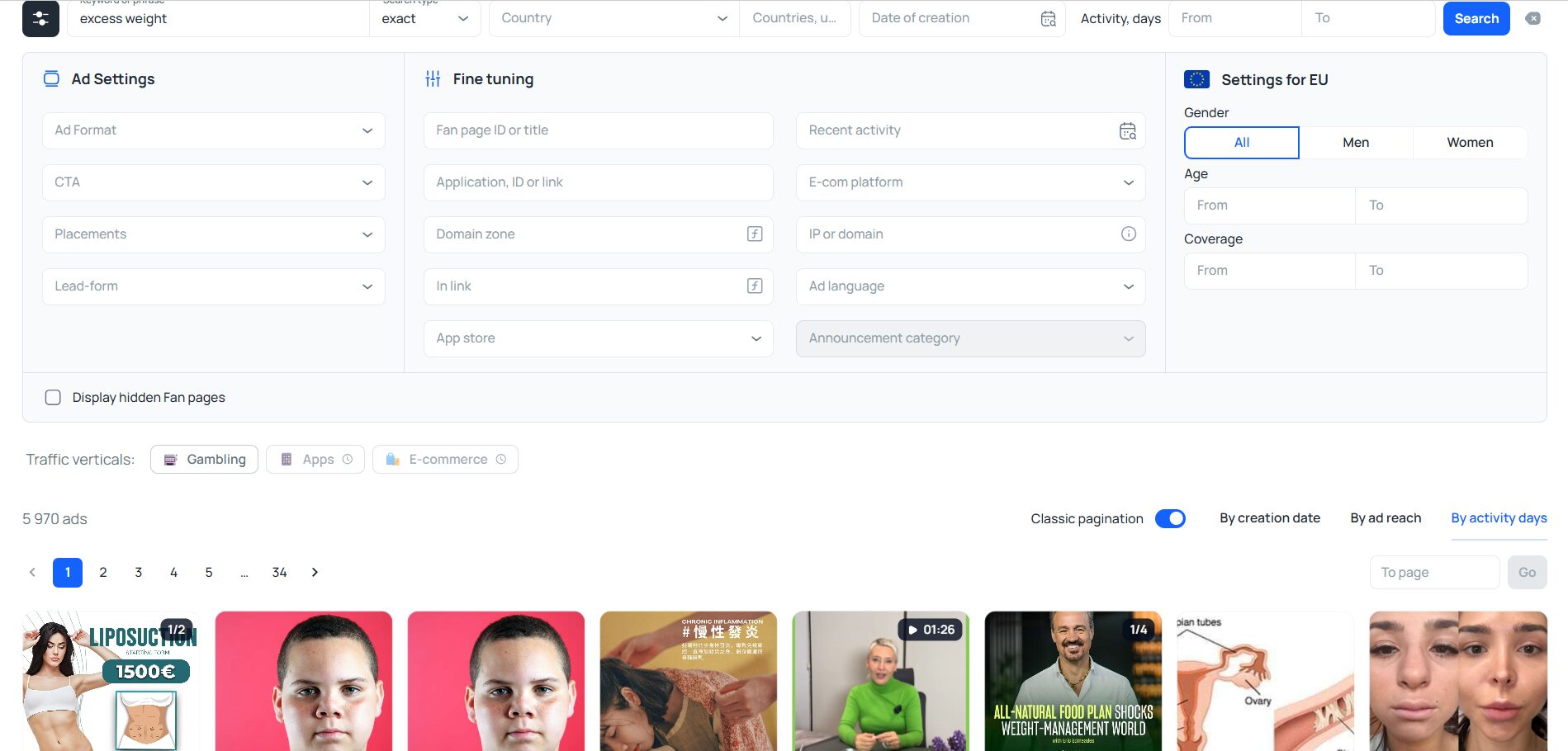
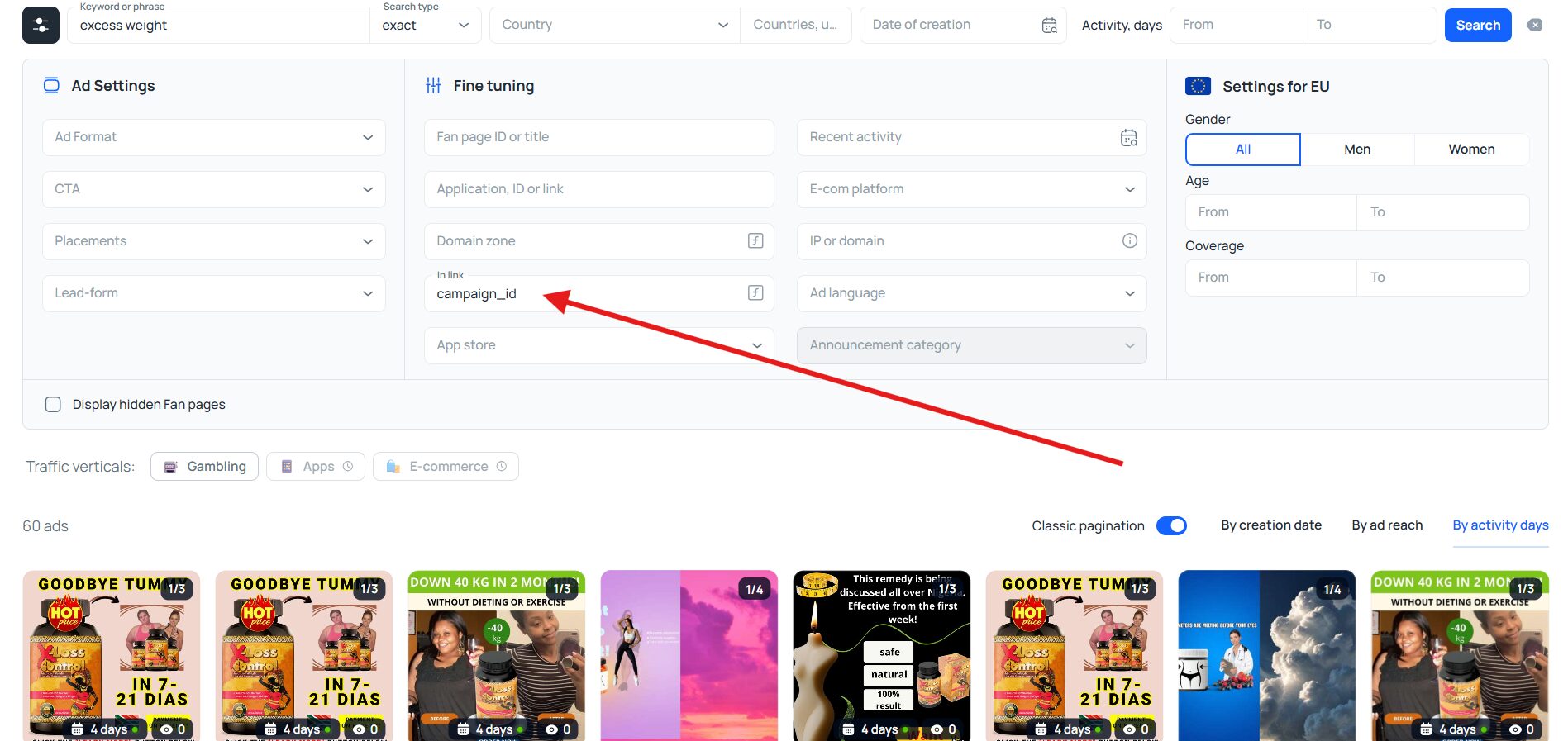
In the screenshot above, you see ads from bloggers, clinics, dietitians; the screenshot below shows typical nutra offers 💊.
Filtering by app stores leaves only ads that lead to the App Store and/or Google Play. The filter keeps in the feed only those advertisers who work with mobile traffic via apps. Therefore, the option is useful when working with casinos, betting, dating, online games, and sweepstakes. As an example, let’s filter by stores without keywords and other search parameters.
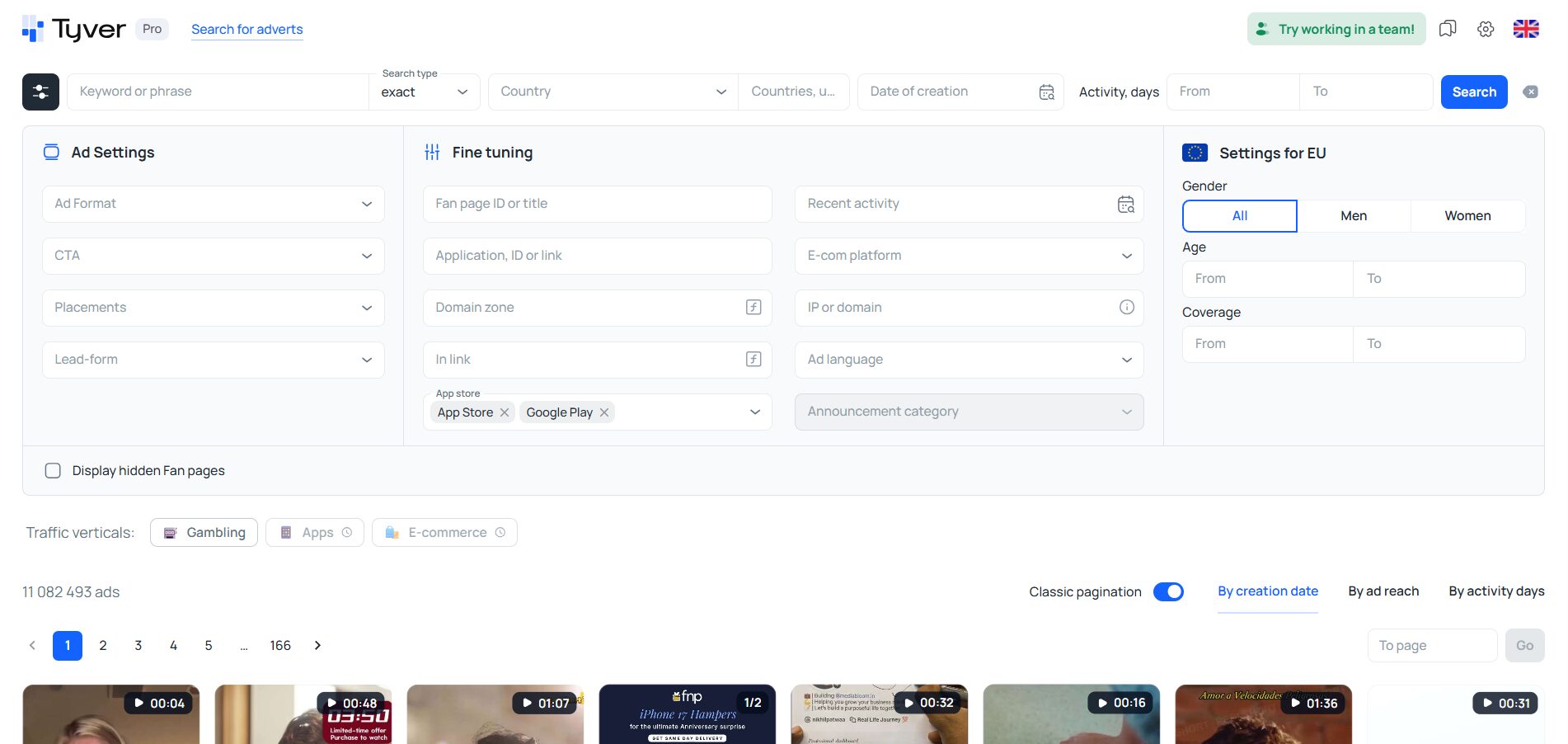
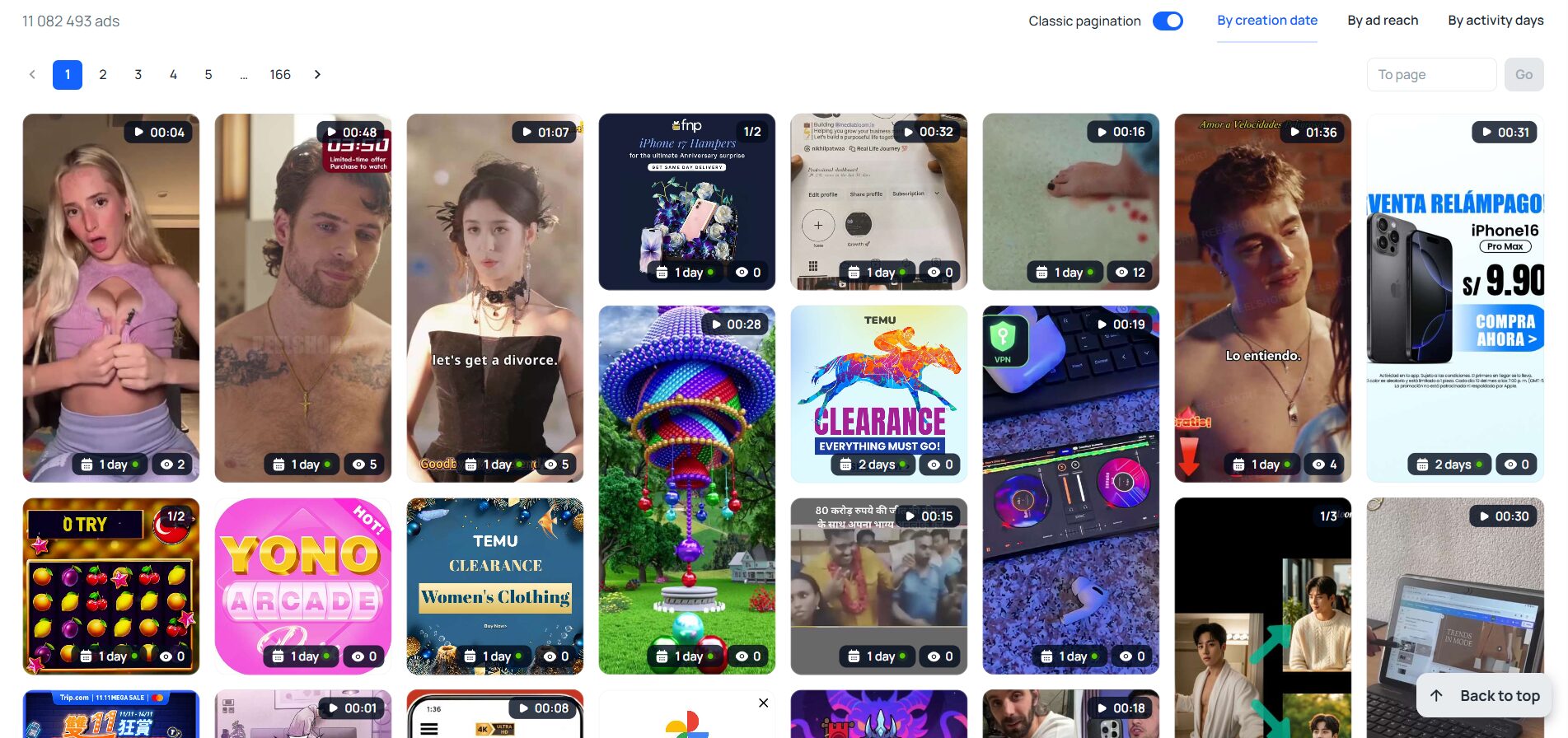
As a result, almost all remaining ads are casino 🎰, games 🎮, dating ❤️, and sweeps 🎁 (prize giveaways).
Other filters are more situational and used less frequently:
- Ad format — photo, carousel, or video. This lets you keep the type you need most: photos to edit and launch faster, or videos to launch not in FB but in TikTok;
- Countries/regions. Helps study regional markets or check whether a product/service/brand has been launched in a particular country or region;
- Placements (Instagram, Messenger, Threads, WhatsApp, etc.). A placement (if it’s not the Facebook or Instagram feed) covers a fairly narrow segment of the audience, and ads to a narrow TA usually perform better. So this filter is used to study campaigns that run long, for example in WhatsApp, which often means good returns;
- Age/gender parameters. This filter is in the EU settings section. It’s more suitable for those who already have a certain audience (bloggers, influencers) and are looking for the best way to monetize their “social capital.” In a sense, it also acts as a GEO/vertical filter at once. If you limit the feed to men, you mostly see casino, dating, and adult-nutra; less often — auto, hunting, and fishing products. Searching strictly for female audiences yields cosmetics and clothing e-shops, travel agencies, and, less often, nutra products for rejuvenation and health.
Sorting
You can sort the ad feed by creation date, view volume, and number of active days 🗓️.
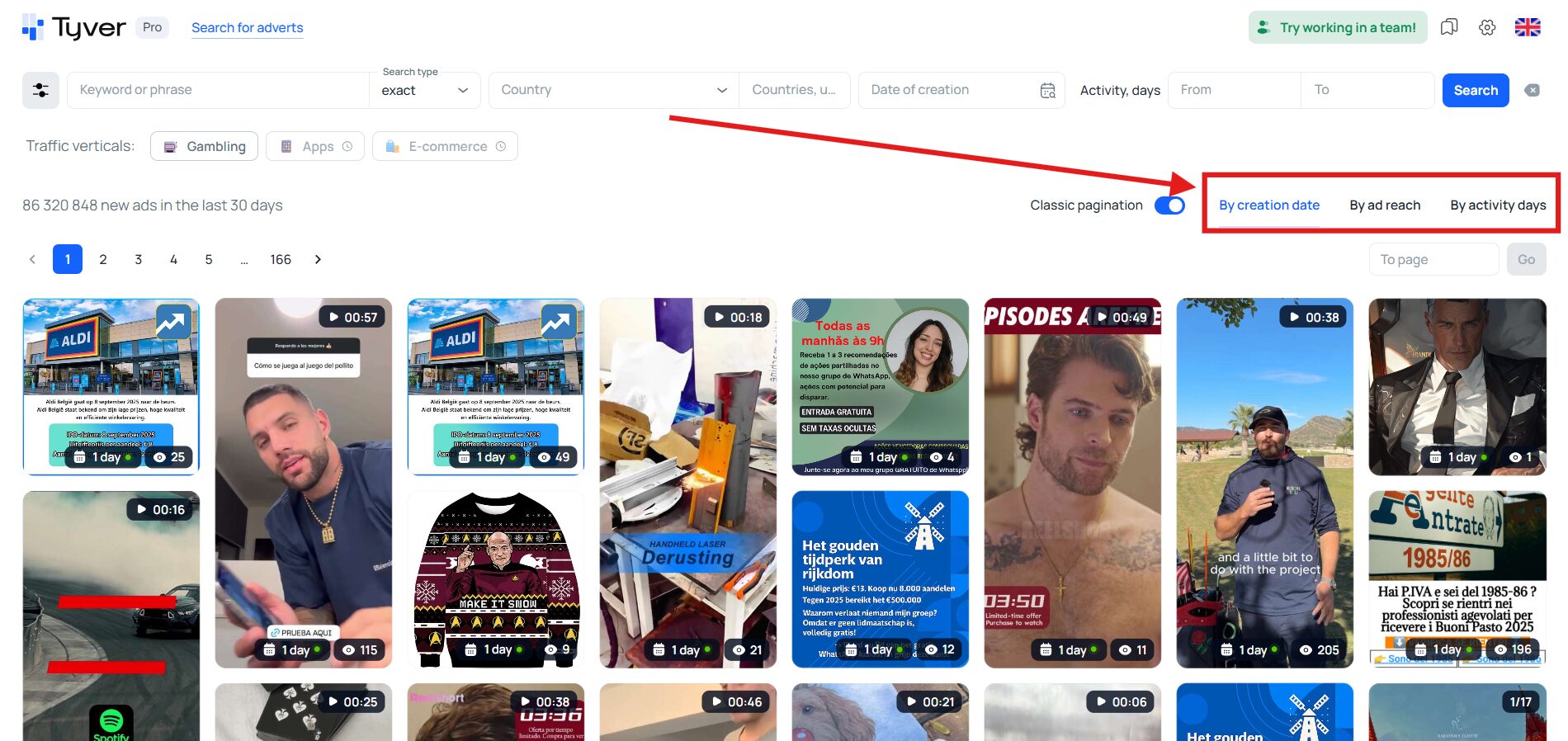
This sorting adapts results to your goals:
- To find the freshest creatives, sort by creation date;
- Need the most attention-grabbing creatives? Sort by reach/views—top items will be those capable of gathering the largest view counts;
- To pick the most result-driven campaigns, sort by activity days—the longest-running creatives rise to the top. Budgets are spent on long campaigns only because they perform.
Sorting is used both when studying the market as a whole and when analyzing a specific product or service.
Ad details
You can view ad details, including the start and end dates, as well as the reach, gender, and age of the target audience. If the gender field is blank, gender targeting is not configured 📊.
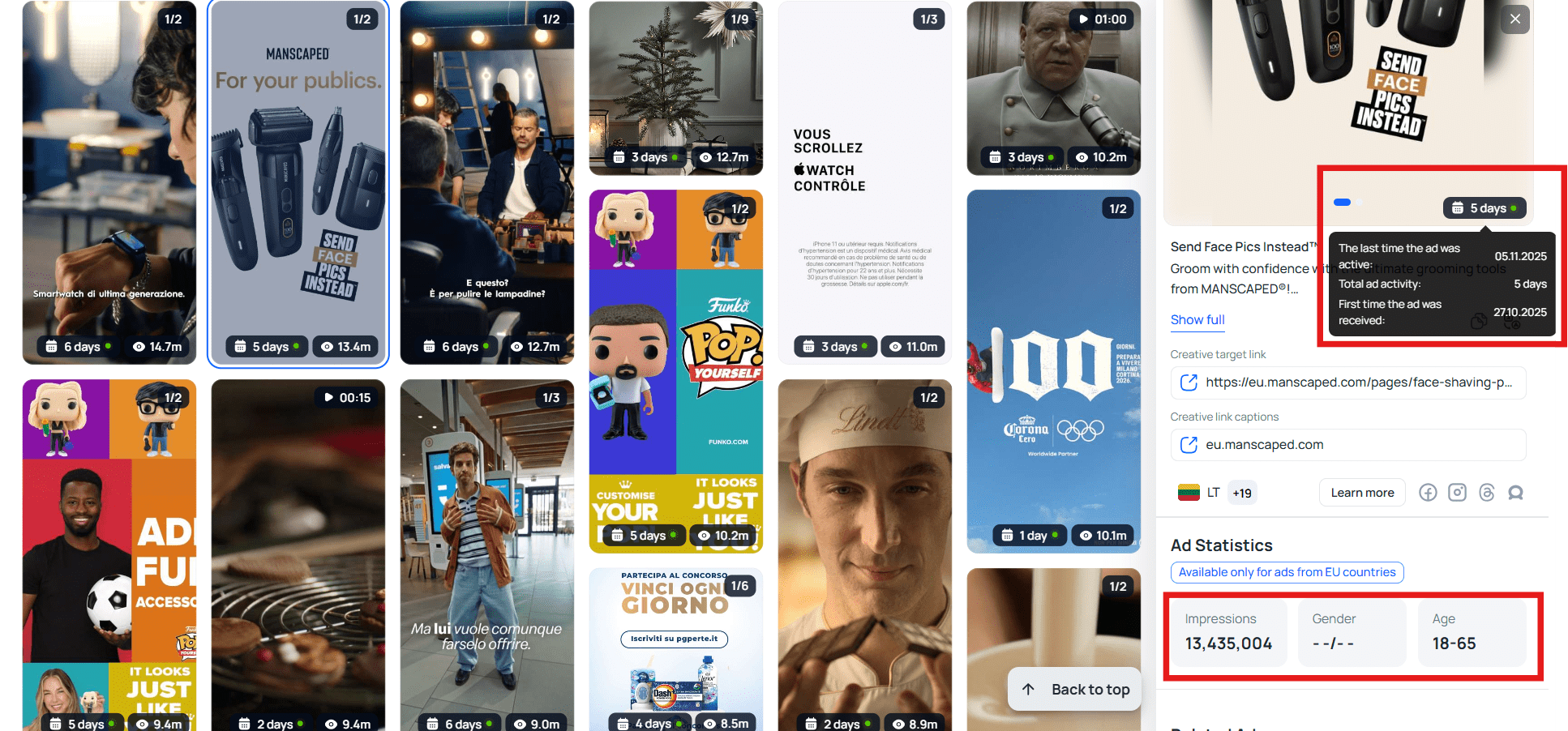
However, demographic characteristics of the target audience are only available for advertising in the EU 🇪🇺.
Studying specific advertisers
In the example above, for the “excess weight” query, very few affiliate ads appeared. Using tyver.io for affiliate marketing, you can find many more of them — and not only for the offer you’re looking for but for others as well. To do this, open the creative and go to the Similar ads section.
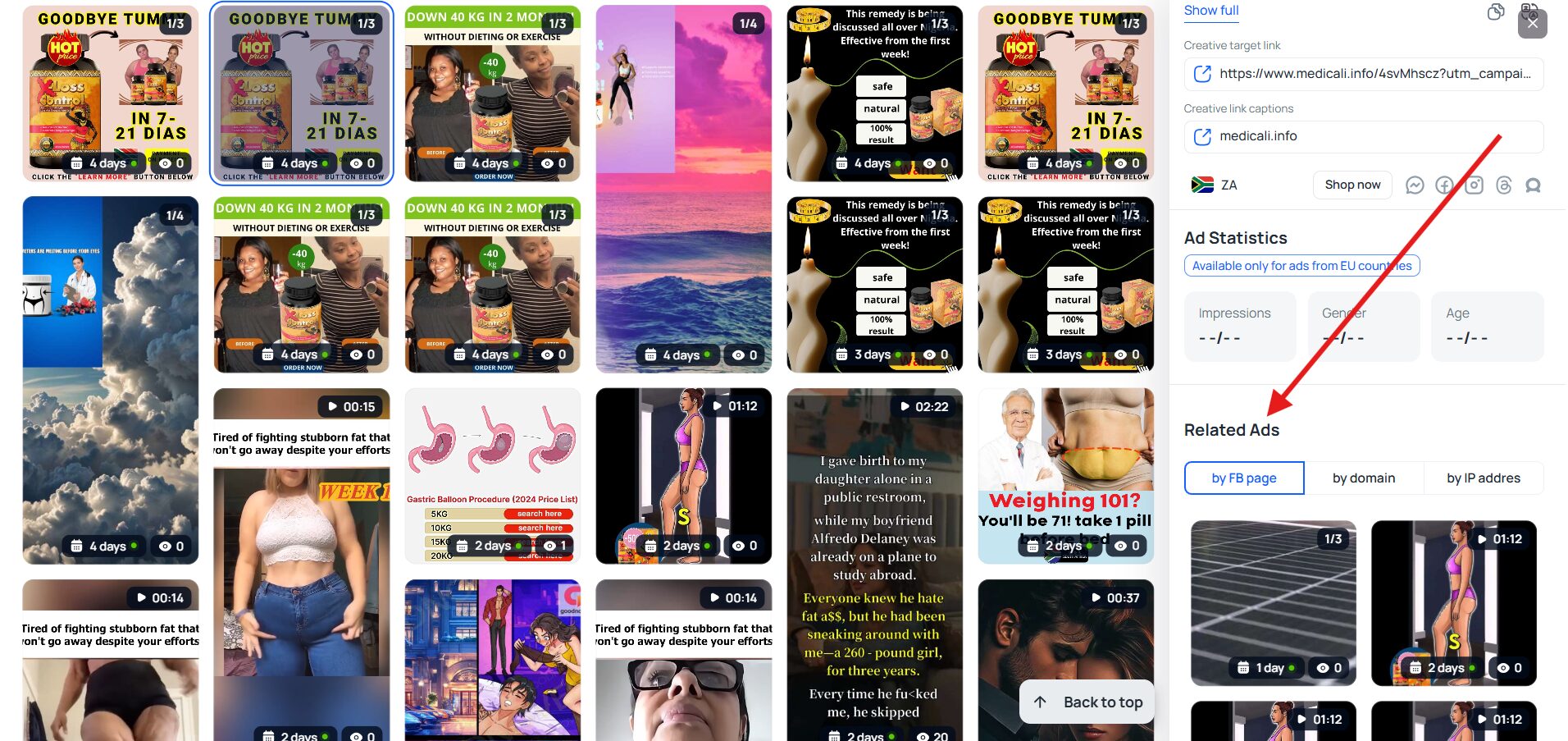
Then click any of them, and a new page will open with all ads launched from one fan page. A fan page is usually intended for arbitrage; therefore, searching by it yields many related campaigns and bundles. In the screenshot below, you can see that only 136 ads were launched from the fan page, and they relate not only to weight loss but also to rejuvenation.
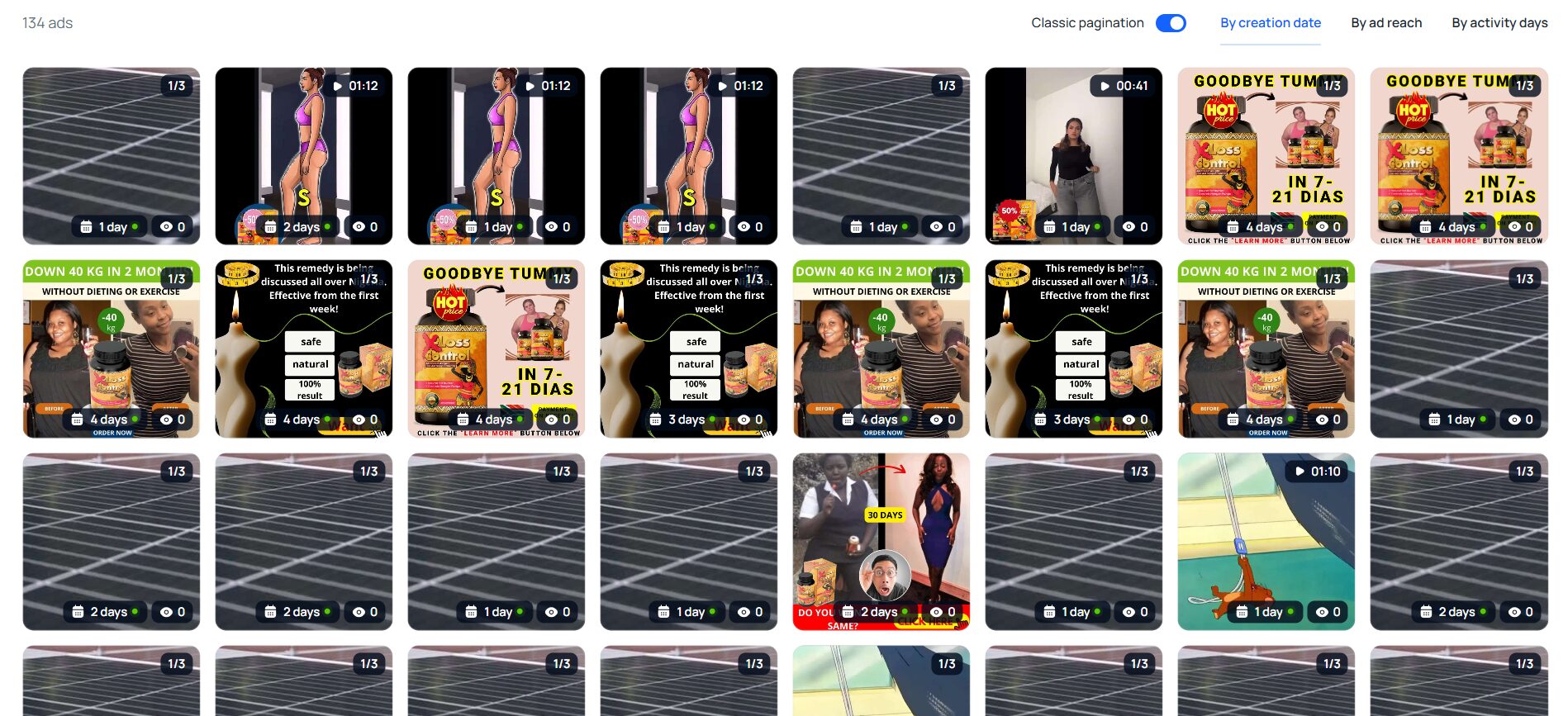
If you expand several ads from different fan pages this way, you can extract a lot of information about current arbitrage bundles, marketplace and online-store products, fresh approaches in your niche, and so on.
Teamwork
The Team plan 🤝 allows you to add other users to Tyver (up to 2 people). You can also assign roles and accordingly limit certain capabilities and access.
But if the Pro plan is enough for you and you don’t plan to add new users, you can still share discovered ads with others. Just save the creative in the «Favorites» section.
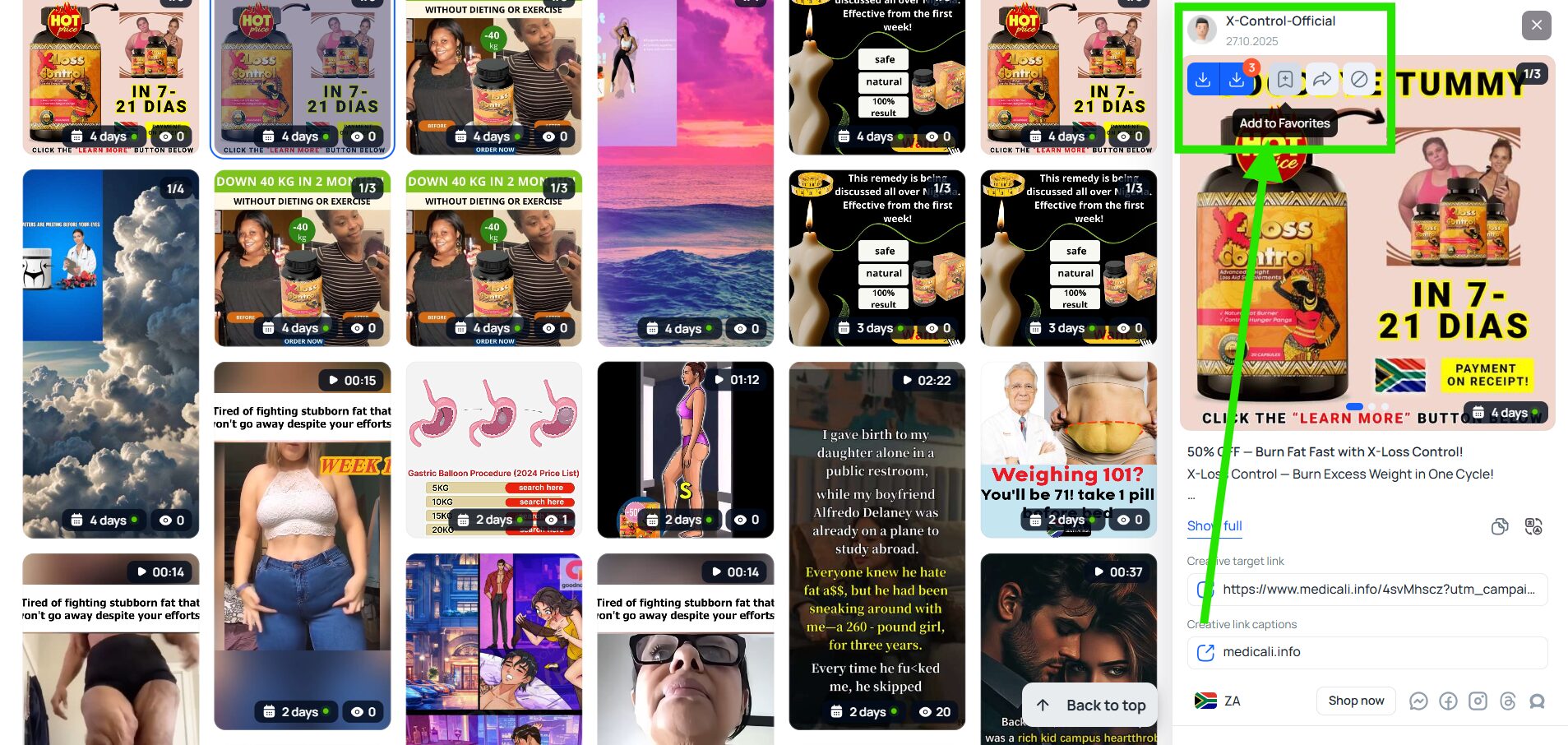
Then, in that section, you can get a link to the saved creative.
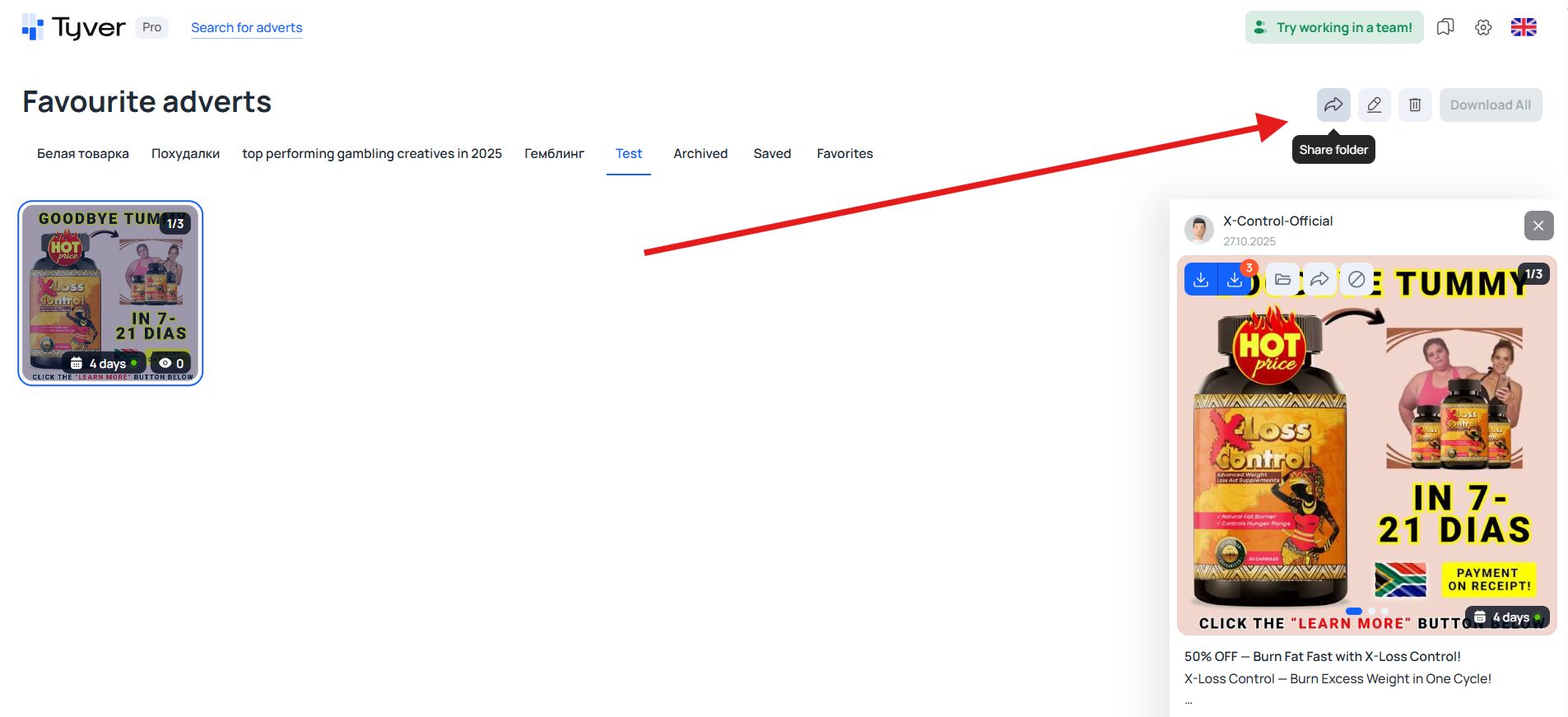
Users you send this link to will be able to view the ad even without registering in Tyver.
Tyver.io: user reviews and key advantages of the ad spy tool
Tyver is about simplicity and compactness. It doesn’t have complex “exotic” functions, but it has all the necessary minimum for fast and effective spying—a huge and regularly updated ad database, valuable filters and sorting, as well as optional collaboration features. The simplicity and effectiveness are confirmed by feedback from regular users ☺️.
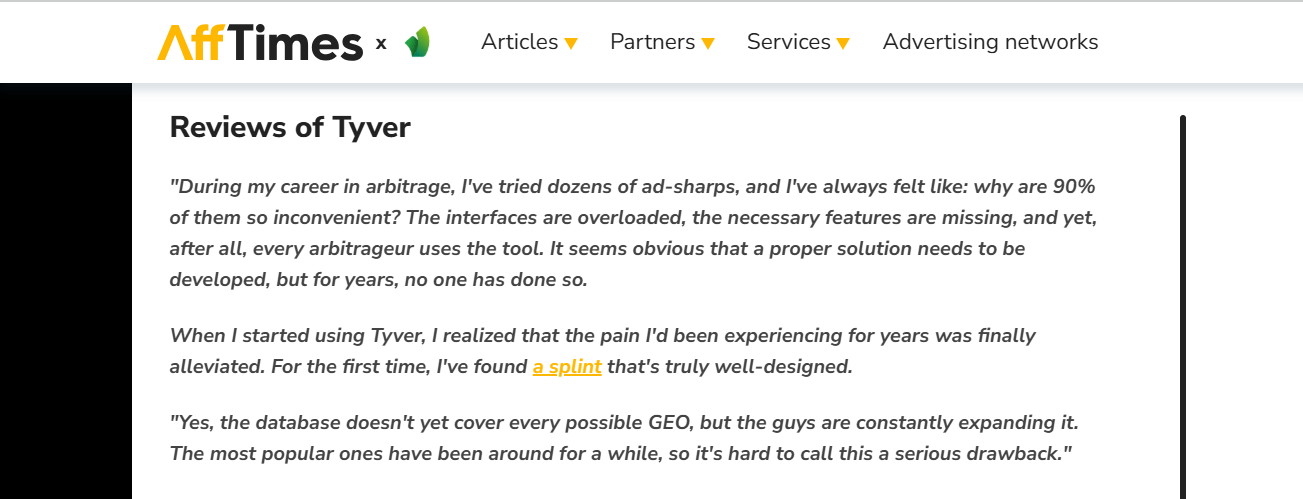
Users also choose this spy service because Tyver.io prices let them save a bit without losing in spying efficiency.
How to get started with Tyver?
It’s very simple. First, you need to register ✅.
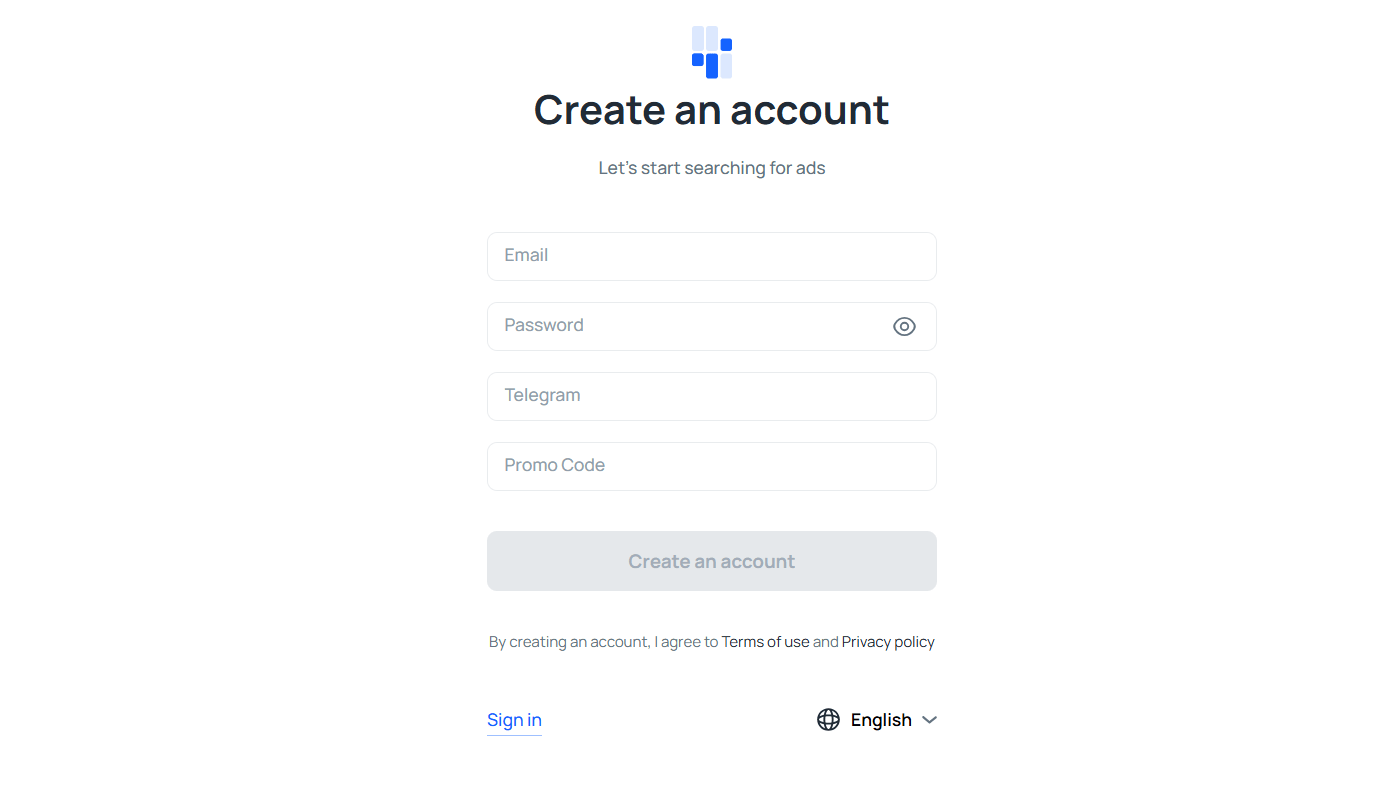
Registration is straightforward—just enter your email, password, and Telegram handle. If you have a promo code for a discount, add it too. Then confirm your account via email and try the free basic version with a limited set of ads. Once you’re convinced the service works for you, you can switch to paid plans:
- Pro. Designed for one user. Up to 30,000 ads per month;
- Team. Designed for a team of up to 3 users. Up to 60,000 ads per month.
🔗 To register, follow the link.
Conclusion
The Tyver team is focused not only on solid technical execution. Every day we look for ways to make competitive ad search even simpler, faster, and more precise. That’s why new features and capabilities are regularly introduced—for example, search by verticals and ad categories.
We regularly receive feedback from users, and thanks to it Tyver adapts to the changing realities of arbitrage, online retail, business, and digital marketing. Register at Tyver.io and use it to get the freshest snapshots of advertising in your niche 🚀.