Tyver vs. BigSpy in 2026: An Honest Review of Ad Spy Tools 👌🏻
Running Facebook ads without competitive intelligence is a surefire way to burn through your testing budget. 🤔 In 2026, ad fatigue sets in way too fast, making it pointless to enter the auction without knowing what other teams are actually running right now.
A spy tool lets you instantly spot which angles are generating a profit so you can implement them into your own campaigns instead of wasting time testing endless hypotheses.
In this breakdown, we stack AdSpy and Tyver against each other. We will break down which features actually help uncover profitable ads and see which platform lets you source fresh gambling or nutra creatives much faster.
AdSpy Review: Old-school platform with a massive database
AdSpy is one of the oldest spy tools on the market and was considered the industry standard for sourcing setups for years. Its main value lies in its historical archive, with a database packing over 200 million ads from 20 million advertisers. This allows you to analyze the market and track how nutra or gambling angles have evolved over the years.
However, such a bloated database comes with a major downside. AdSpy runs noticeably slower, and poor optimization becomes glaringly obvious, especially on low-spec machines. Loading search results often takes too long, and the UI stutters when processing complex queries. In practice, you end up paying for access to thousands of dead ads that just clutter your feed and make it harder to quickly lock in on viable options.
❌ Drawbacks:
- Sluggish performance. Due to the sheer size of the database, pulling search results can take a minute or more, which slows down your workflow during bulk analysis.
- Hefty price tag. A monthly subscription costs $149, which is quite expensive compared to modern alternatives, especially since there are no free trials or budget-friendly entry tiers.
- Outdated data. The feed is often flooded with old creatives that the Meta anti-fraud system blocks at the moderation stage anyway.
Tyver Review: The new favorite for media buyers?
Tyver is a relatively new player that focuses on database freshness and rapid updates. The platform covers over 92% of all ads across Meta properties, pulling around 3 million new creatives every day.
The database also catches creatives that the Facebook moderation system has already managed to take down. This gives media buyers a unique opportunity to not only spot working approaches but also understand exactly where the line is drawn in a specific niche.
The platform was built from the ground up specifically for affiliate marketing, so there is no unnecessary button clutter, and the UI runs smoothly on any device. Instead of spending hours filtering out dead creatives from your search results, you instantly see what is live in the auction right now. On top of that, Tyver packs plenty of useful features, including a built-in creative uniqueizer, a collaborative workspace menu for teams, ready-made setups for gambling offers, and more.
✅ Advantages:
- Fresh database. You see ads that launched just a couple of hours ago, allowing you to catch winning angles before your competitors do;
- Meta coverage. The platform pulls over 92% of ads running across Facebook, Instagram, Threads, and Messenger, providing a complete market overview;
- Lightning-fast performance. The lightweight UI allows you to toggle between filters instantly without any freezing or long loading times;
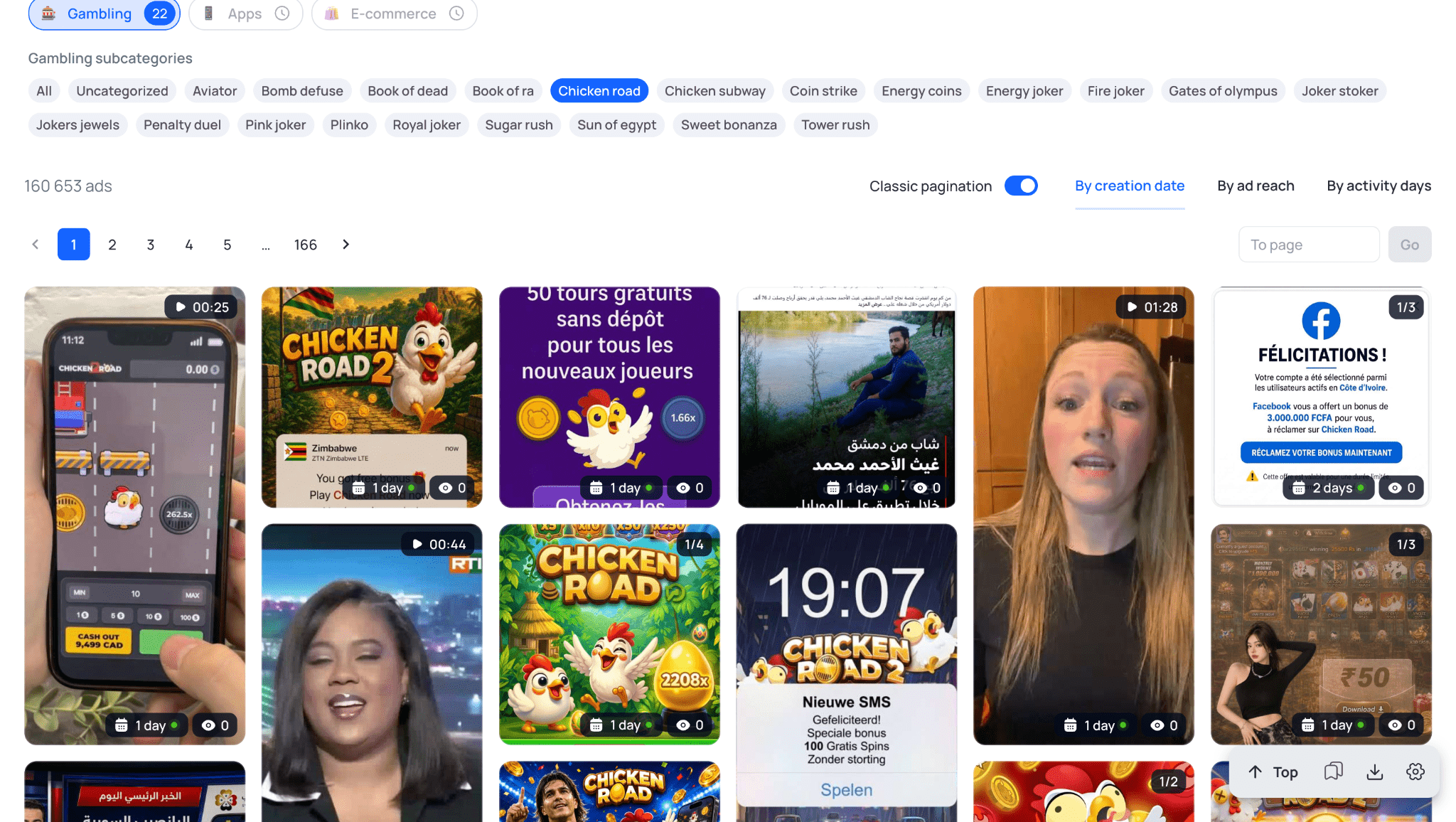
- Dedicated Gambling section 🎰. A specialized category that automatically isolates relevant vertical ads. The system pulls ready-made queries for specific slots and crash games like Aviator, Plinko, Sweet Bonanza, and Gates of Olympus, saving you the trouble of manually collecting and translating keywords across different GEOs;
- Reach insights. Gives you a clear look at the exact impression volume for specific creatives. This feature is active for EU countries and helps you quickly spot ads that competitors are scaling at volume;
- Domain and Fan Page search. Pulls all related ads launched from a specific page or driving traffic to the same domain and tracker URL. This makes it easy to completely reverse-engineer a competitor’s funnel, uncovering their pre-landing pages and other sites within their setup;
- Team management. The «Team» tier allows you to add multiple users to your account. You can assign individual roles and restrict specific permissions or feature access based on their responsibilities.
Feature comparison: Filters, Search, and Analytics
The main requirement for any spy tool is the ability to quickly find ads that are generating a positive ROI right now. If you have to spend hours manually filtering out dead creatives from your search results, the tool completely loses its value.
Below, we stack AdSpy and Tyver against each other across specific features: user interface, vertical search, built-in utilities, and team collaboration options.
User Interface and Experience (UI/UX)
In AdSpy, filters are laid out in a single continuous list at the top of the page. Keywords, countries, media types, buttons, and affiliate networks are all crammed into one place, making the screen feel incredibly cluttered.
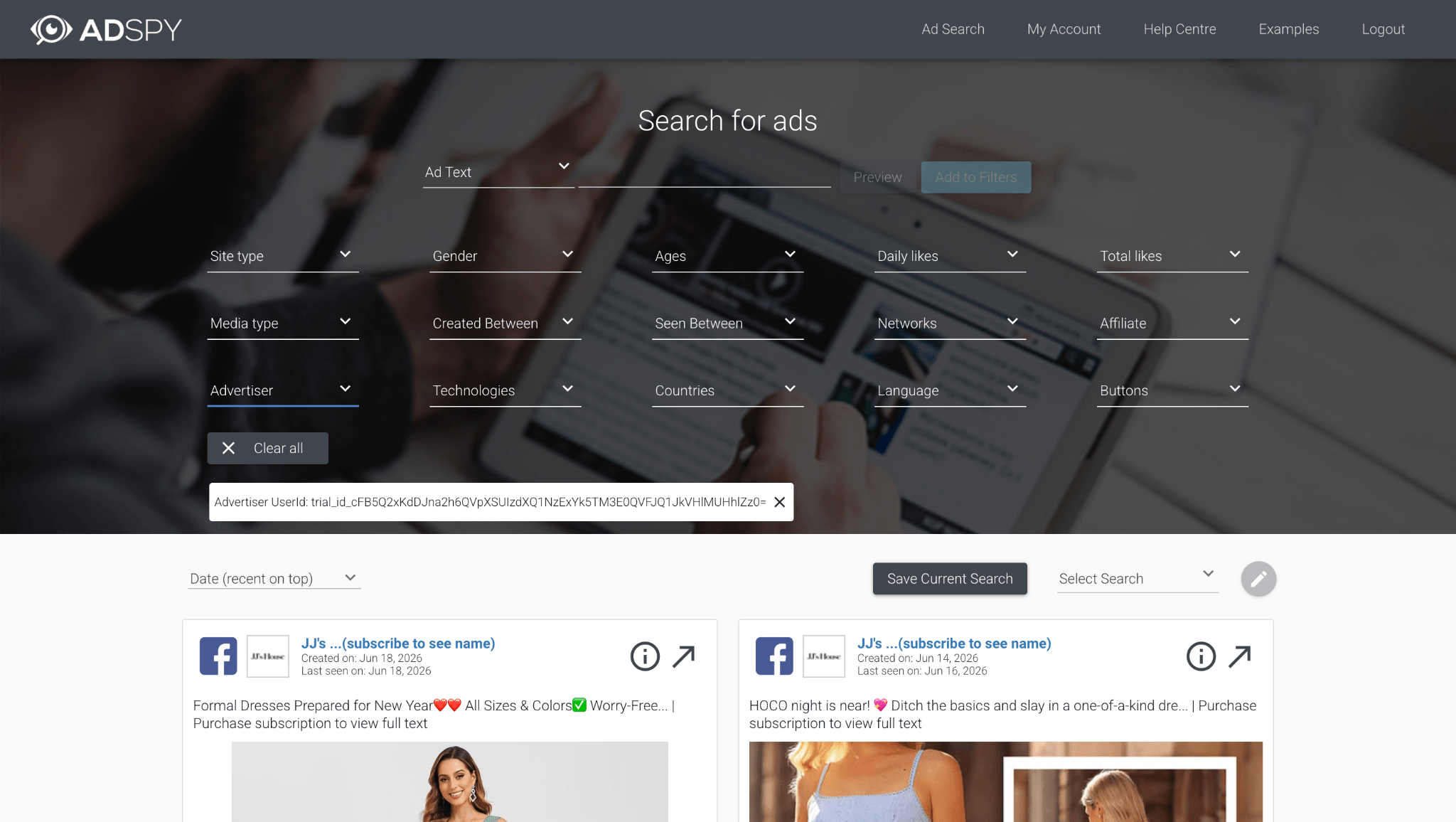
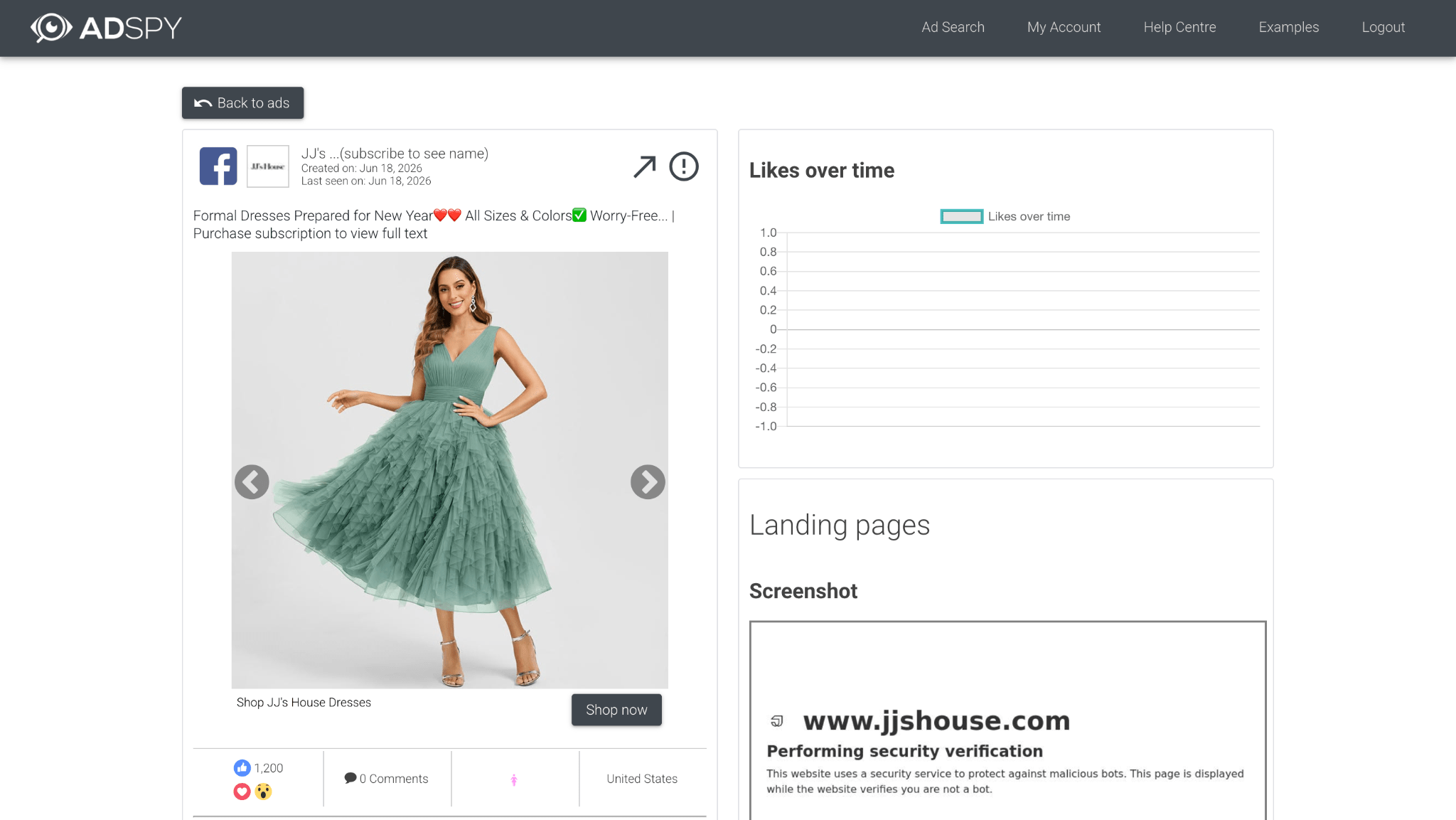
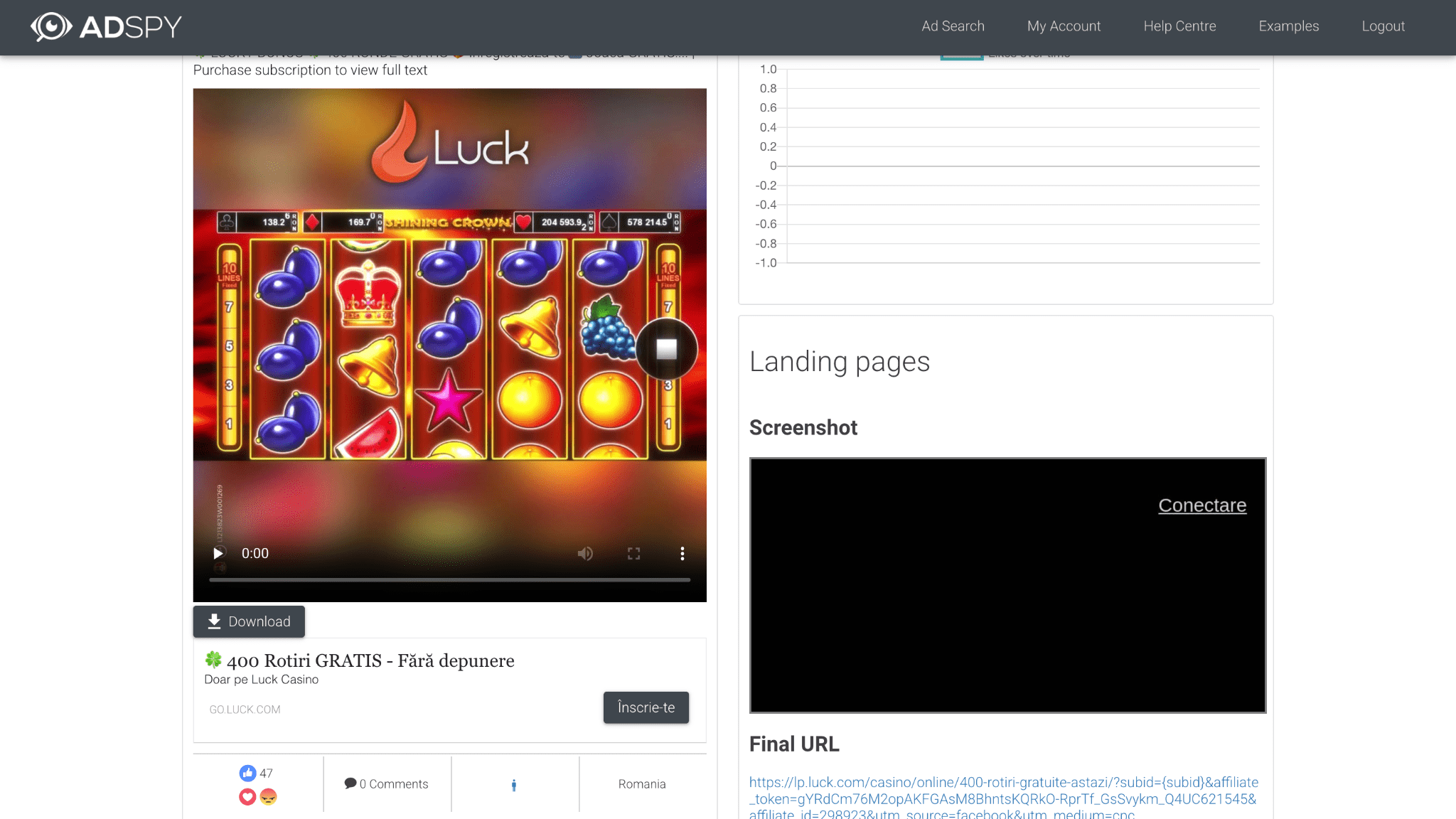
Clicking on an ad opens a completely new page with detailed insights. There you can check analytics, demographics, and a screenshot of the lander. However, this causes you to lose your main search feed, forcing you to constantly click the back button just to keep scrolling through your results.
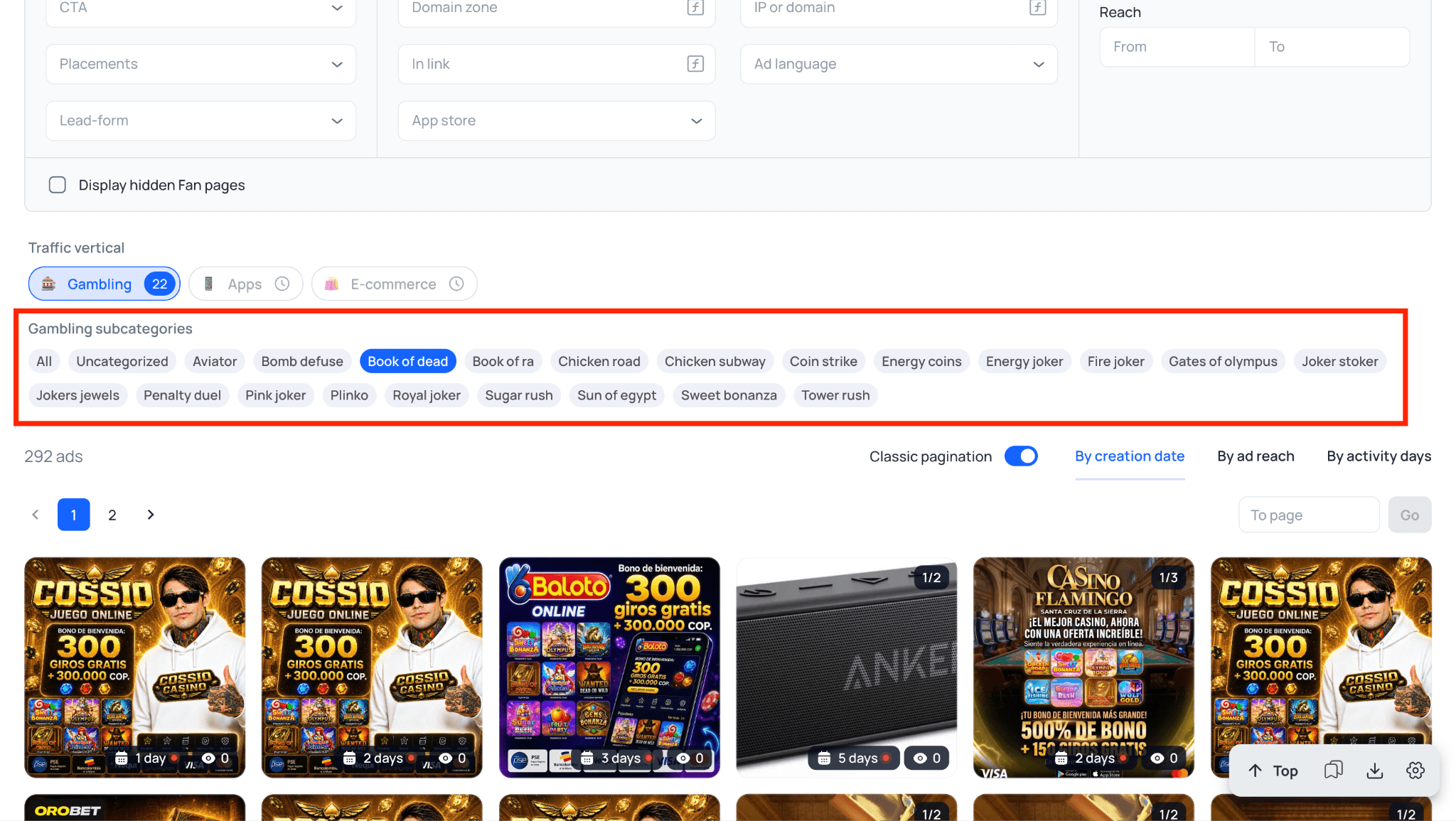
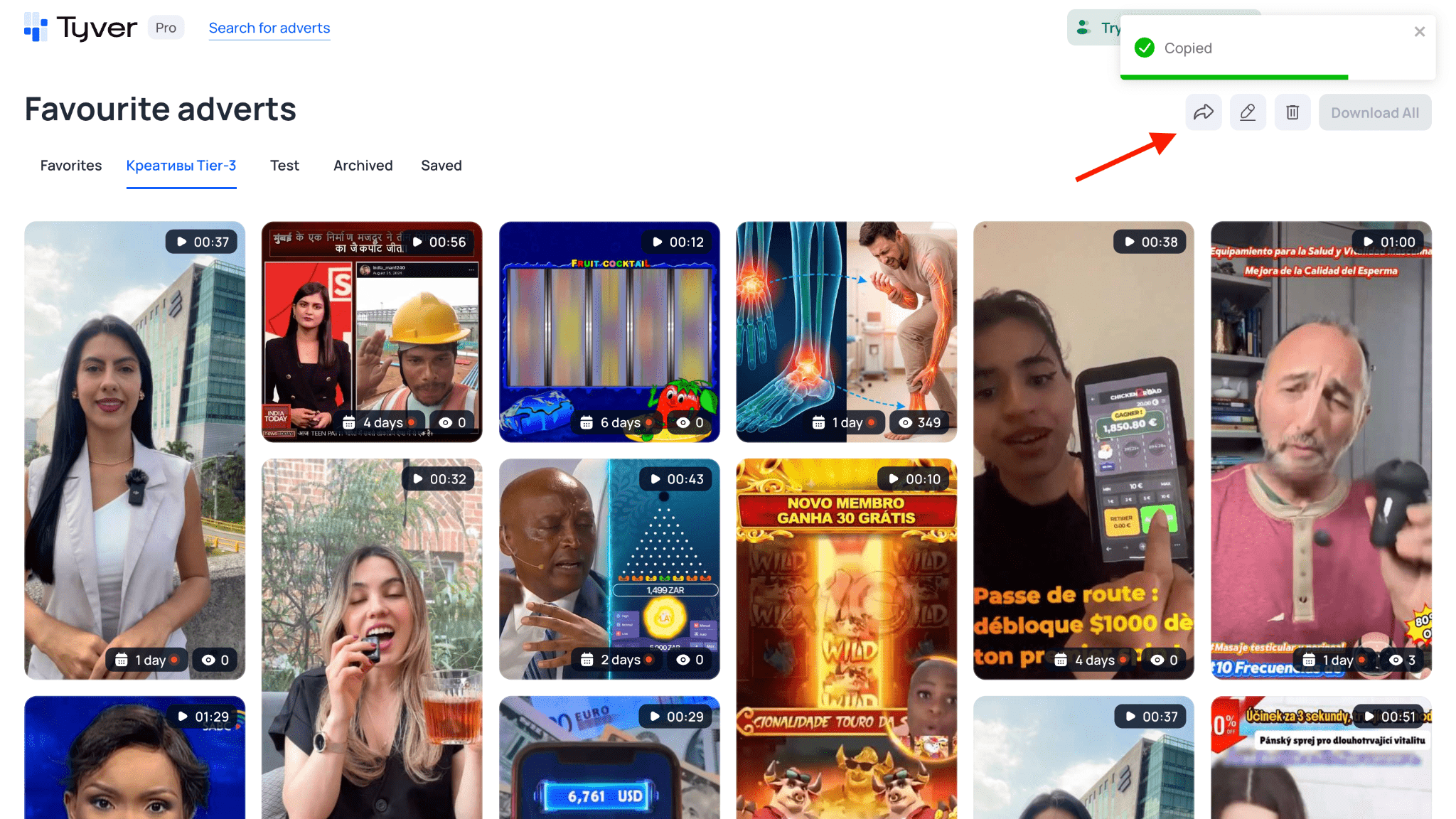
In Tyver, settings are split into dedicated blocks. Core parameters like keywords and countries sit right at the top, while the remaining filters and EU analytics are grouped below. The «Gambling» button is placed prominently, allowing you to isolate relevant search results in a single click. 👌🏻
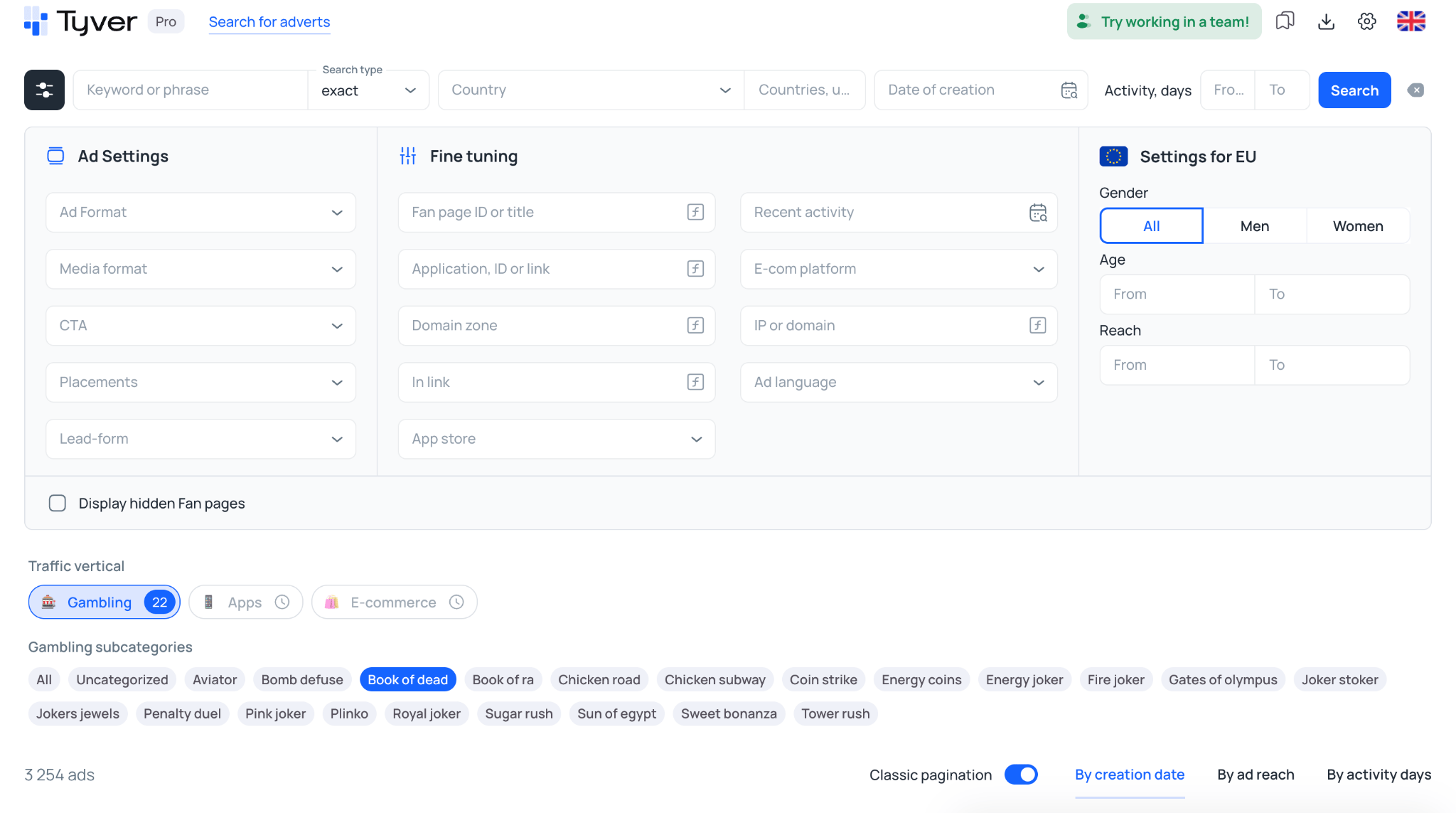
Detailed insights open up in a side panel directly over the main feed. This window displays the ad copy, the destination landing page URL, and buttons to download, uniqueize, or add the creative to your favorites. You can immediately check the links and inspect campaign parameters while staying inside your main search results.

Search settings and filtering depth
In AdSpy, you can filter ads tied to specific affiliate networks, with around 100 well-known CPA networks available in the filter. You can also look up ads by offer ID, specific URLs, or search for text matches on the landing page itself.
Tyver also supports search by macros and sub IDs. In the «In URL» field, you can enter standard tracker markers like pixel_id=, sub1=, utm_source=, or fb=.
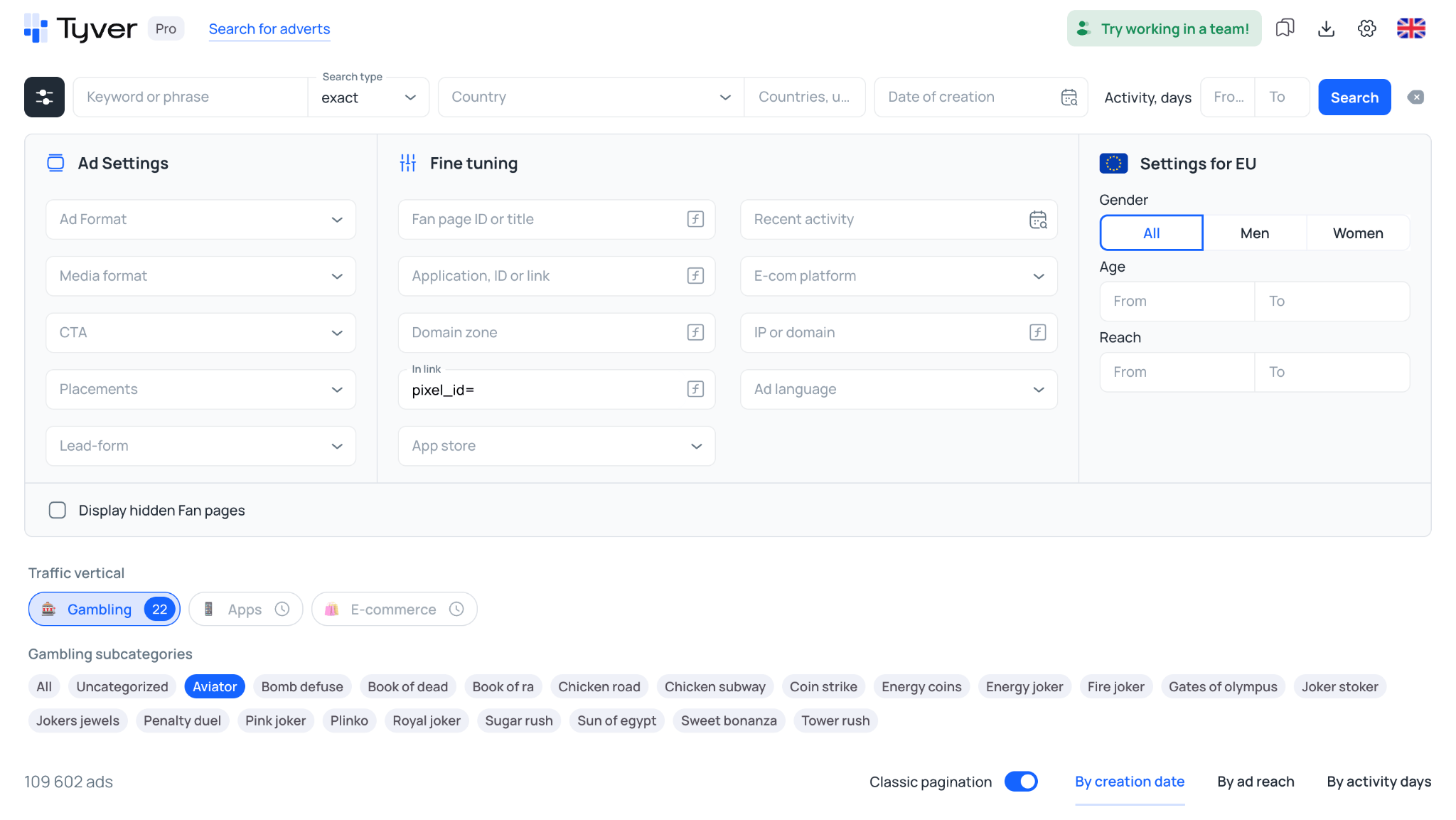
This allows you to immediately clean out irrelevant ads from white-hat advertisers and isolate exactly what media buyers are running.
AdSpy lacks dedicated search settings for mobile apps. Finding ads for WebView apps requires manually sorting through keywords. Tyver addresses this with a dedicated search filter for the Google Play and App Store marketplaces. 📱
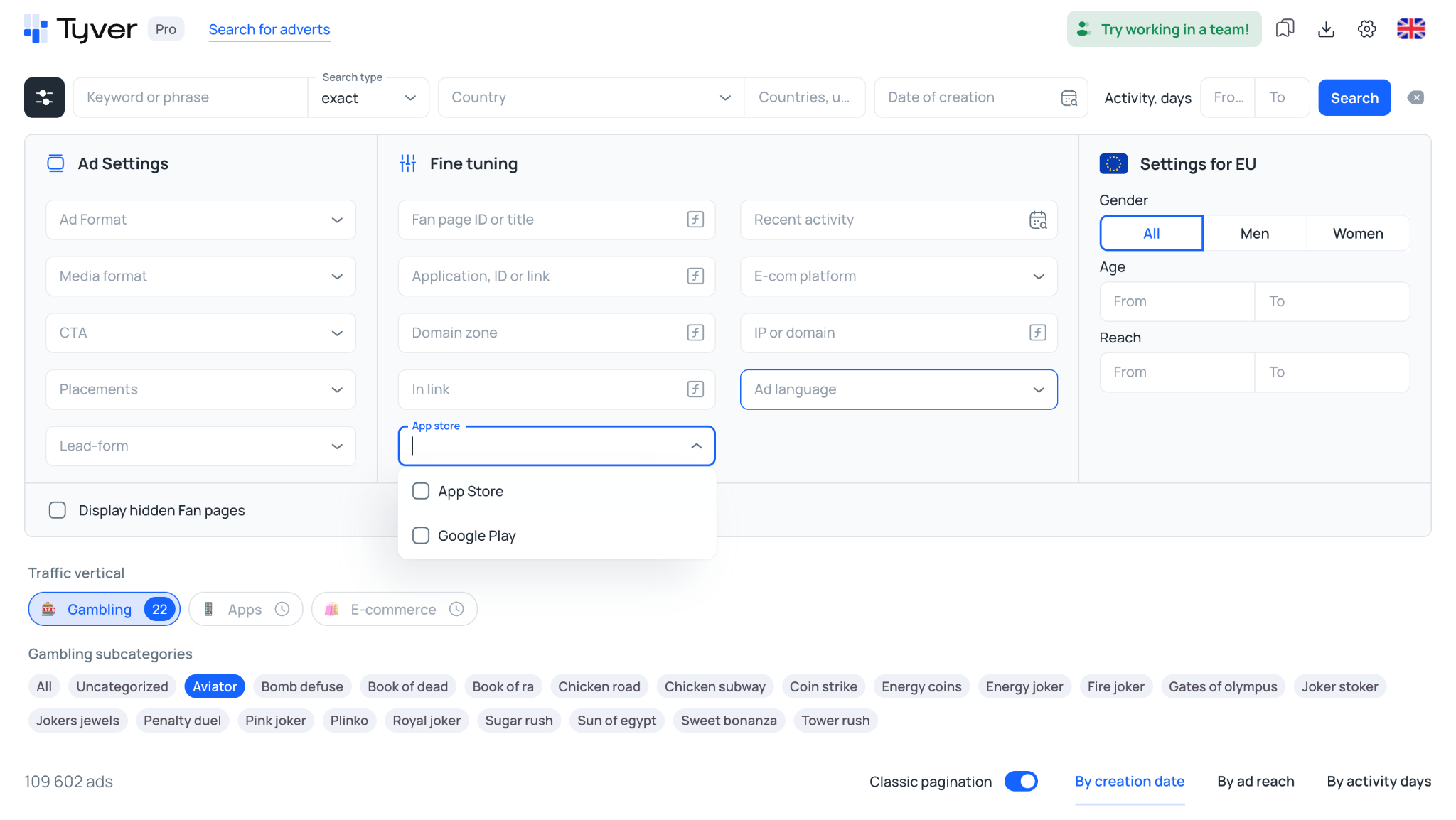
If you need to track down PWA funnels that are not hosted in official stores, you can combine the URL filter with call-to-action buttons like «Download» or «Play Game».
On the plus side, AdSpy can bypass cloaking and pull screenshots of landing pages, though this feature does not always work perfectly.
It also includes a search filter by site technologies, letting you sort landers by CMS or scripts like Active Campaign and Adobe Marketing Cloud.
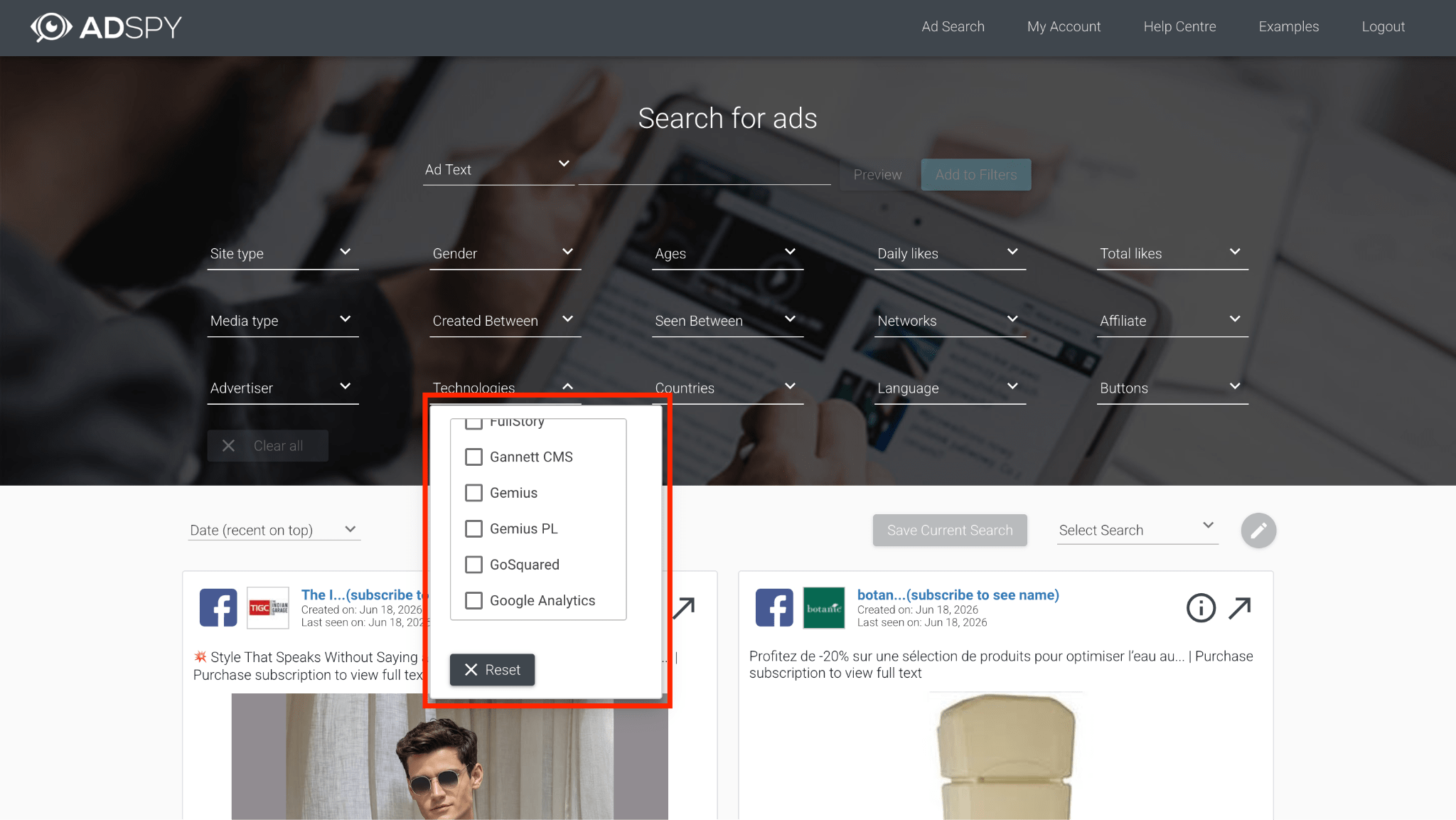
While this filter is quite niche and often unnecessary, it comes in handy when you need to find competitor bridge pages built with specific code elements.
Tyver uses a «Similar Ads» feature for funnel analysis. Directly from the creative card, you can open search results for a specific Fan Page, domain, or IP address in a single click.

This allows you to instantly see all associated pages and landers tied to the same advertiser.
Sorting also works differently across both platforms. AdSpy lets you filter results by user likes and reactions. In affiliate marketing, relying on this is rarely a good idea since post engagement is often inflated with bots, which pushes irrelevant ads to the top.
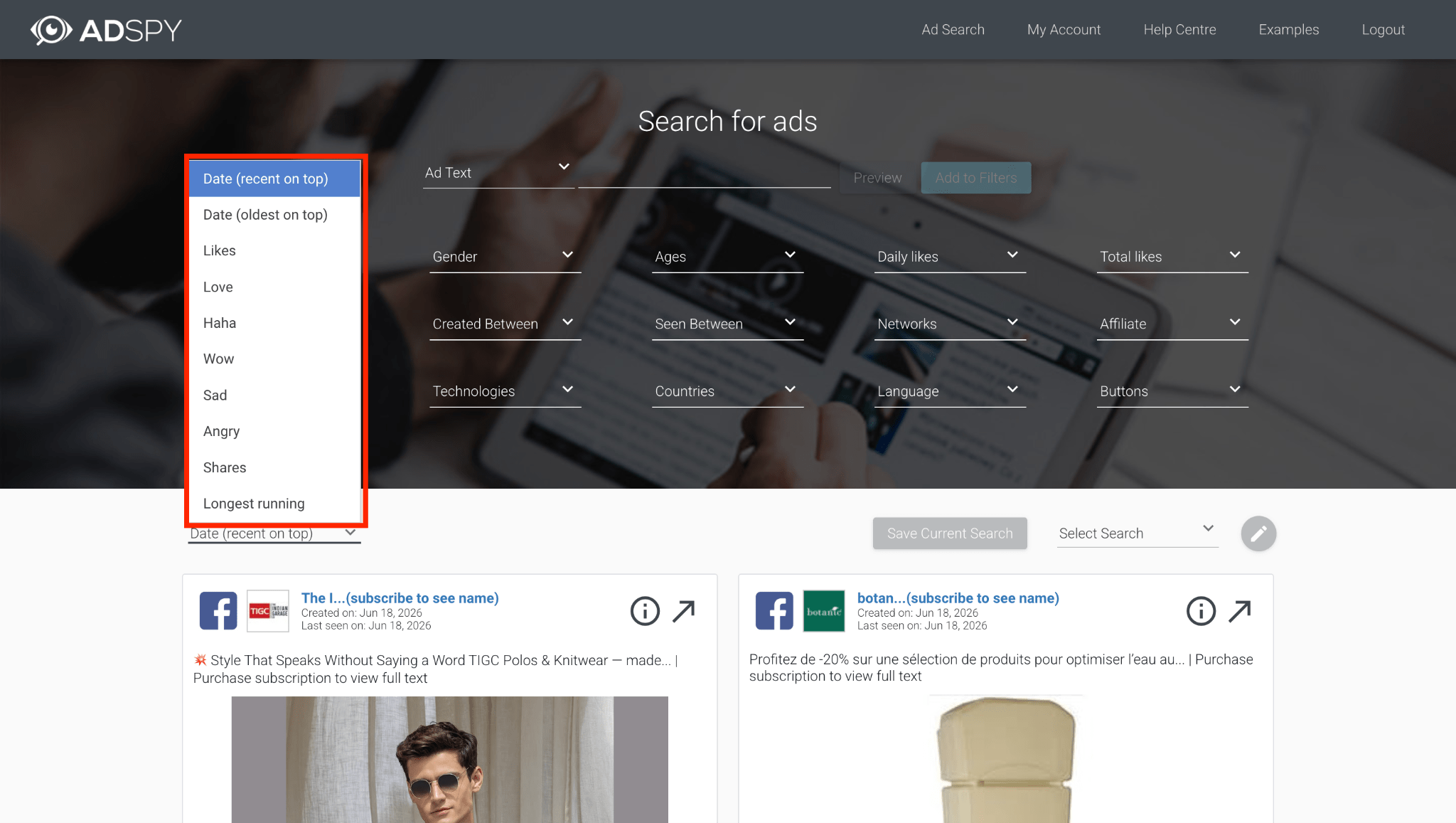
Tyver solves this by letting you sort by creation date, actual reach, or active days. Filtering ads using these parameters proves to be far more effective. 📊
Additionally, AdSpy allows you to search for keywords within post comments. Typing in phrases like «I like it» or «How to buy» can help locate ads where real users leave feedback.
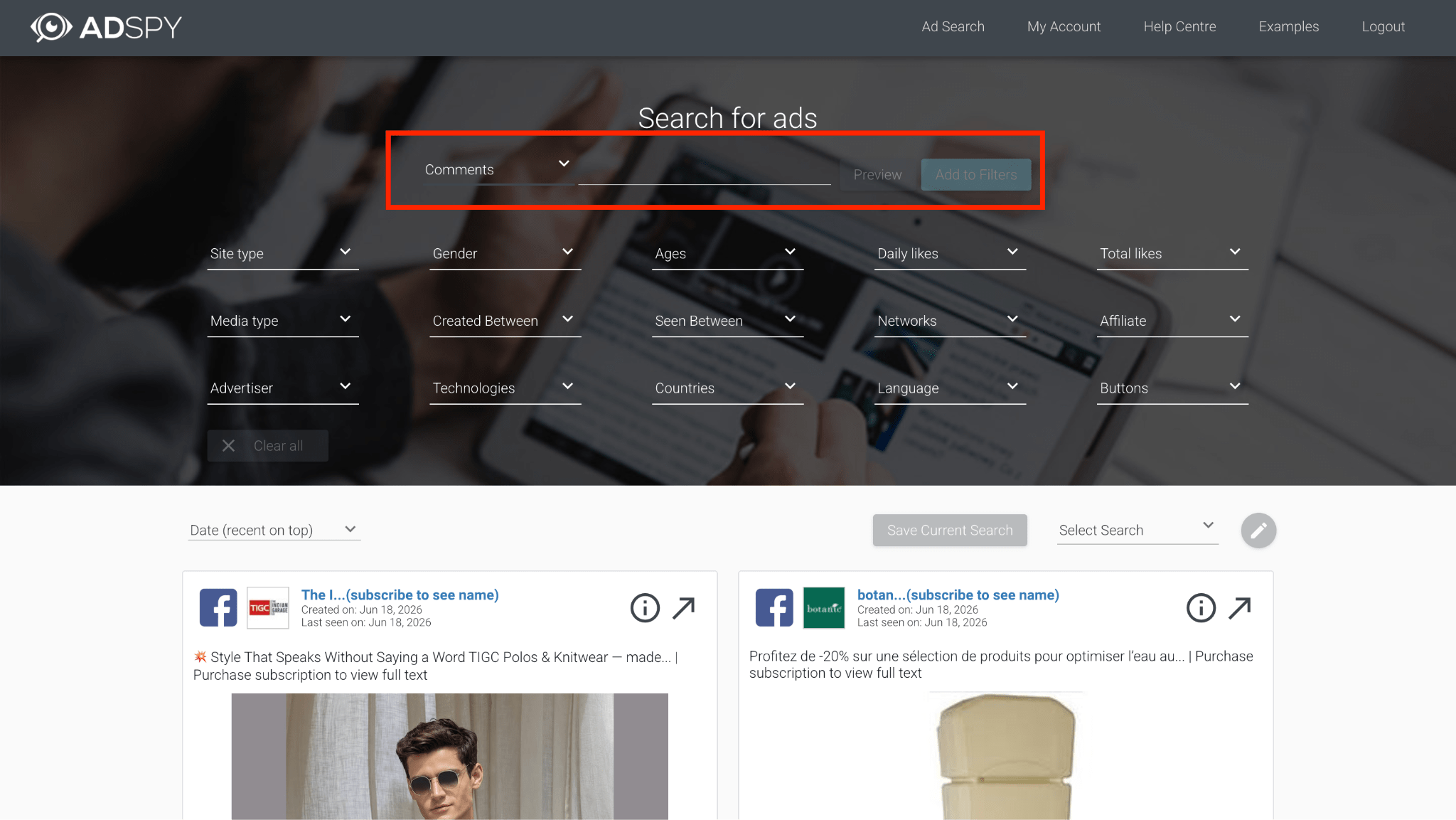
In reality, comments are frequently scrubbed or automated by bots, making this feature hit or miss. Beyond text analysis, AdSpy lets you evaluate audiences by providing standard charts for gender, age, and GEO across its entire global database.
Tyver does not track comments, but it provides deep demographic insights for EU countries. Due to strict privacy regulations in Europe, Meta hides this data from its public library, but the platform bypasses these restrictions to gather accurate age and gender statistics directly inside the ad card. 🎯
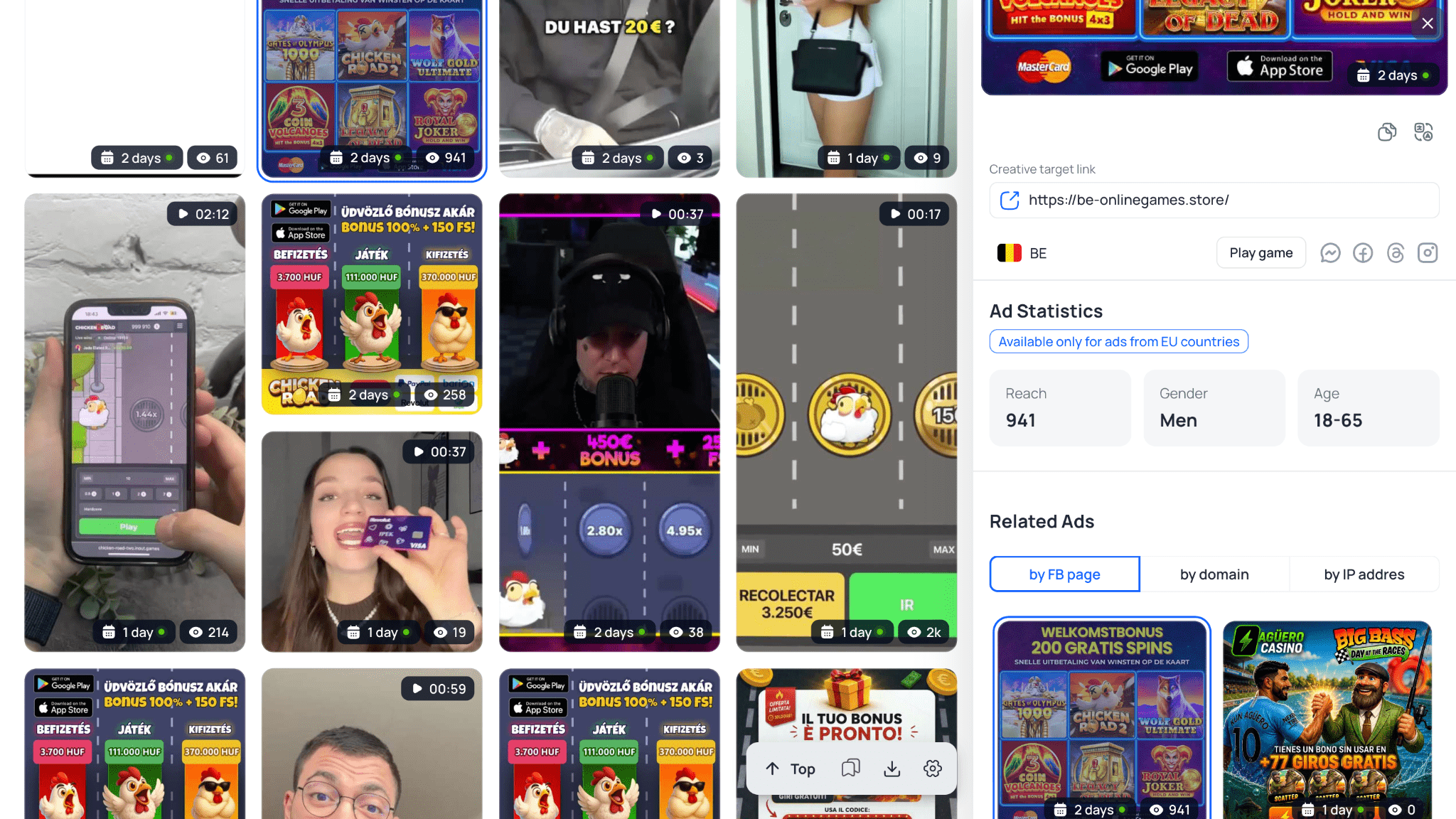
You can immediately apply these numbers when setting up your Facebook ad sets, saving your budget from wasting spend on broad audience testing.
Database volumes and source coverage
The main difference between these tools lies in the freshness of the ads. AdSpy’s database stores a lot of old campaigns that Meta moderation no longer lets through. Additionally, searches here are strictly limited to Facebook and Instagram.
Tyver collects ads from across the entire Meta ecosystem, including Threads, WhatsApp, and Messenger. ✅ Its feed also catches creatives that the Facebook anti-fraud system managed to take down just a couple of hours after launch. For a media buyer, this provides an opportunity to see aggressive angles in grey-hat verticals and understand exactly which creatives are passing the platform’s checks right now.
Sourcing gambling creatives made easy
AdSpy is a broad tool, so it lacks dedicated settings for specific verticals. Sourcing gambling creatives requires you to manually compile slot titles across multiple languages and enter those keywords into the search bar. Because of this, you end up spending a lot of time cleaning out white-hat ads and irrelevant results from your feed.
Tyver solves this with a dedicated «Gambling» section 🎰 that can be toggled on in a single click. This feature eliminates the need to look up keywords manually. The platform automatically aggregates relevant niche ads and serves up creatives tailored to specific slots and crash games like Aviator, Plinko, Sweet Bonanza, and Gates of Olympus.
Creative uniqueization
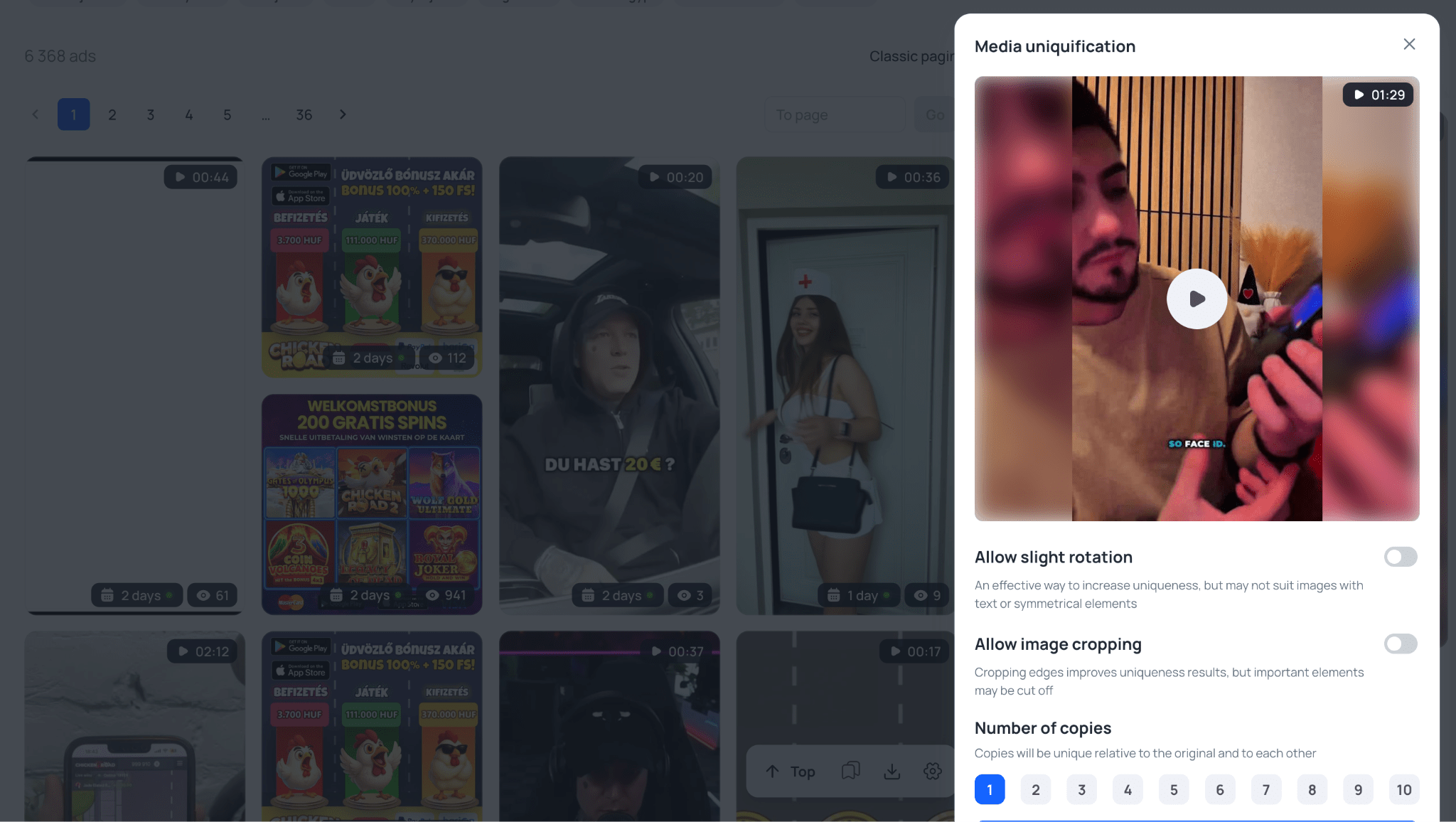
AdSpy lacks any built-in file editing tools. Once you download a creative, you have to make it unique manually using third-party editors or Telegram bots.
Tyver features a built-in uniqueizer right inside the ad card. Directly from there, you can apply a slight tilt to a video or image, crop the edges, and generate up to 10 unique copies. 💡
Team collaboration
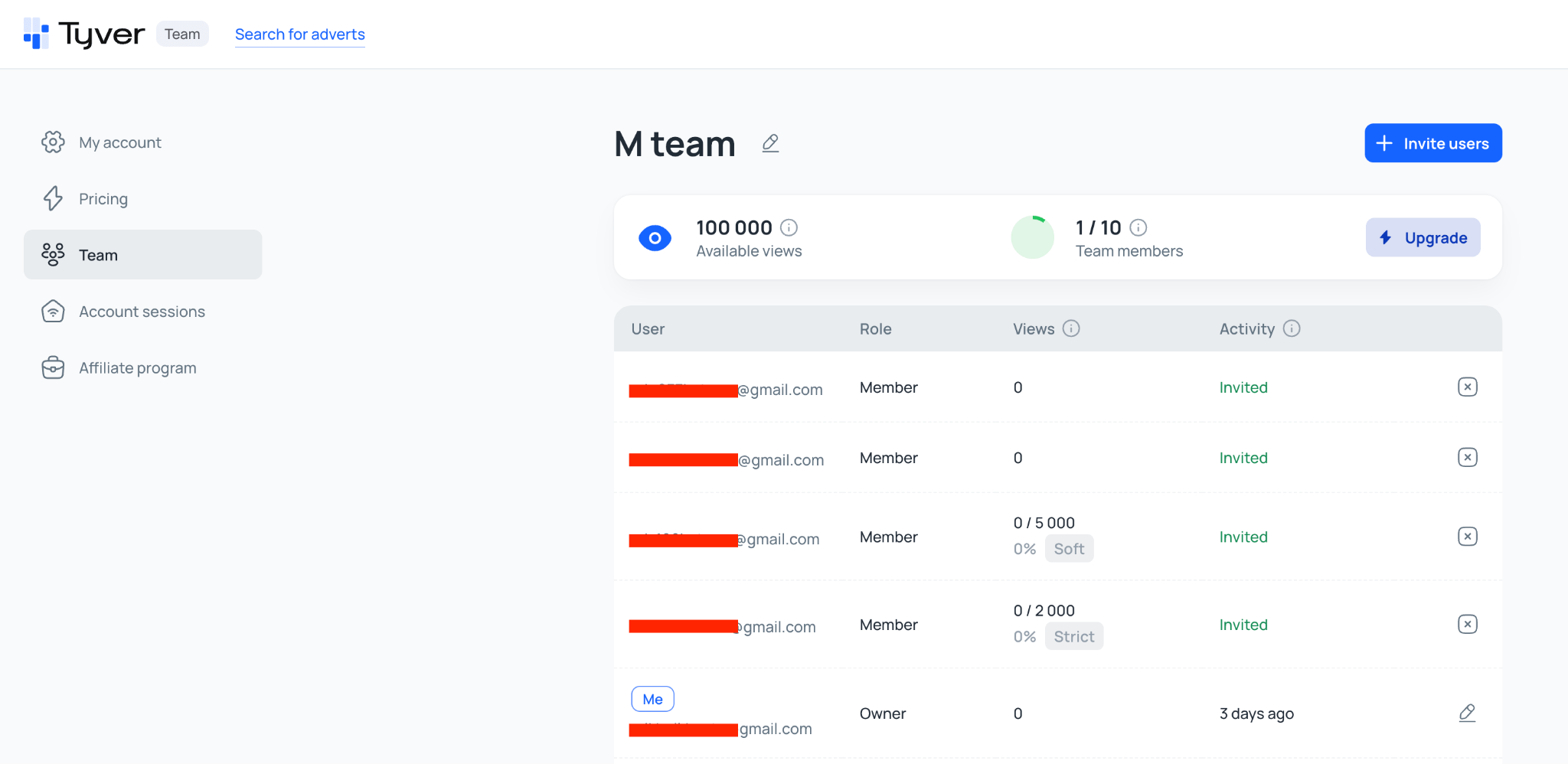
AdSpy completely lacks team features. Media buyers are forced to share a single account, which burns through view limits incredibly fast.
Tyver offers a dedicated «Team» tier where you can set up individual profiles for each buyer, configure access permissions, and assign roles. Team leads can set custom limits for employees to keep a close eye on usage and expenses. 👥
Additionally, you can group ads into folders and share them via a direct link. The curated selection will open even if the recipient does not have an account on the platform.
Pricing plans and accessibility: Which is more cost-effective?
In media buying, the cost of your infrastructure and tools directly impacts your ROI. Spending your budget on a subscription when you do not even use half of its features is pointless. 💸 Let us break down how much access to both platforms actually costs.
AdSpy has kept the exact same pricing model for years. There are no cheaper entry plans here. Access to the database comes at a flat $149 per month. For this amount, an advertiser gets standard, unlimited search features across Facebook and Instagram.
For solo buyers or beginners with a tight testing budget, this price tag is often out of reach. In reality, you are paying full price for an archive of old ads, most of which have long since burned out and can no longer pass moderation.
In contrast, Tyver splits its pricing plans across different needs and budgets. The current tiers look like this:
- «Free» ($0 per month). Complimentary access. This is perfect for testing out the filters, checking the user interface, and reviewing basic ad data before committing to a paid subscription;
- «Pro» ($79 per month). A fully functional option for solo media buyers. This plan grants unrestricted access to the entire database, displays all available ad insights without limits, and lets you save your discovered creatives to your favorites. Price-wise, it is nearly half the cost of a standard AdSpy account;
- «Team» ($119 per month). A tier built for media buying teams. For this price, you get two fully featured Pro accounts alongside the ability to add users to your team and flexibly configure limits for every individual buyer.
When it comes to accessibility, Tyver clearly takes the lead. During your initial testing and exploration phase, you can easily stick to the free version, and when you are ready to start scaling your campaigns, you can upgrade to a Pro account. It will cover all your creative sourcing needs while costing half as much as the legacy AdSpy platform.
Summary table: AdSpy vs. Tyver
| Feature | AdSpy | Tyver |
| Database size | 200M+ ads. Filled with old campaigns that Meta no longer lets through | ✅ 115M+ active ads per month. Updates every few hours; banned Meta creatives stay visible |
| Platform coverage | Facebook and Instagram only | ✅ Facebook, Instagram, Threads, WhatsApp, Messenger — the full Meta ecosystem |
| Sourcing affiliate setups | Strictly text and keyword based. Finding mobile app or PWA funnels is difficult | ✅ Dedicated filters for stores (App Store / Google Play), quick Gambling search in one click, tracker sub ID scraping, pixel and Fan Page lookup |
| Gambling section | ❌ No. Slot keywords must be compiled manually | ✅ Yes. One click — targeted results for Aviator, Plinko, Sweet Bonanza, Gates of Olympus |
| App store search | ❌ No | ✅ Dedicated filter for Google Play and App Store |
| Tracker sub ID search | ❌ No | ✅ «In URL» field — pixel_id=, sub1=, utm_source=, fb= and more |
| CPA network search | ✅ Yes — filter across ~100 CPA networks (ClickBank, MaxBounty, etc.) | ❌ No |
| Comment search | ✅ Yes — unique feature, keyword search inside ad comment sections | ❌ No |
| Site technology search | ✅ Yes — filter by CMS (Shopify, WooCommerce, etc.) and scripts | ❌ No |
| Ad reach data | ❌ No | ✅ Available for EU countries — exact impression count visible |
| Audience demographics (gender, age) | General charts across the entire database — not tied to individual ads | ✅ Precise demographics inside each ad card for EU creatives |
| Result sorting | By likes and reactions (often inflated) | ✅ By actual reach, active days, or creation date |
| Advertiser funnel analysis | Partial — by domain and URL | ✅ By Fan Page, domain, and IP — full funnel breakdown in one click |
| Built-in uniqueizer | ❌ No | ✅ Yes — up to 10 variants generated directly inside the ad card |
| Interface speed | Slow, especially on complex queries | ✅ Fast and smooth on any device |
| Team collaboration | ❌ No. Single account plan with no multi-seat support | ✅ Team tier — roles, limits, individual profiles for every buyer |
| Folder sharing | ❌ No | ✅ Ad folders shared via direct link — no account required to view |
| Free version | ❌ No | ✅ Yes, available immediately after registration |
| Pro access pricing | $149 per month | ✅ $79 per month — half the price |
Which spy tool should you choose?
In media buying, launching campaigns blindly is a guaranteed way to burn your spend right at the testing stage. ☝️ The speed at which Facebook angles burn out forces buyers to search for working setups daily and monitor exactly what the Meta anti-fraud system is letting through right now. Without a professional spy tool, you will simply overpay to test hypotheses that your competitors have already milked dry.
Choosing between these tools depends on your specific goals and volume. If you need a historical ad archive from previous years to study legacy angles, paying extra for AdSpy might make sense. However, you will have to put up with a sluggish interface, a complete lack of filters for mobile apps, and a $149 monthly price tag.
If your goal is to quickly uncover live affiliate setups, track actual ad reach in real time, and extract aggressive creatives before moderation tears them down, then Tyver is the logical choice. The platform costs half as much and comes equipped with ready-made filters for gambling, mobile stores, and tracker sub IDs.
Stop wasting your working capital on blind testing. Sign up for Tyver, use the «Free» version to get familiar with the platform, and only launch angles that have already proven their effectiveness at volume. 🚀
Conclusion
AdSpy and Tyver represent two entirely different approaches to competitive intelligence. AdSpy still gets by on its massive ad archive, accumulated over the years. It works well if you need to study the history of a specific niche or track how creatives have evolved over the long haul. However, relying on it for daily setup sourcing in 2026 is becoming highly impractical due to its sluggish performance and lack of specialized filters.
Tyver takes the lead when it comes to speed and is tailored specifically for media buying. ⭐️ Features like quick gambling lookup, app store filters, and the ability to parse links via tracker sub IDs save both time and testing budget. You see exactly what is running on Facebook and Instagram right now, including aggressive grey-hat angles that the Meta anti-fraud system tears down within a couple of hours.
If you require historical market data and unlimited search functions for $149 a month, AdSpy is your choice. If you want a tool that uncovers live funnels, provides precise EU demographics, and costs half the price — Tyver is the obvious solution.